
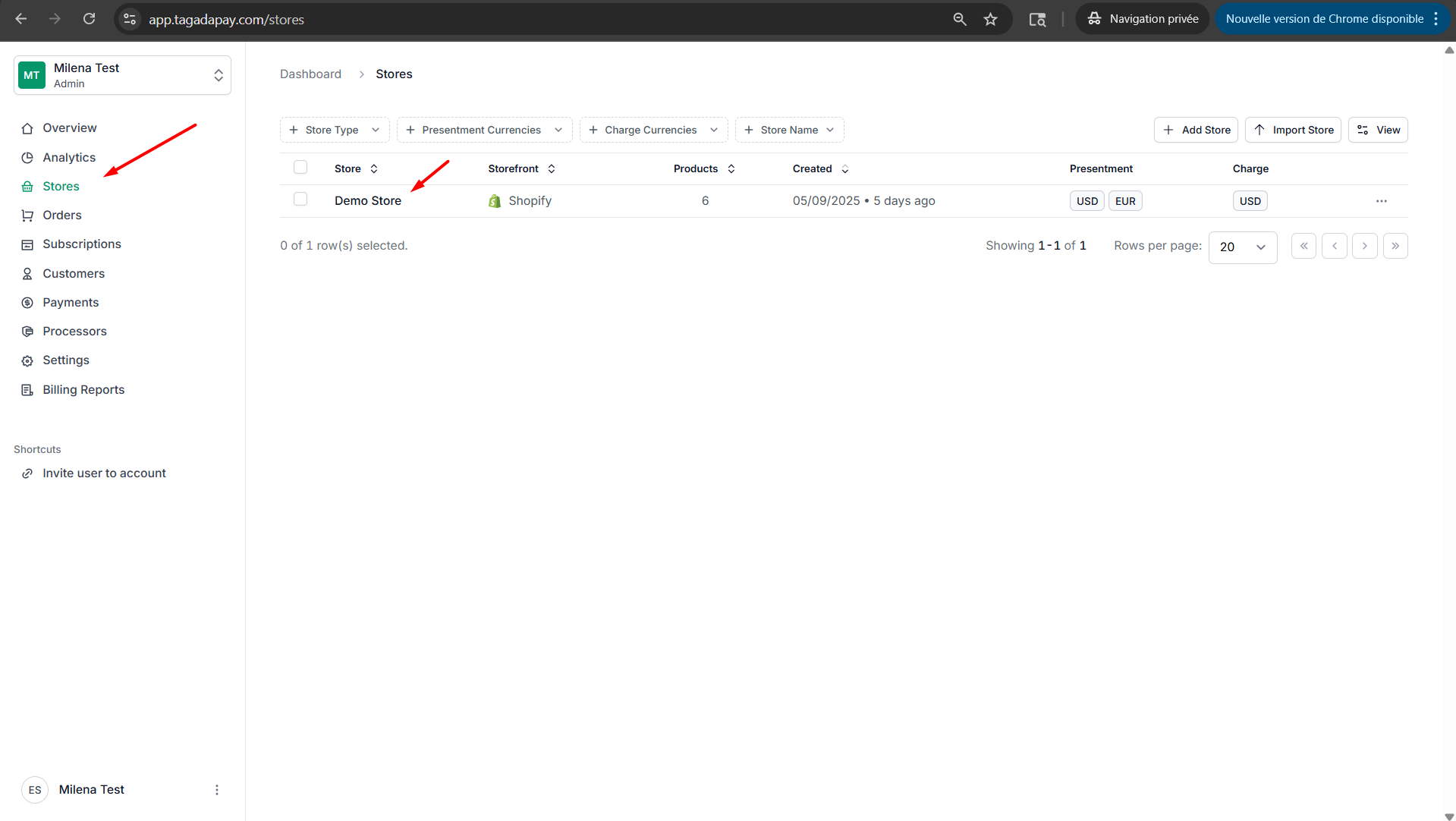
Step 1: Select your desired store under Stores.
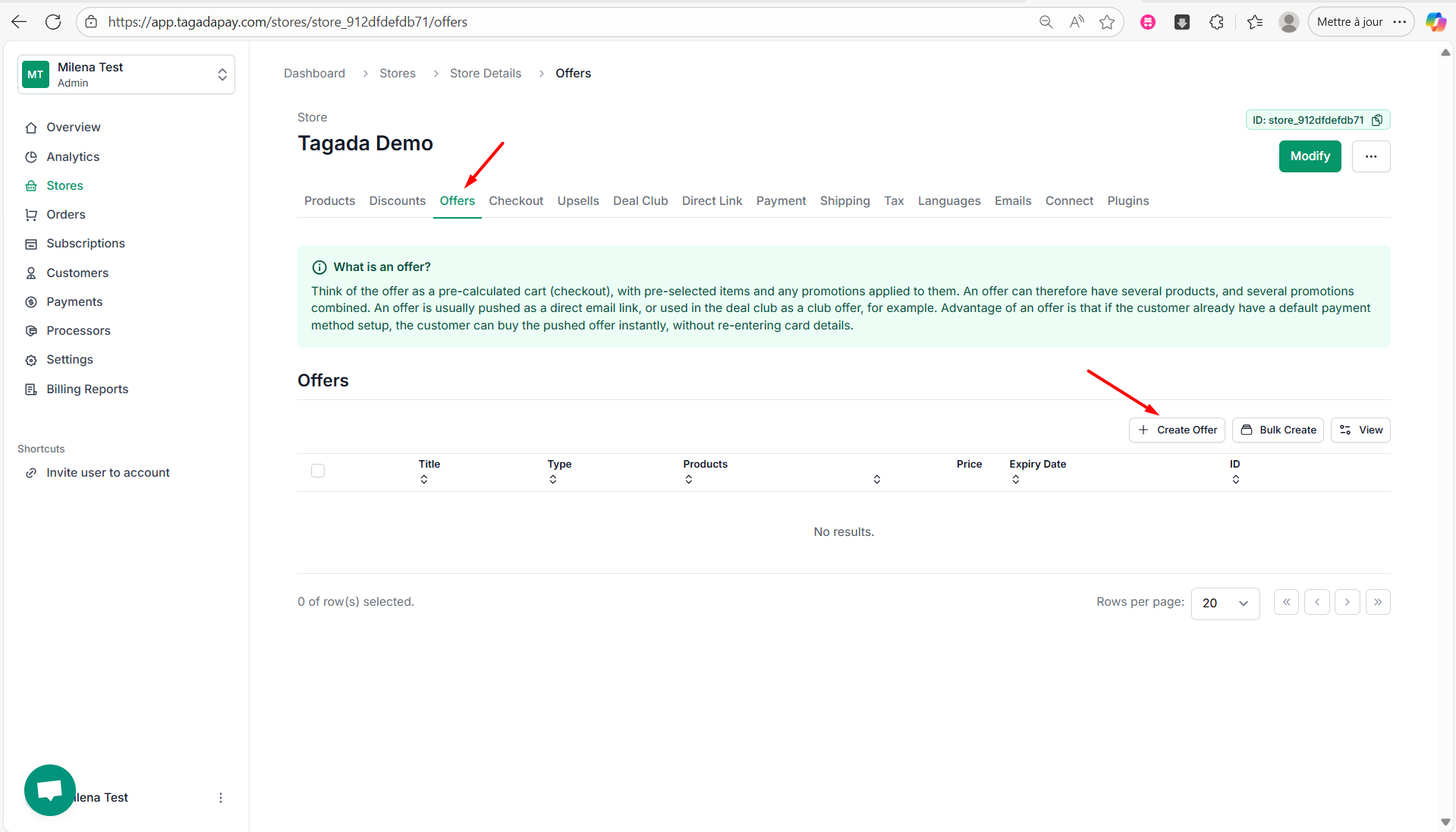
Step 2: Under the Offers tab in the menu, click on Create Offer.
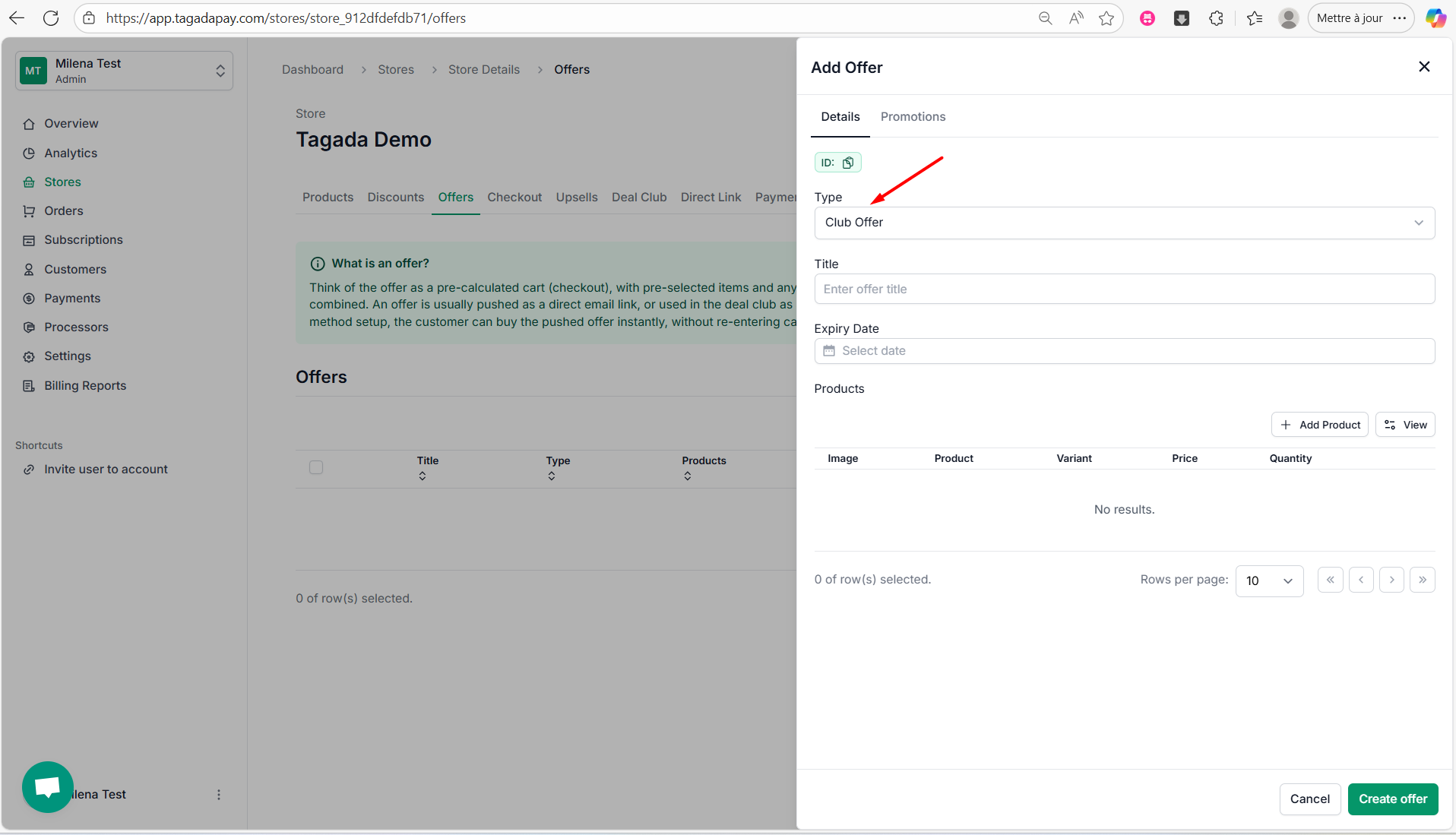
Step 3: Select the Type of your offer. There are three types of offers:
Club Offer
Bundle Offer
Flash Sale
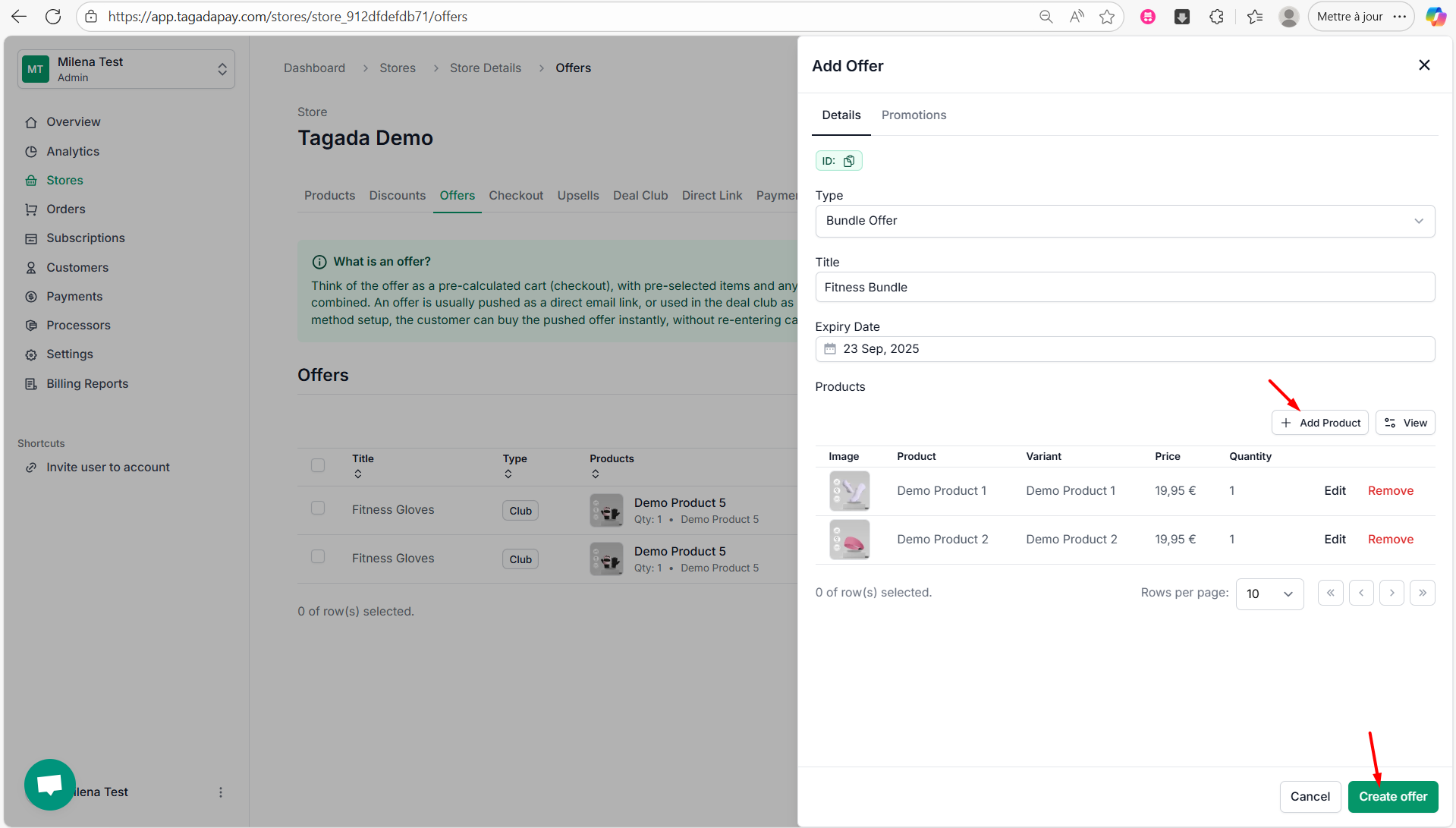
Step 4: Select Bundle Offer from the drop-down, enter a title (e.g., Fitness Bundle), and optionally set an expiry date to limit the offer's availability.
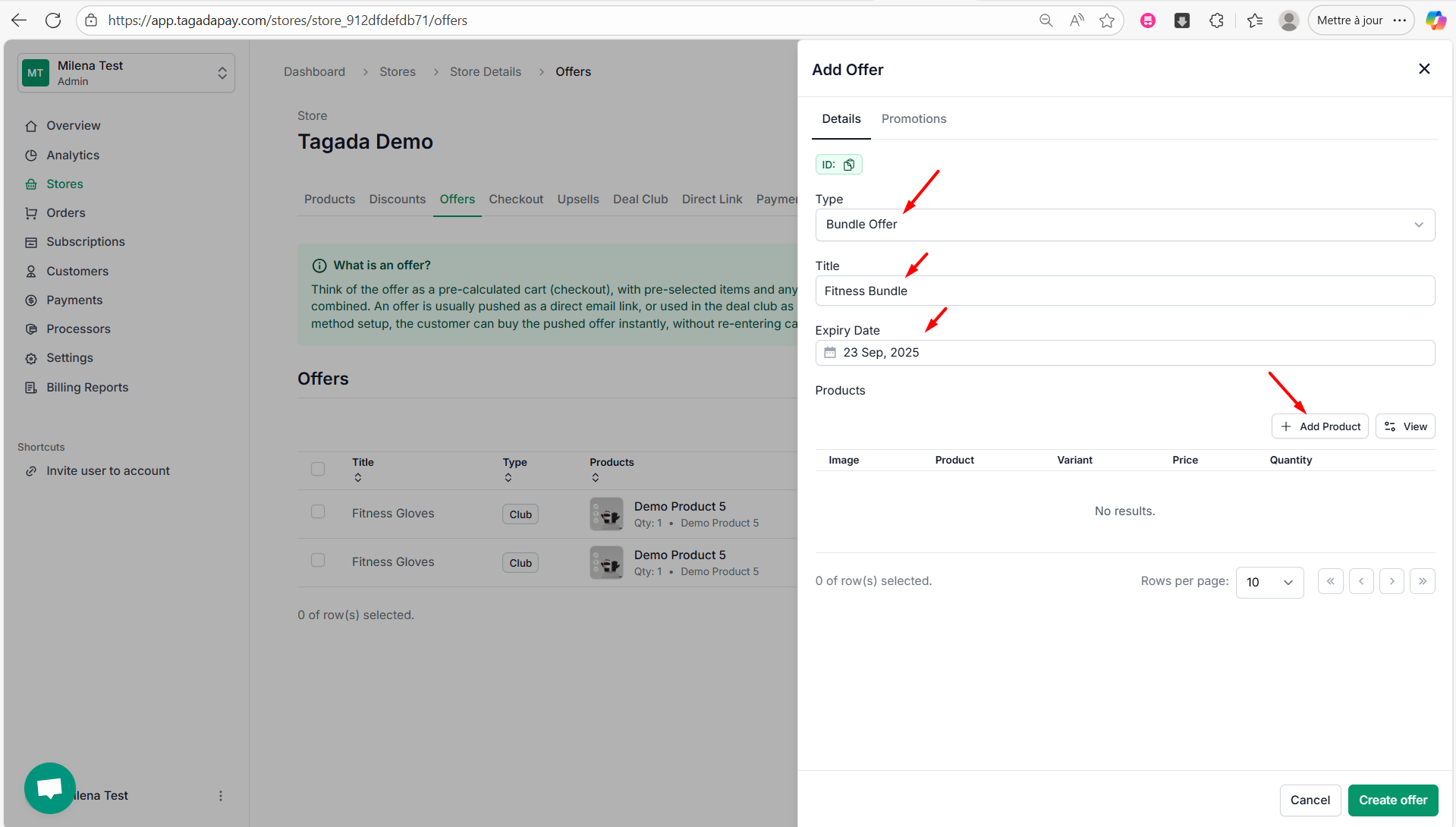
Step 5: Click on Add Product, choose the product for your offer, select the variant, set the price and quantity, then click Add Product.
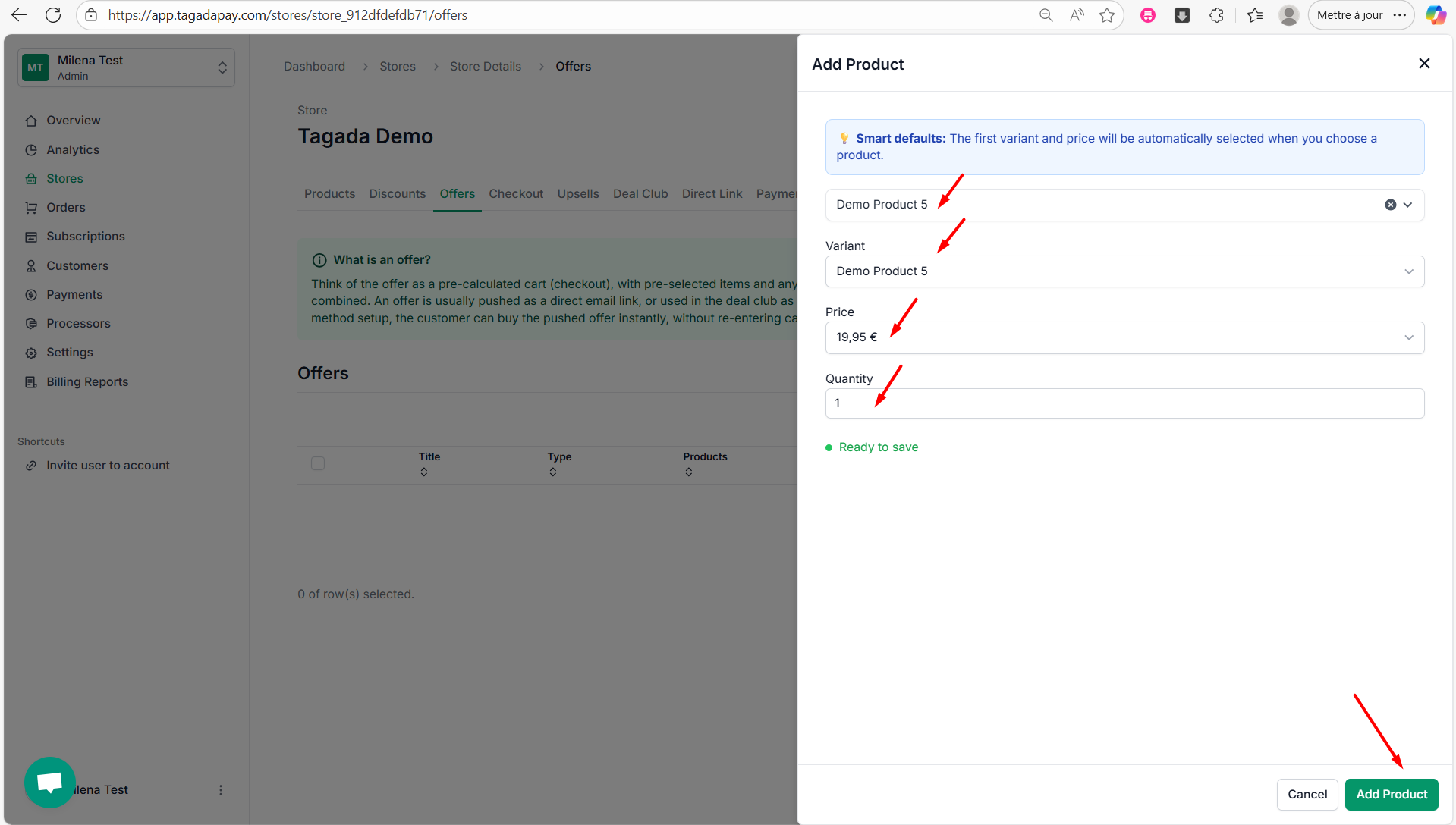
Step 6: Repeat this step until you create all the products you would like to have in your offer. Once finished click on Create offer.
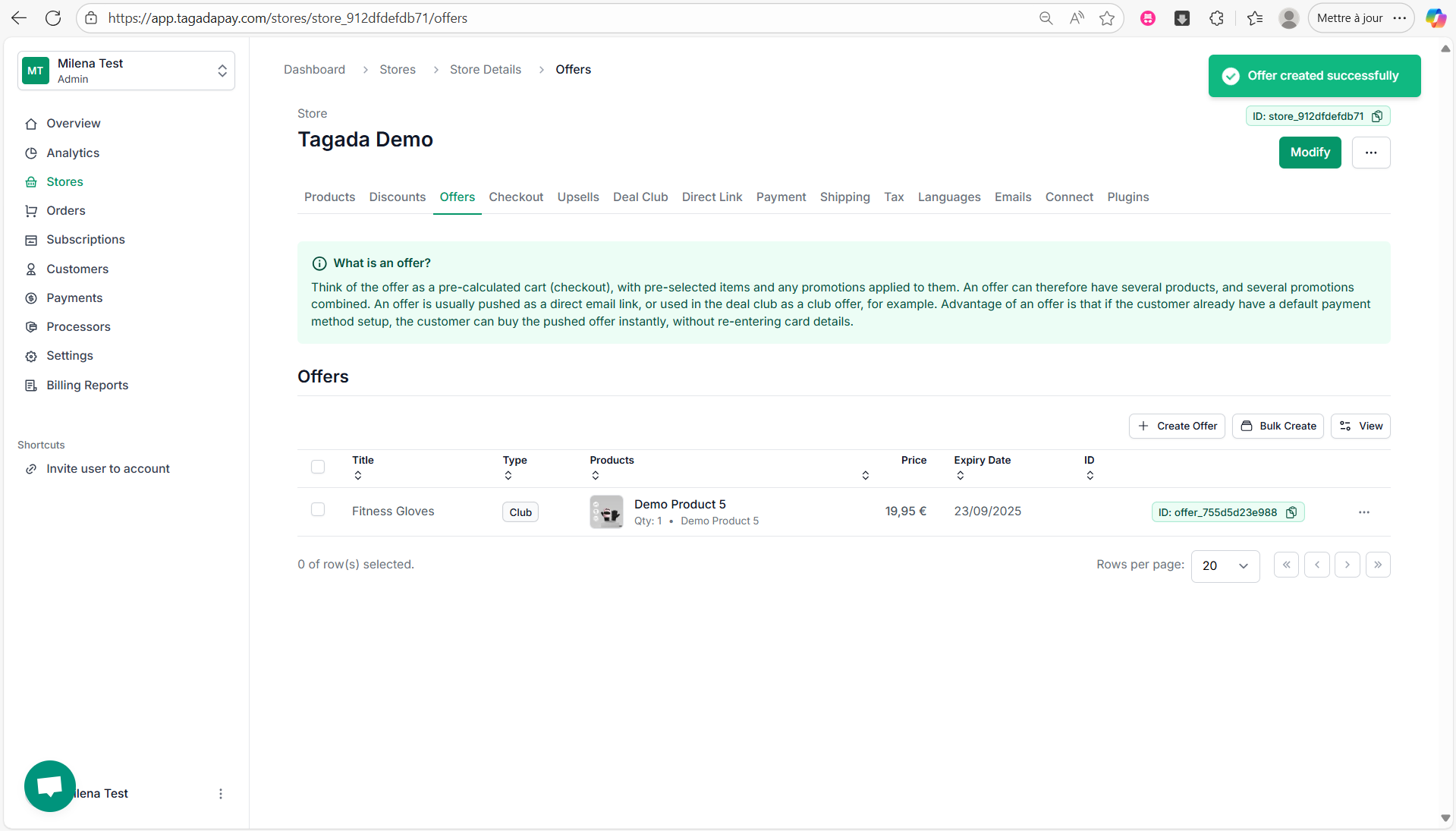
Step 7: A green notification will appear confirming your offer has successfully been created.
Step 8: Click on Discounts in the menu to create a discount you would like to apply to your bundle offer. If you need more detailed instructions, please refer to the Creating a Discount section.
Step 9: Click on your offer and click on Promotions tab. Then click on Add Discount.
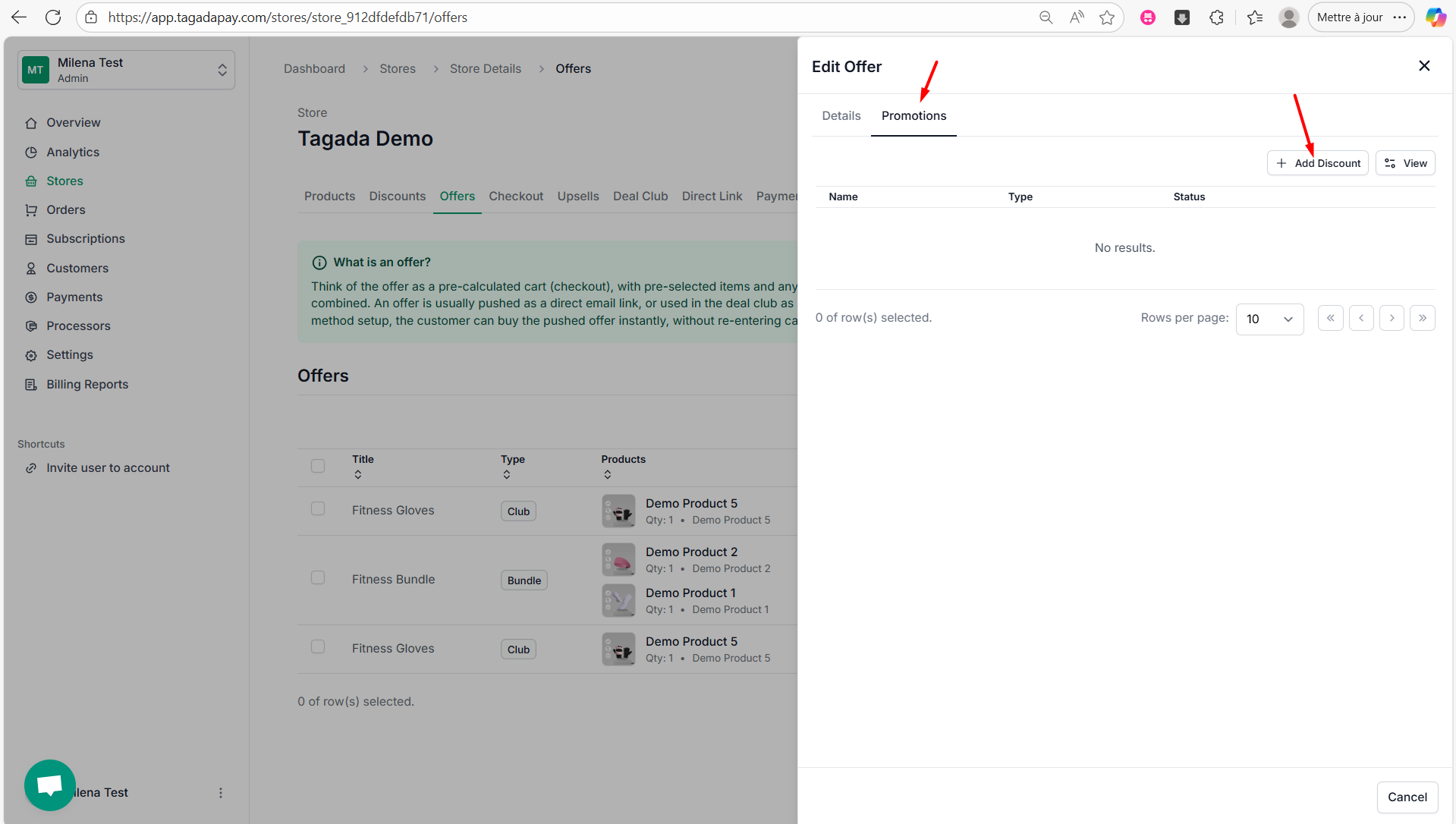
Step 10: Chose the promotion you would like to apply to your bundle offer and click on Add.
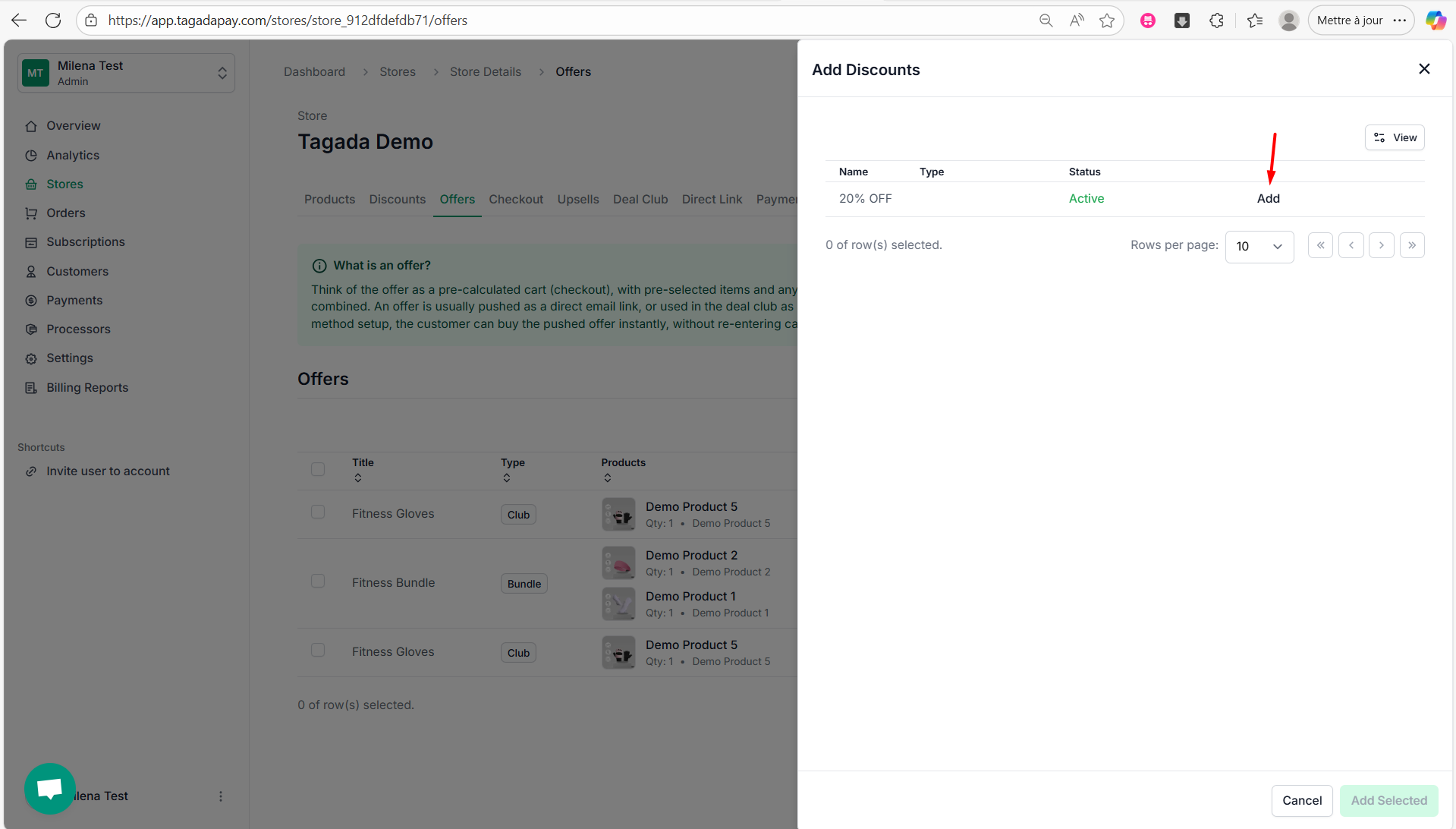
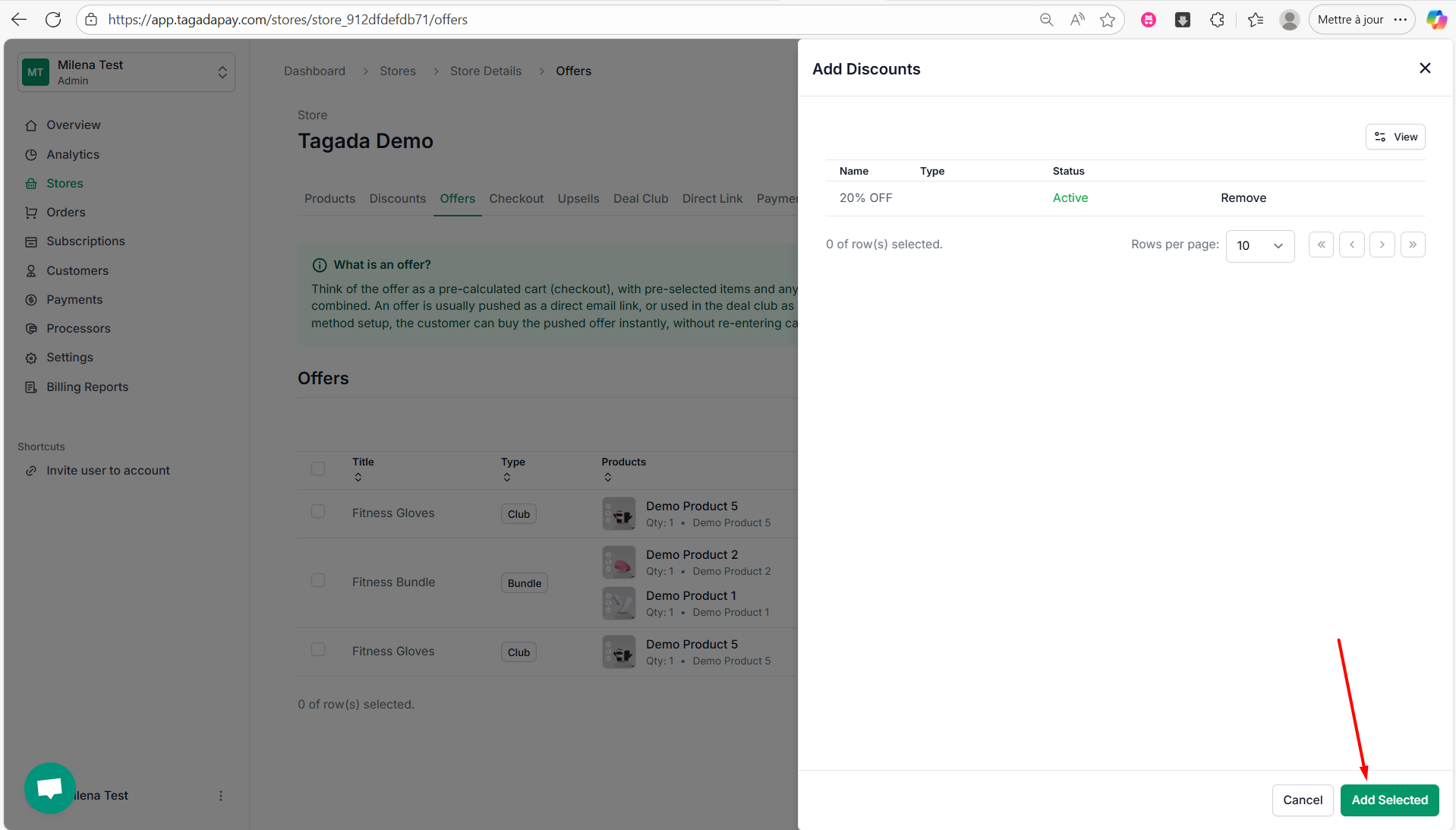
Step 11: Click on Add Selected.
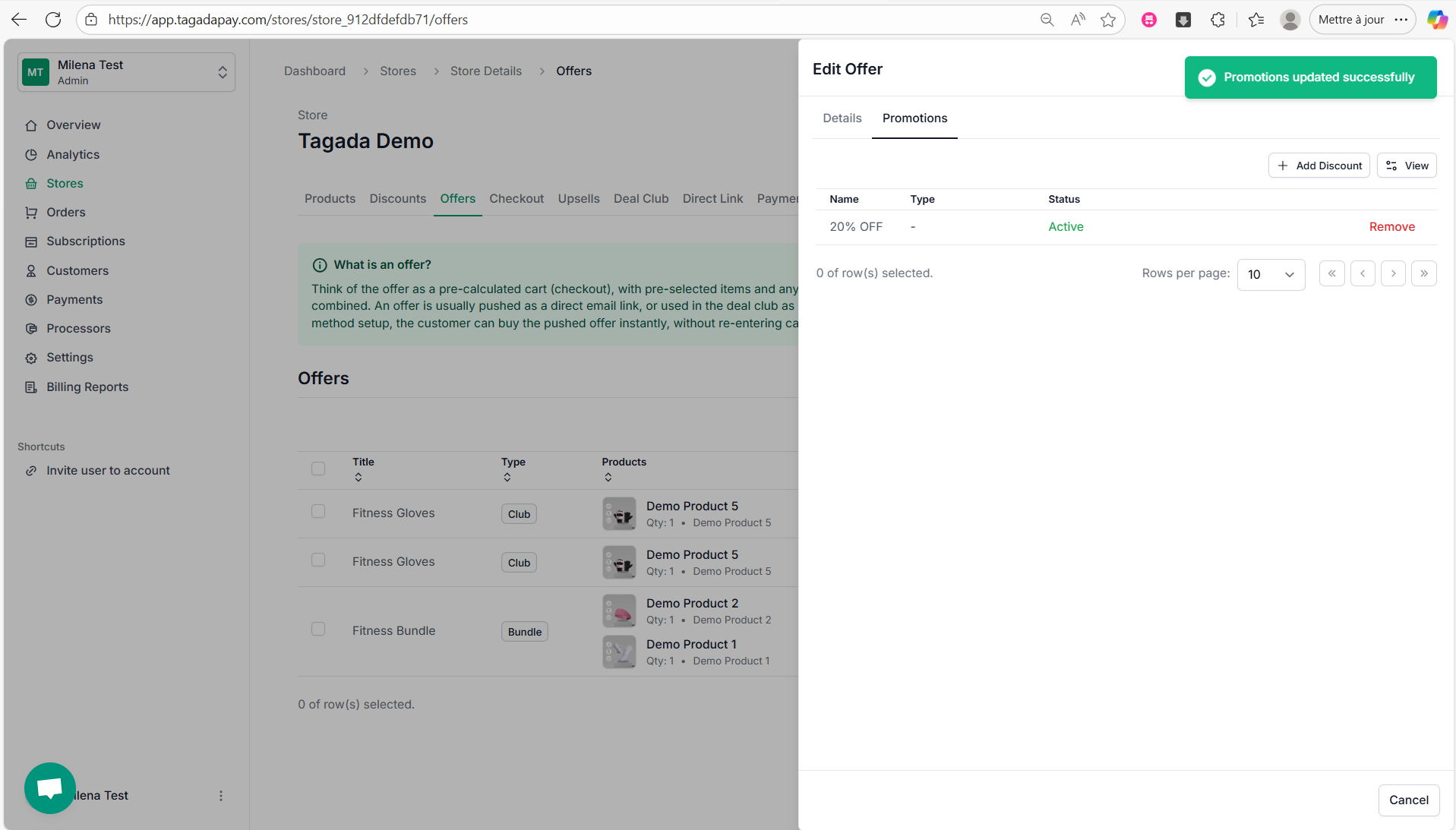
Step 12: A green notification will appear confirming that your discount was successfully added.
Creating offers is important because you can include them in your funnel. We’ll cover that in the next chapter.
This section explains how to use the Offers feature in Tagada to create bundle offers.