
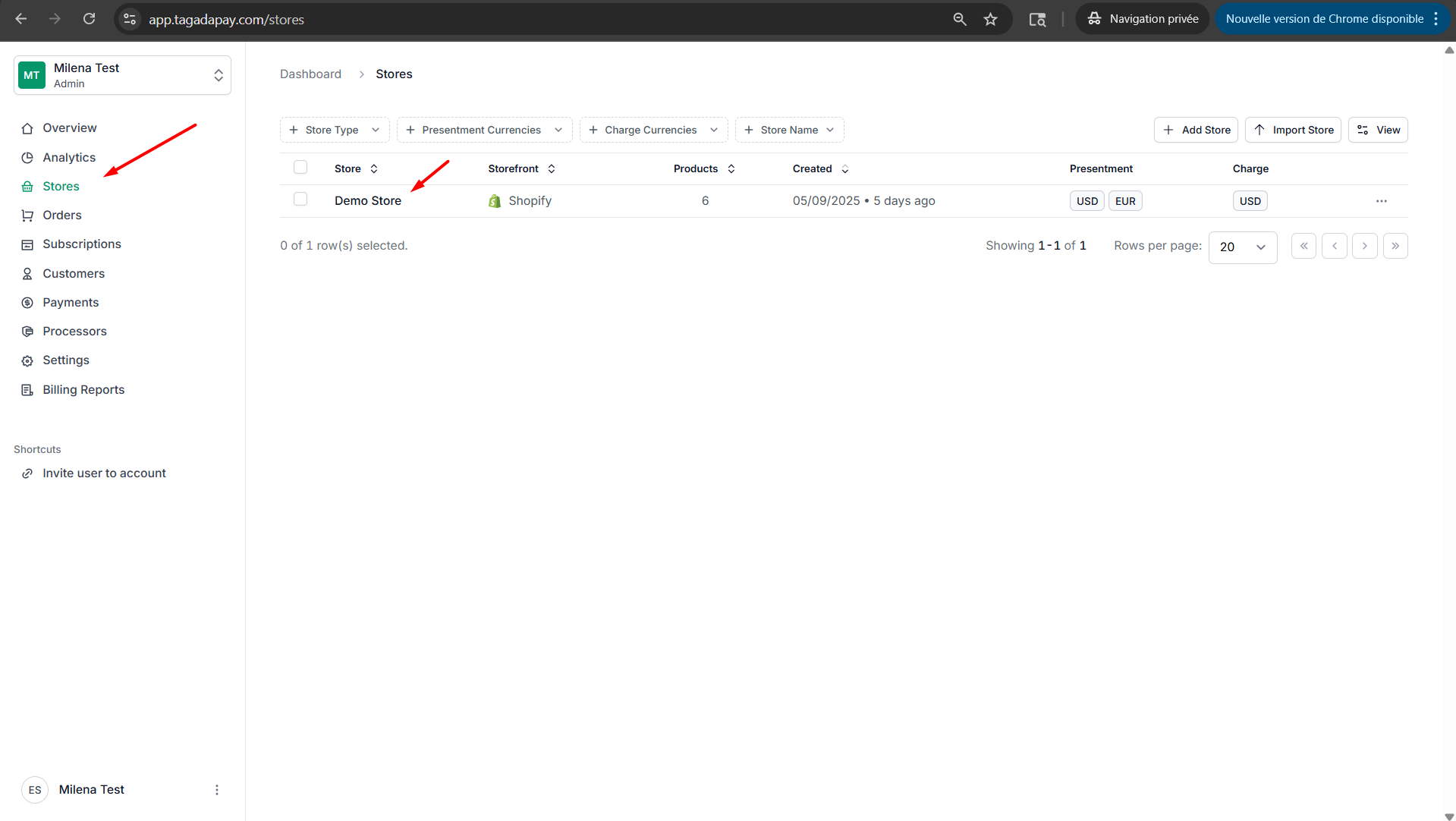
Step 1: Select your desired store under Stores.
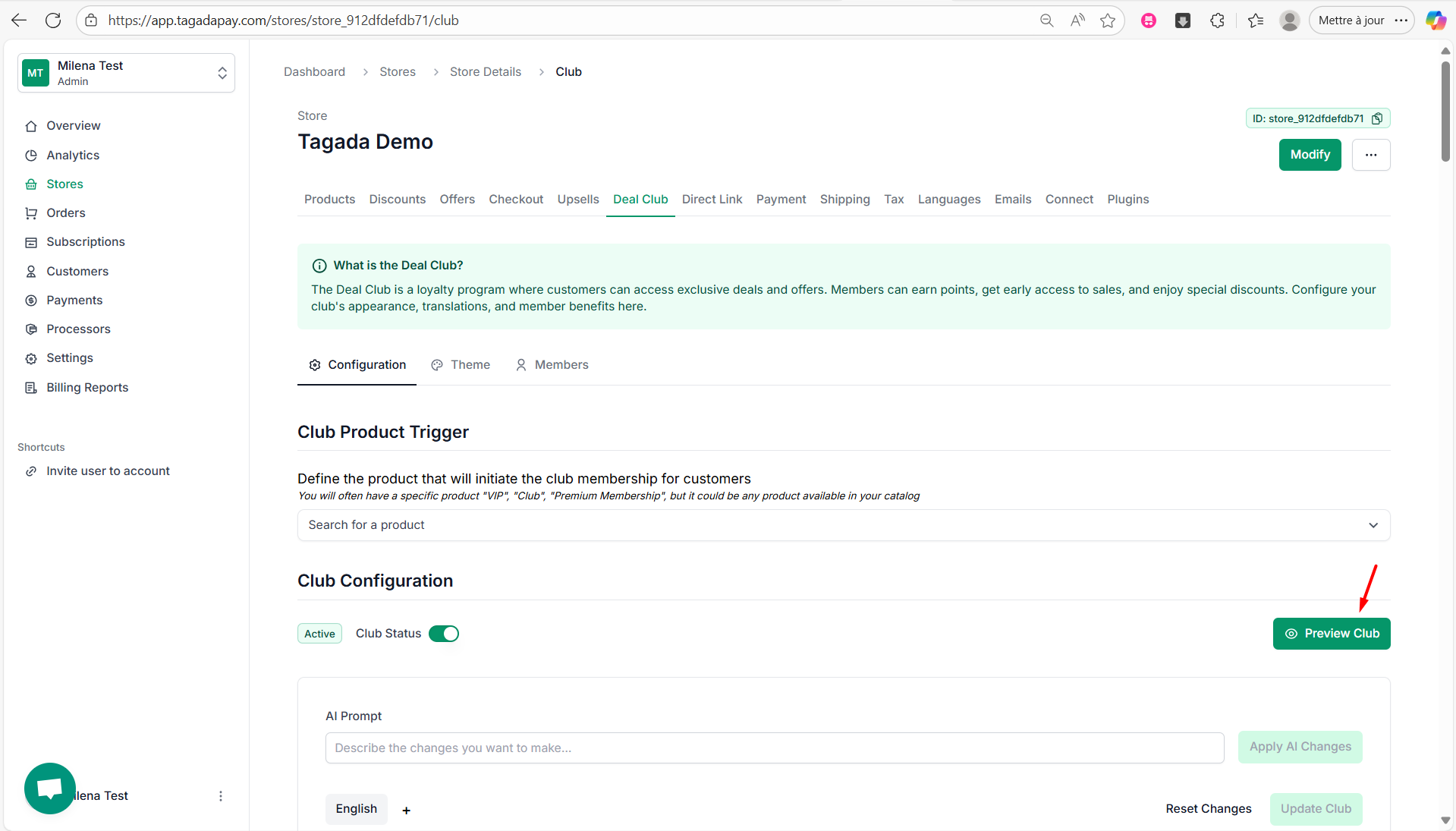
Step 2: Select the Deal Club tab in the menu. Under Configuration, click on the Preview Club button.
Step 3: You can now preview your Deal Club. If you’d like to customize it, you can find the instructions here.
Once you’ve set up your Deal Club, you can preview it.