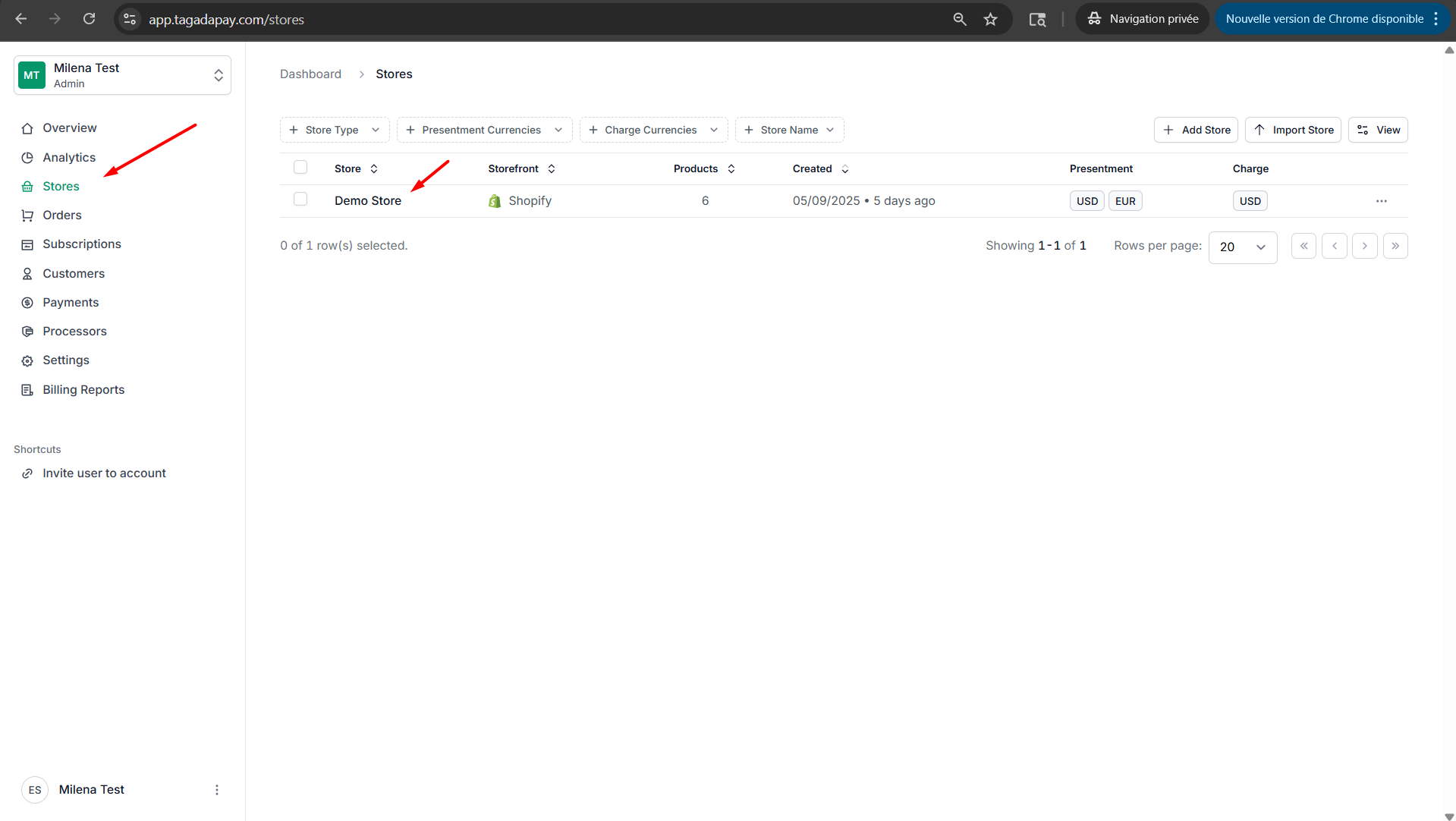
Step 1: Select your desired store under Stores.
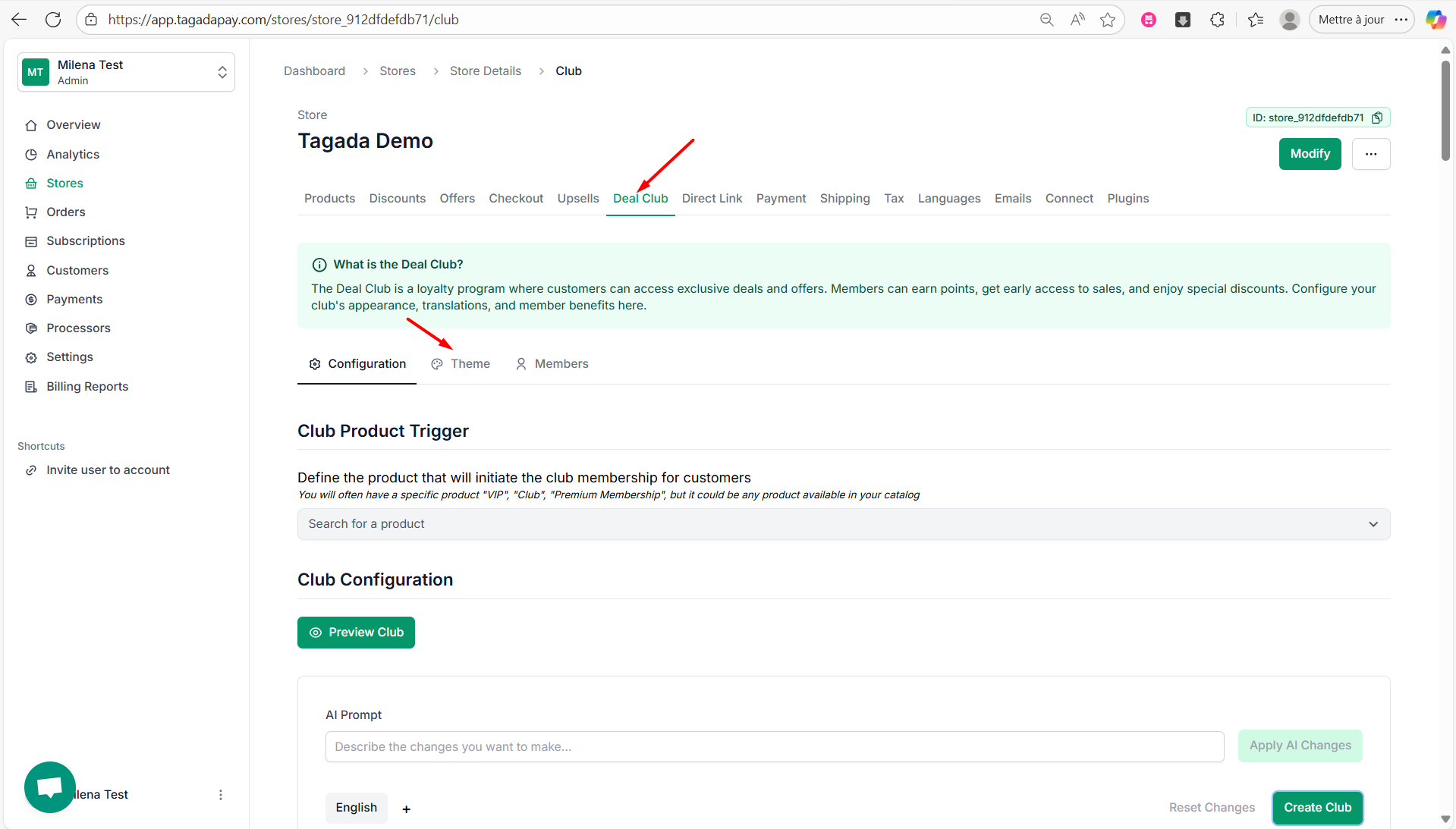
Step 2: Select the Deal Club tab in the menu. Click on Theme tab.
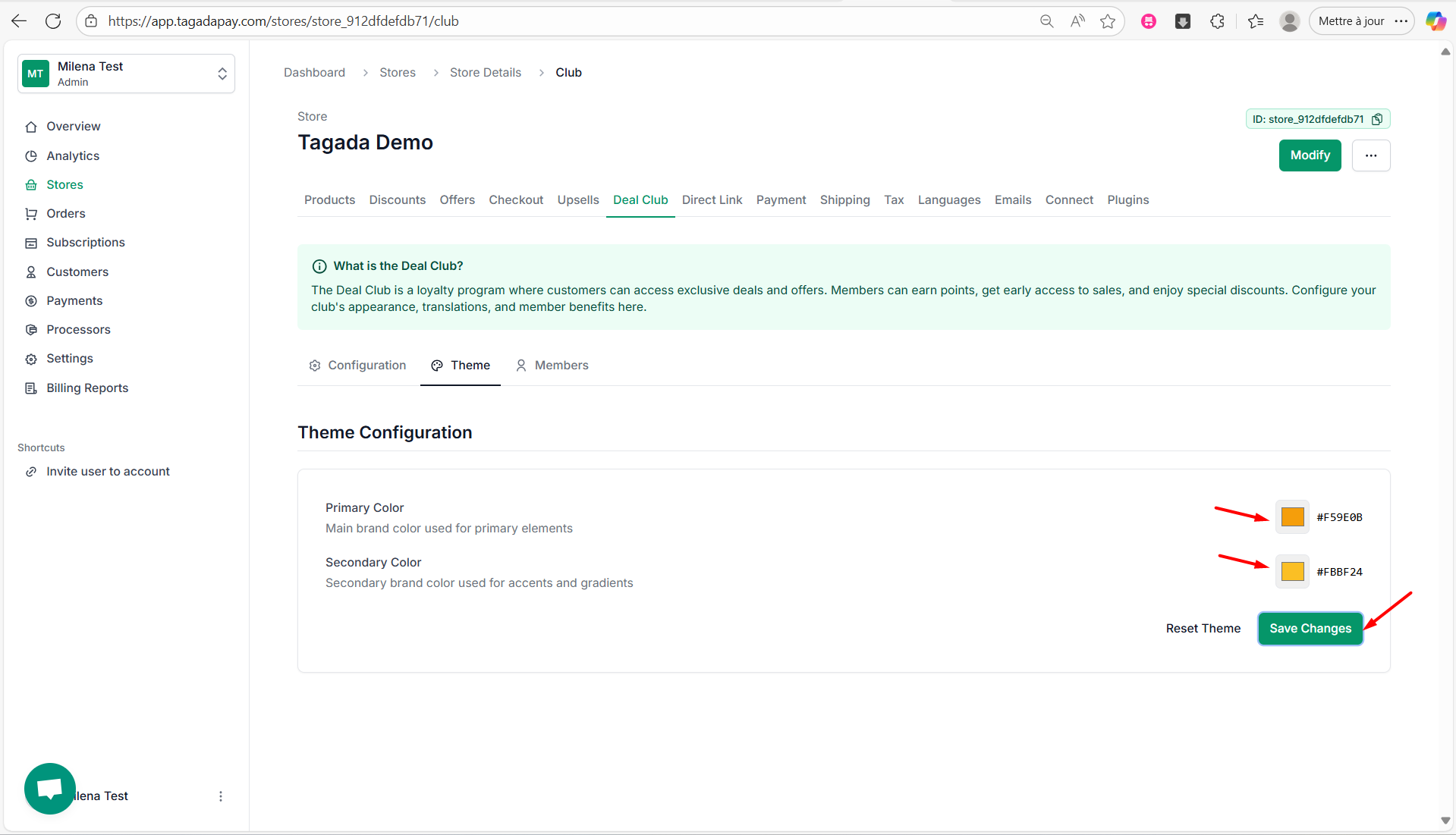
Step 3: You can change the Primary Color and Secondary Color by clicking on the color selector on the right side. Once you are done, click on Save Changes.