Help center
English
French
All collections
Deal Club
Customizing the colors of your Deal Club (v1)
Customizing the colors of your Deal Club (v1)
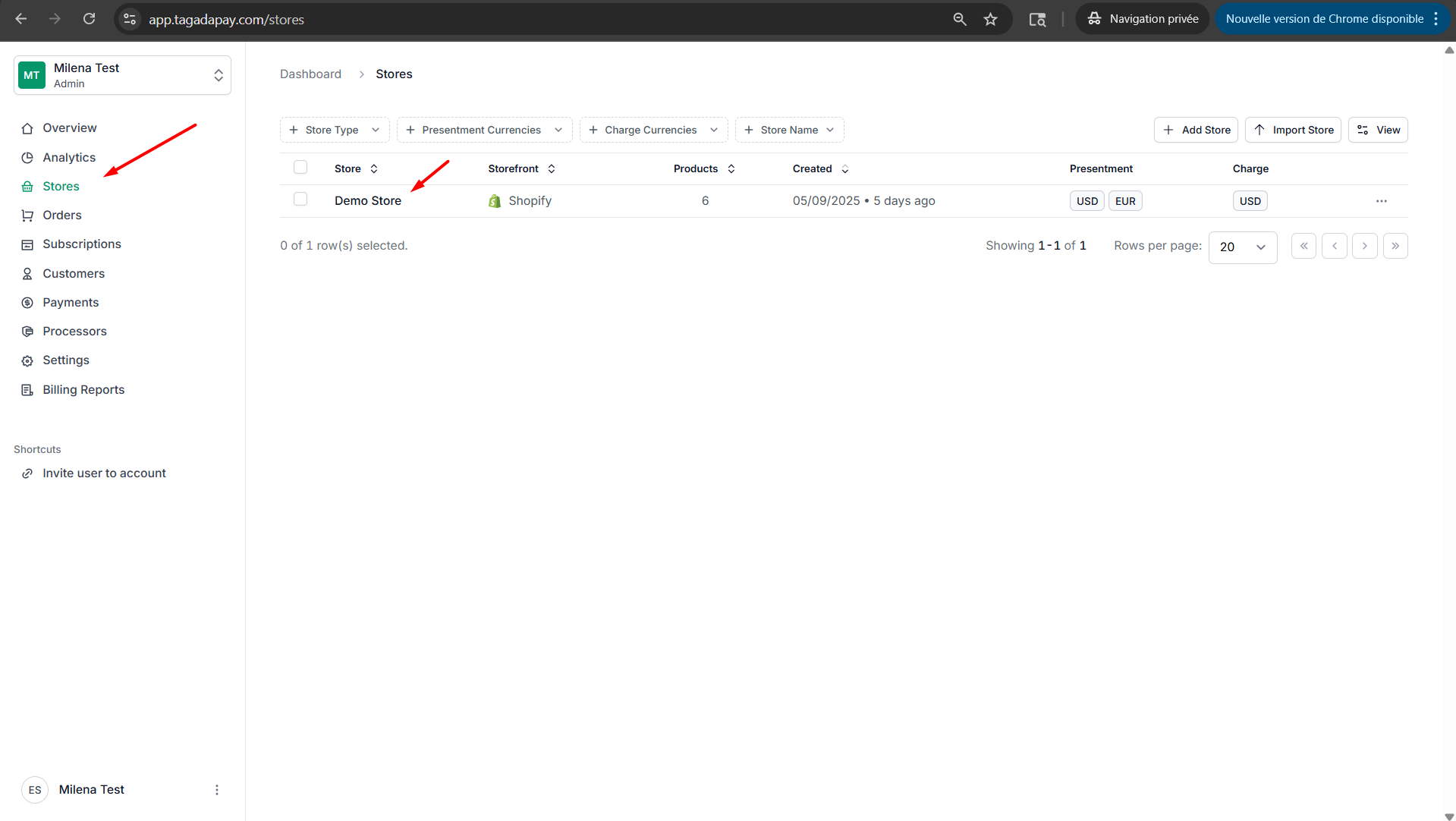
1) Select your desired store under Stores.
Copy for LLM
Step 1: Select your desired store under Stores.
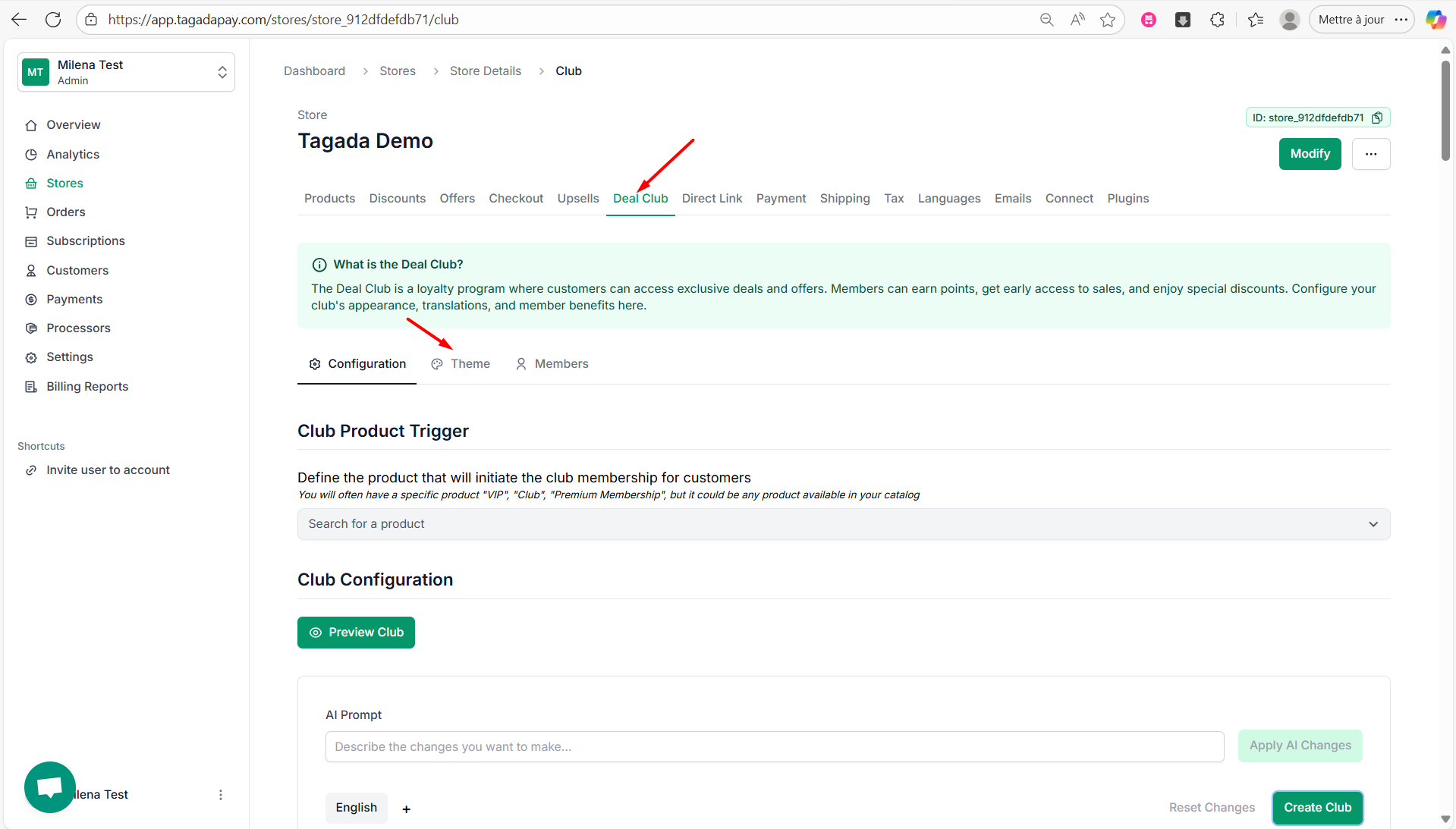
Step 2: Select the Deal Club tab in the menu. Click on Theme tab.
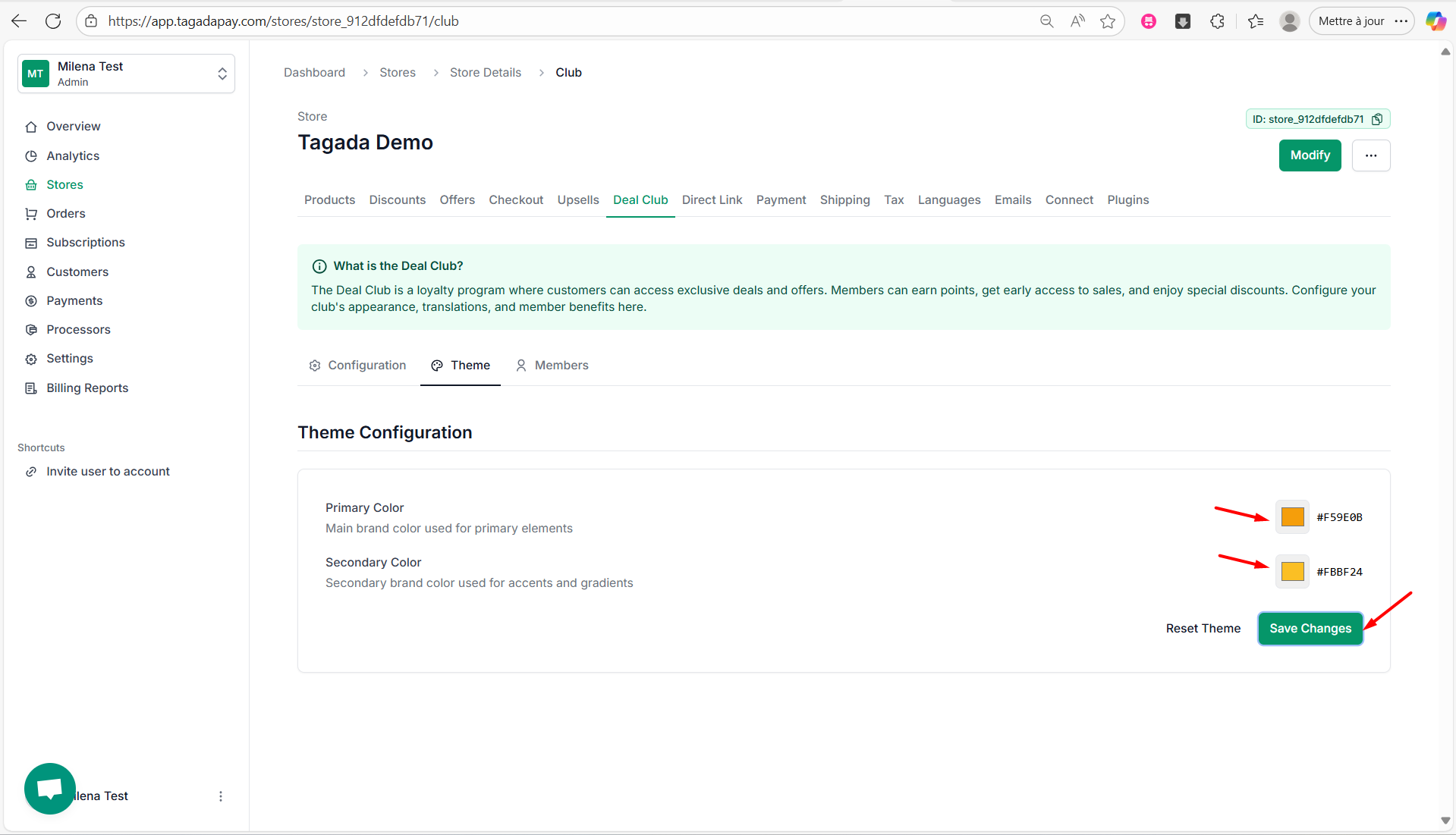
Step 3: You can change the Primary Color and Secondary Color by clicking on the color selector on the right side. Once you are done, click on Save Changes.
Did this answer your question?
😞
😐
😁