
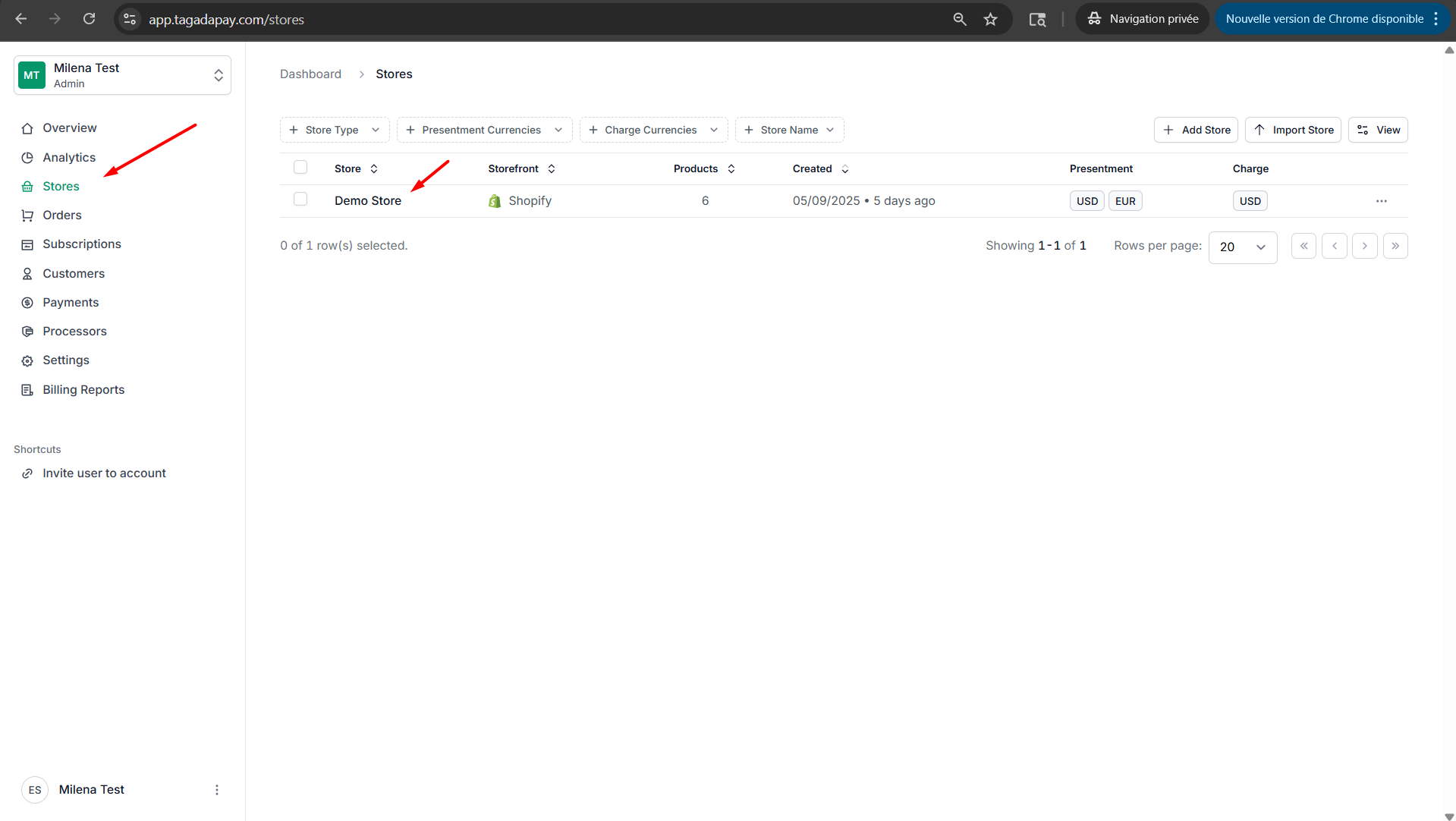
Step 1: Select your desired store under Stores.
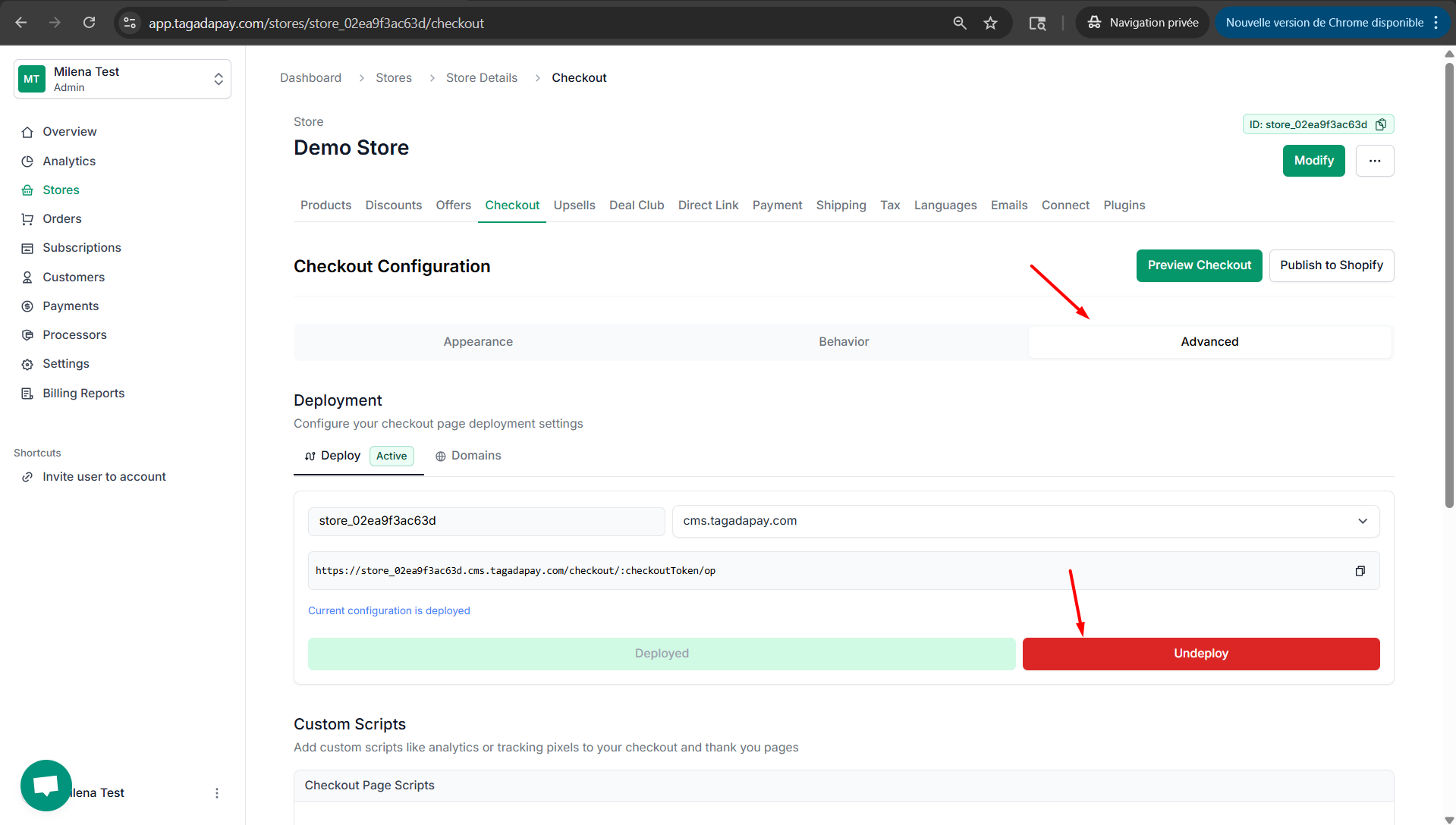
Step 2: Select Checkout, then select Advanced and click on Undeploy.
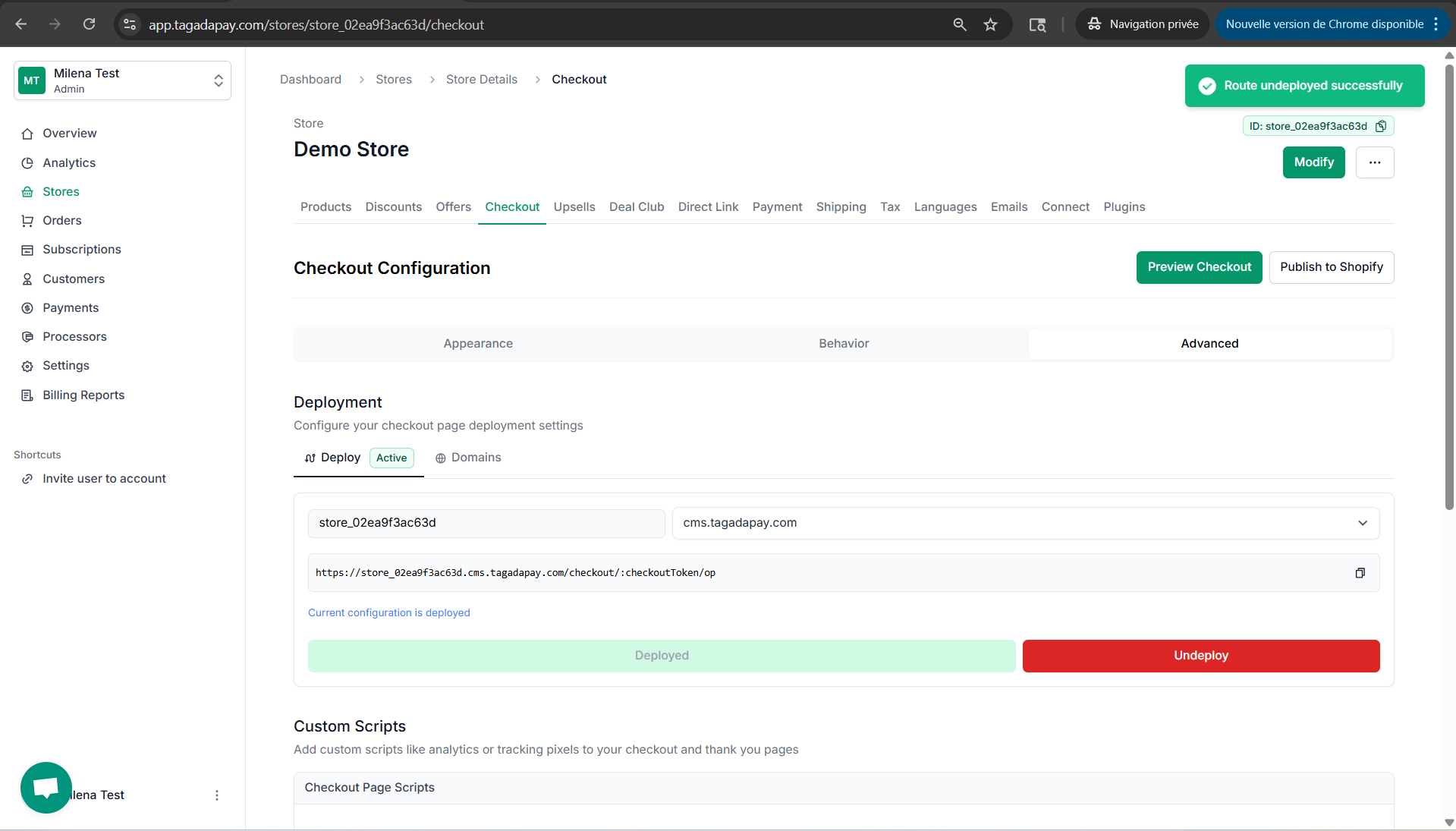
Step 3: A green notification will appear in the top-right corner to confirm that the undeployment was successful.
You can also undeploy your checkout, if needed.