
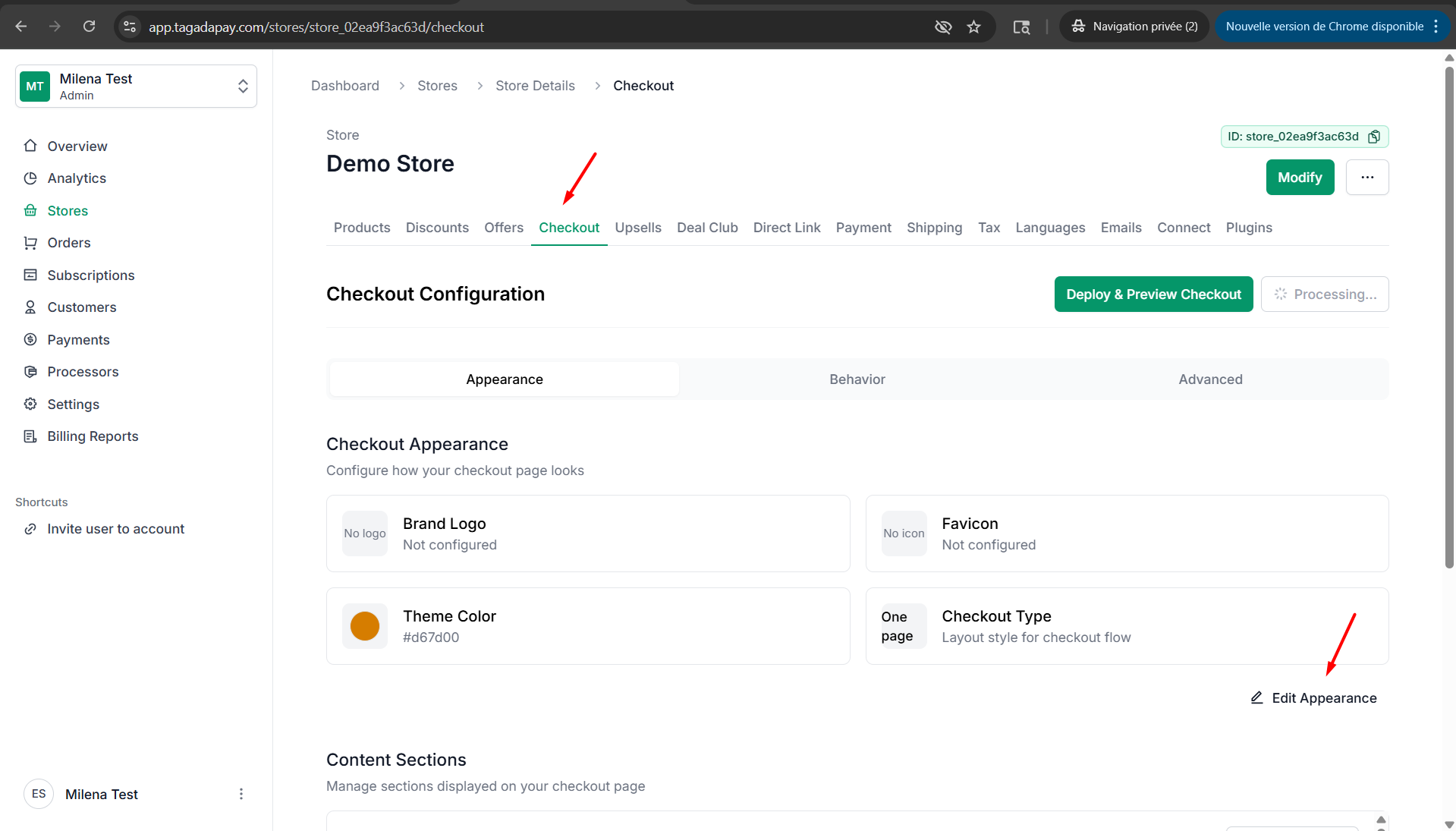
Step 1: Click on Checkout, then click on Edit Apparence.
Step 2: Under Appearance, you can choose between a one-page or multi-page checkout.
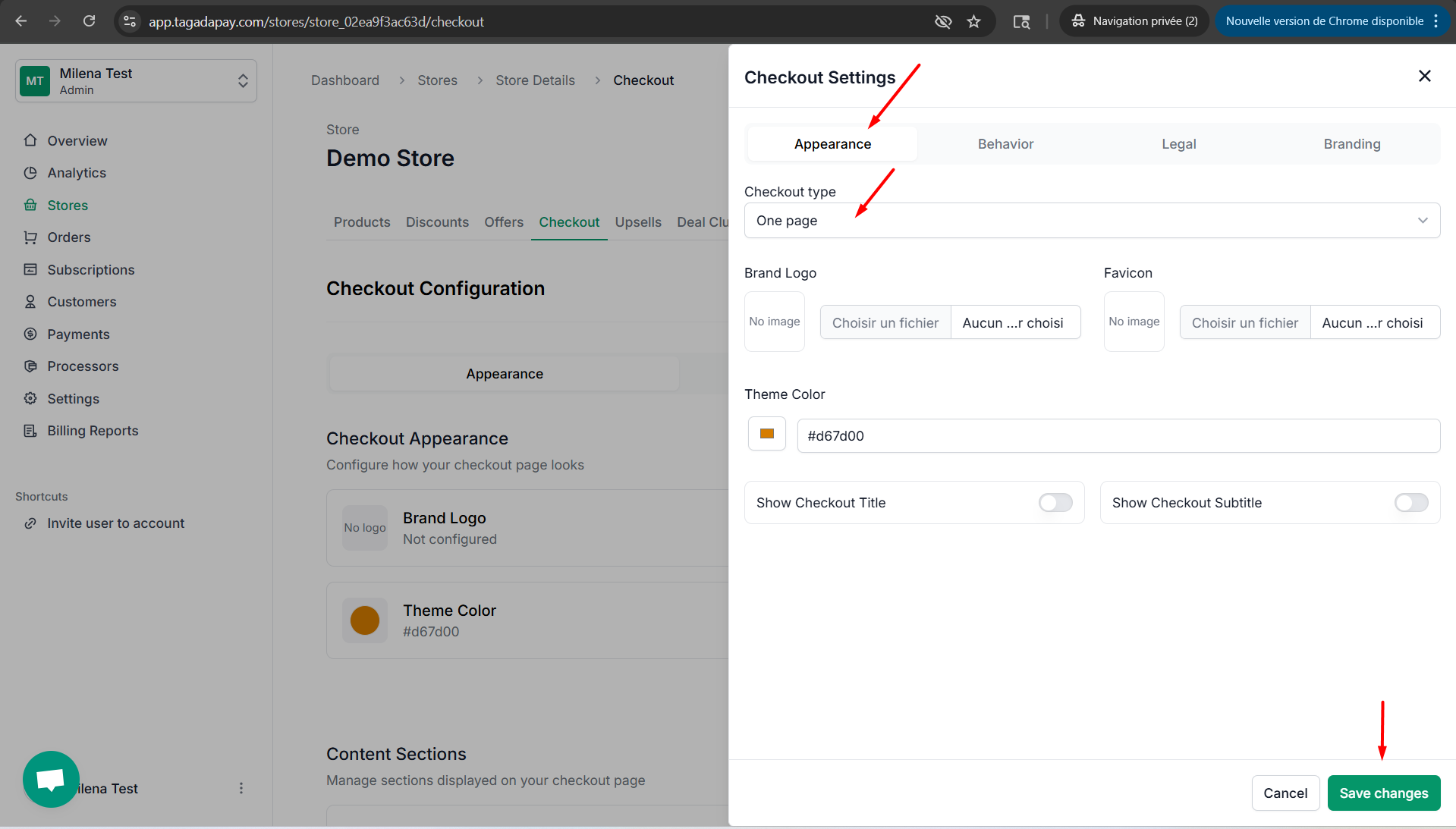
Step 3: Click on Save changes.
You can chose the type of your checkout by clicking on the Checkout tab in the menu of your Admin panel of the selected store.