
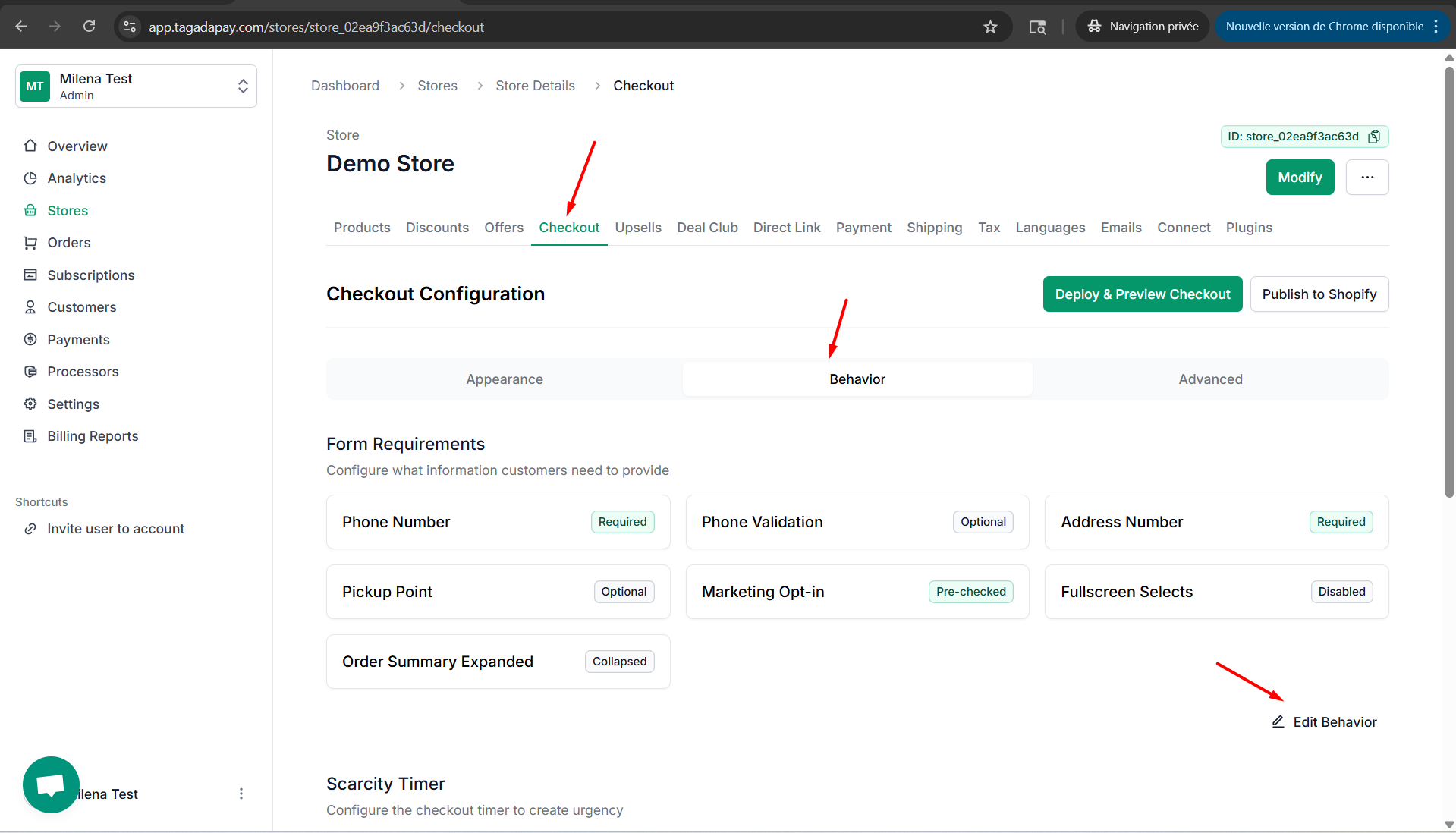
Step 1: Click on Checkout, then click on Behaviour and Edit Behaviour.
Step 2: Click on Behavior tab. Enable the Pre-check Marketing Opt-in button, if you would like the marketing opt-in to be preselected at your checkout.
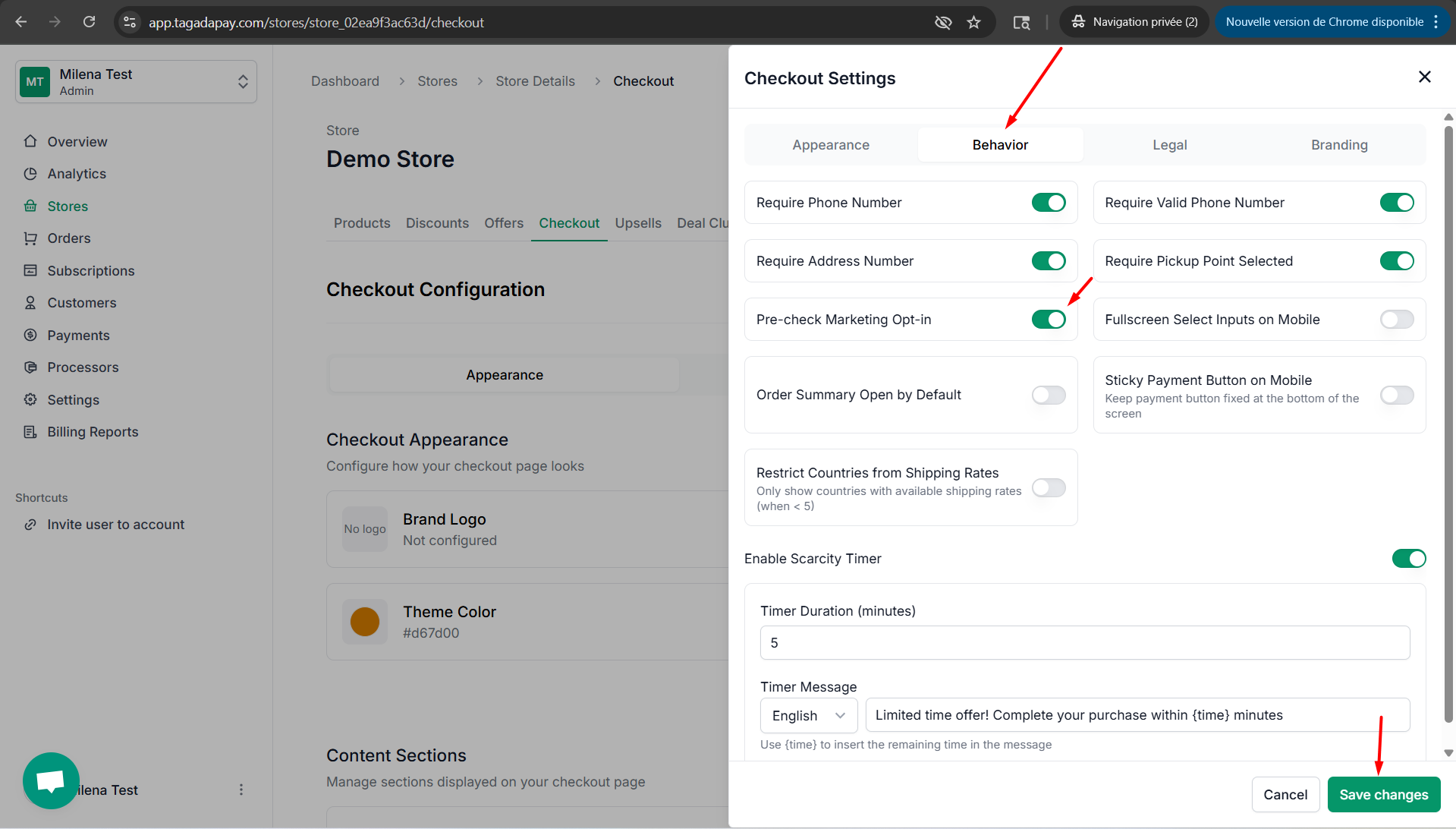
Step 3: Once you are done, don’t forget to click on Save changes
You can set up the marketing opt-in to be preselected at your checkout by clicking on the Checkout tab in the menu of your Admin panel of the selected store.