
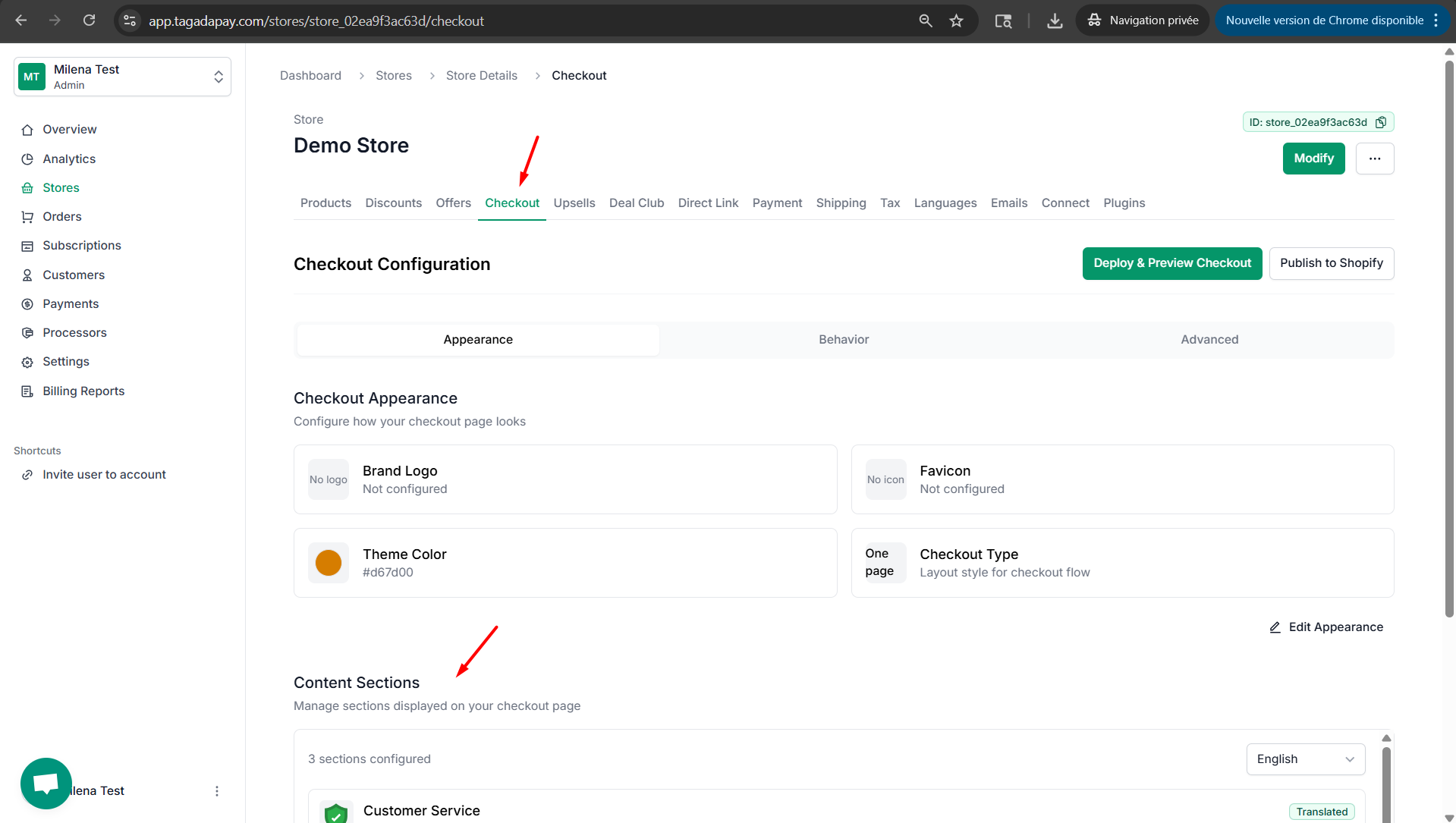
Step 1: Click on Checkout, then scroll down to Content Sections.
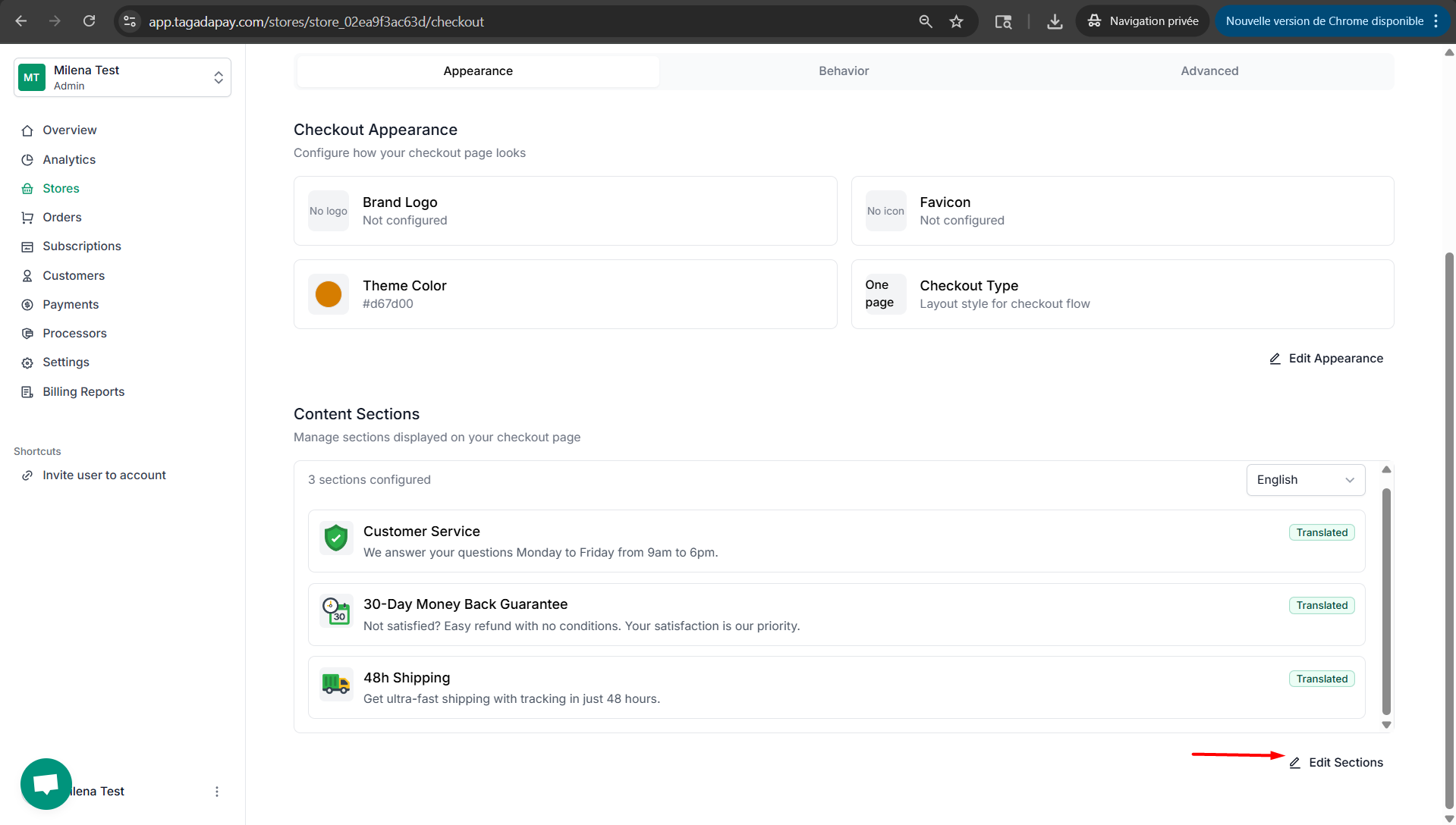
Step 2: Click on Edit Sections.
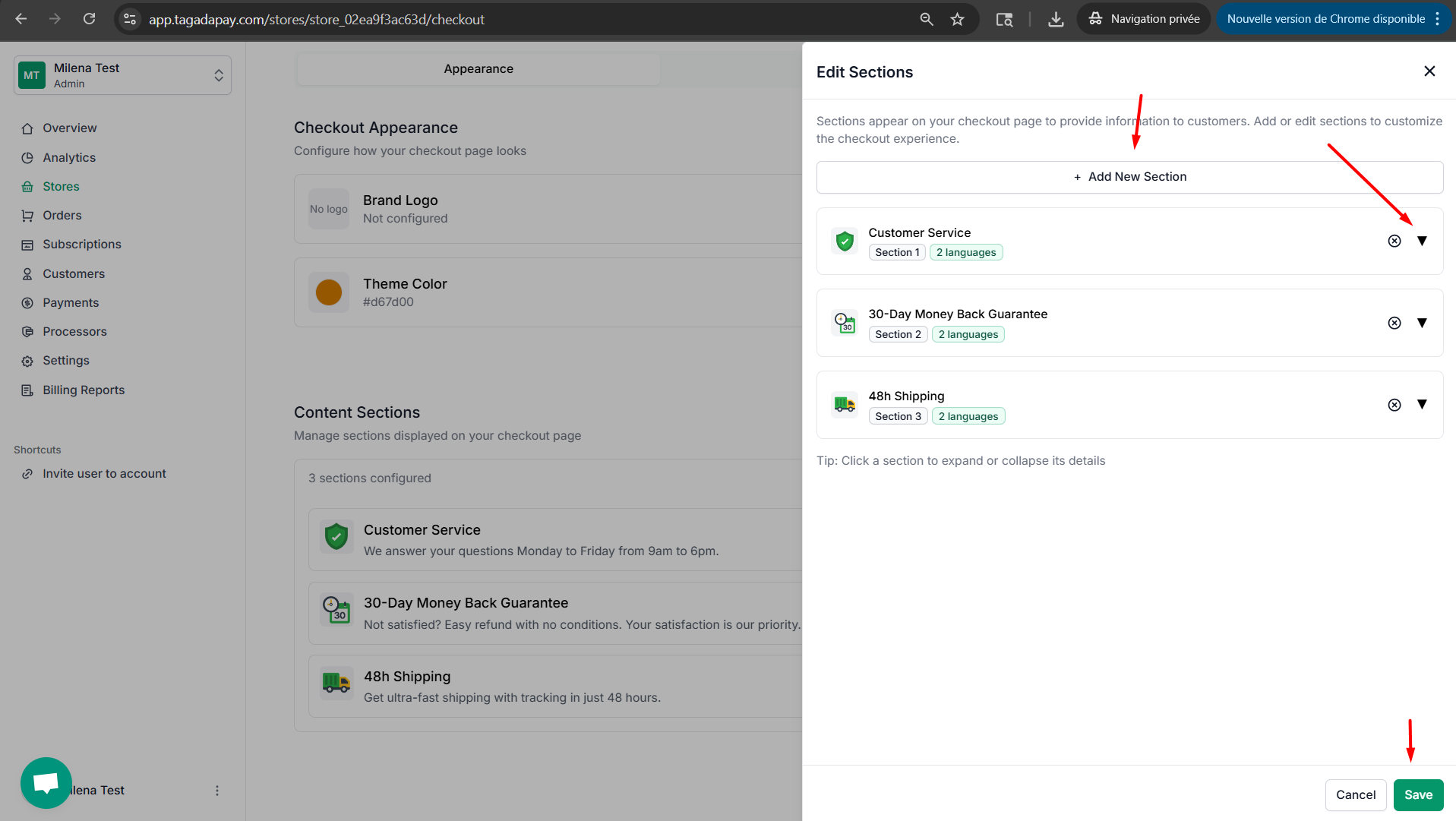
Step 3: You can customize each section by clicking on it. You can also remove or add a section. Once you are done customizing your checkout don’t forget to click on the Save changes button.
You can customize trust badges at your checkout by clicking on the Checkout tab in the menu of your Admin panel of the selected store.