
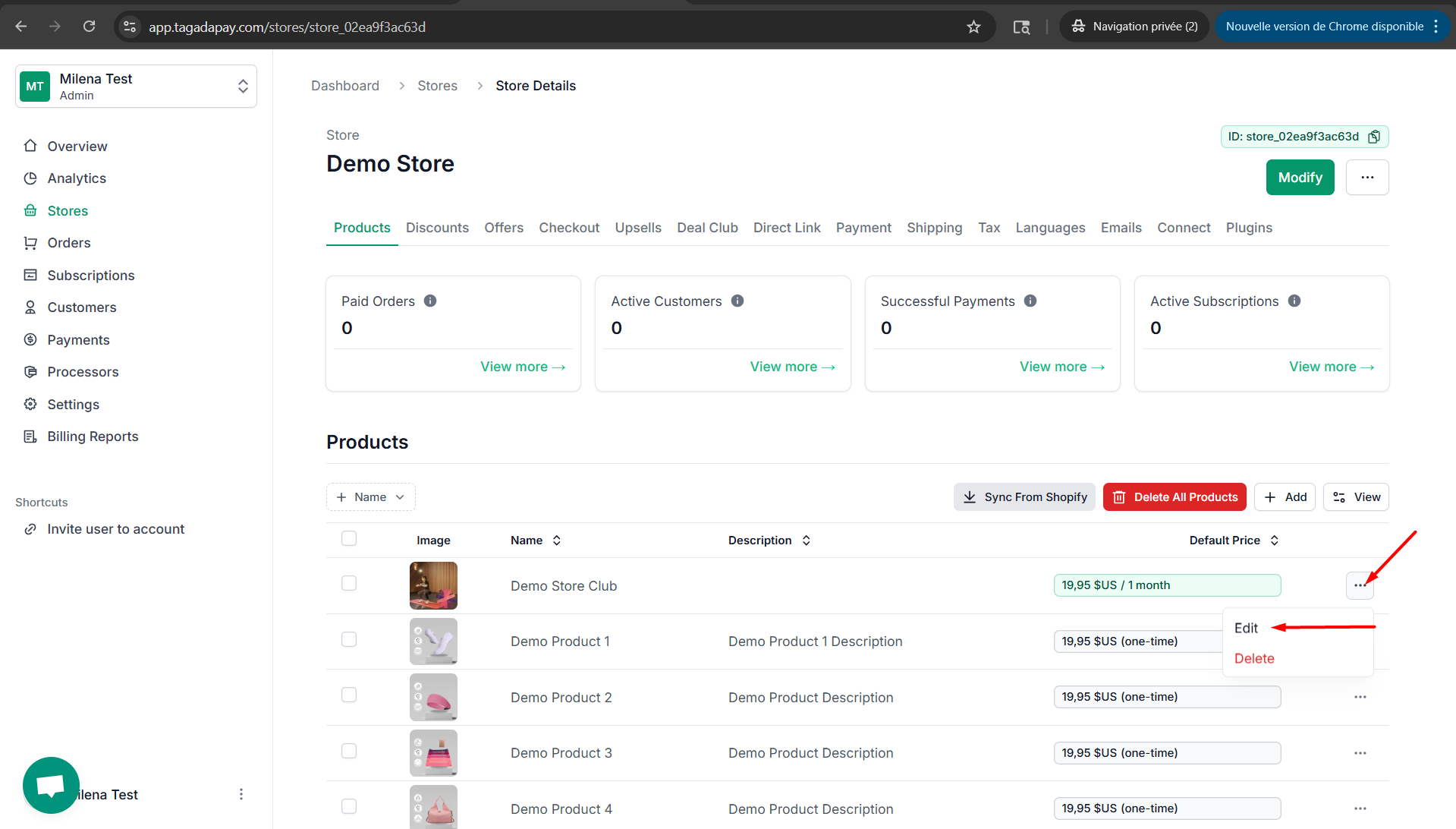
Step 1: You can lock prices in different currencies for your products. To do this, click on the three dots next to your product and select Edit.
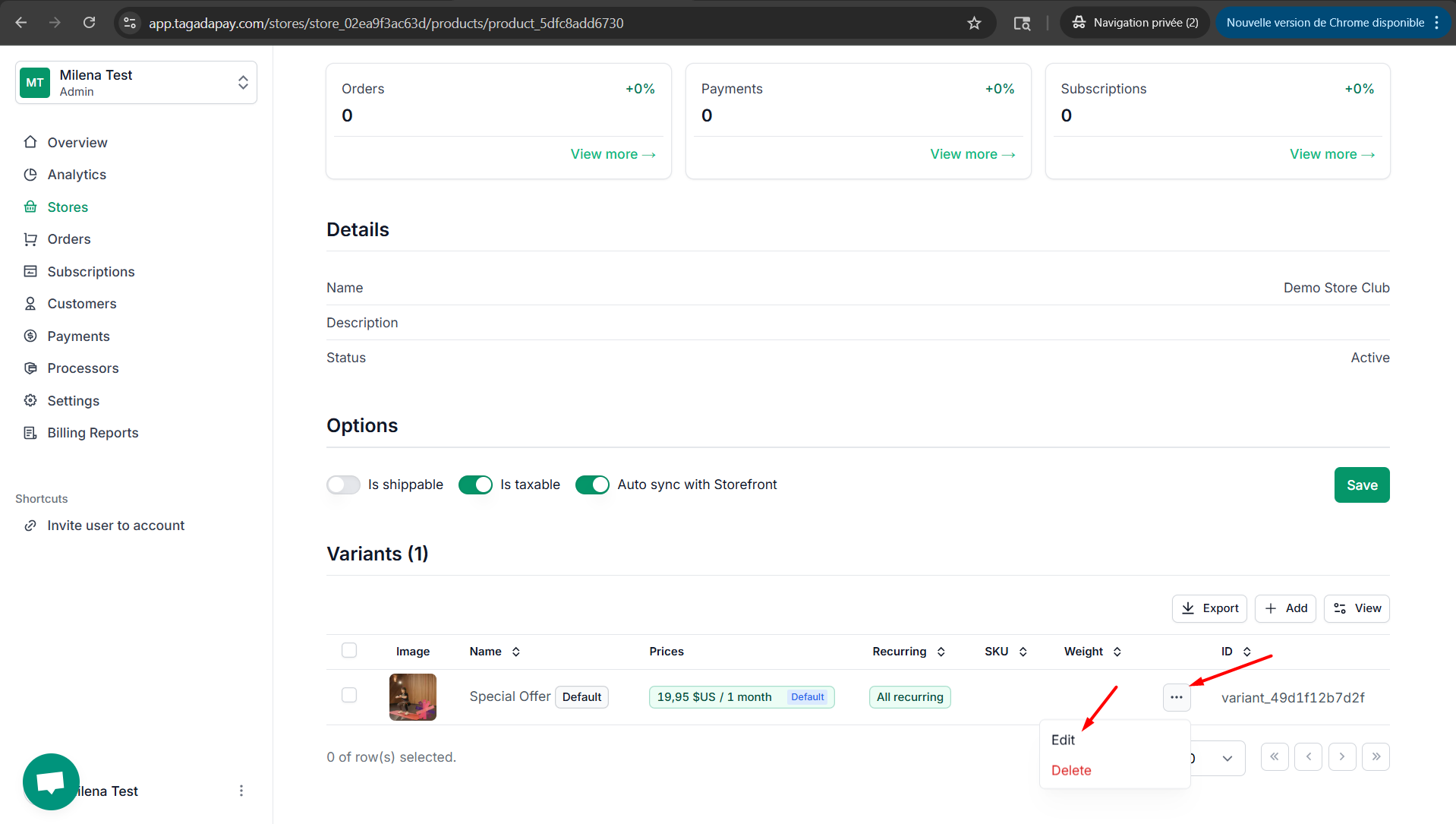
Step 2: Next to the variant you would like to edit, click on the three dots and select Edit.
Step 3: Click on the currency you want to lock, enter your desired value, and then click the Save Changes button.
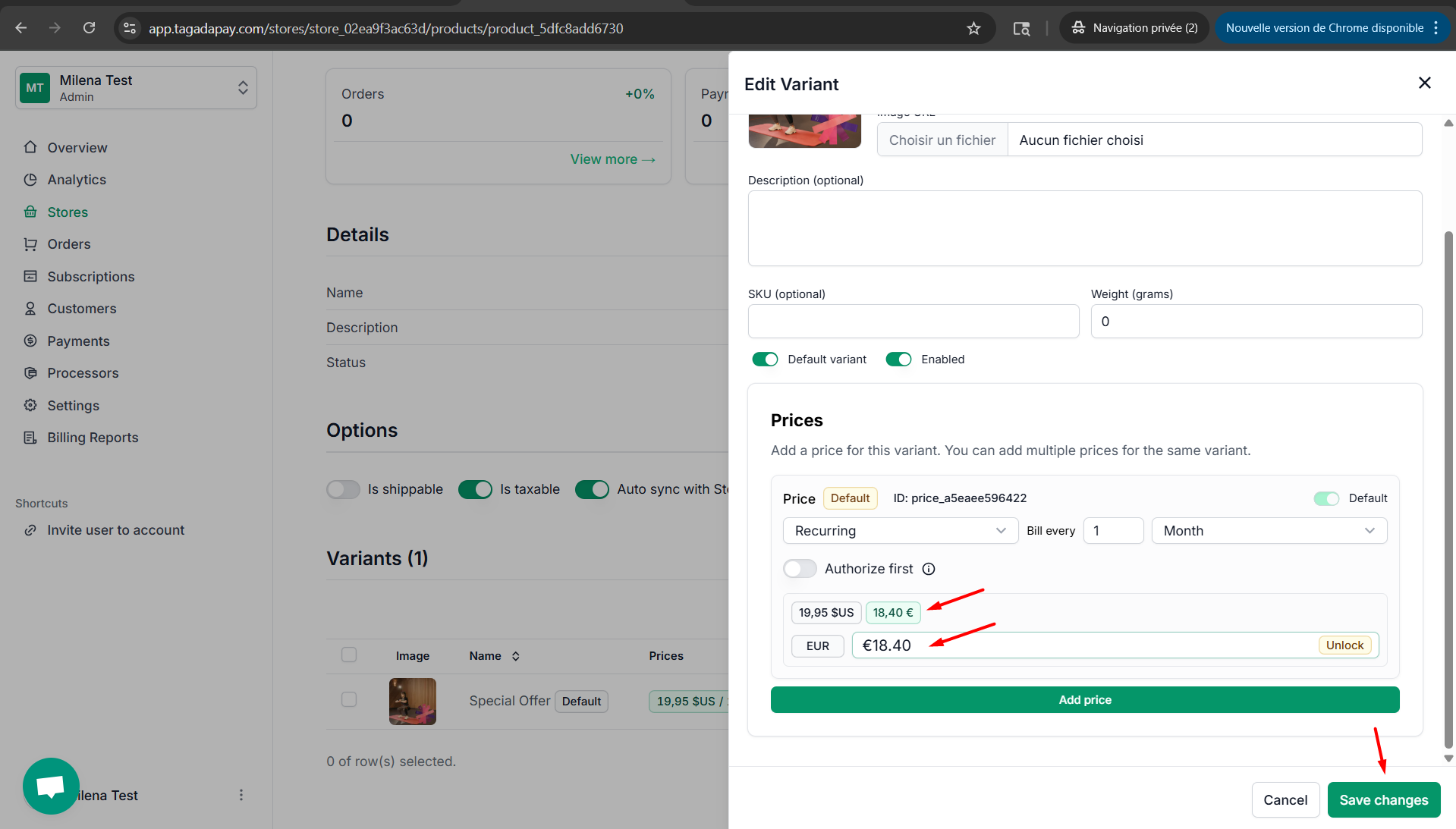
This allows you to display the price on your website in the main website currency (in this example, USD), while charging your clients in EUR for the selected amount.