
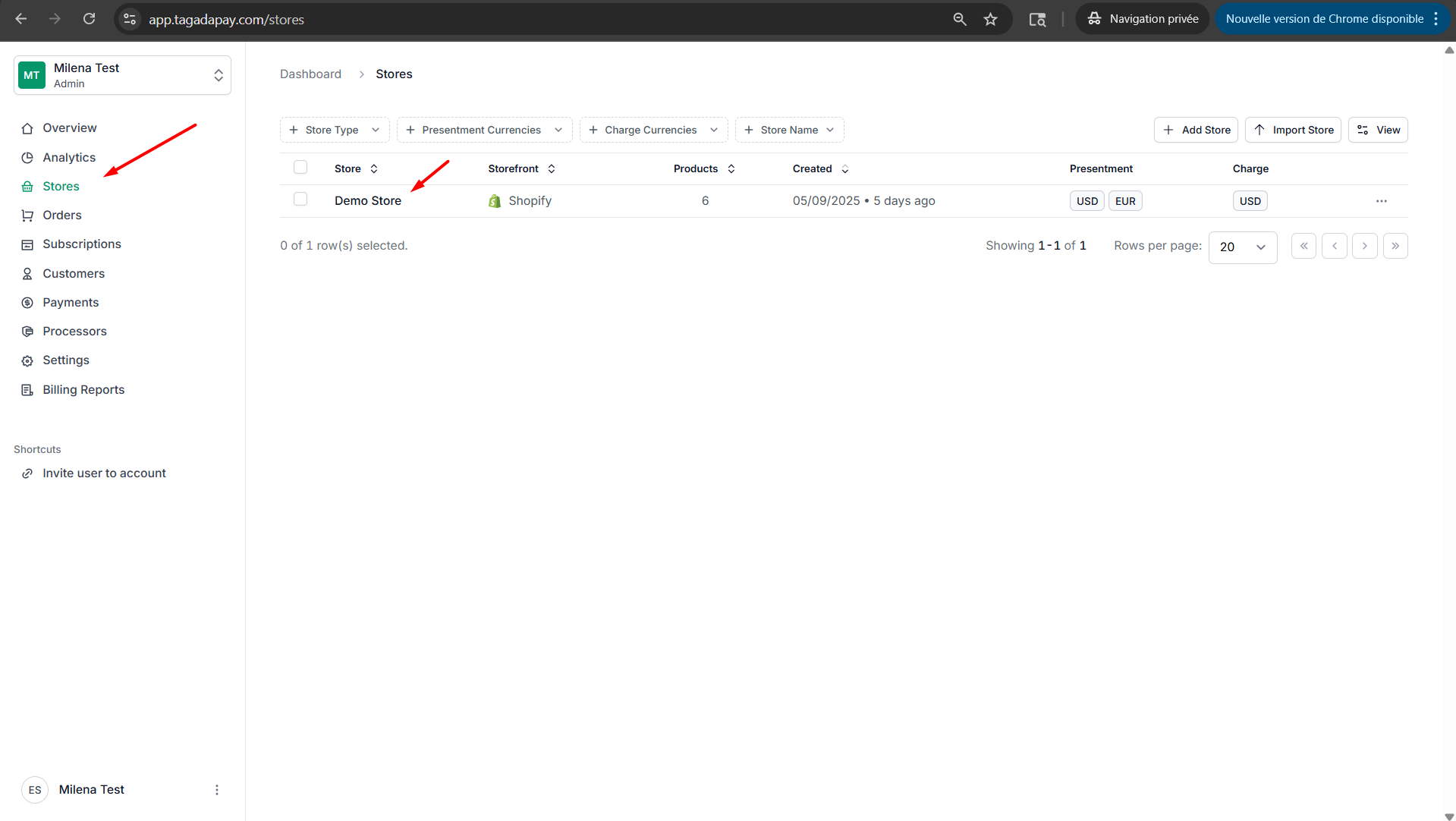
Step 1: Select your desired store under Stores.
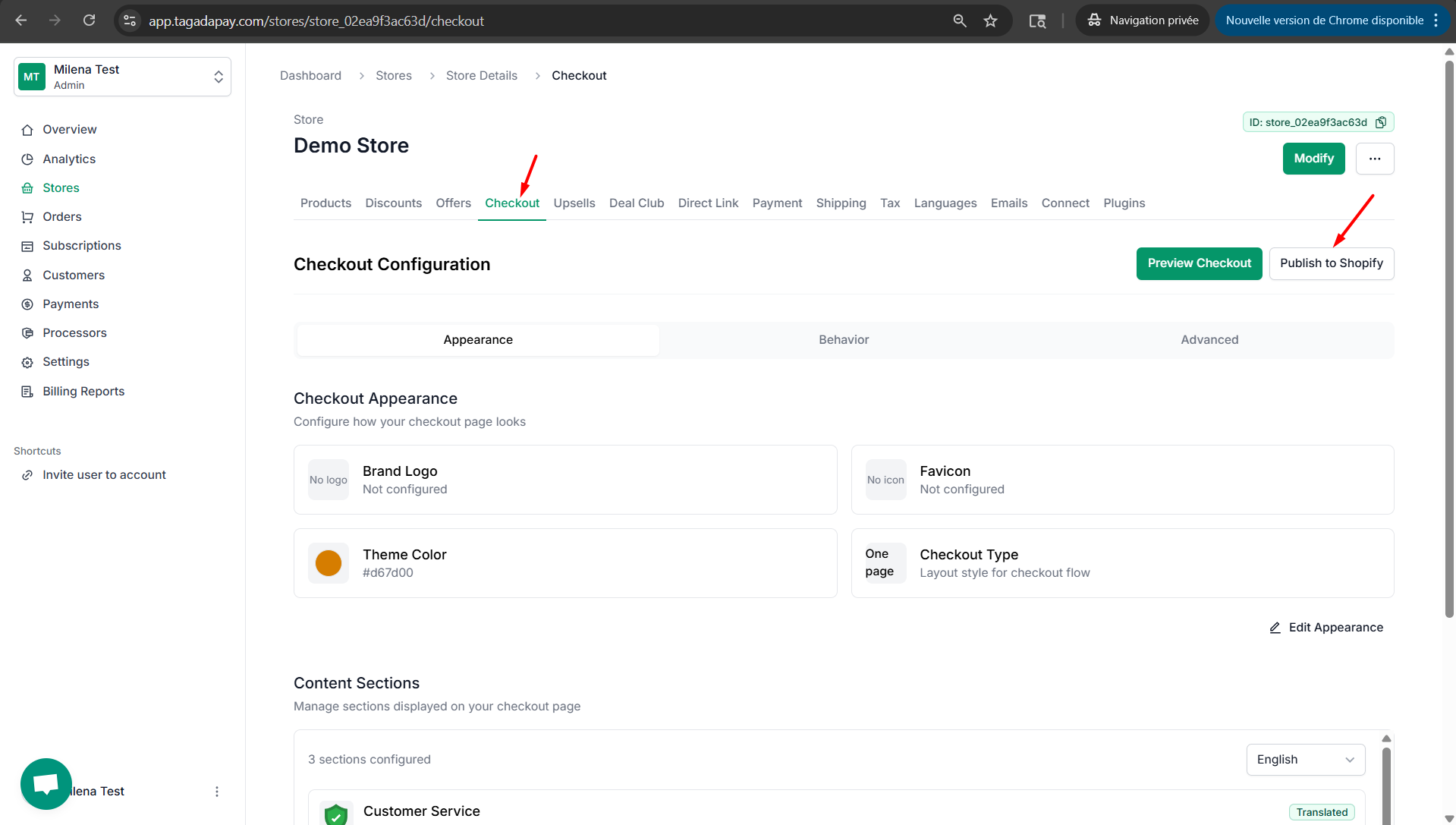
Step 2: Select Checkout and click on Publish to Shopify.
Step 3: Enable the Checkout Button Detector if you would like Tagada to detect standard buttons that redirect to cart. Works with 90% of Shopify themes automatically.
For custom buttons, use the tracker tool if needed.
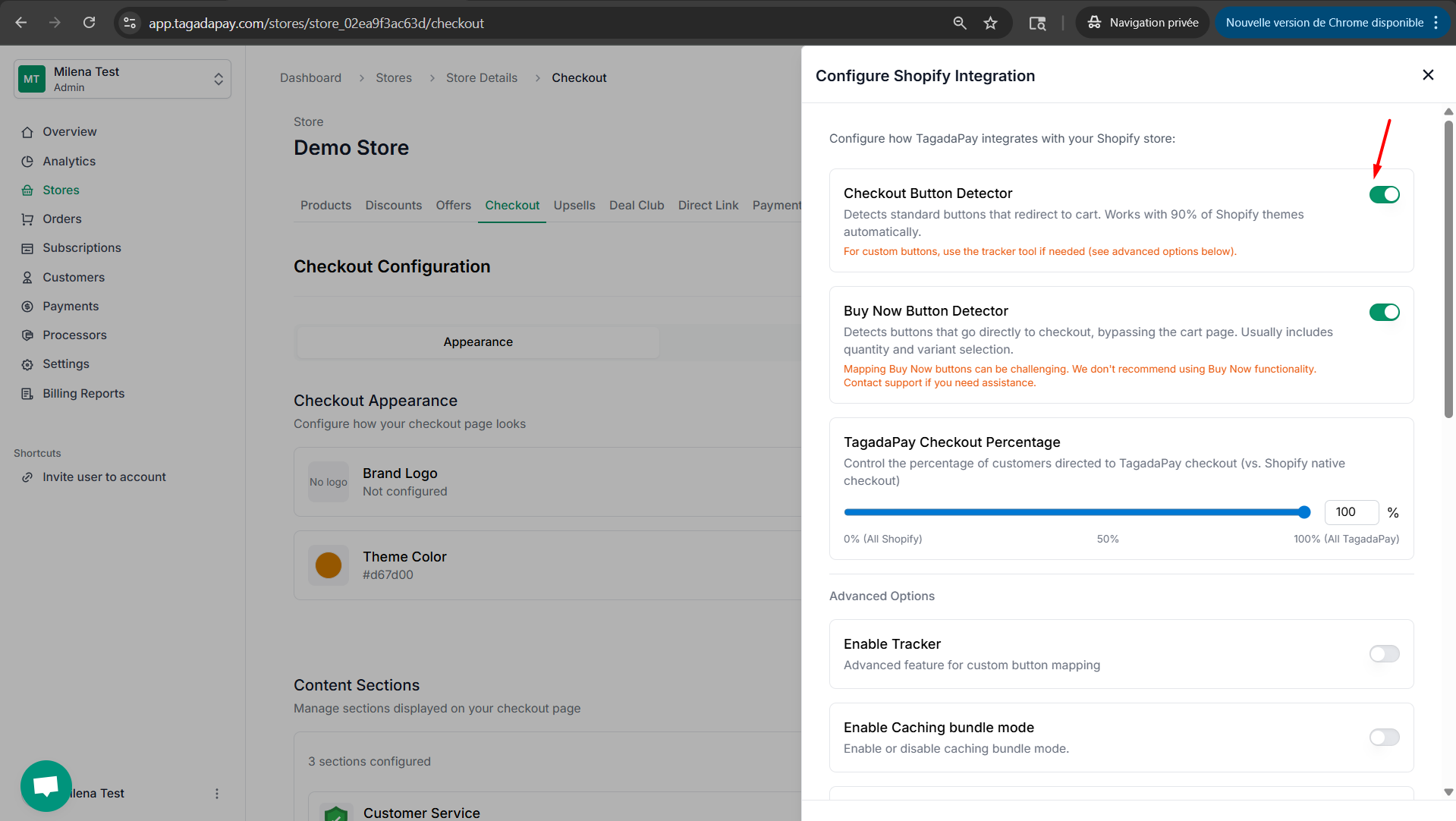
Note: This option is typically used when your theme features a cart drawer.
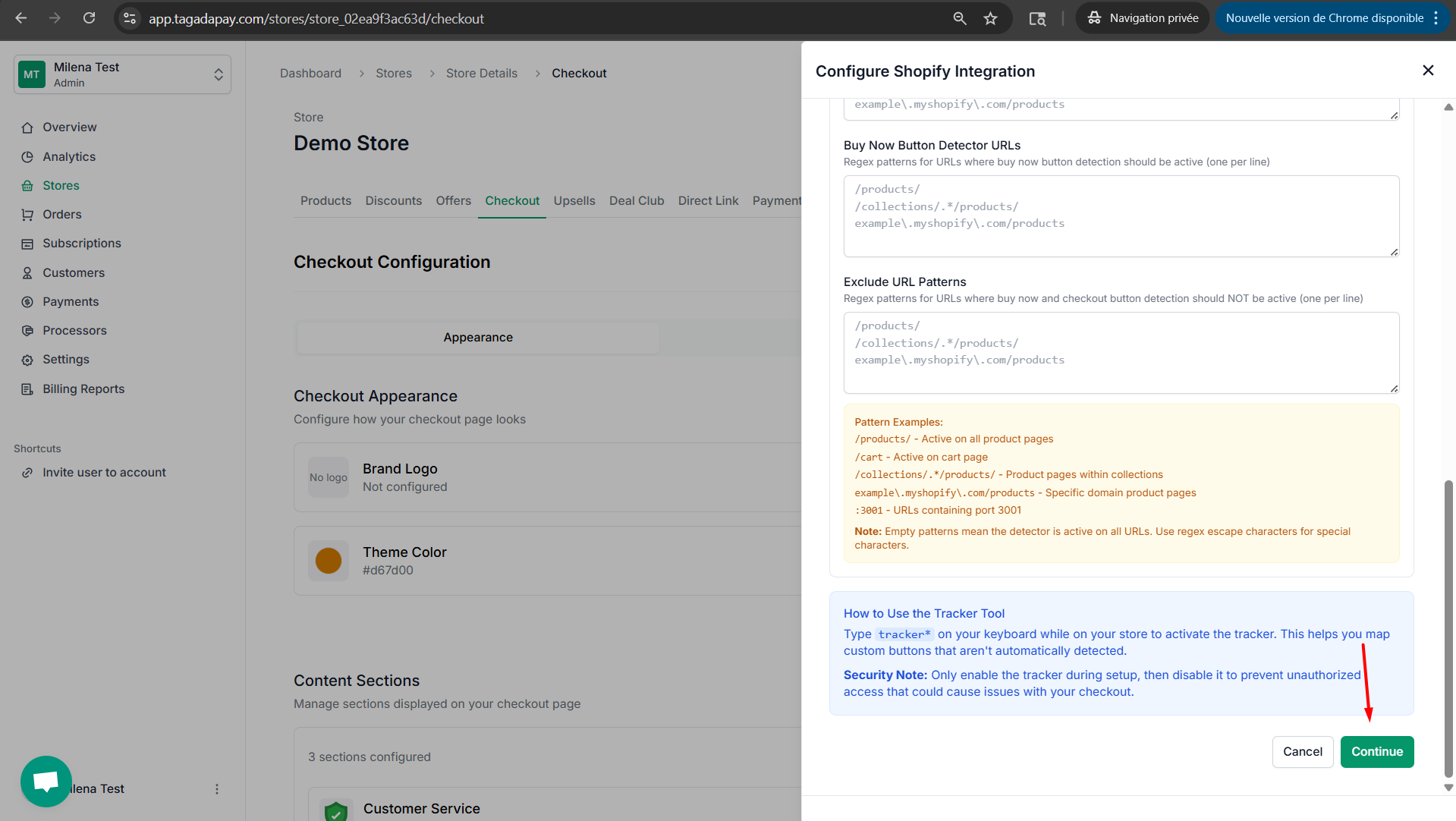
Step 4: Click on Continue to publish your checkout with the settings you have selected.
You can enable the Checkout Button Detector option, which is typically used when your theme features a cart drawer.