
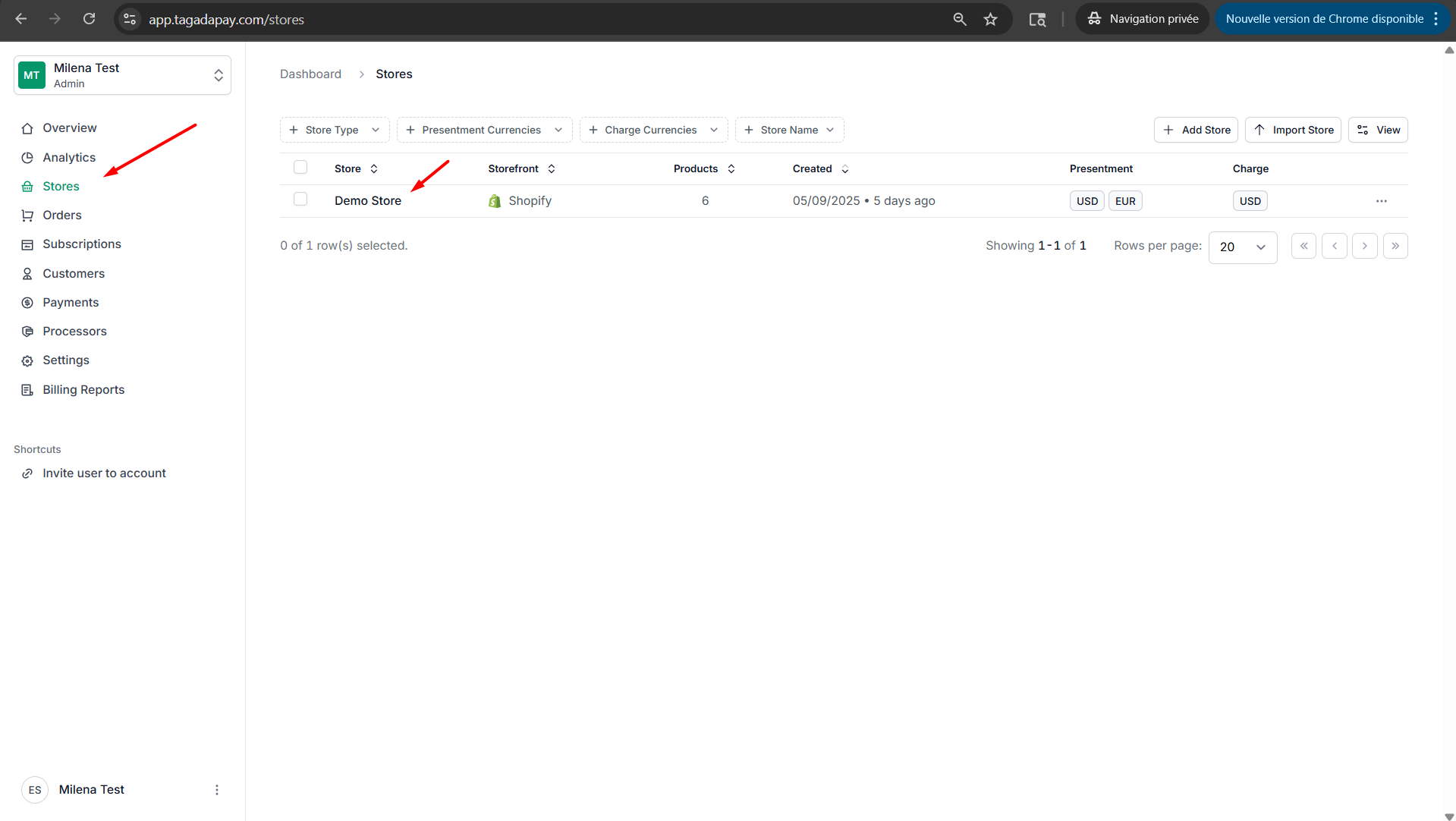
Step 1: Select your desired store under Stores.
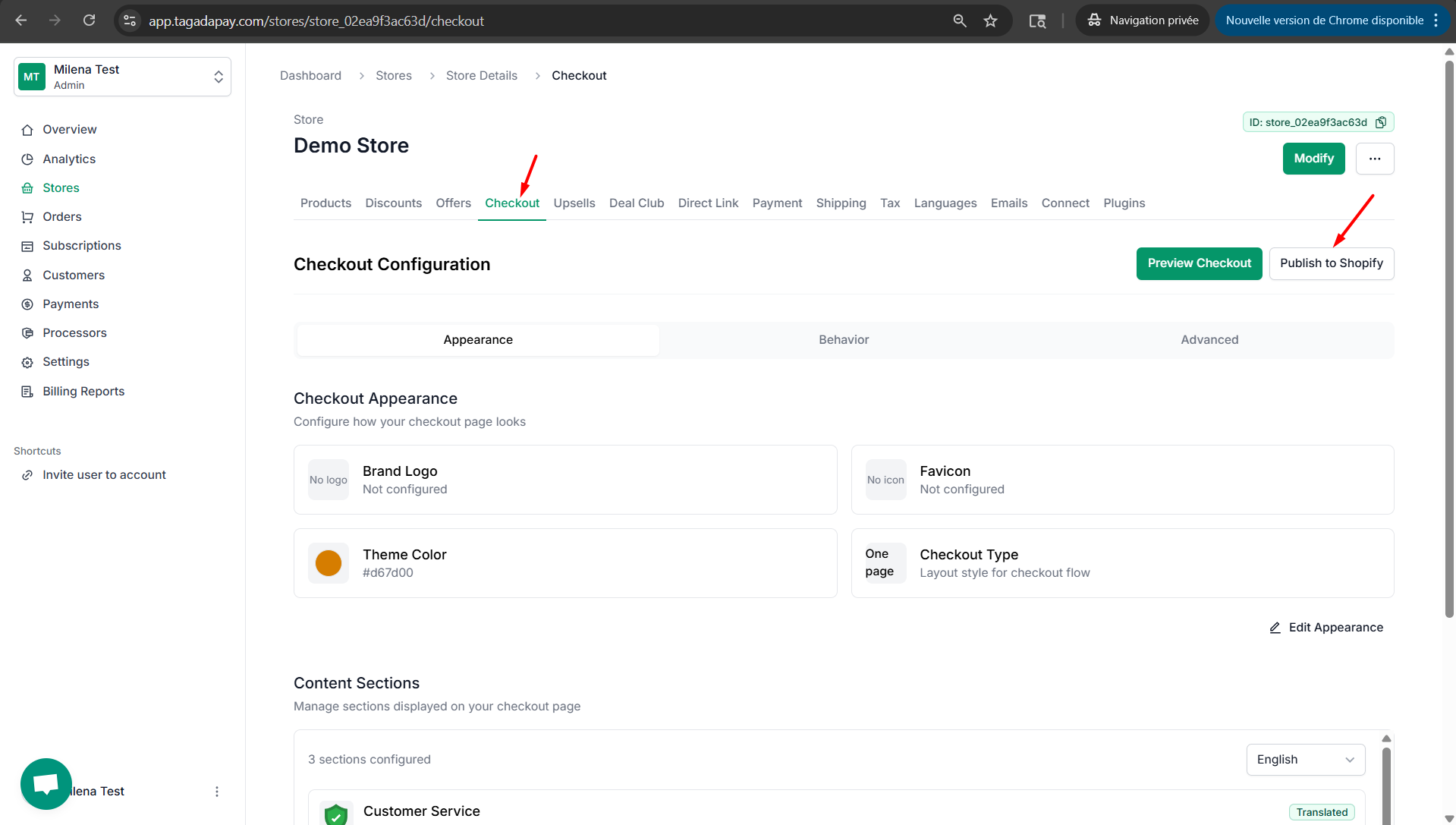
Step 2: Select Checkout and click on Publish to Shopify.
Step 3: Enable the Buy Now Button Detector if you would like Tagada to detect buttons that go directly to checkout, bypassing the cart page. Usually includes quantity and variant selection.
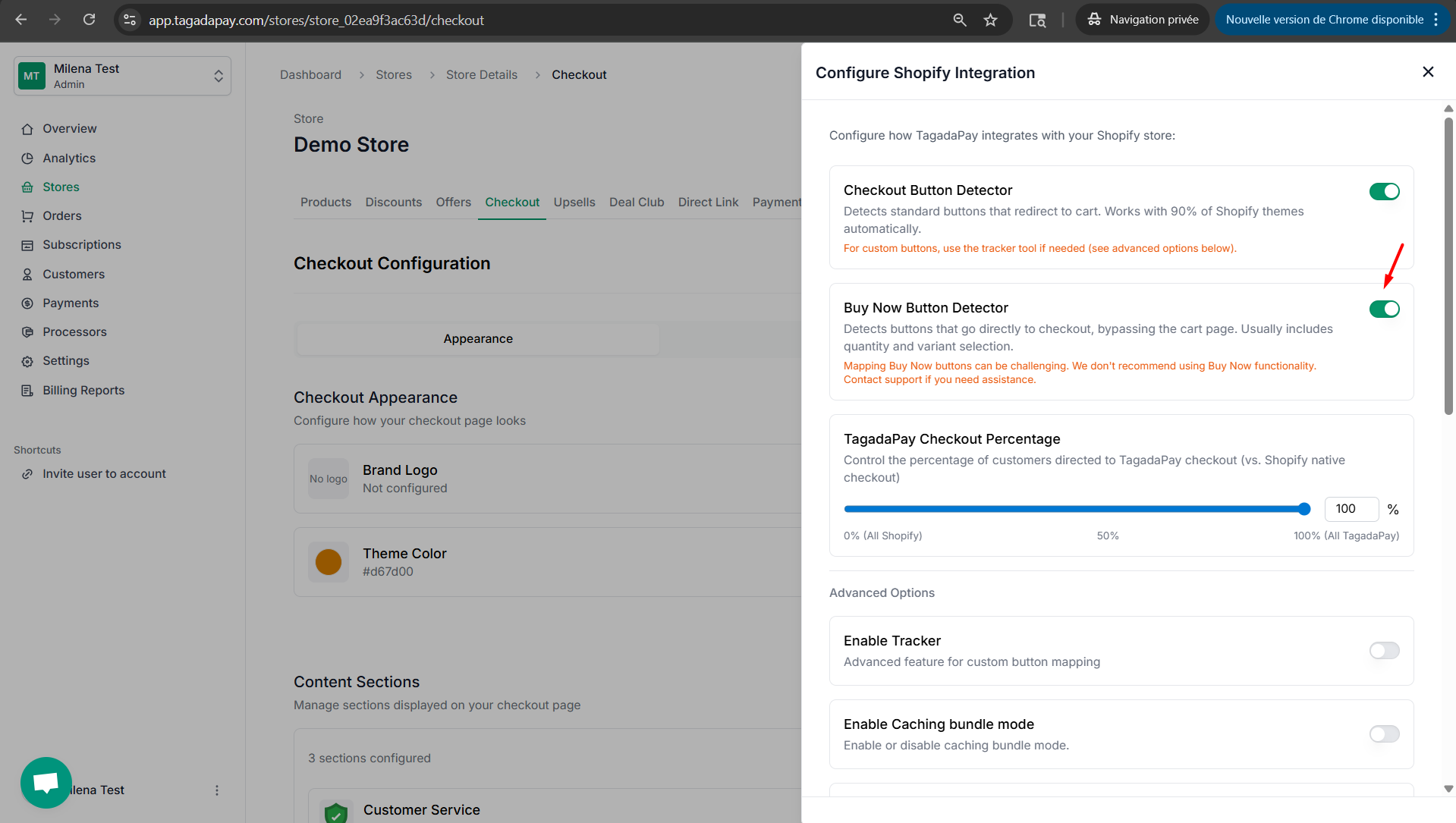
Note: Mapping Buy Now buttons can be challenging. We don't recommend using Buy Now functionality. Contact support if you need assistance.
You can enable the Buy Now Button Detector option, which is typically used when your theme features a Buy Now button.