
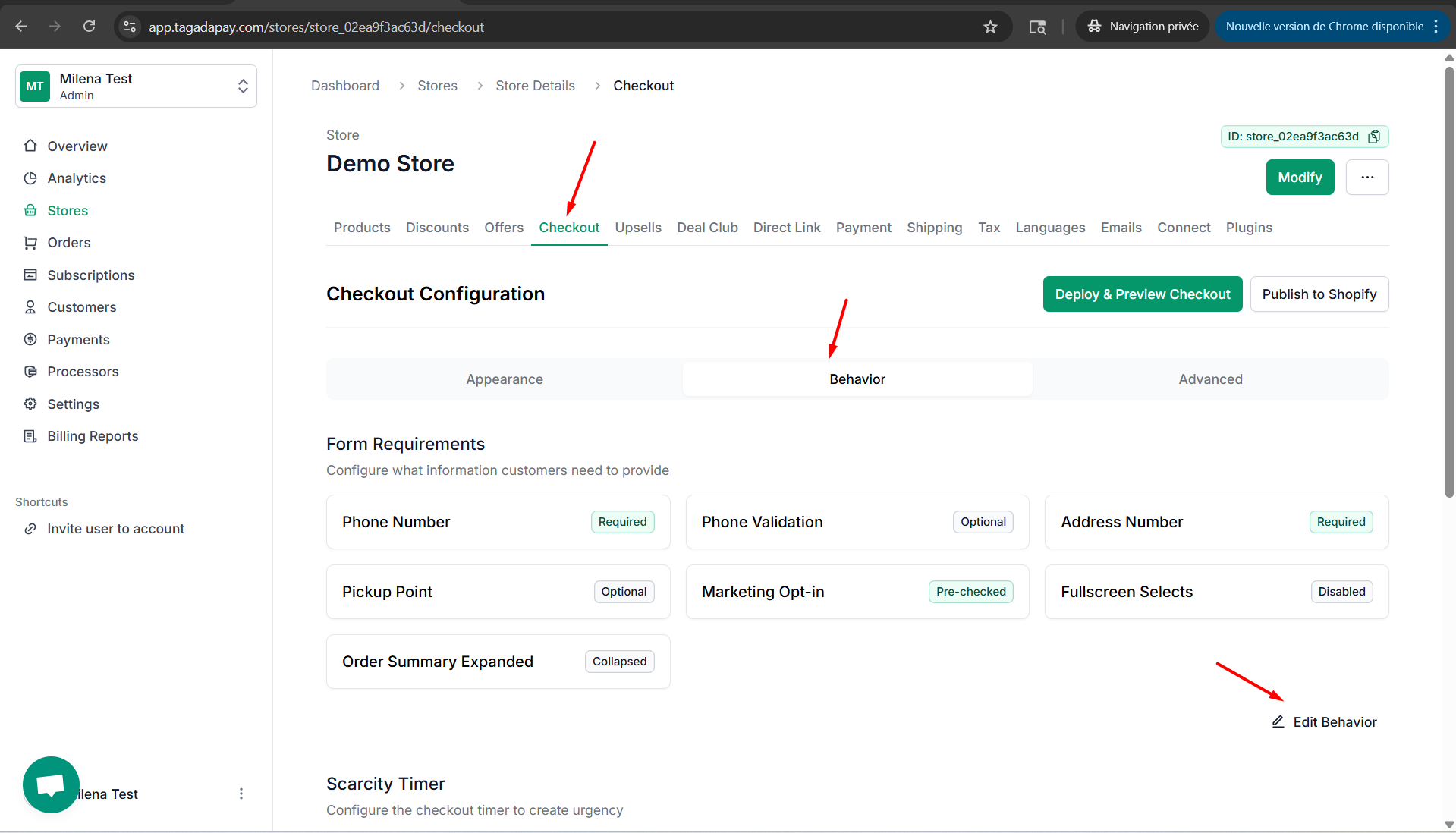
Step 1: Click on Checkout, then click on Behaviour and Edit Behaviour.
Step 2: Click on Behavior tab. Click on the Enable Scarcity Timer button, if you would like to enable the scarcity timer at your checkout. Chose your timer duration and message in the respective fields.
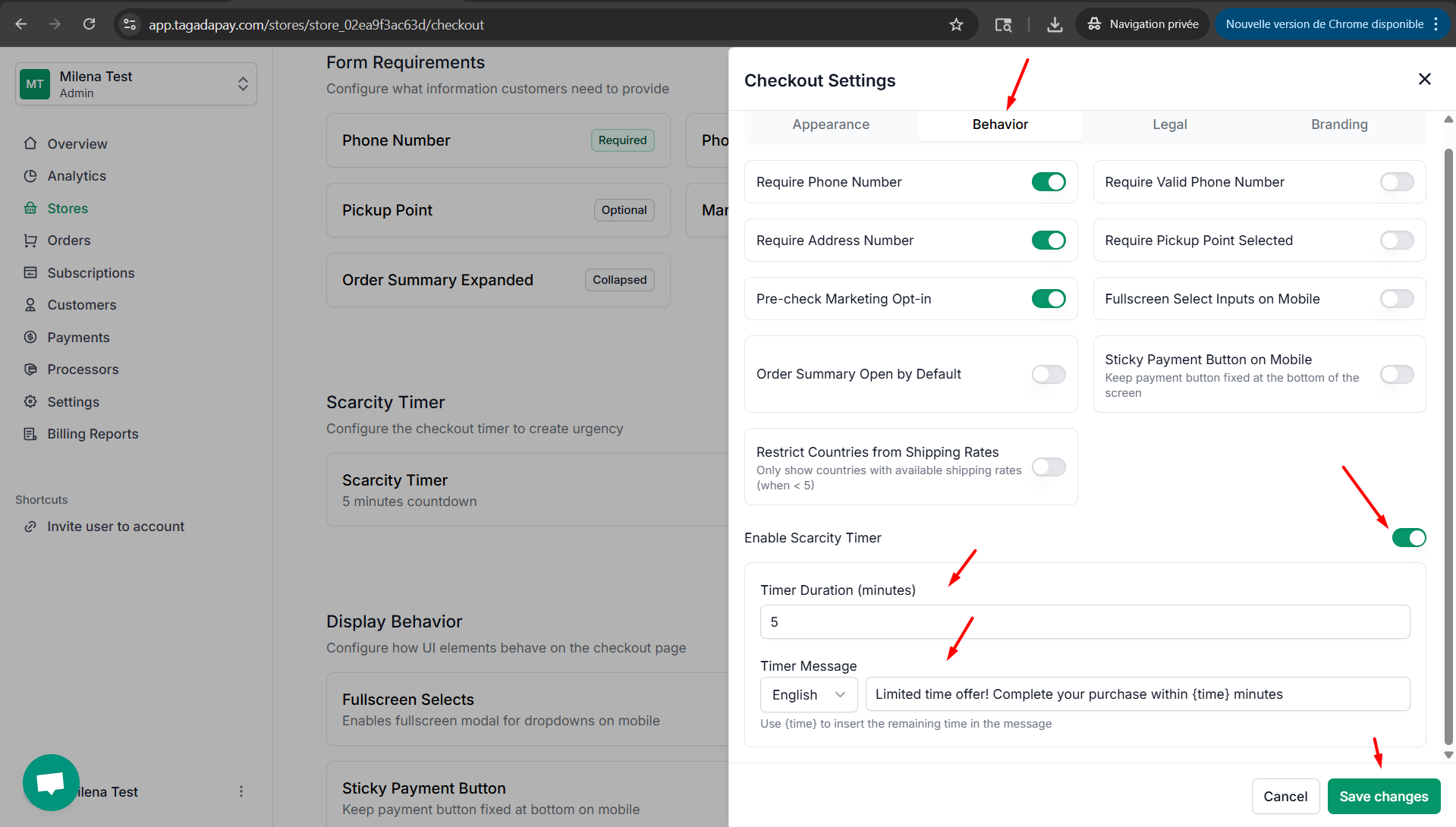
Step 3: Once you are done, don’t forget to click on Save changes
You can chose to display a scarcity timer at your checkout by clicking on the Checkout tab in the menu of your Admin panel of the selected store.