
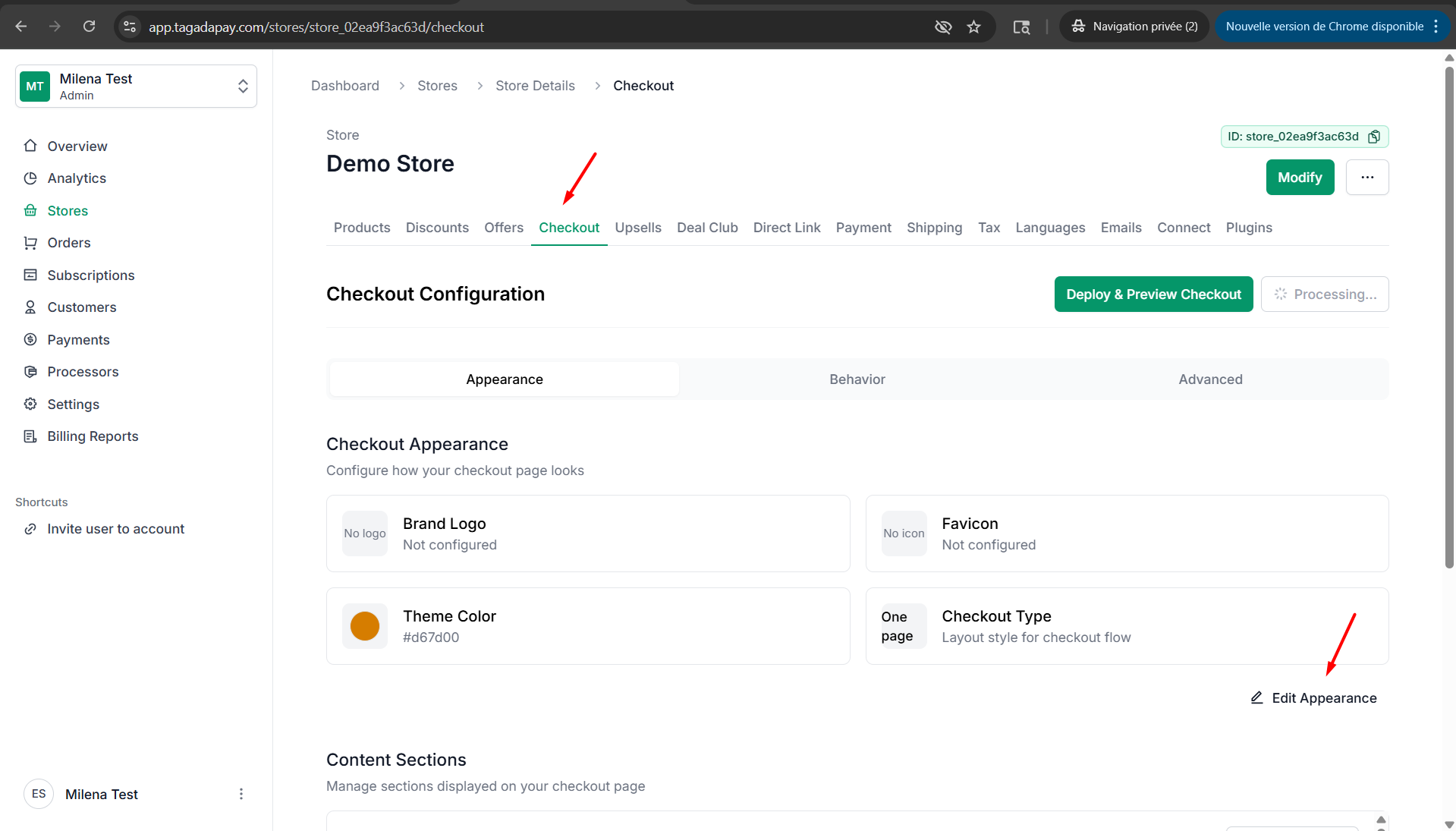
Step 1: Click on Checkout, then click on Edit Apparence.
Step 2: Select the tab Branding. Enable the option Show “Powered by Tagada” to display this branding in the footer of your checkout.
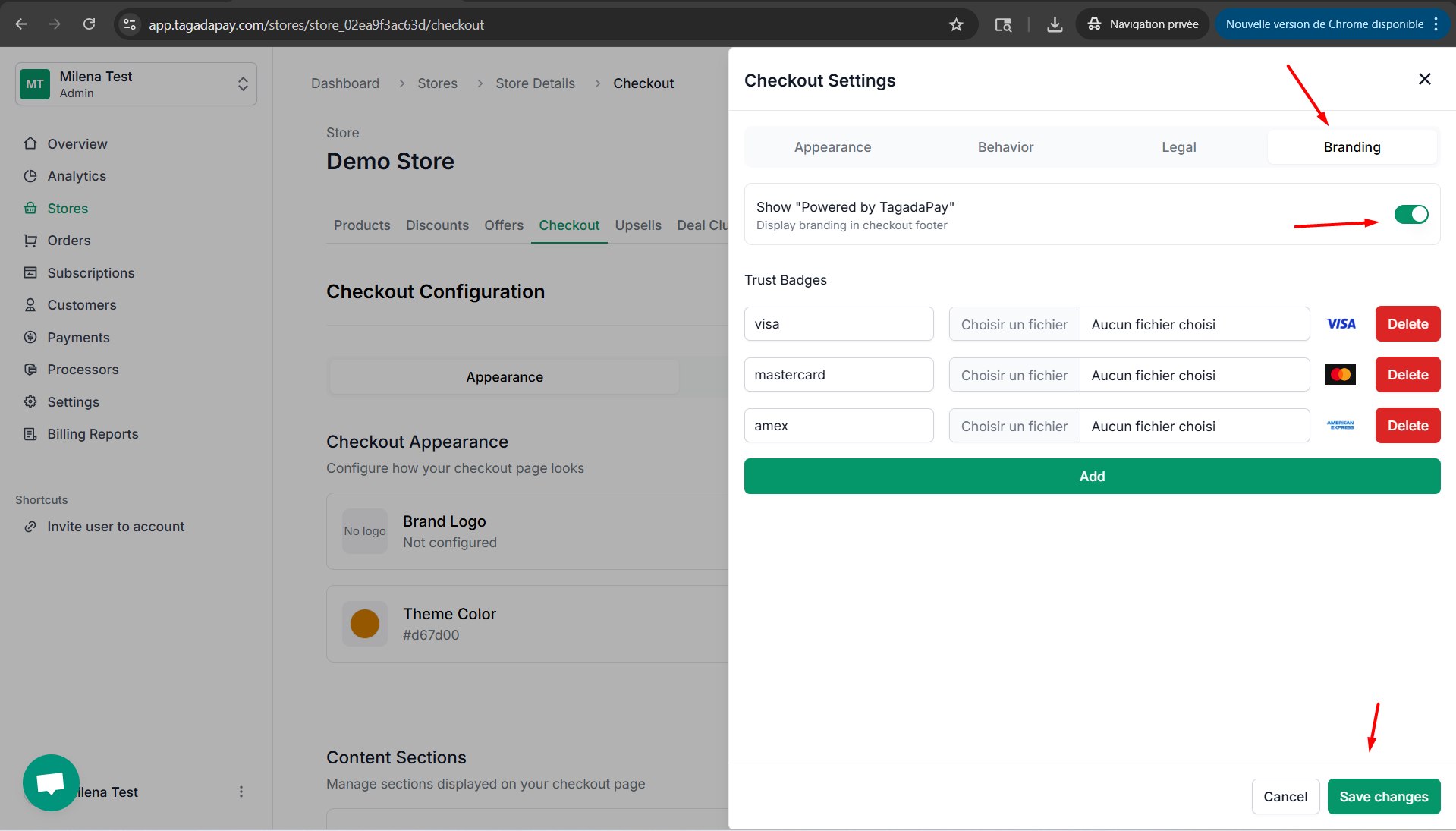
Step 3: Once you are done customizing your checkout don’t forget to click on the Save changes button.
You can disable or enable “Powered by Tagada” to be displayed at your checkout by clicking on the Checkout tab in the menu of your Admin panel of the selected store.