
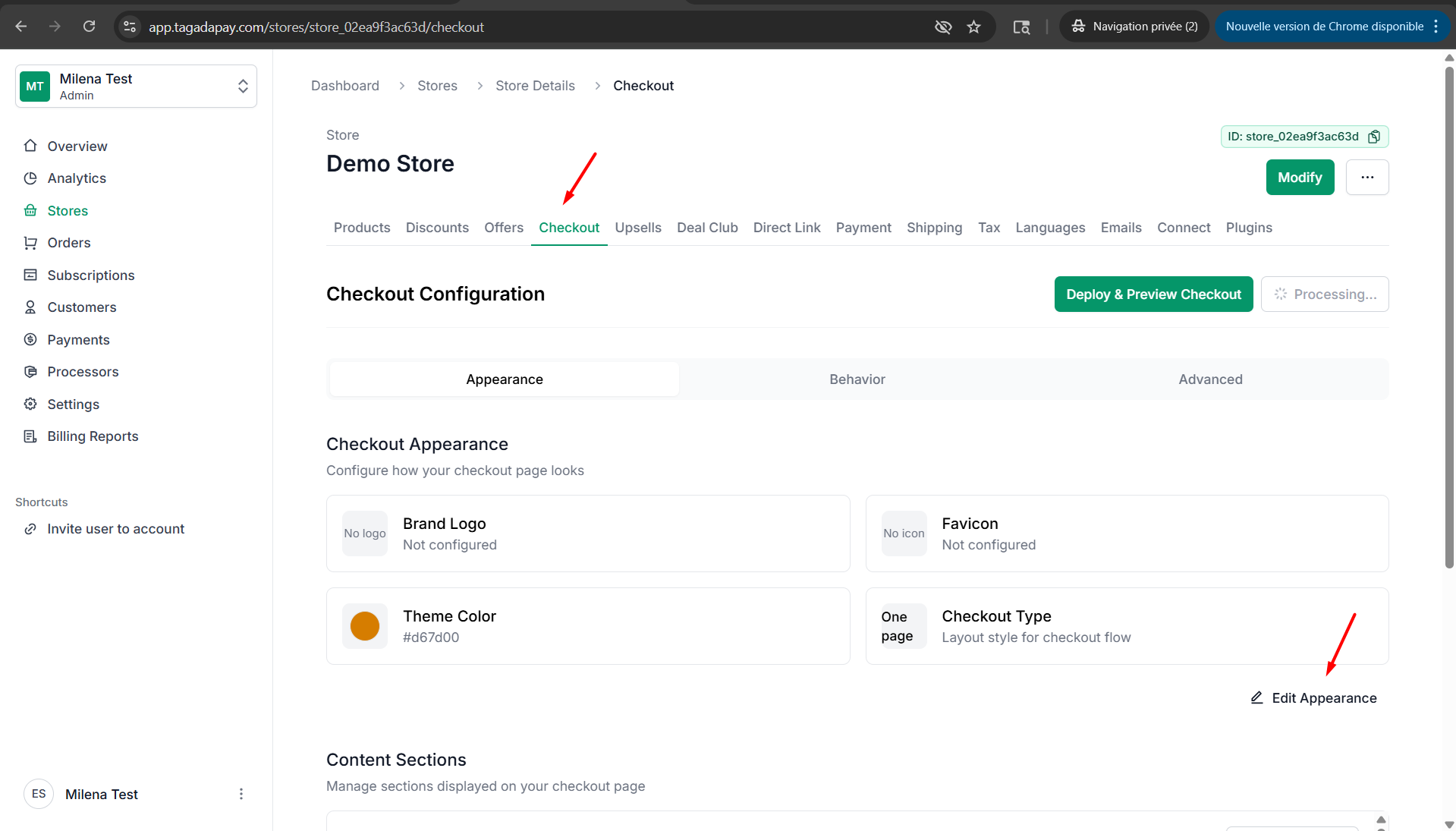
Step 1: Click on Checkout, then click on Edit Apparence.
Step 2: Select the tab Branding. You can add or remove a trust badge and upload an image for each.
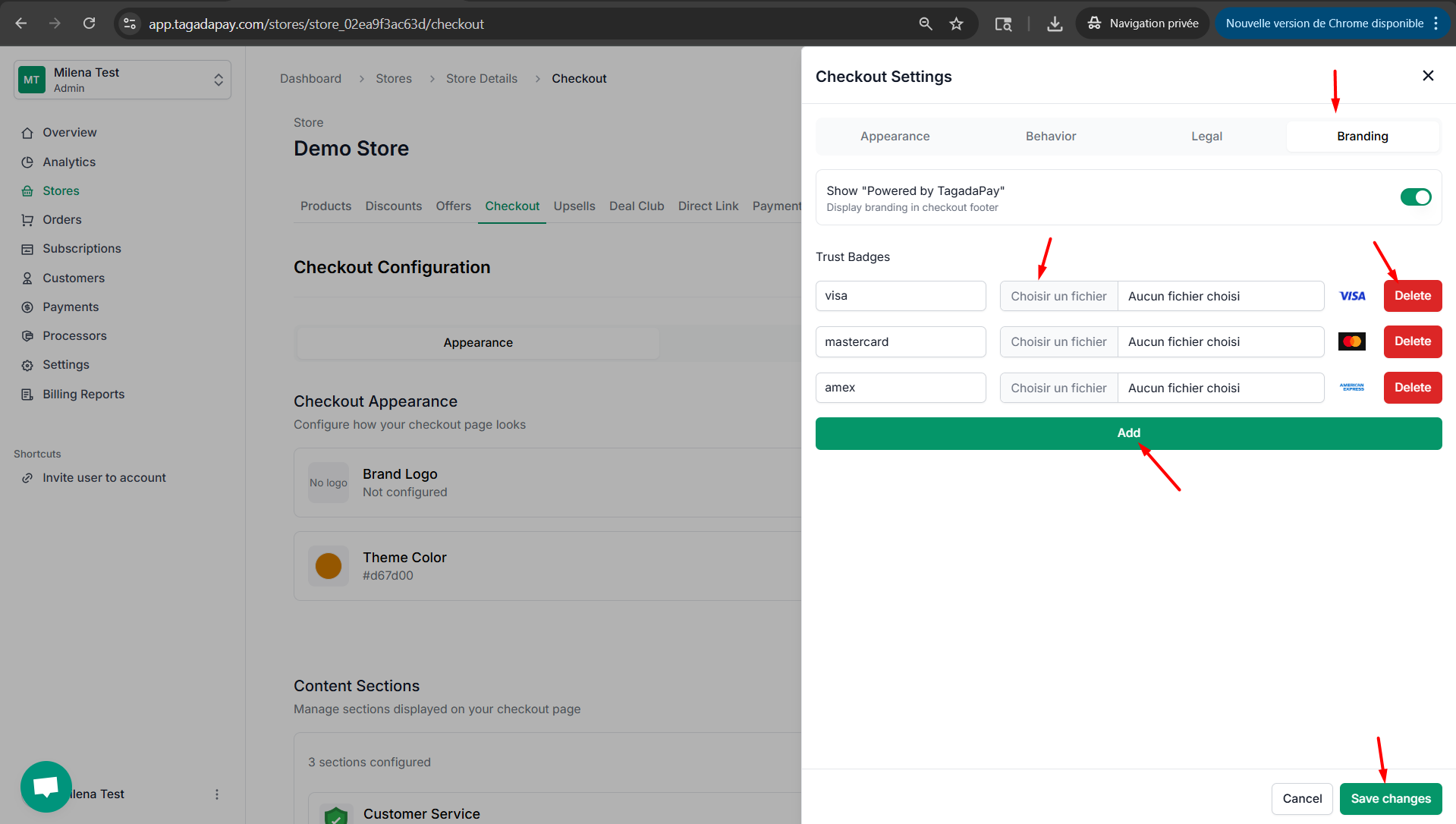
Step 3: Once you are done customizing your checkout don’t forget to click on the Save changes button.
You can customize trust badges at your checkout by clicking on the Checkout tab in the menu of your Admin panel of the selected store.