
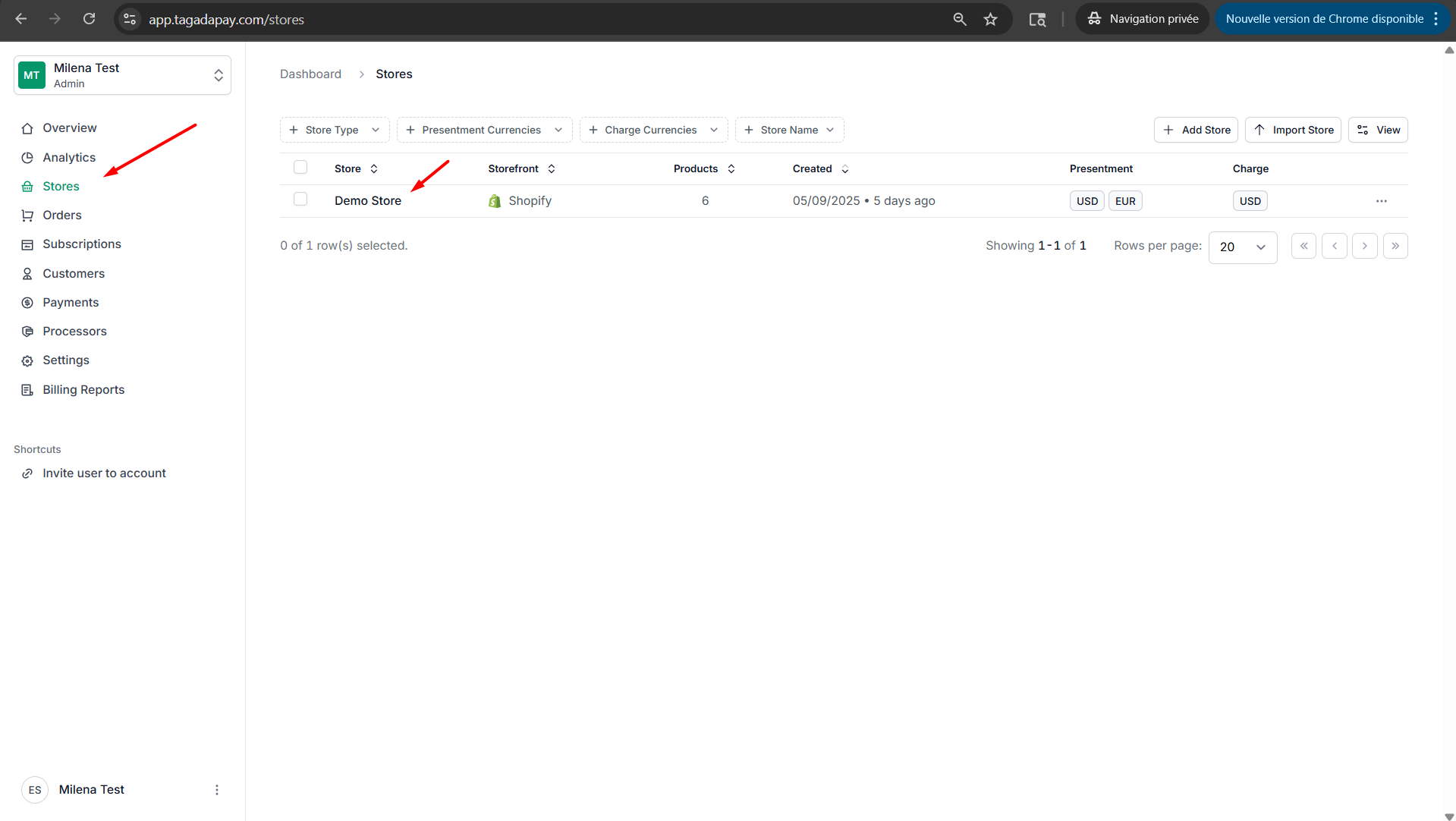
Step 1: Select your desired store under Stores.
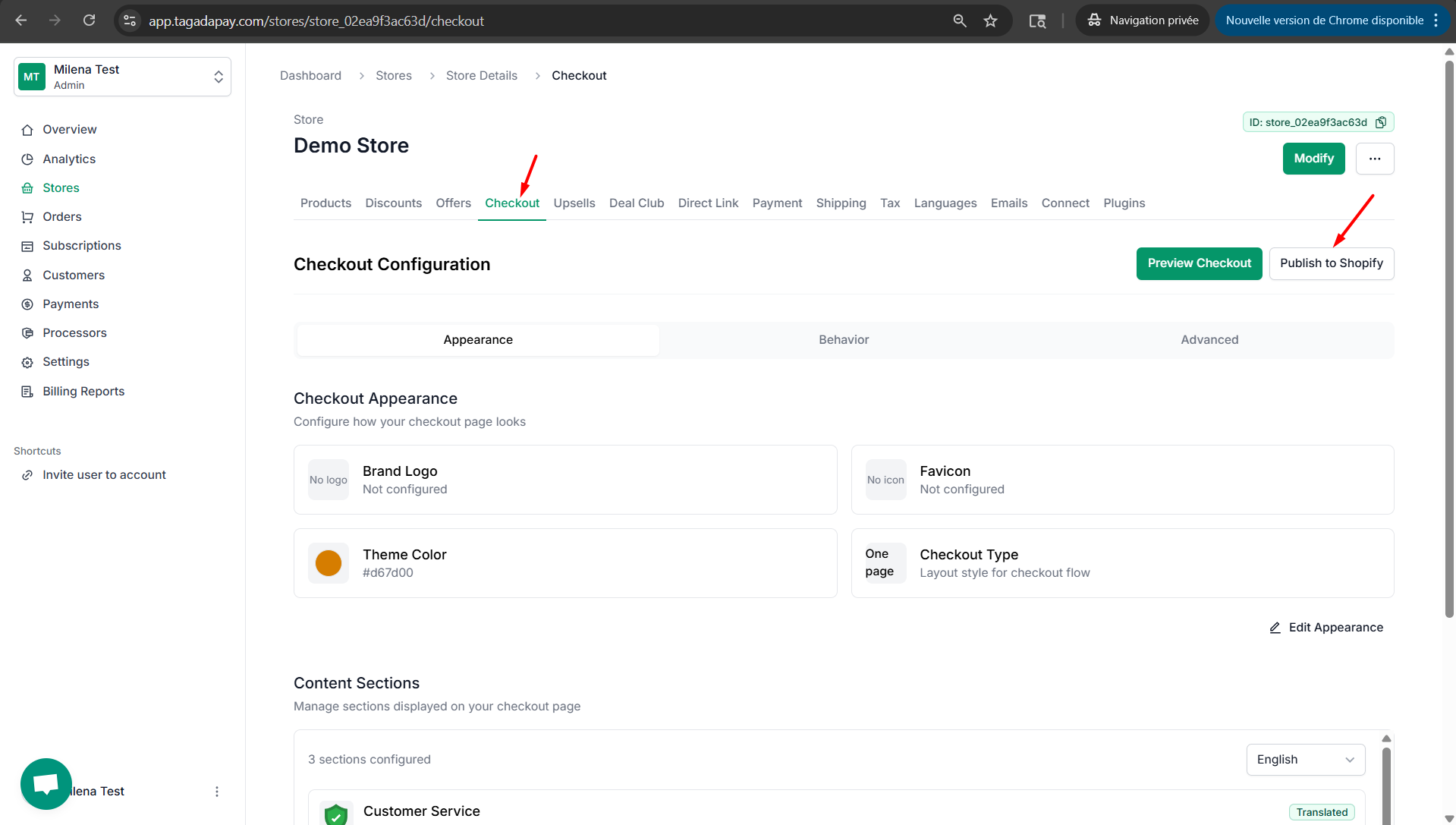
Step 2: Select Checkout and click on Publish to Shopify.
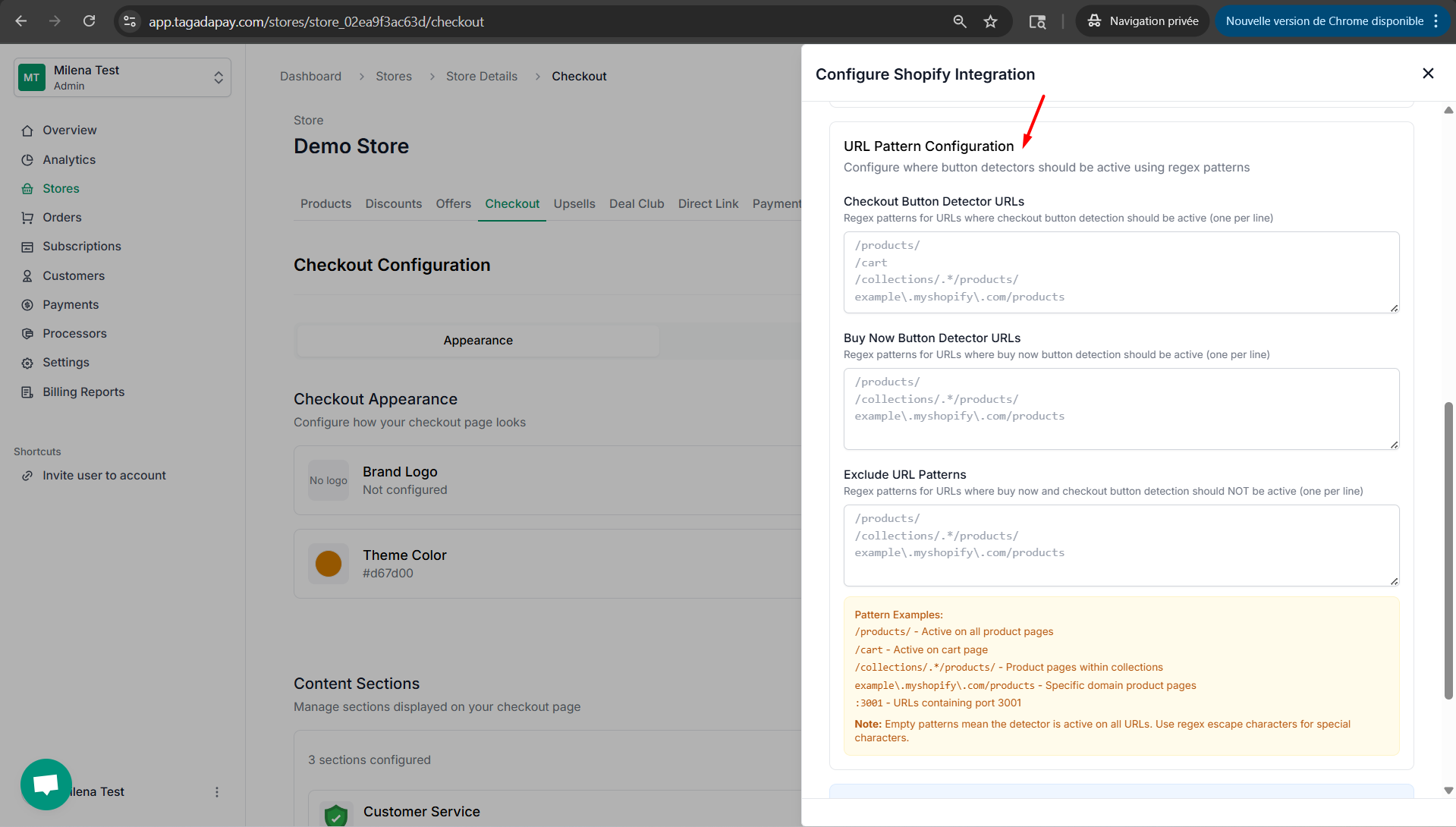
Step 3: Under the URL Pattern Configuration part you will be able to configure where checkout button detection should or should not be active.
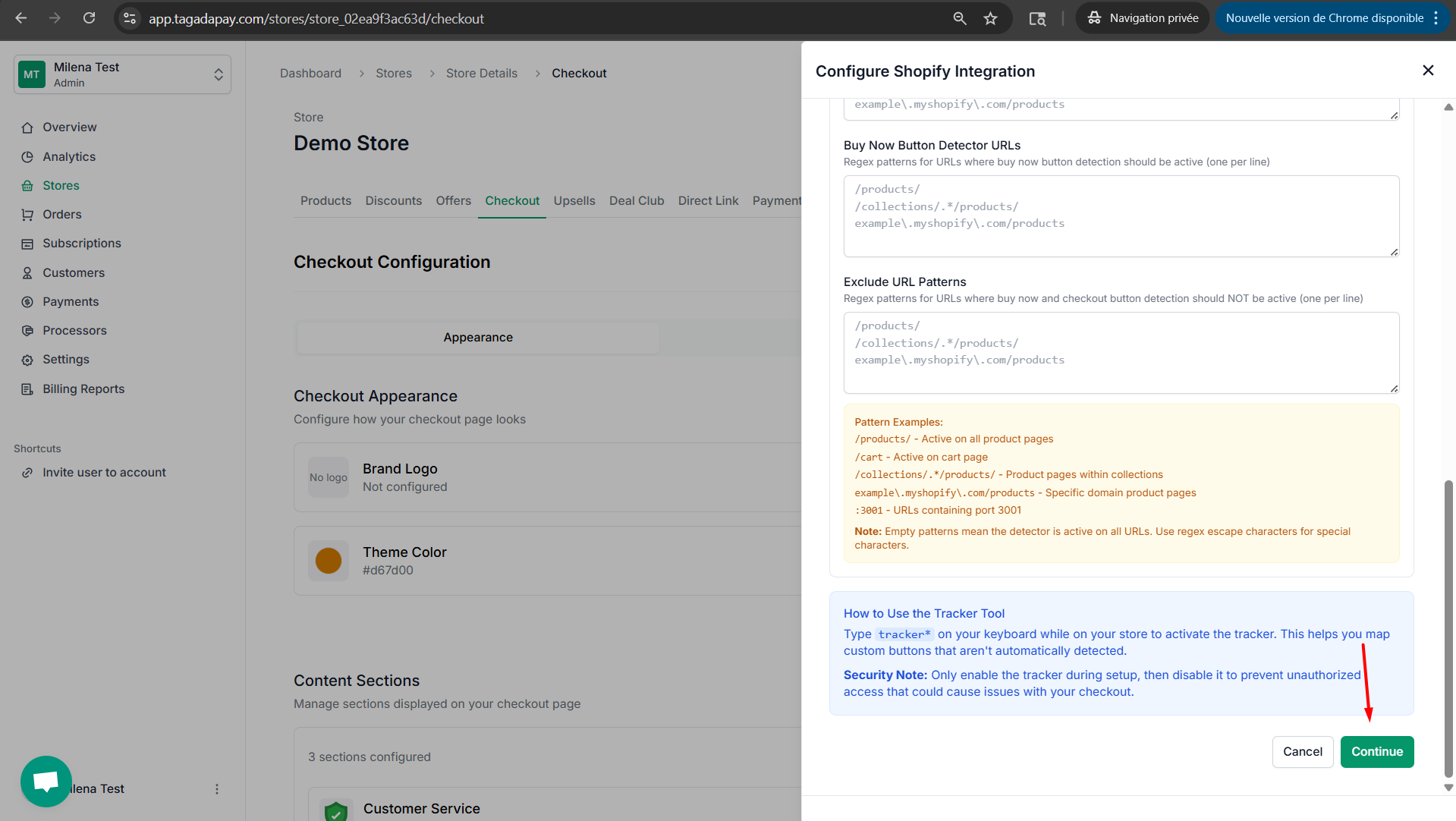
Step 4: Click on Continue to publish your checkout with the settings you have selected.
You can configure URL patterns for your Tagada checkout. This means to configure where button detectors should be active using regex patterns.