
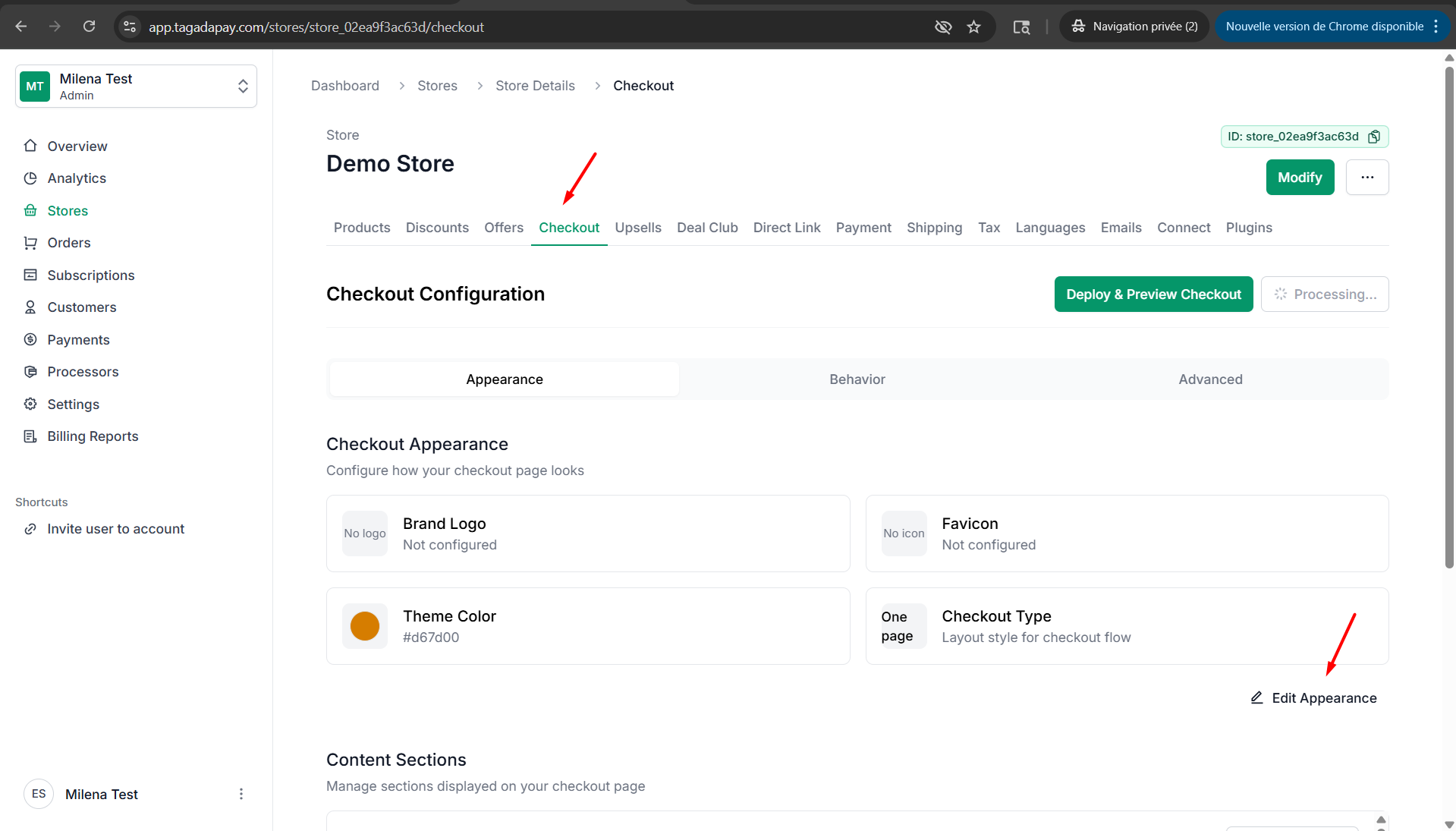
Step 1: Click on Checkout, then click on Edit Apparence.
Step 2: Under Brand Logo option you will be able to upload an image of your logo. Under the Favicon option you will be able to upload an image of your favicon.
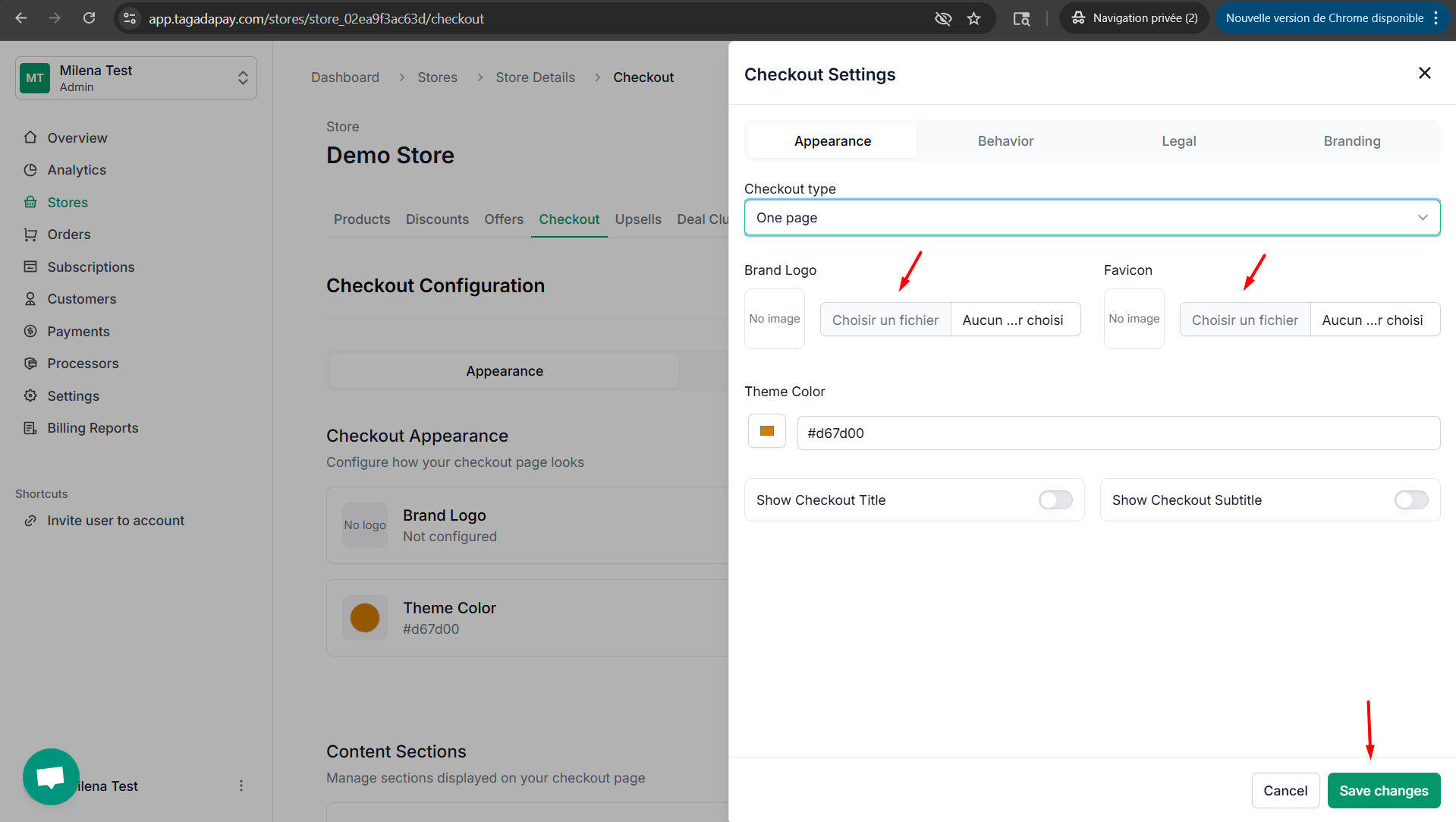
Note: We advise you to use a high-quality image for logo and favicon.
Step 3: Once you are done don’t forget to click on Save changes
You can change the logo and favicon of your checkout by clicking on the Checkout tab in the menu of your Admin panel of the selected store.