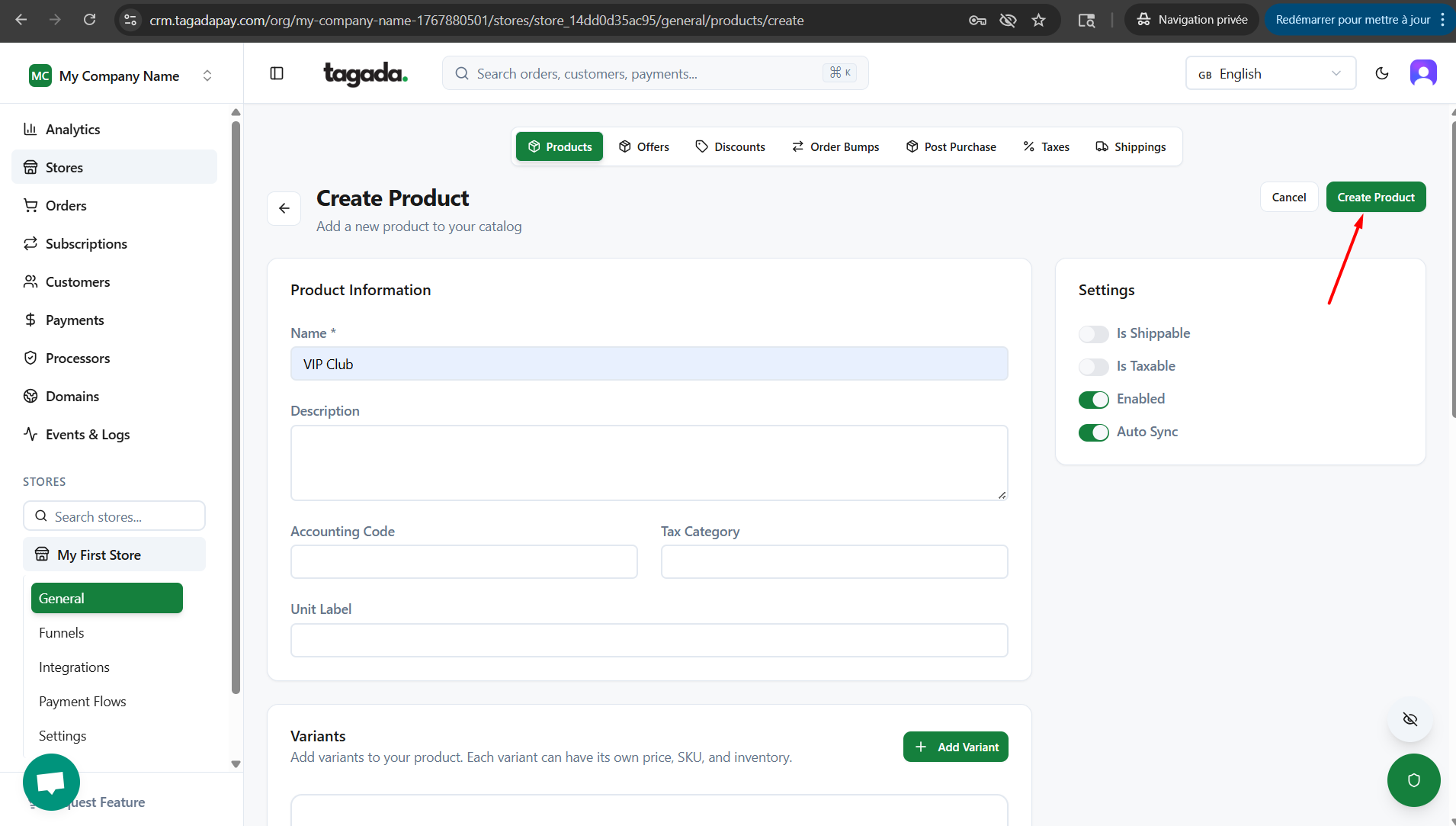
If you have recurring sales in your store, you can add a recurring product directly in Tagada.
In your Tagada account click on Stores, then chose your store.
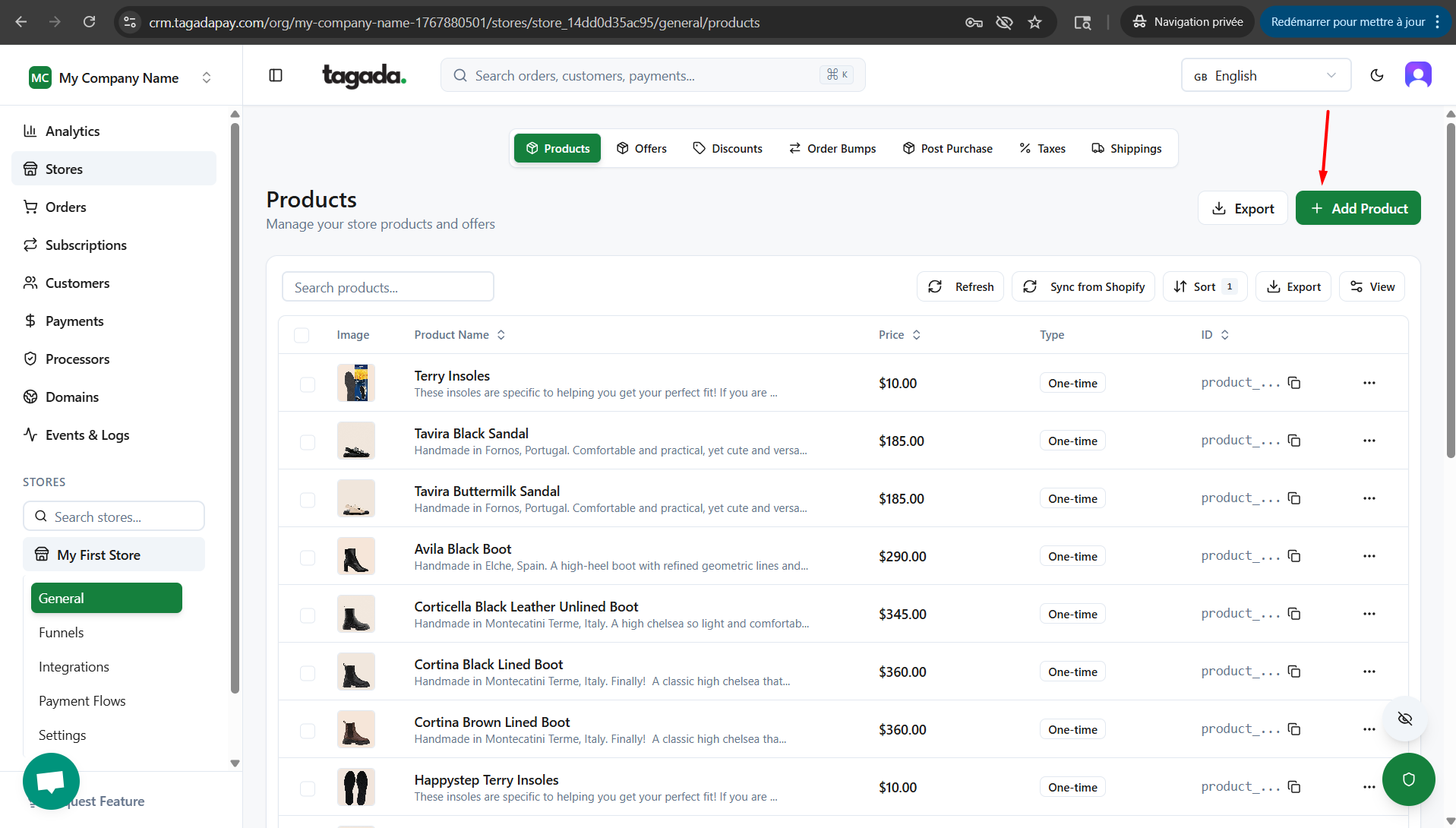
Under General menu, click on Products and then click on Add Product.
Enter the name of the product. Enable or disable the options on the right side depending on the nature of your product.
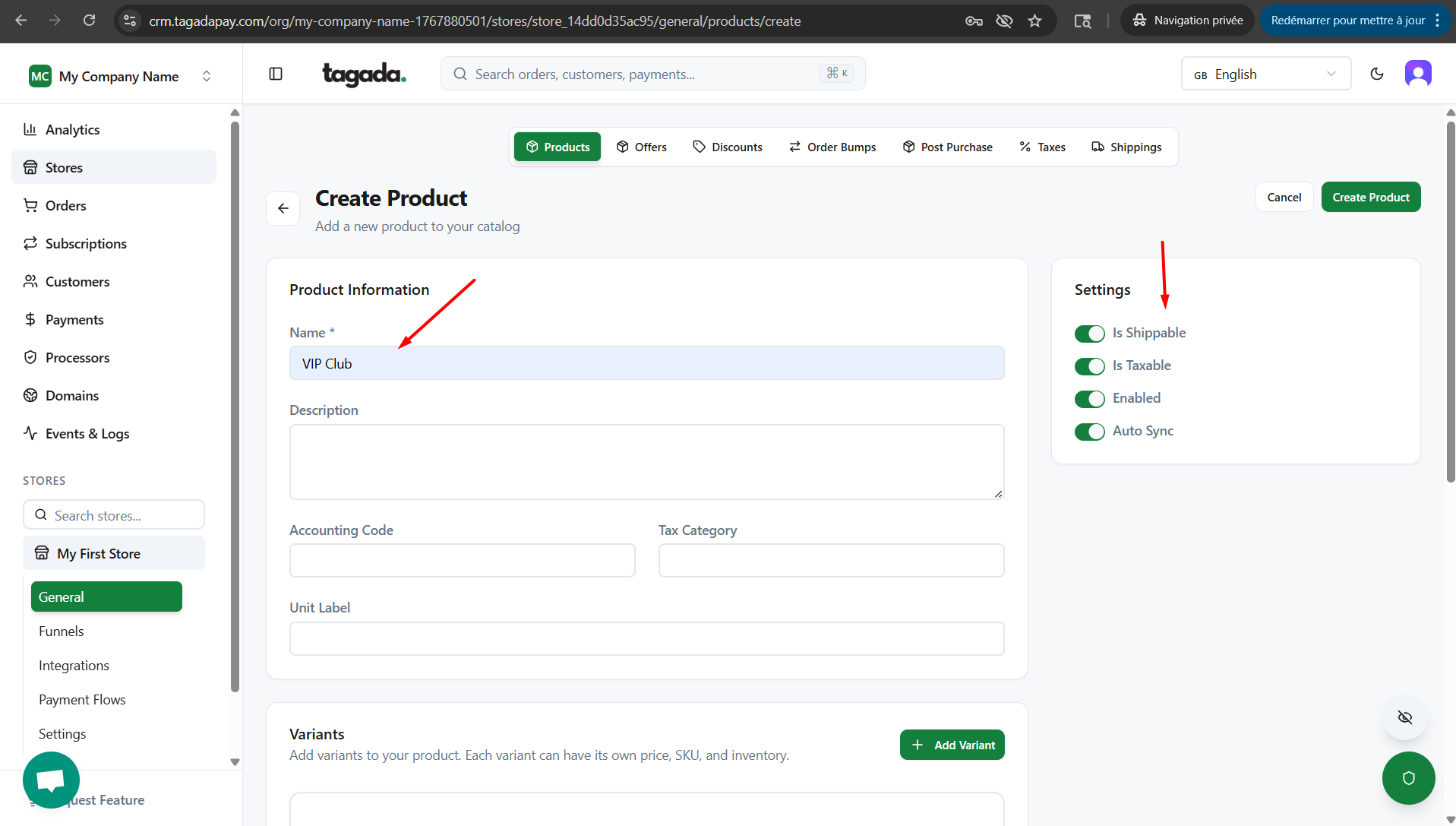
Is Shippable: enable this if your recurring product is a physical product that needs to be shipped on a recurring basis.
Is Taxable: enable this if you want to add additional taxes to your recurring product.
Enabled: to enable the recurring product.
Auto Sync: to enable the auto sync.
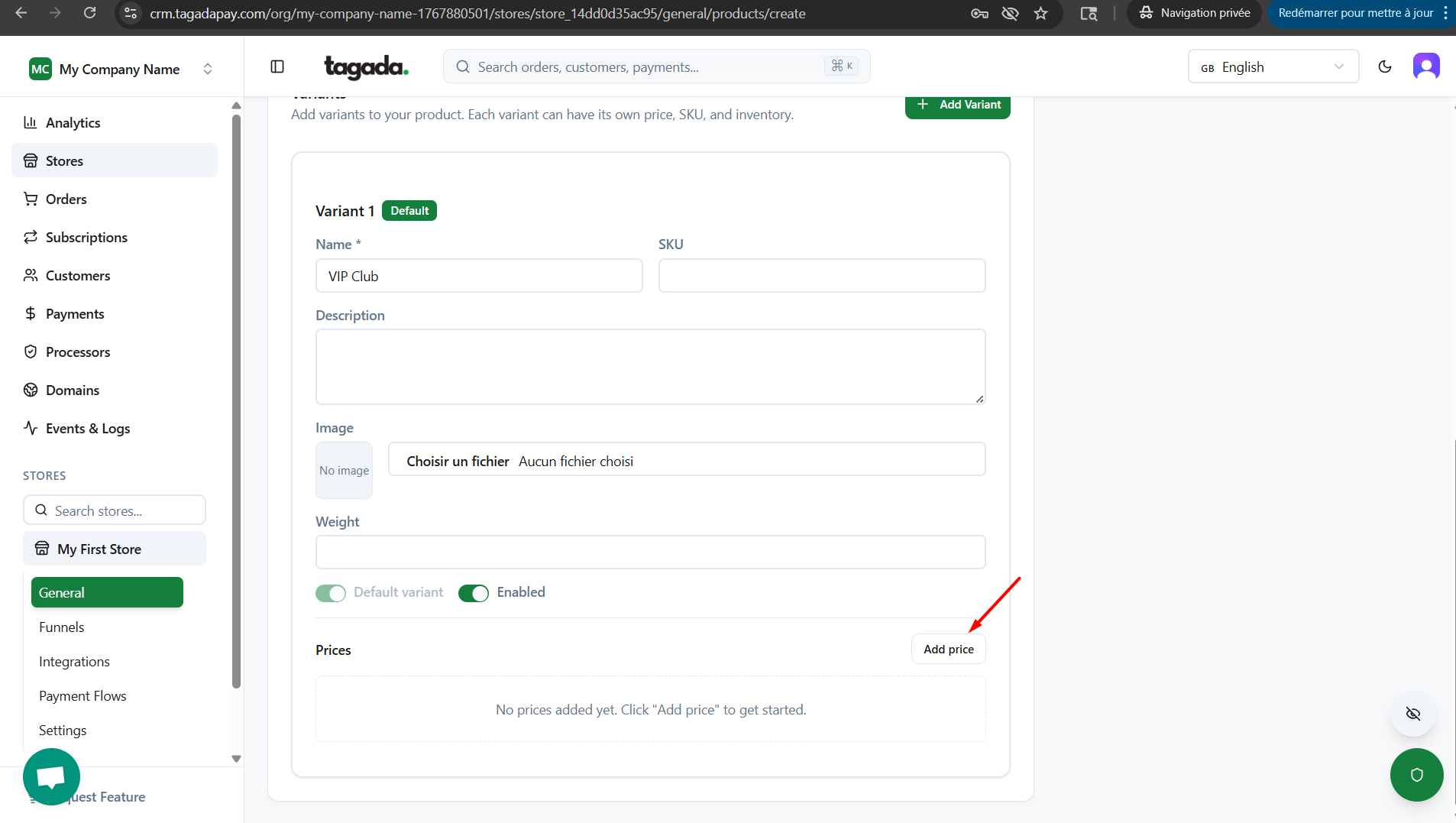
Click on Add Variant. Enter the name of the variant, chose an image.
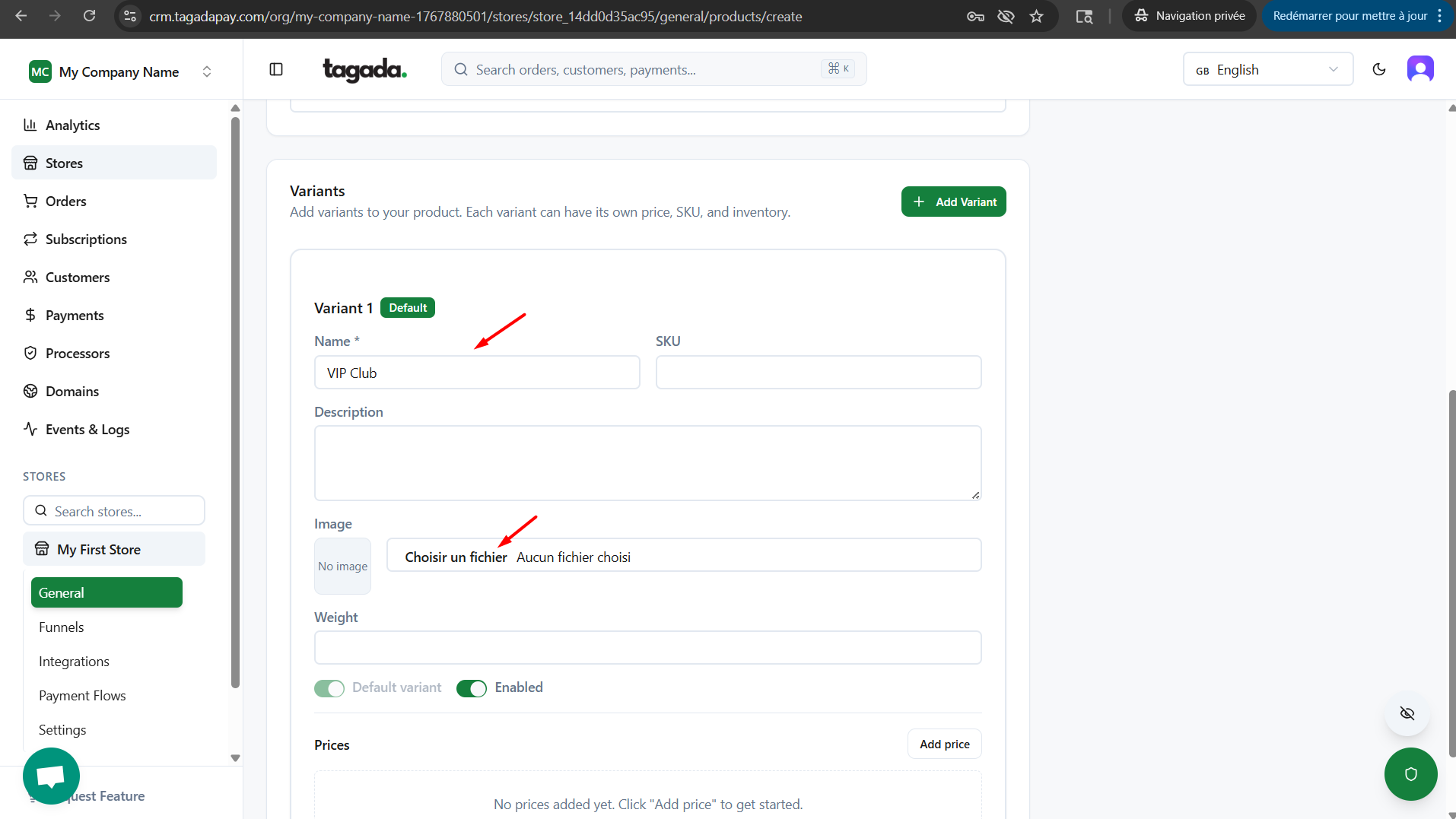
Click on Add price.
Chose Pricing Type as Recurring. Chose the frequency (i.e. 1 Month, it means the client will be billed every month). Set your price.
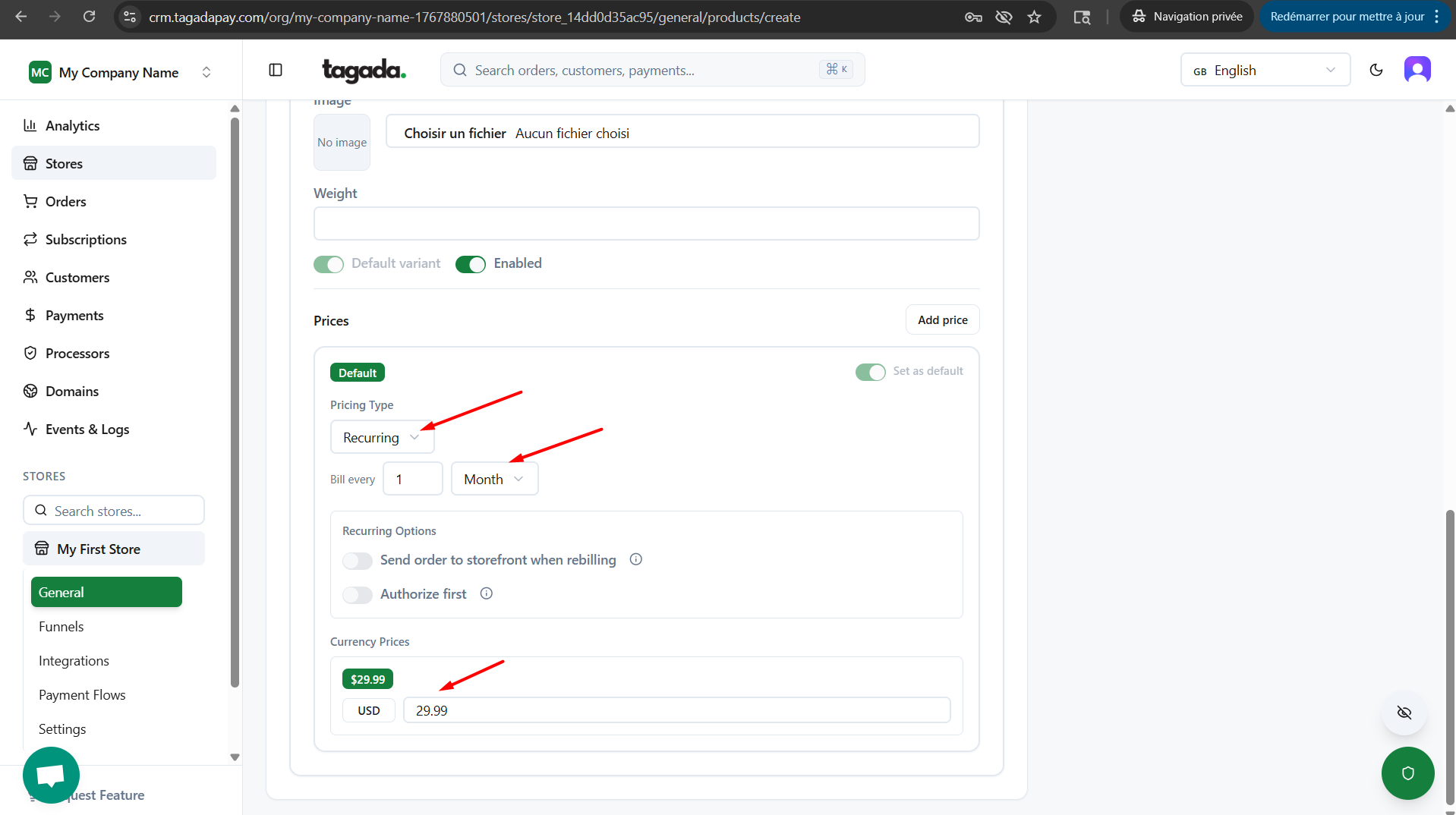
Send order to storefront when rebilling - this means that Tagada will send a new order to be fulfilled on Shopify when client is rebilled. Please enable this if your subscription includes a physical product that needs to be shipped.
Authorize first - You can use the Authorize First feature by selecting the desired duration of the authorization period for your orders. During this time, the customer’s funds are authorized (held), but not yet captured.
Enabling the Authorize First option is particularly interesting when processing subscription payments. This means the system will authorize the funds for a specific number of days before actually charging the customer. After this period, the transaction is captured and completed.
This has a key advantage: the client cannot initiate a chargeback during the authorization period, as the transaction has not been finalized. Once the set period ends, the payment is automatically captured.
Click on Create Product on the top right corner.