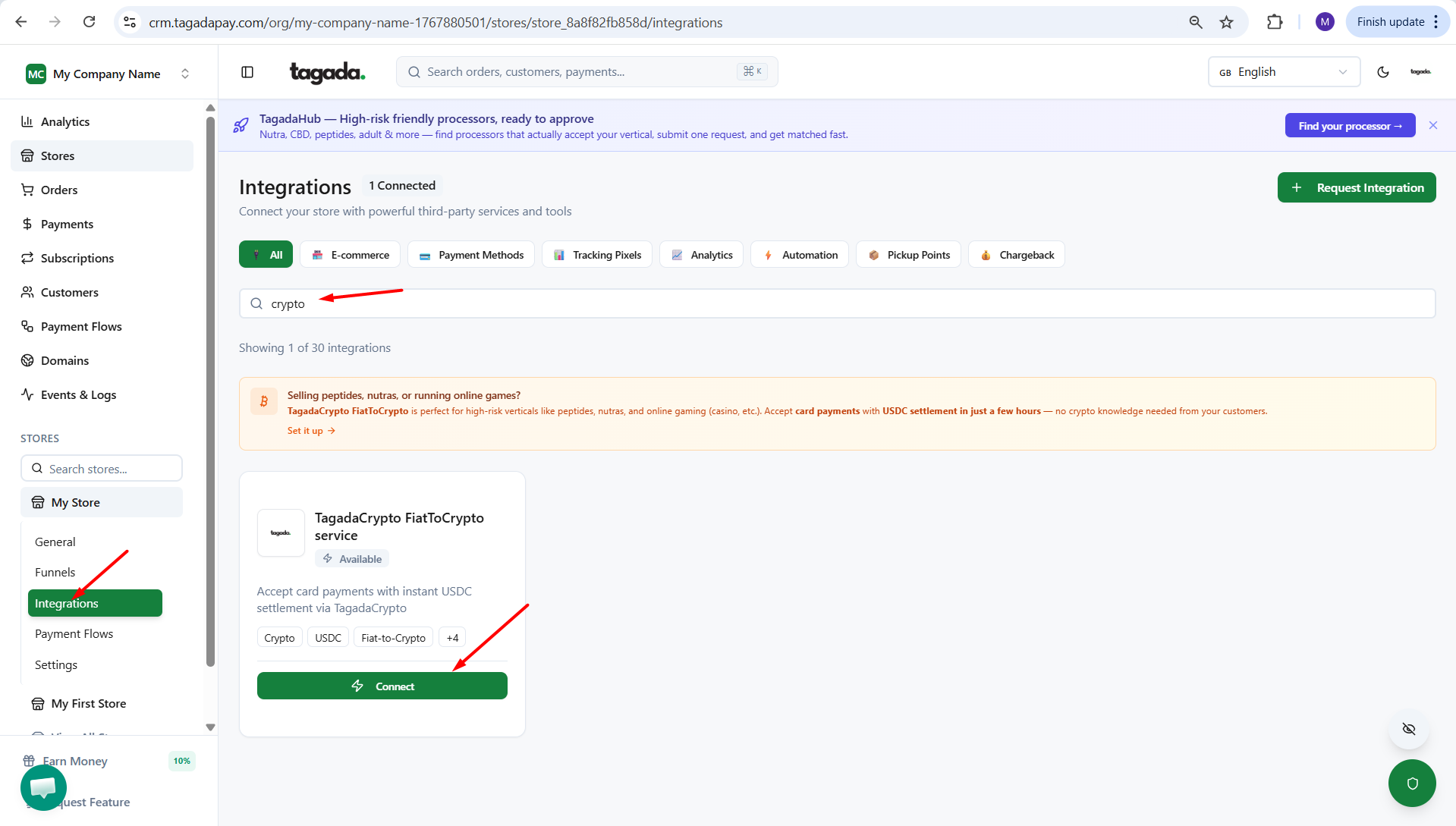
While you're in your Store, select Integrations from the left-hand menu, then select the Tagada Crypto FiatToCrypto service and click on Connect.
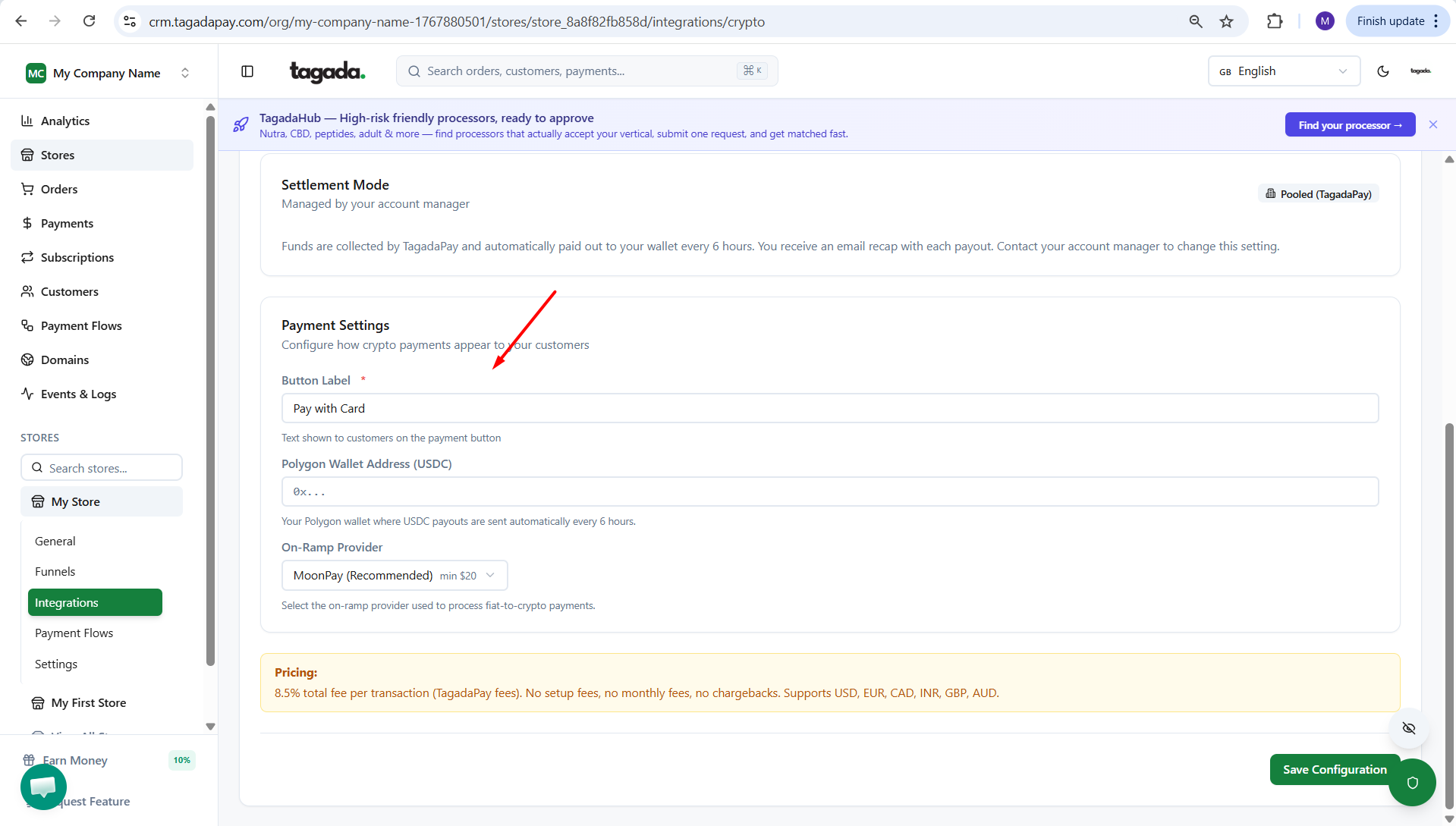
Fill out the information requested. Make sure to use the correct Polygon Wallet Address (USDC).
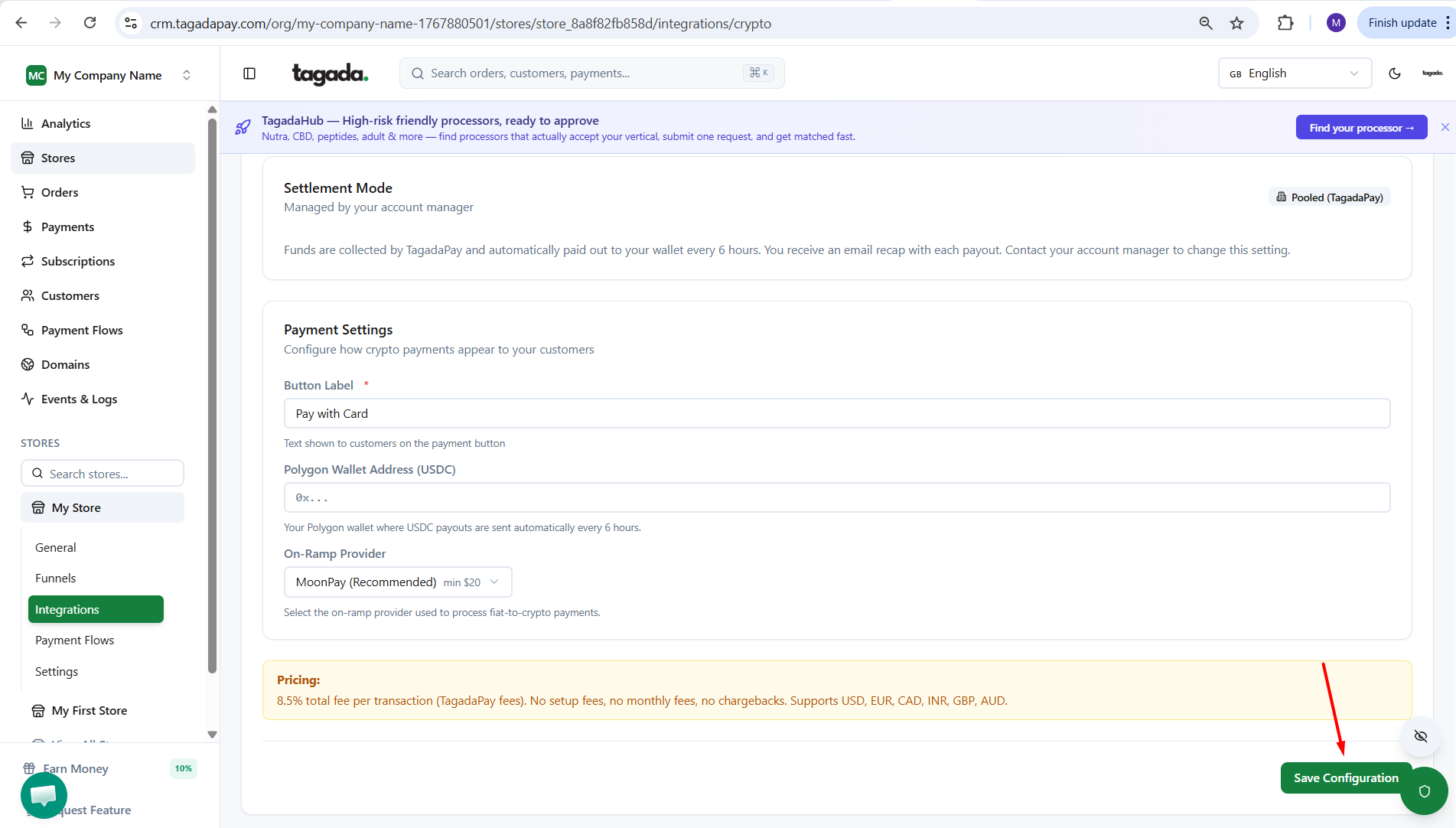
Click on Save Configuration.
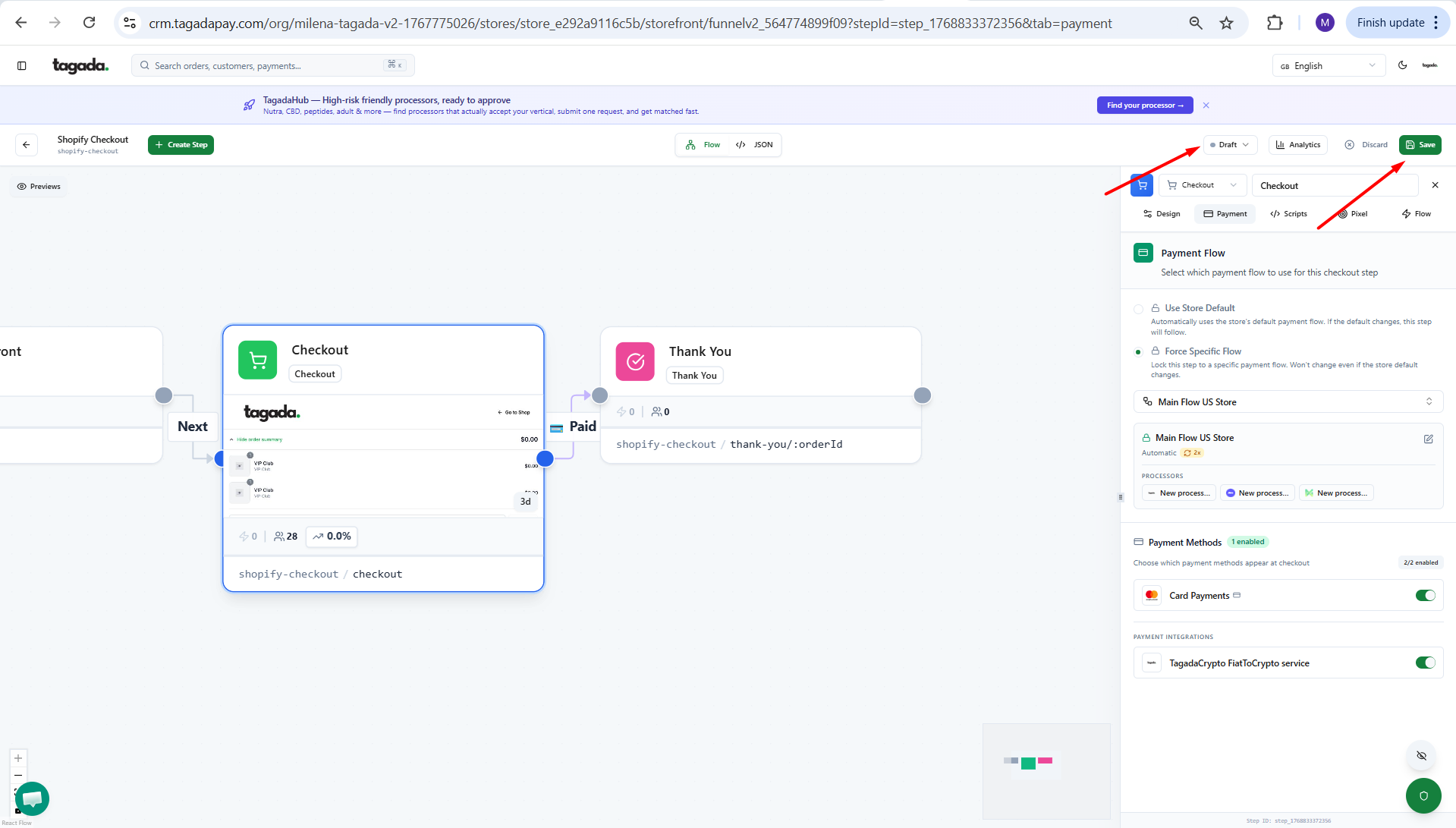
Make sure its enabled on the top of the page.
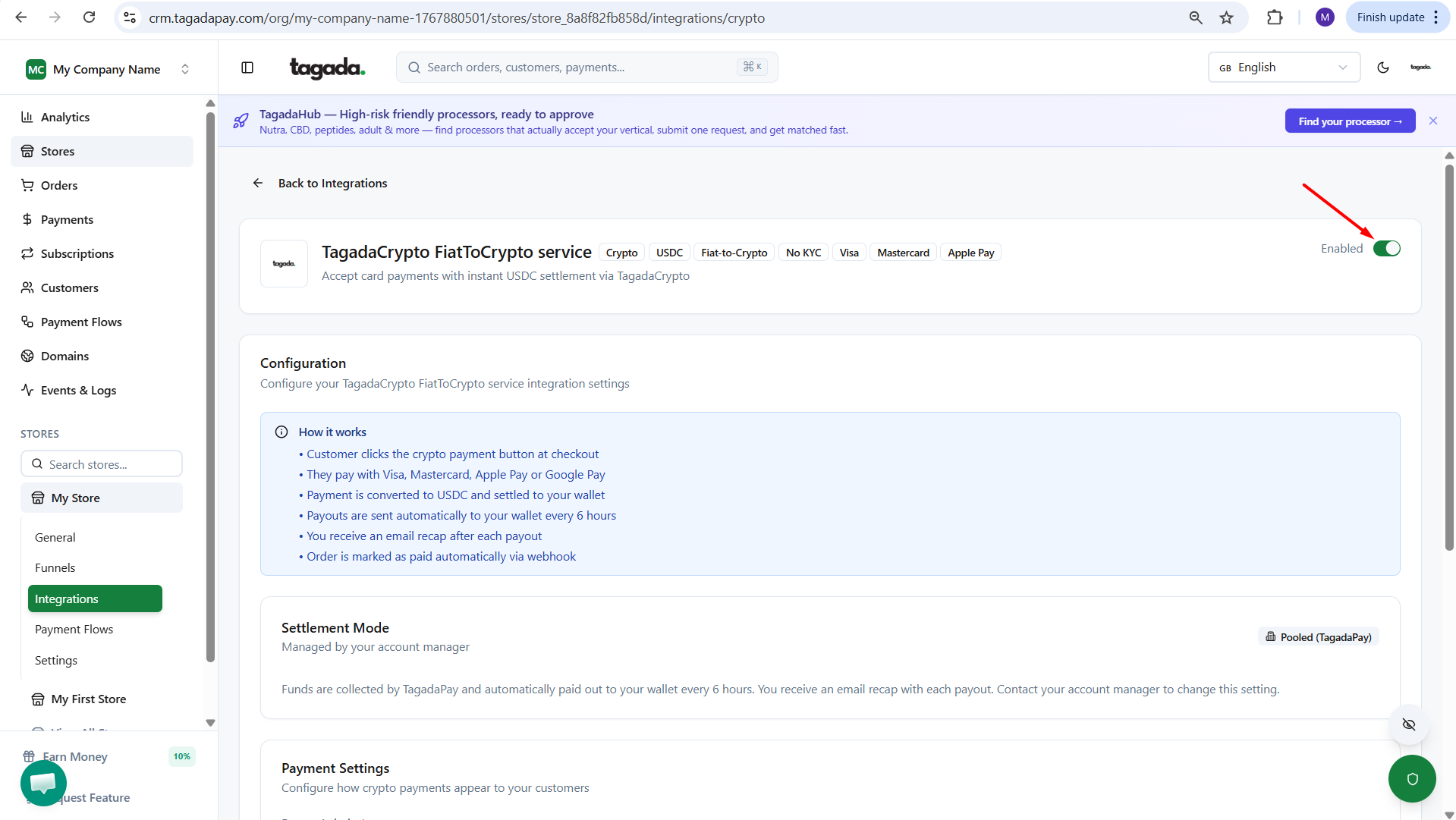
Select Funnels from the left-hand menu, to open the funnel system.
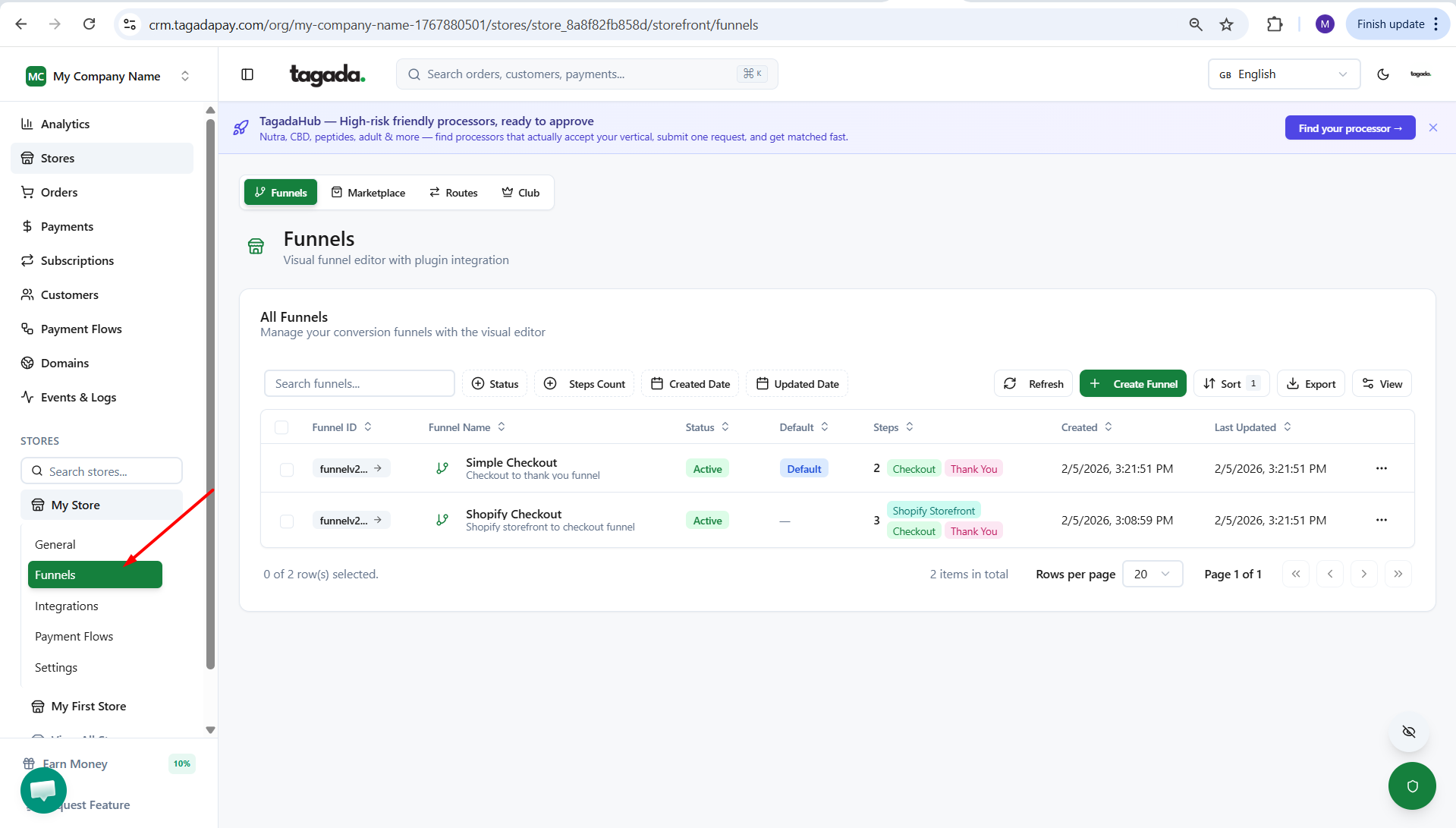
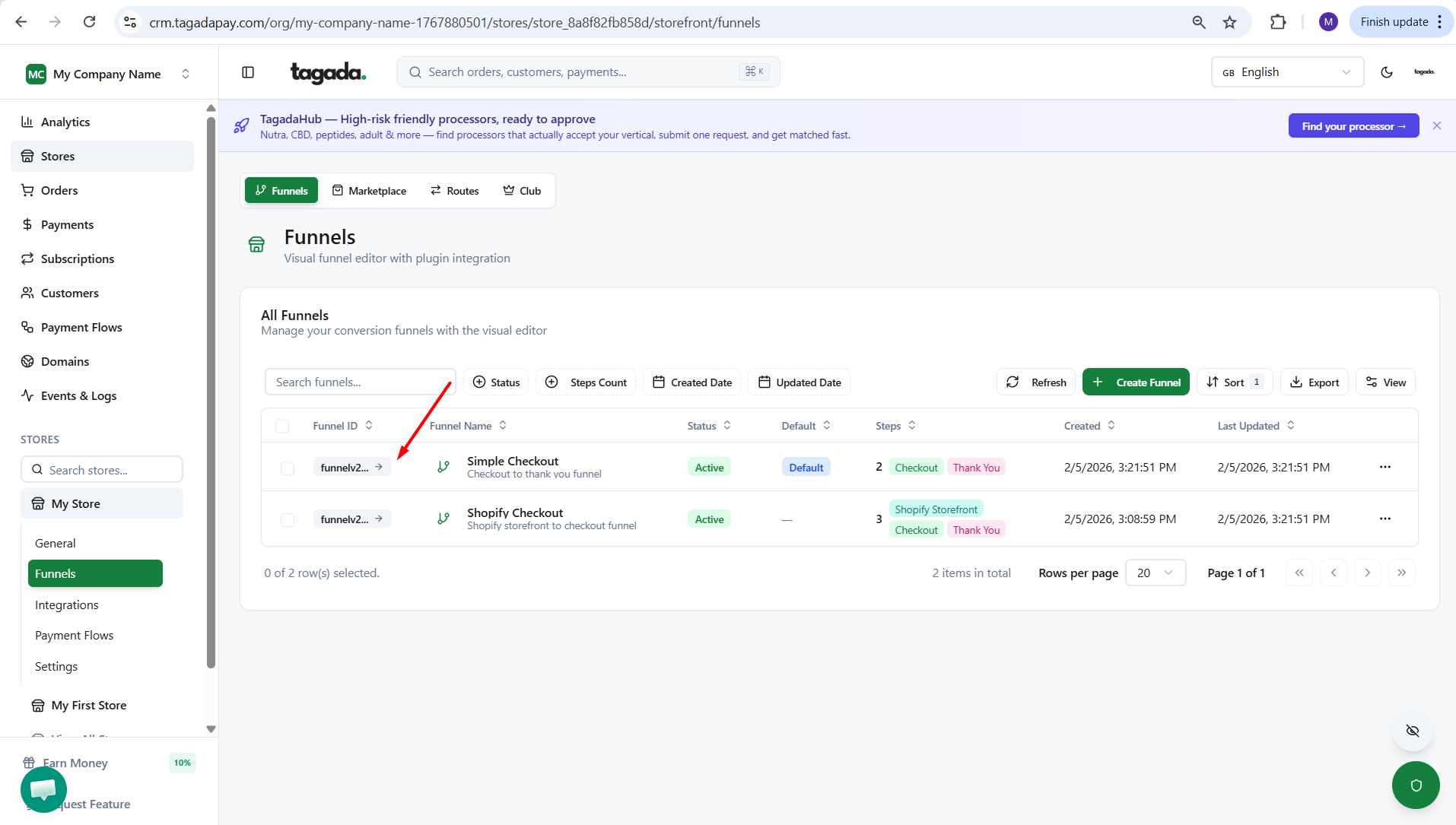
Click on the Funnel that you would like to edit.
Click on the Checkout box and then click on the Payment tab.
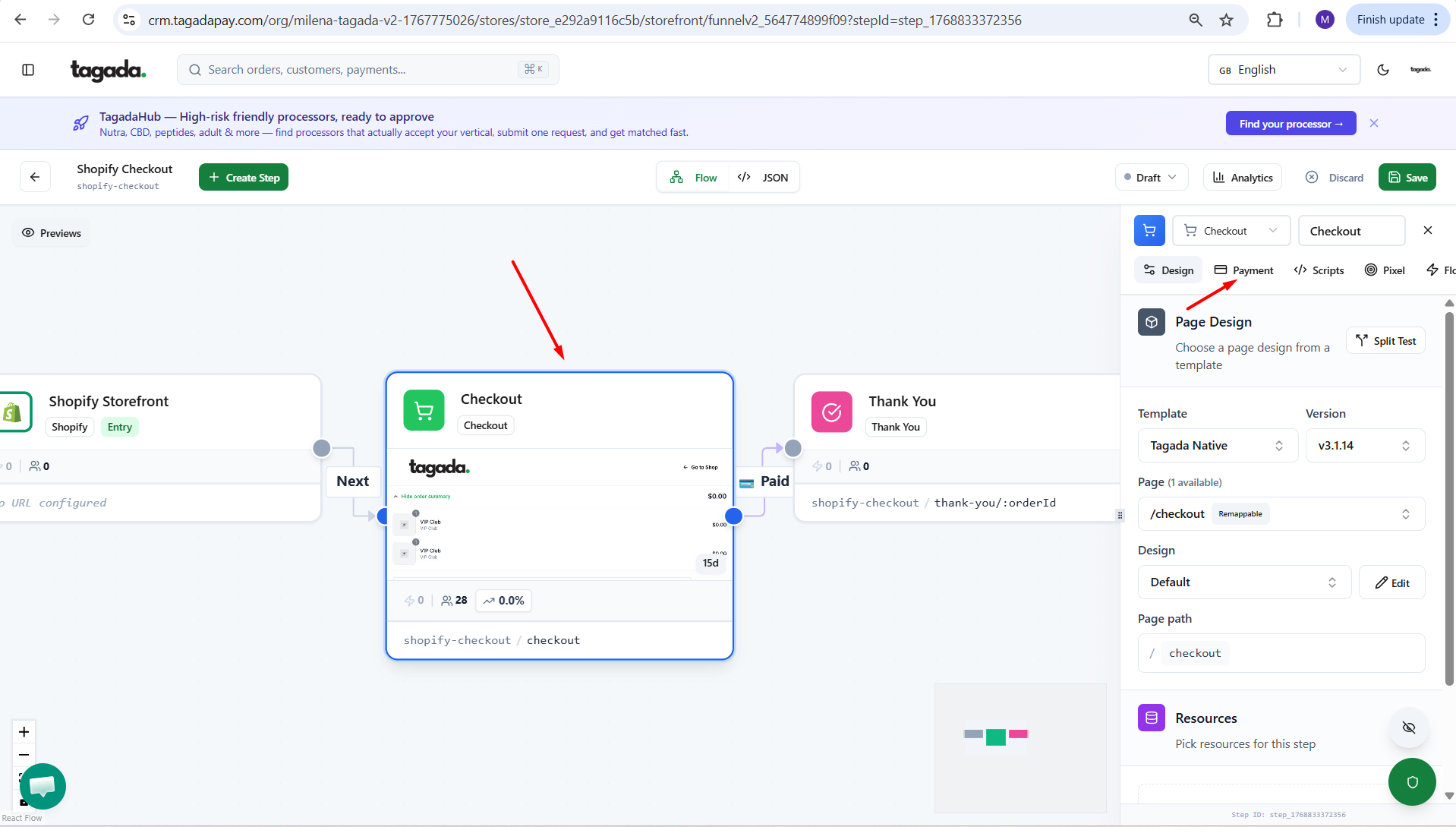
Enable Tagada Crypto.
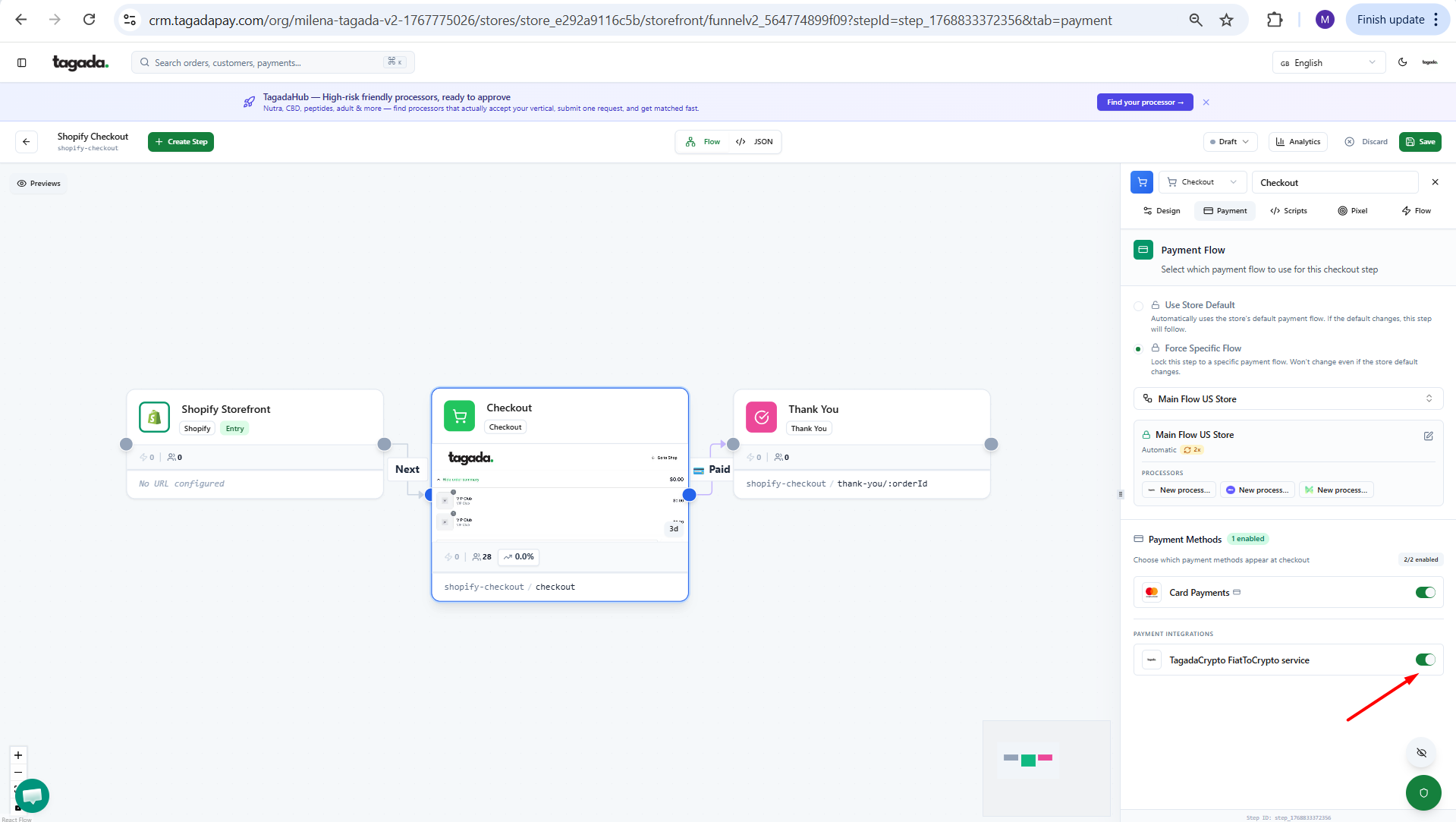
Save your funnel and Promote to production.