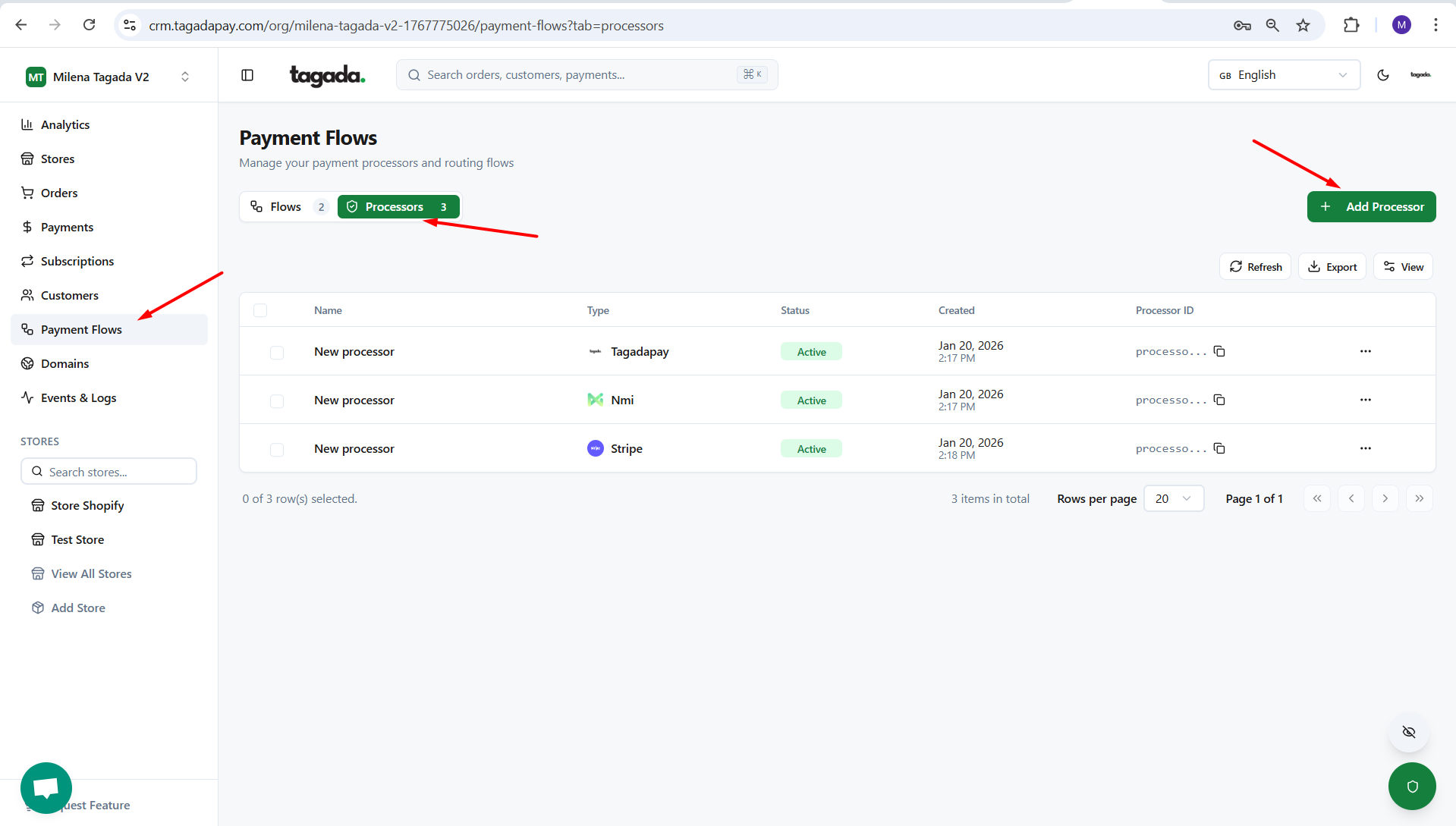
While you're in your Organization, select Payment Flows from the left-hand menu, then select the Processors tab and click on Add Processor.
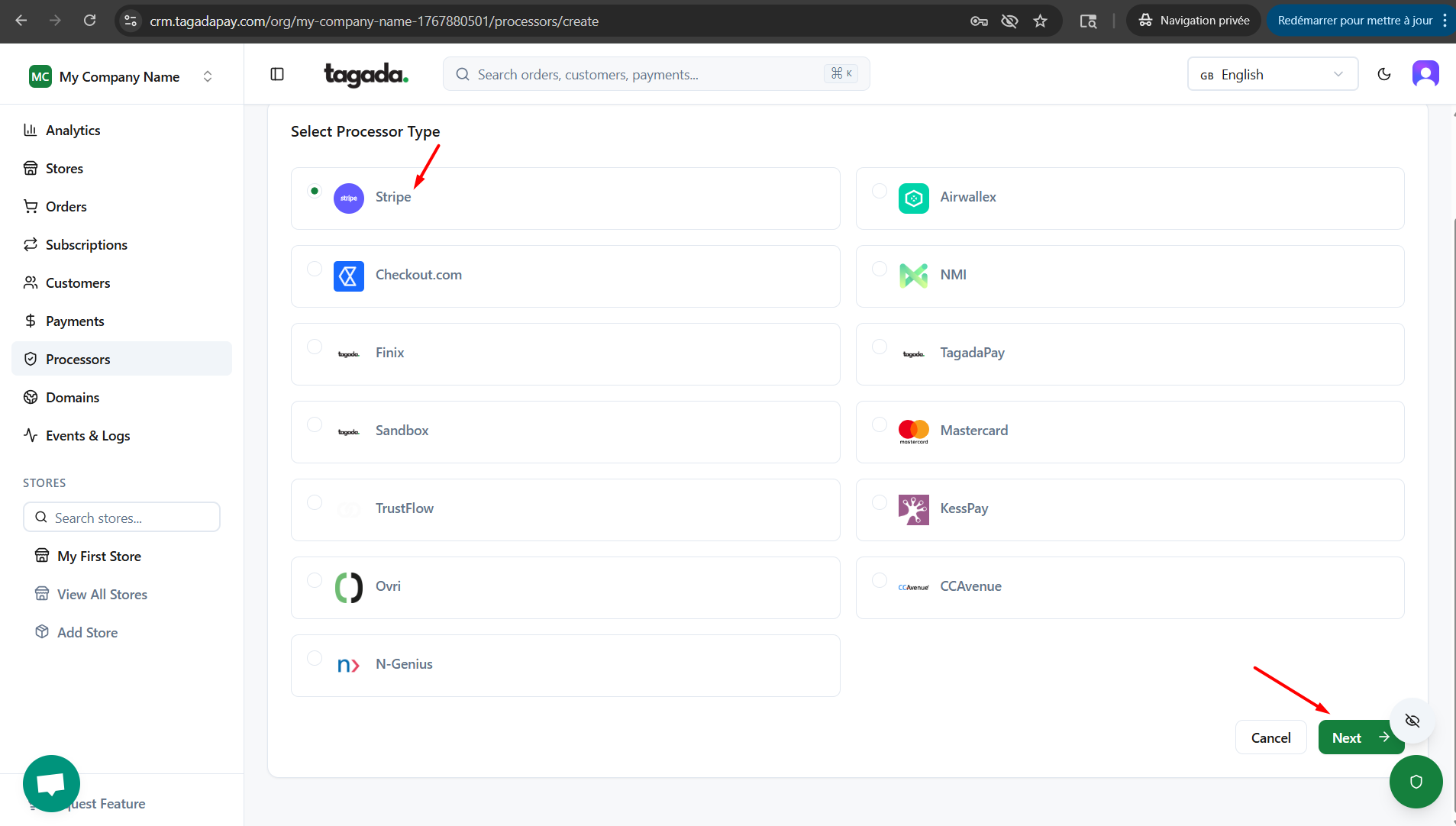
Select Stripe. Click on Next.
Enter the name of the processor so you can easily identify it in your list of added processors.
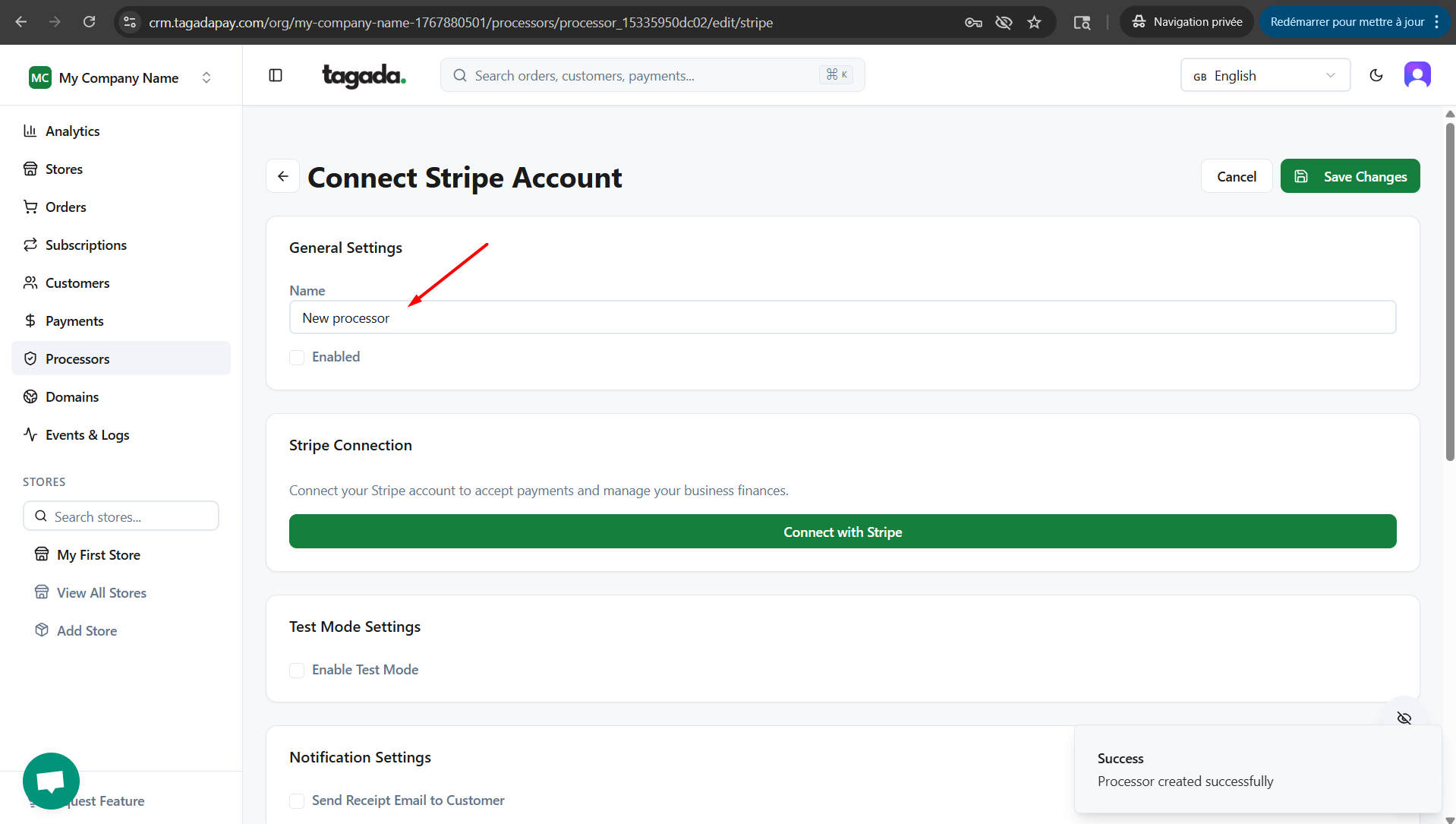
Click on Connect with Stripe.
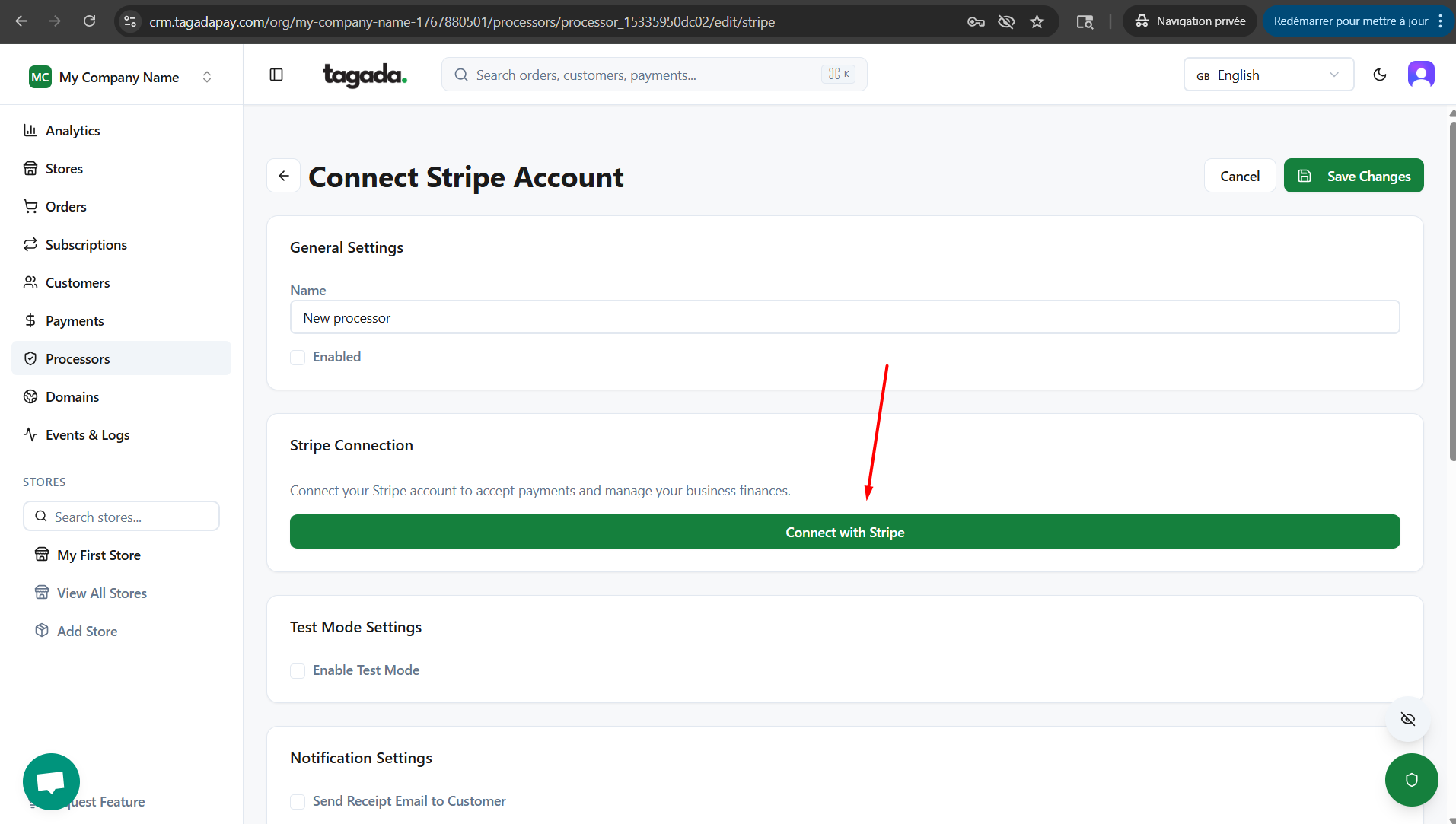
This will redirect you to the Stripe login or account creation page. Follow the instructions there to connect your Stripe account.
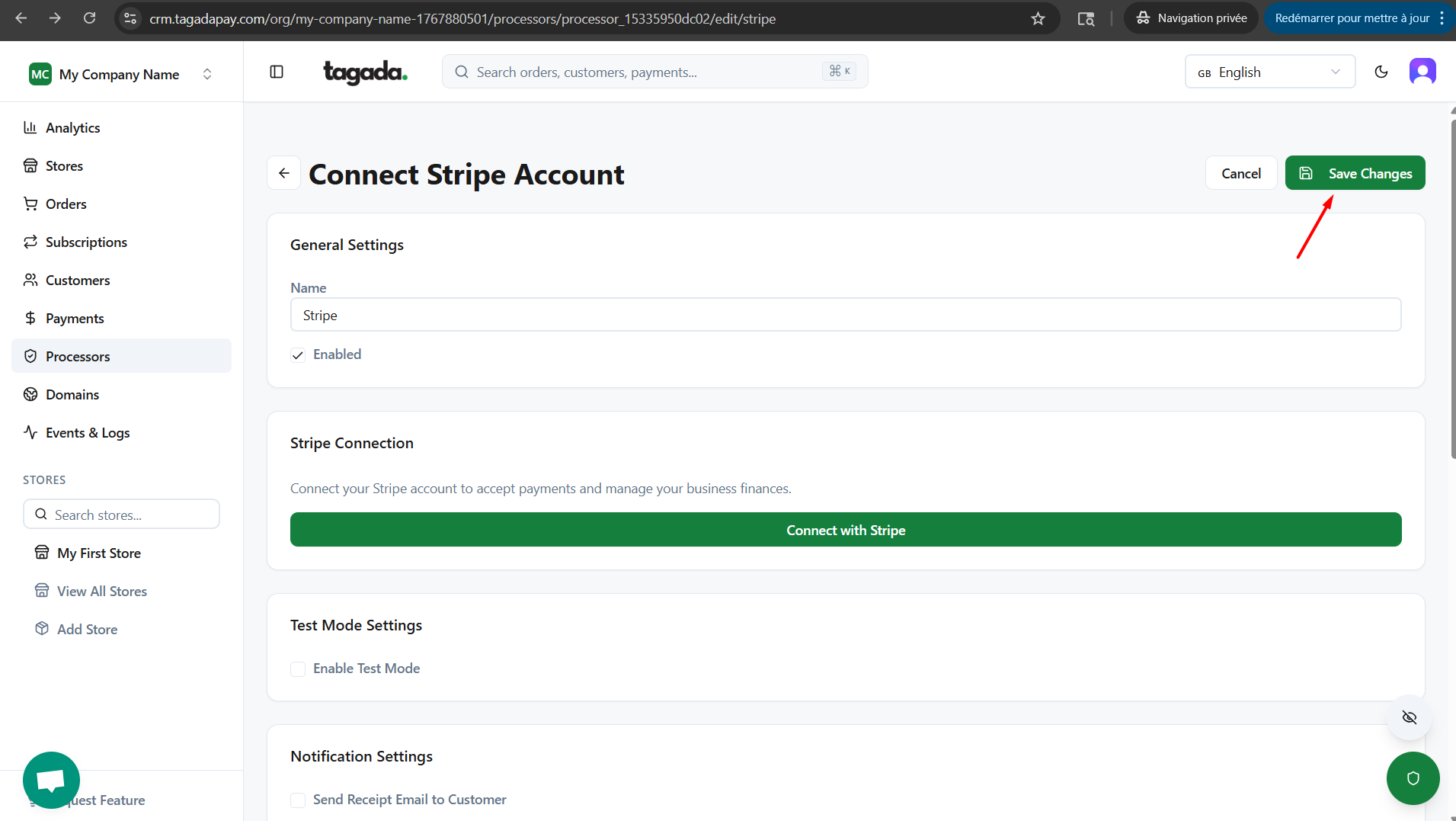
After connecting, you’ll return to Tagada. Complete all required fields and make sure the Enabled box is checked.
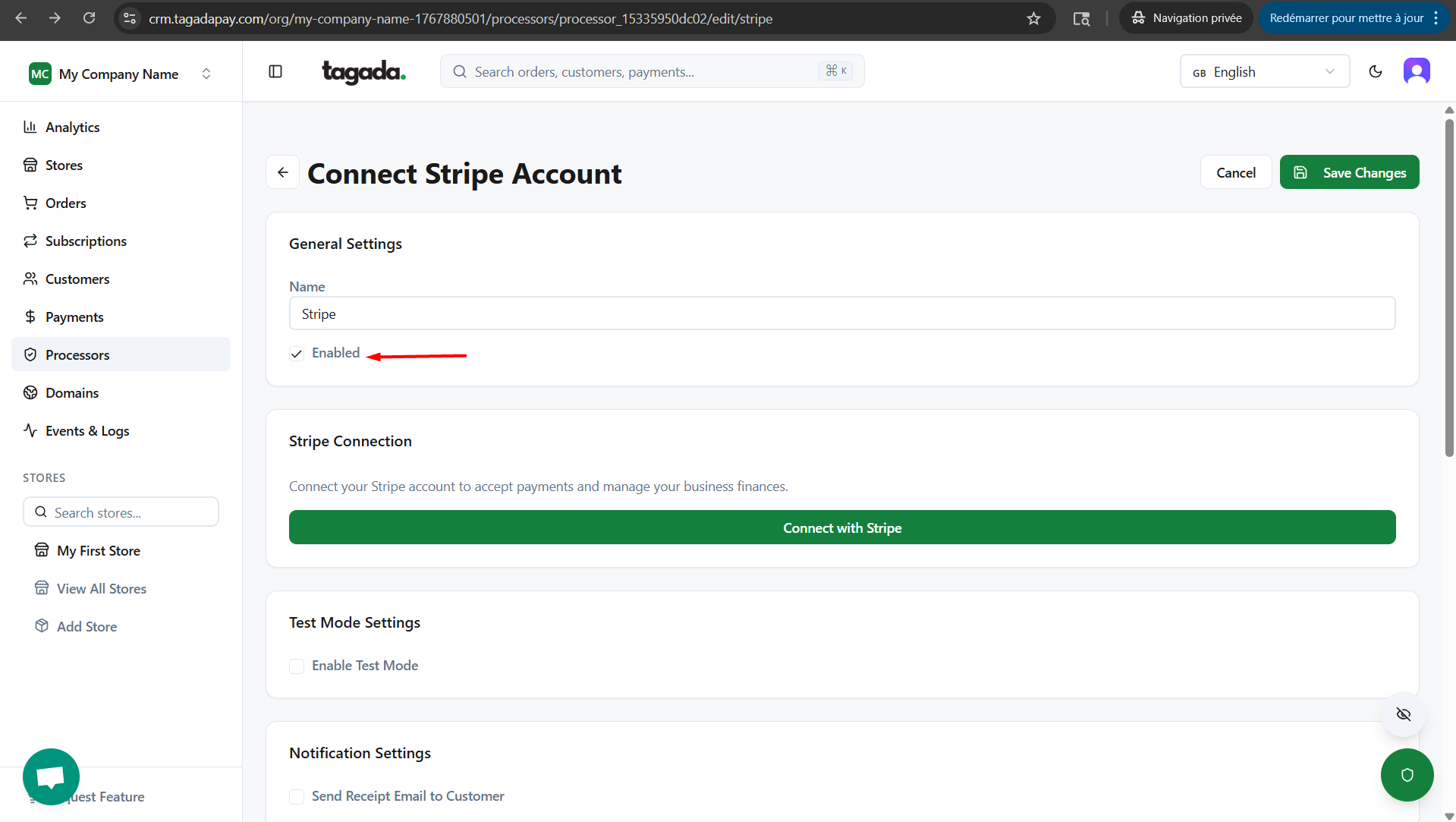
Click on Save Changes.