
In your Tagada account click on Stores, then chose your store.
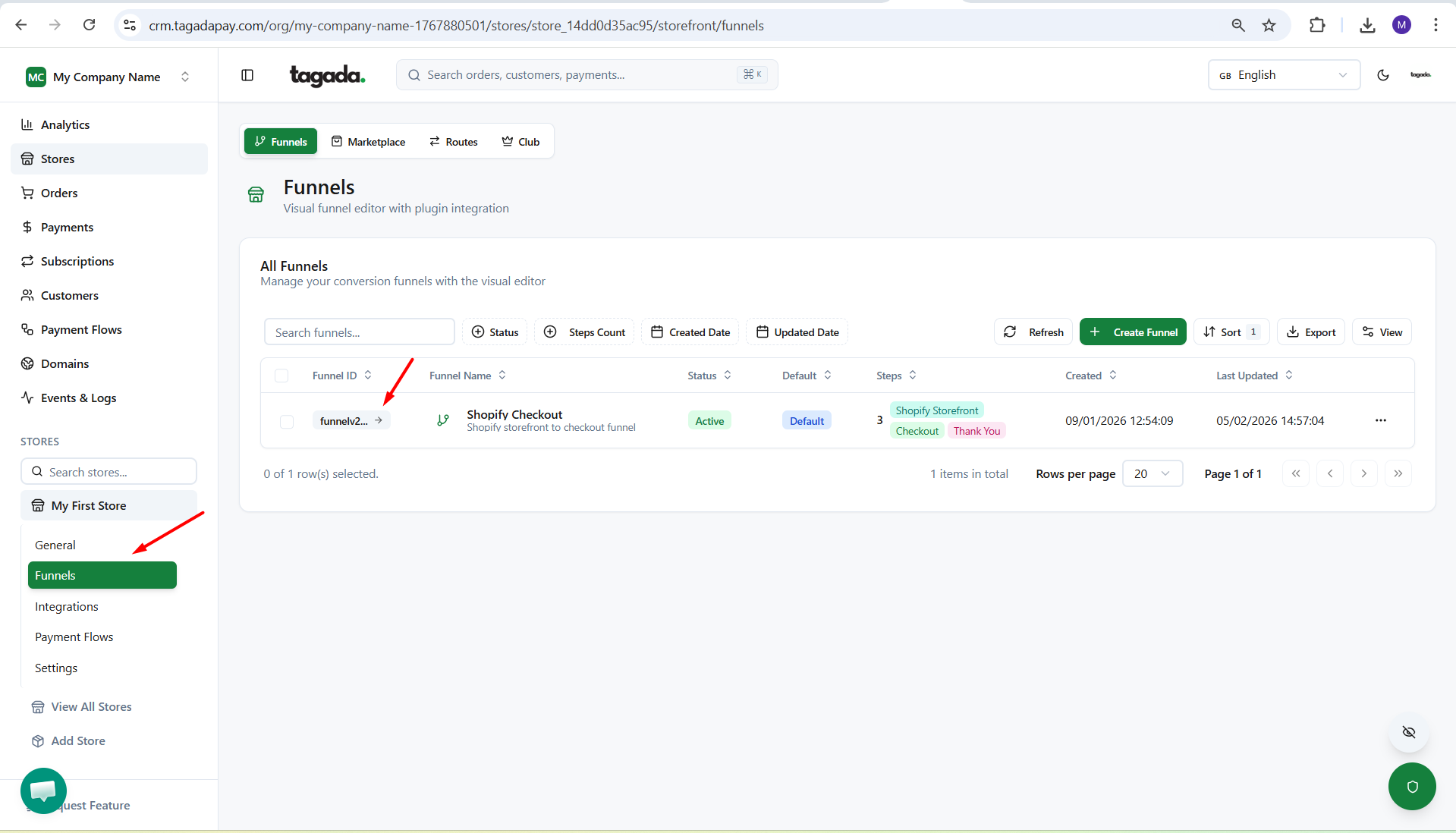
Under General menu, click on Funnels and then click on your Funnel to edit it.
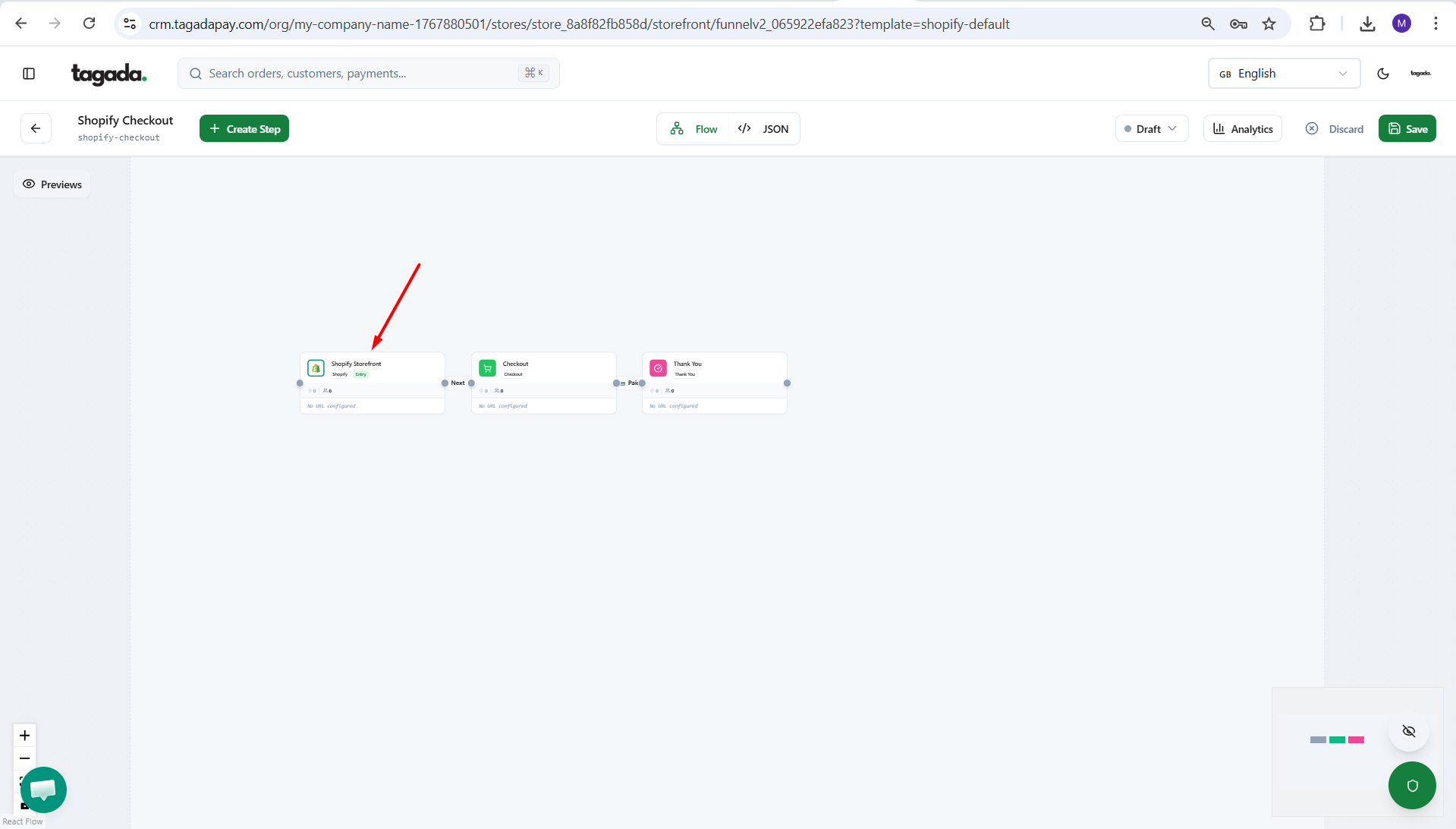
Click on the Shopify box to have the pop up menu appear on the right.
Click on the Install button.
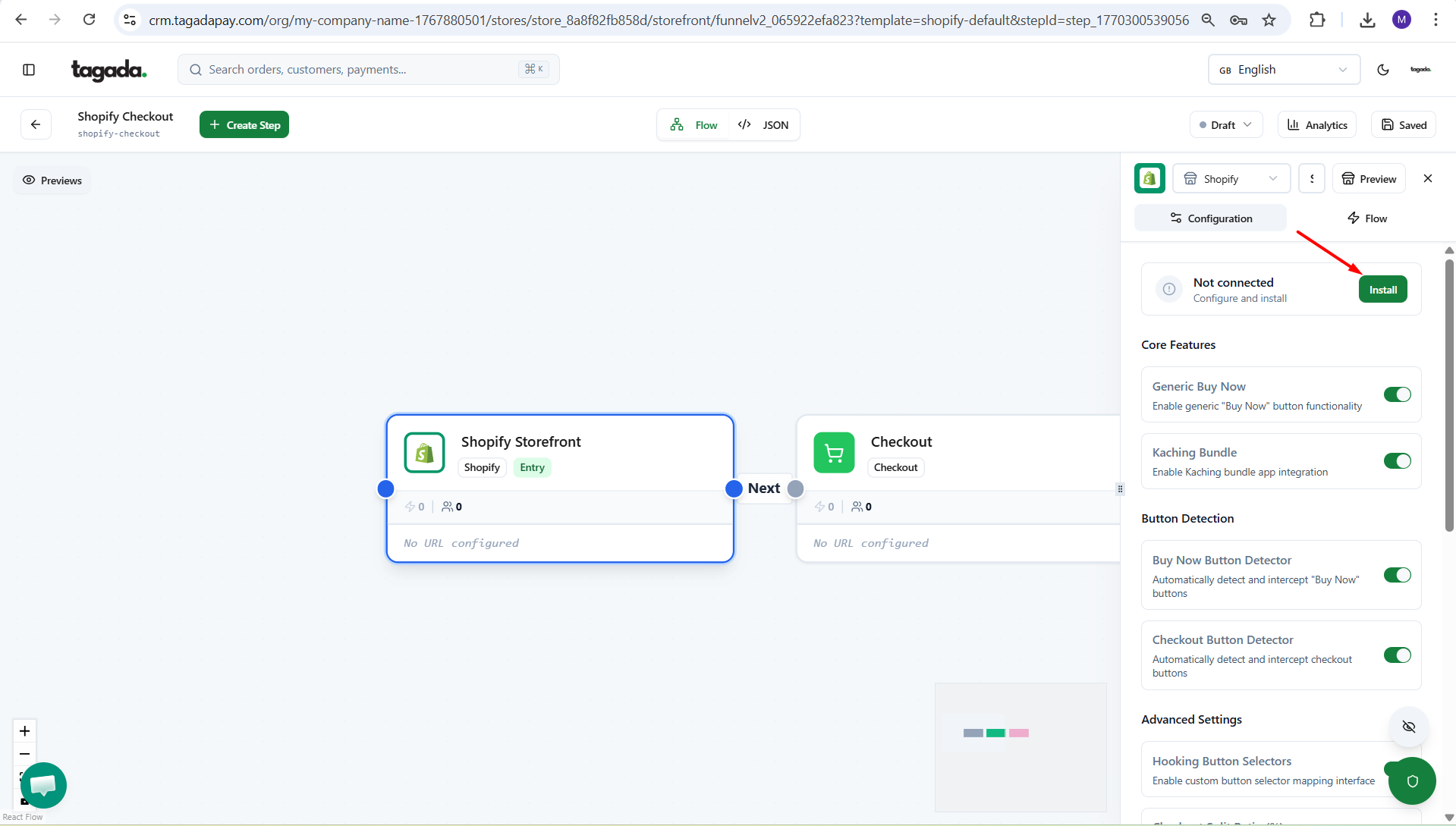
This step does not publish your Tagada Checkout to your store. It only injects the Tagada script into your Shopify store. To publish your checkout, please follow the guide on how to publish it.