In your Tagada account click on Stores, then chose your store.
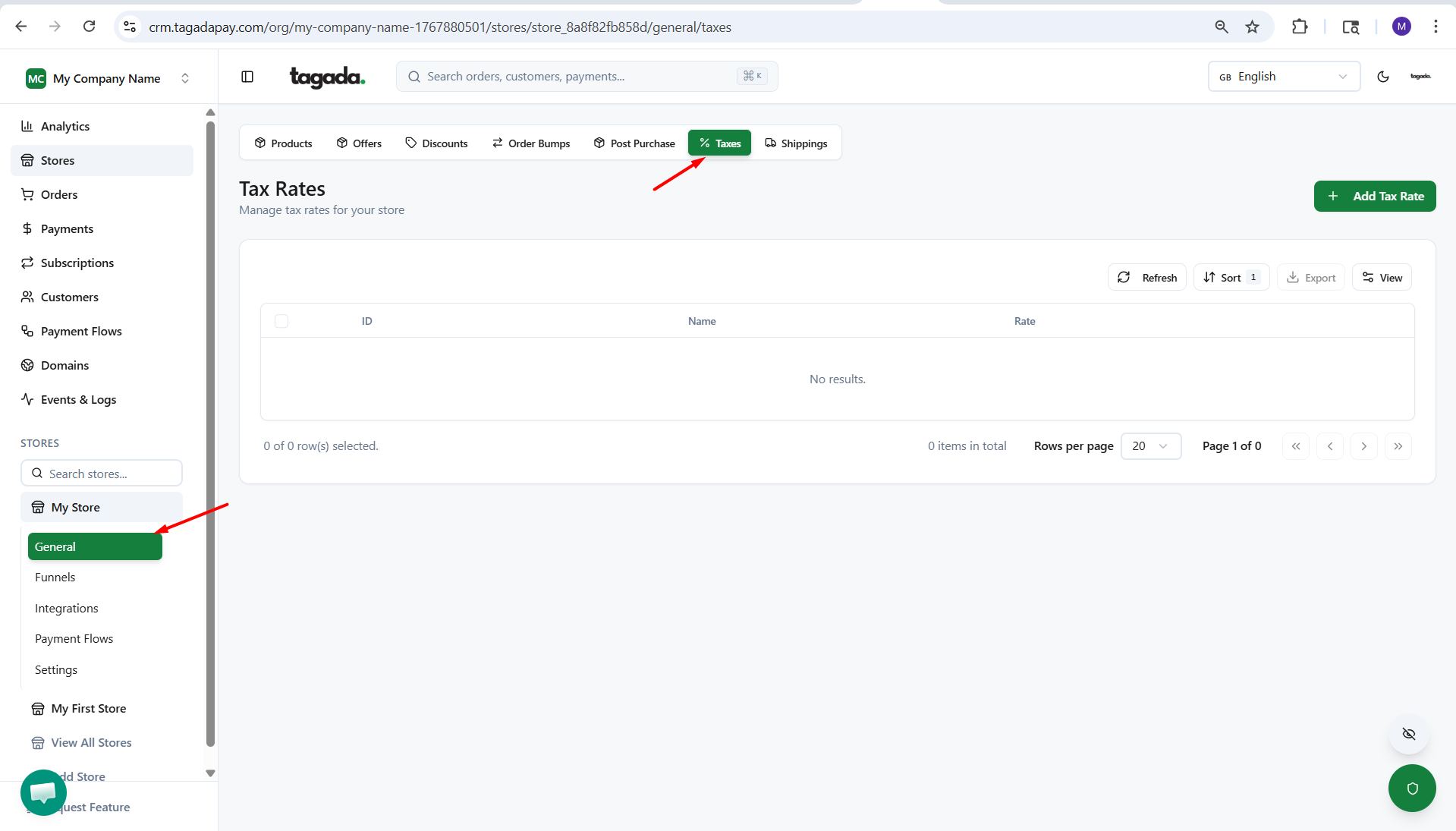
Click on General and then click on Taxes.
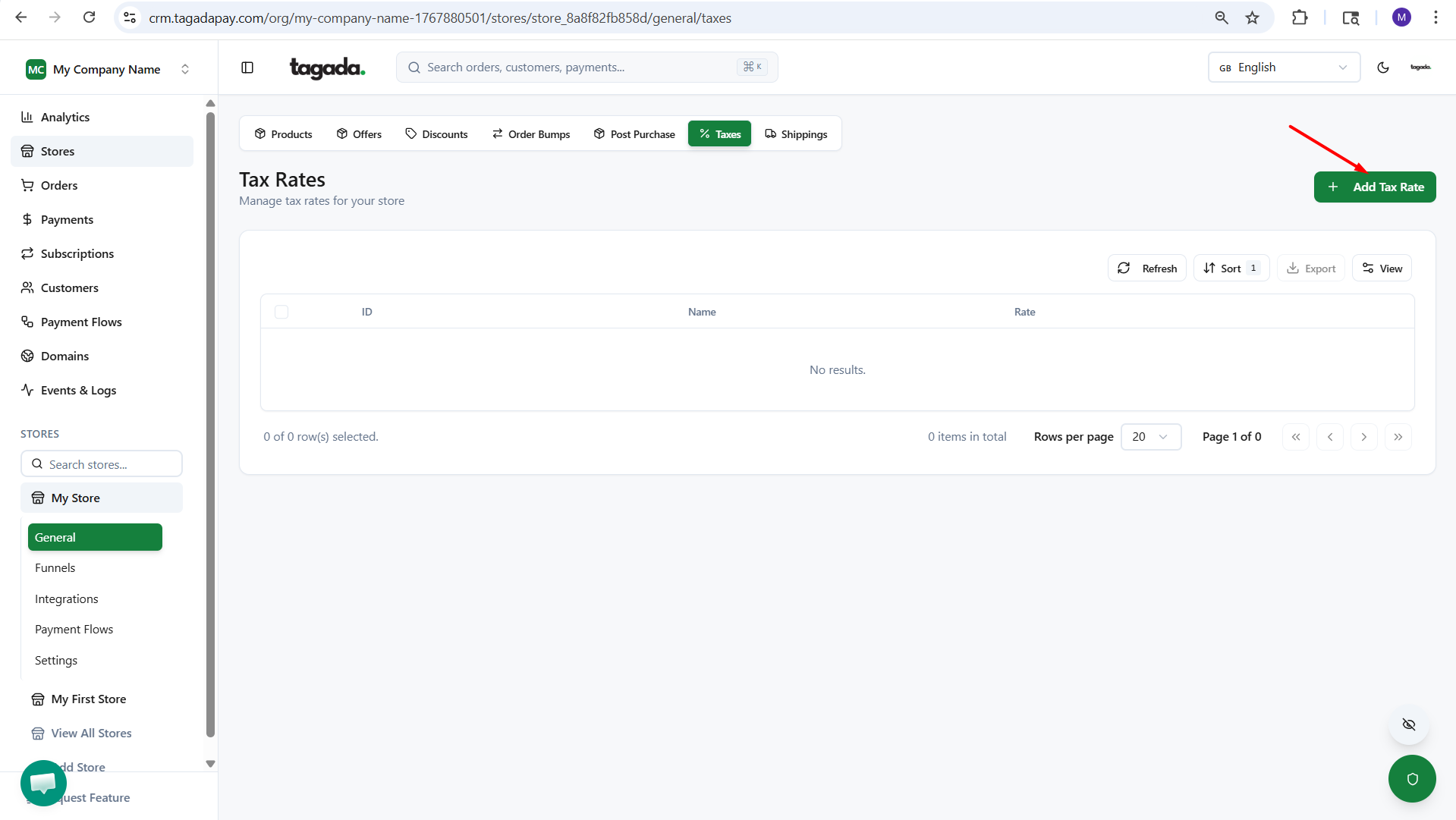
Click on Add Tax Rate
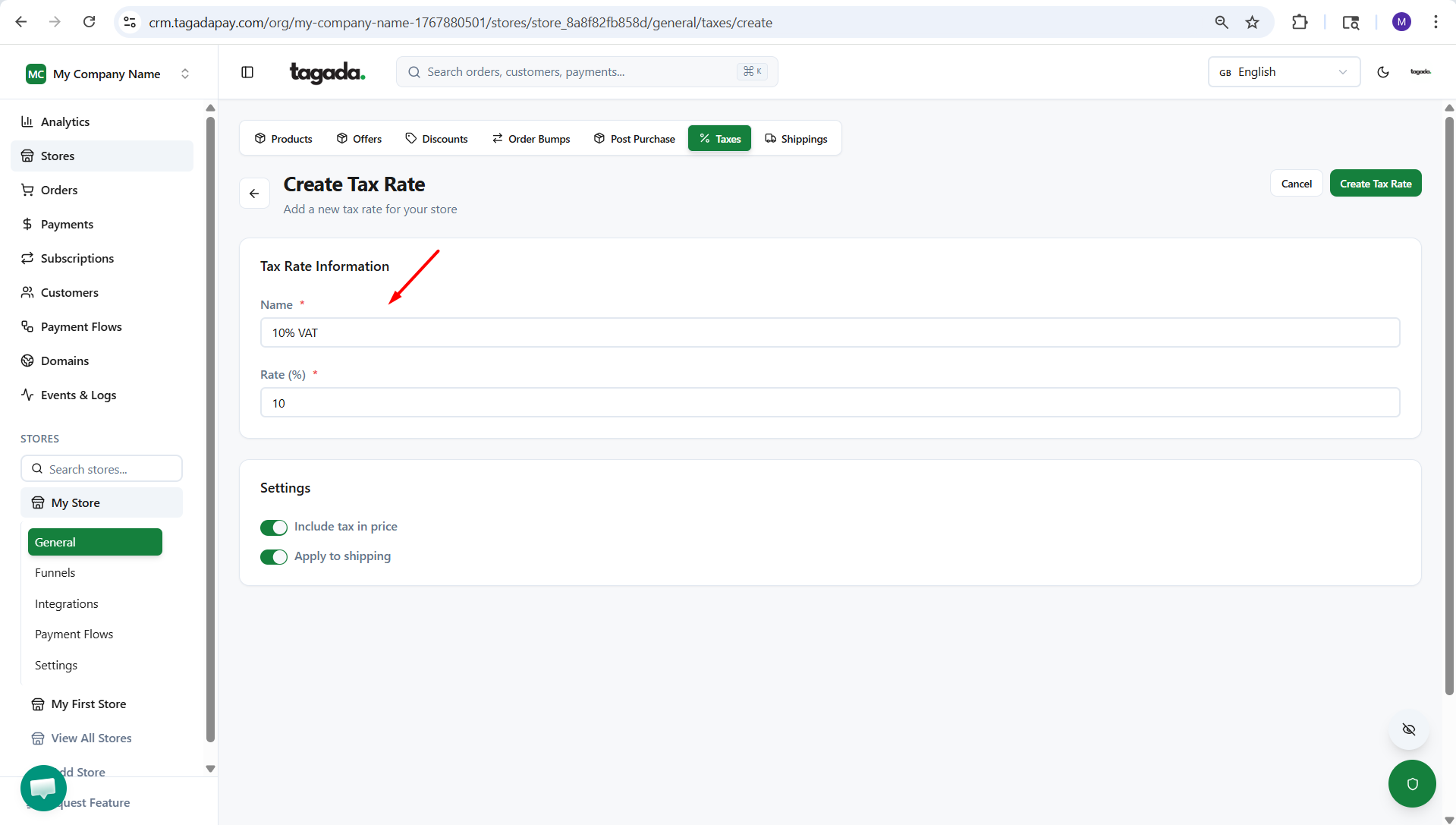
Enter the Tax Rate Information: Name and Rate % and if you’d like you can enable the options “Include tax in price” and “Apply to shipping”.
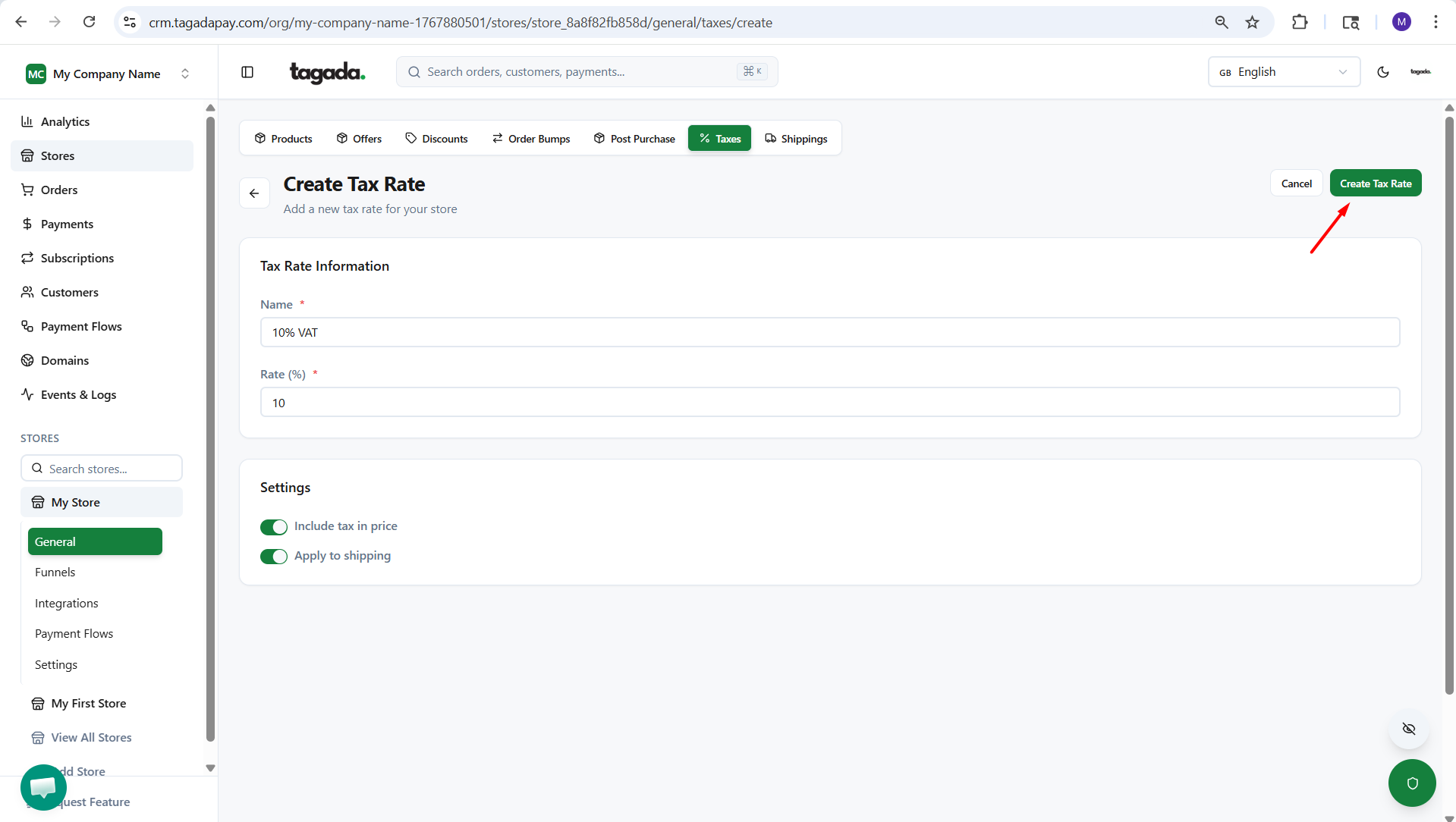
Click on Create tax rate.