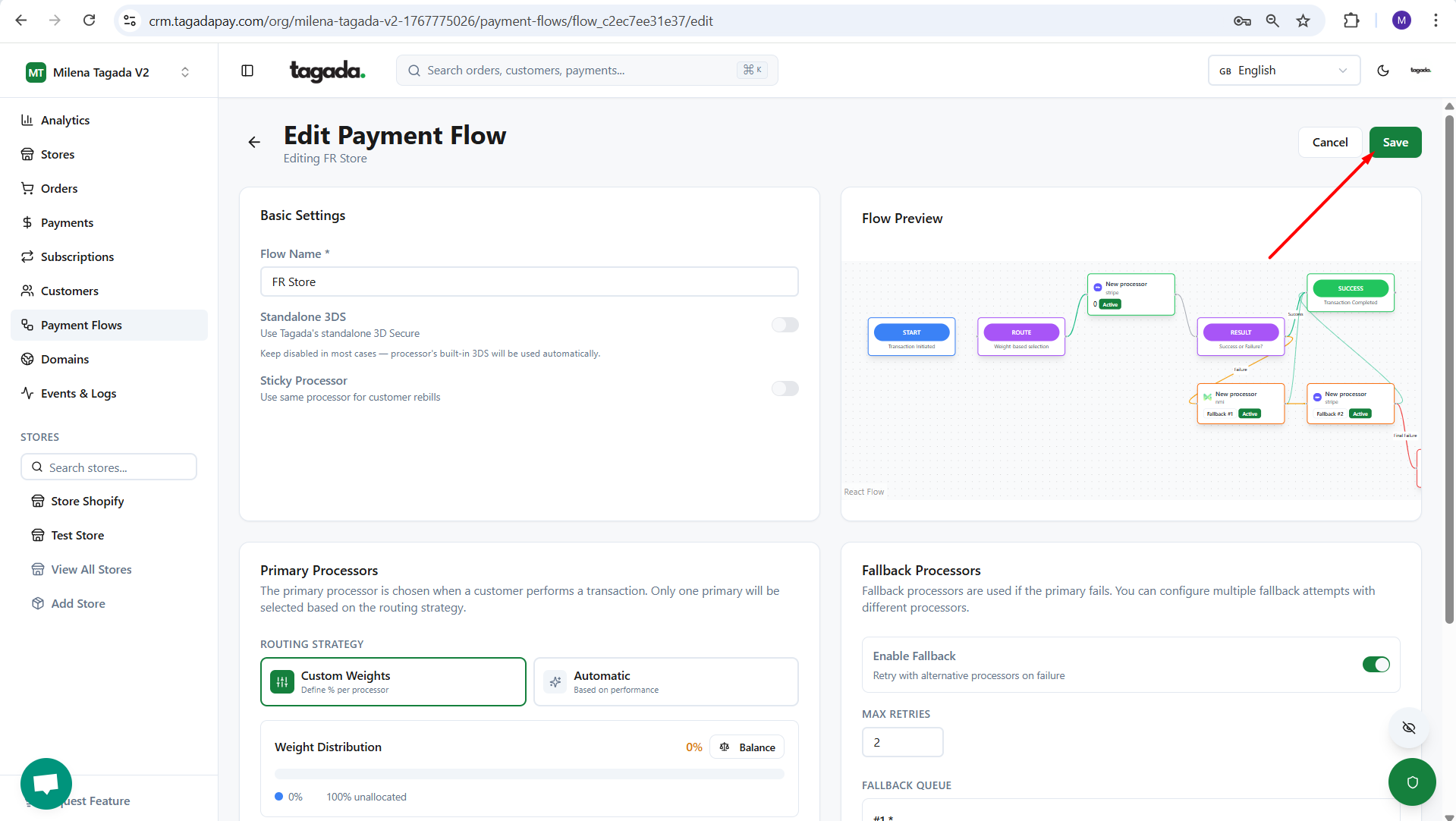
If you have more than one processor connected, fallback allows transactions to be automatically retried with an alternative processor in case the initial attempt fails.
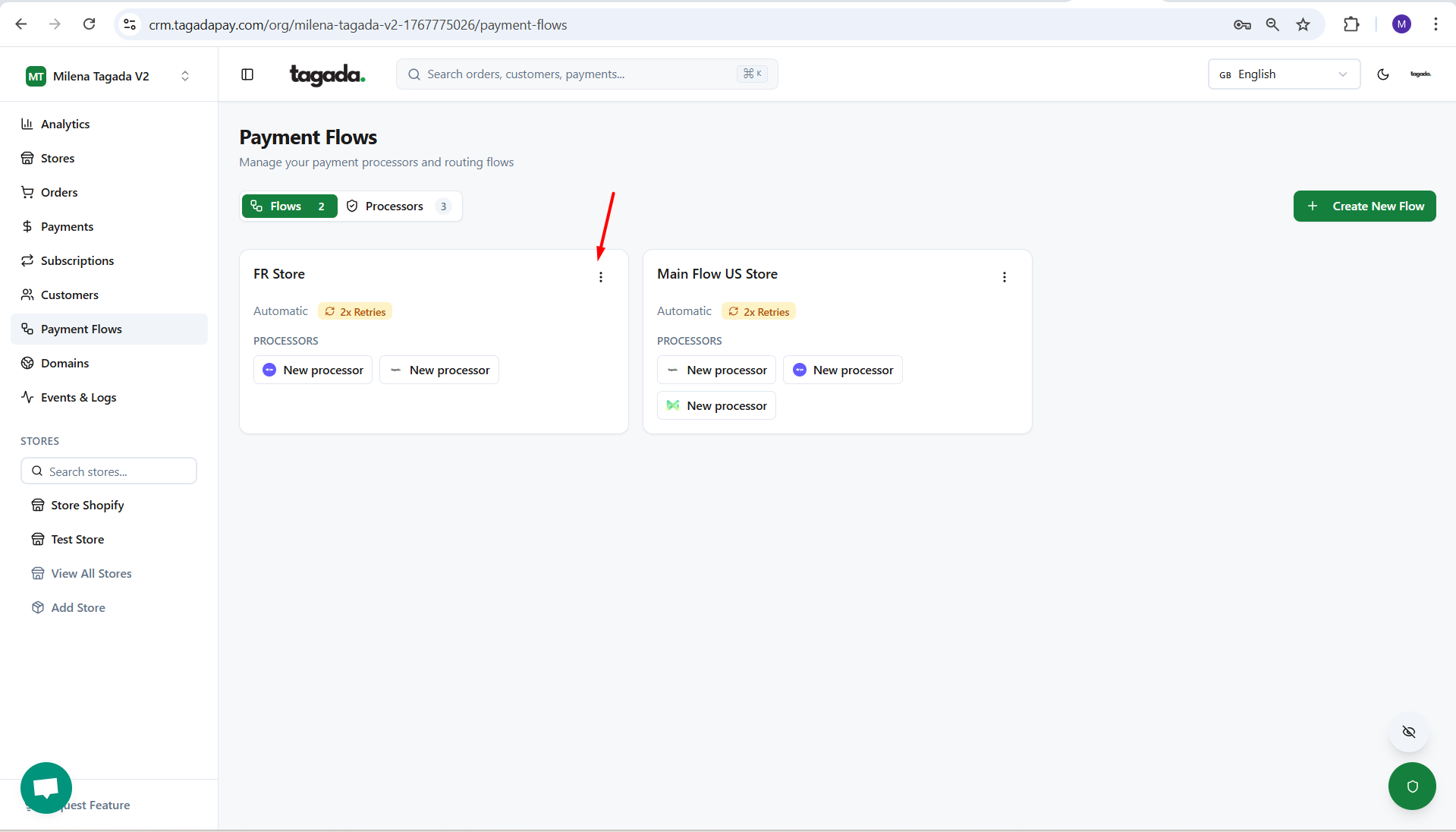
While you're in your Organization, select Payment Flows from the left-hand menu, then click on the Flows tab. Click on the kebab menu (⋮) of your Flow and select Edit.
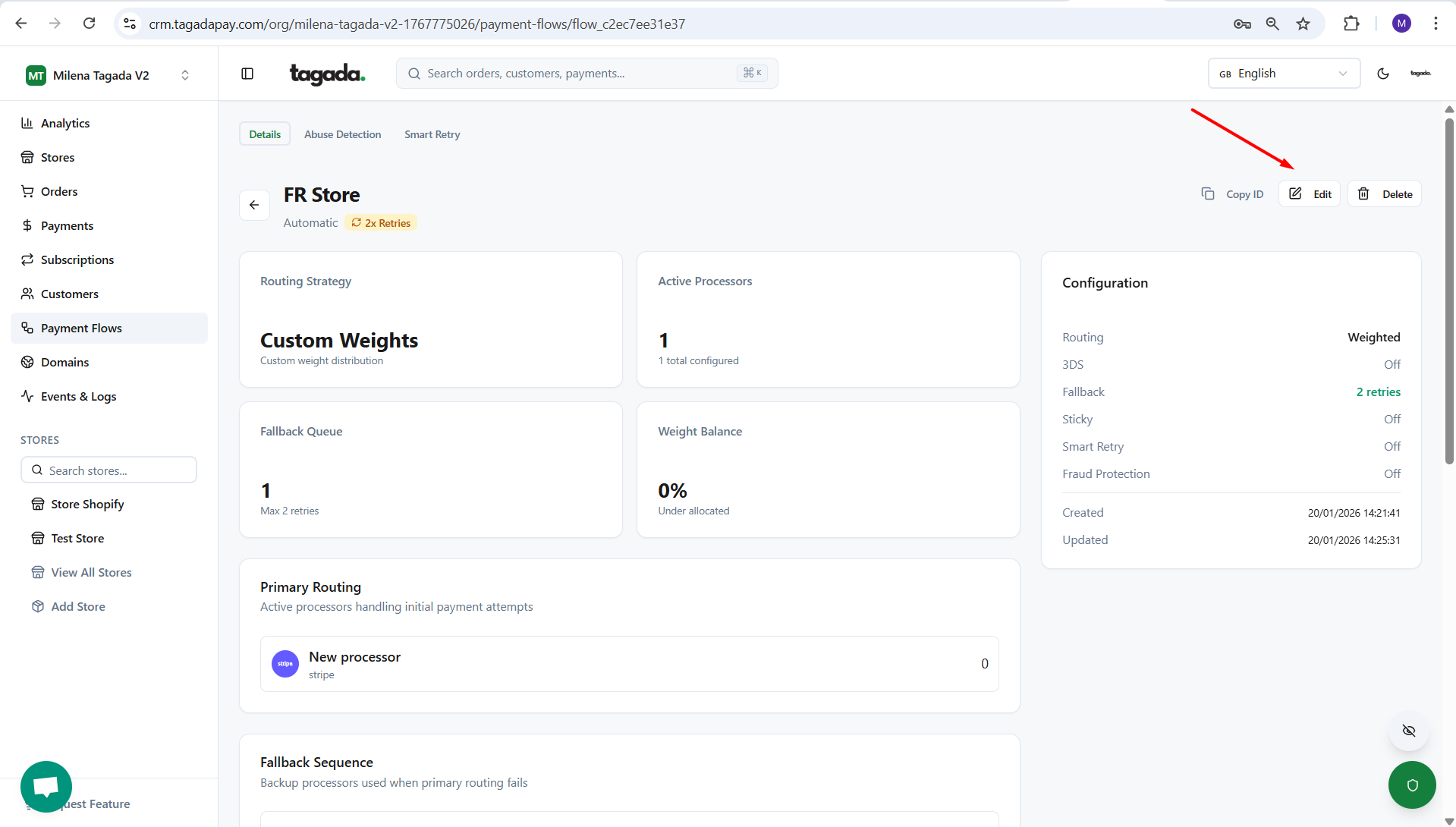
Click ont the Edit button.
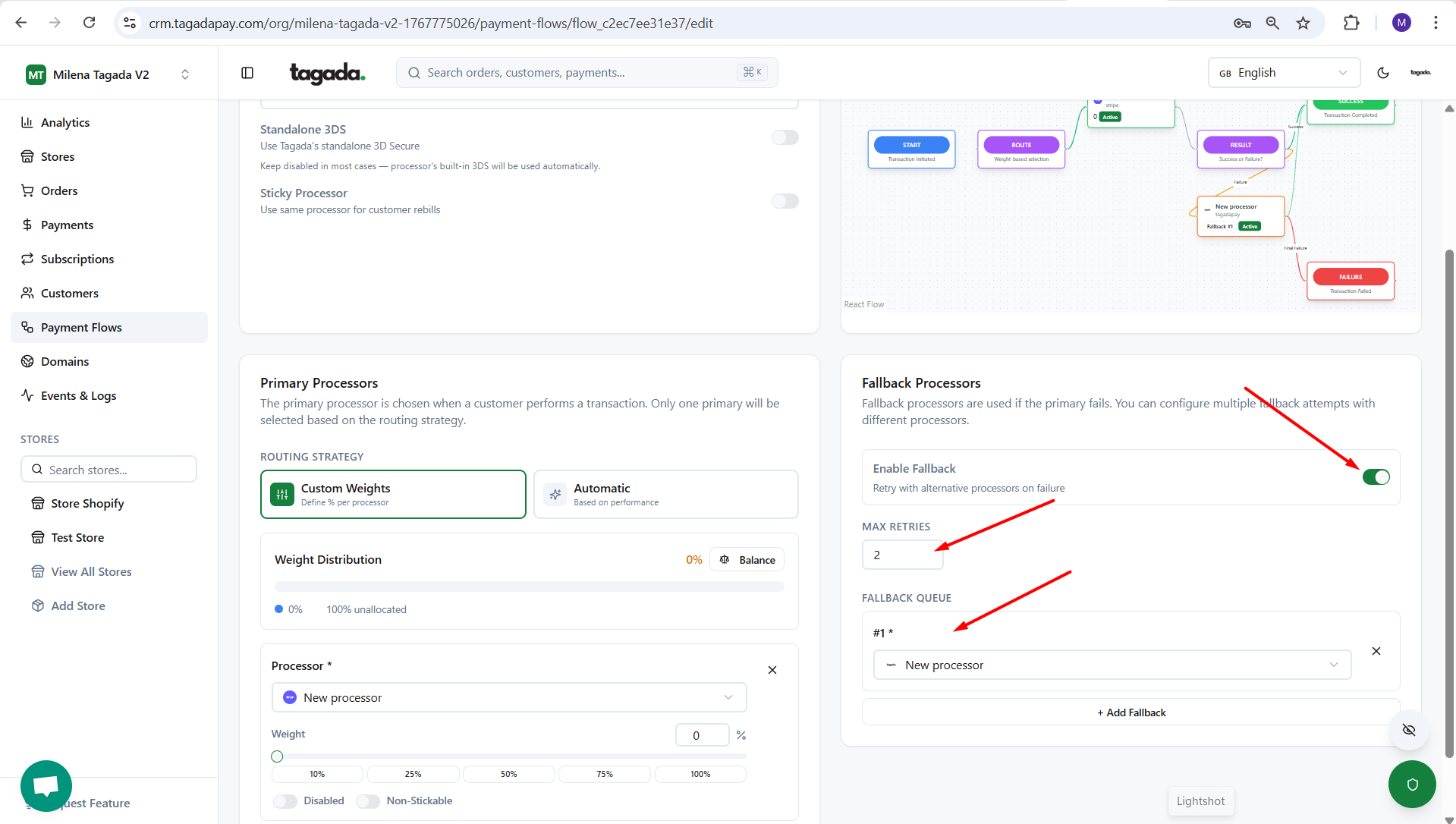
Enable Fallback mode. Set maximum retries and chose your fallback processors.
Click Save.