In your Tagada account click on Stores, then chose your store.
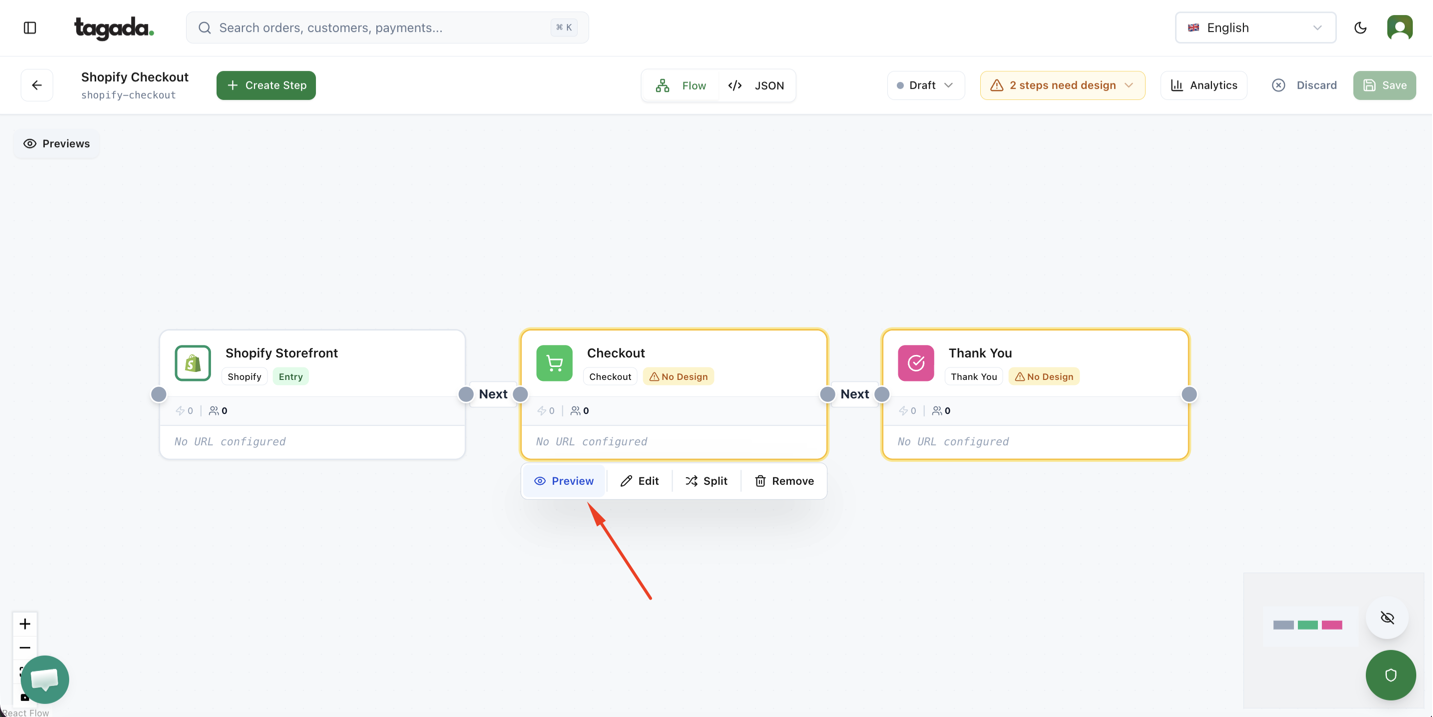
Under General menu, click on Funnels and then click on your Funnel to edit it.
Hover over the Checkout box and click Preview.
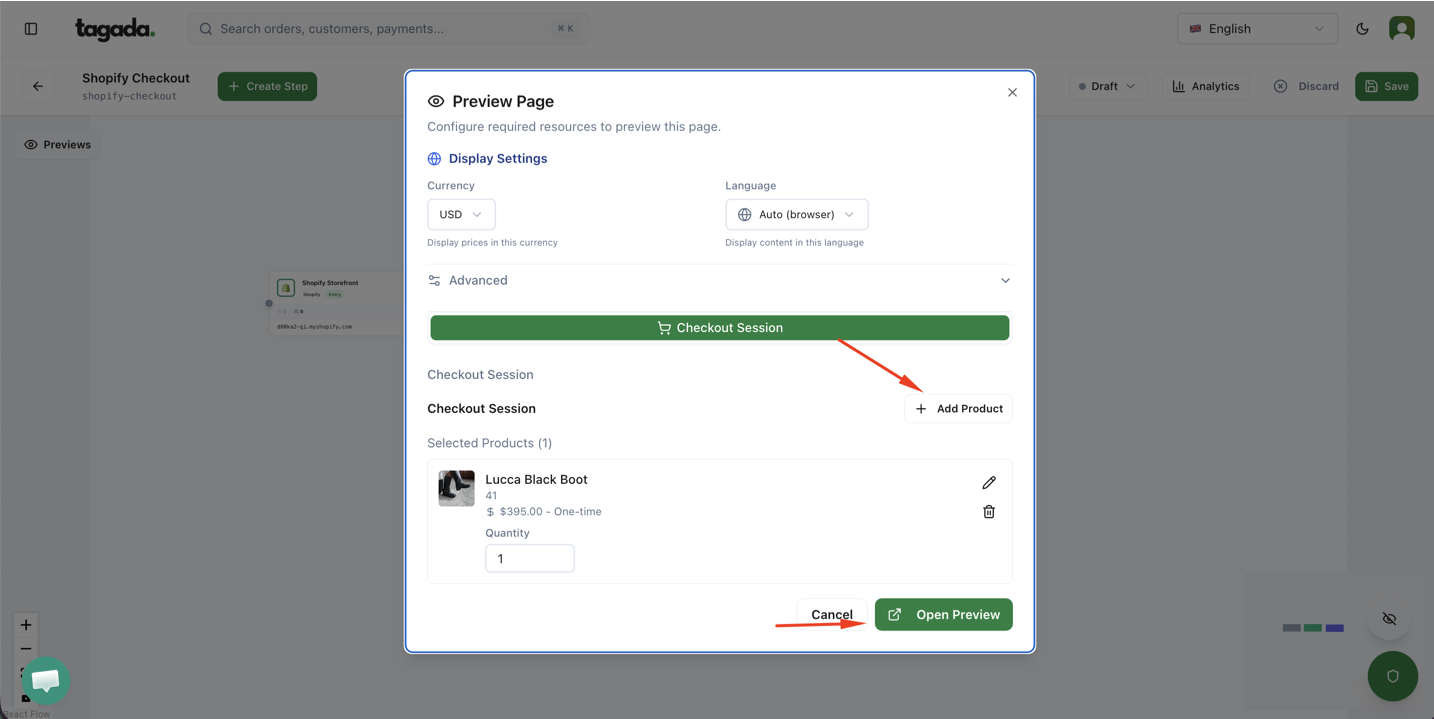
Add product and open the Preview to test your setup
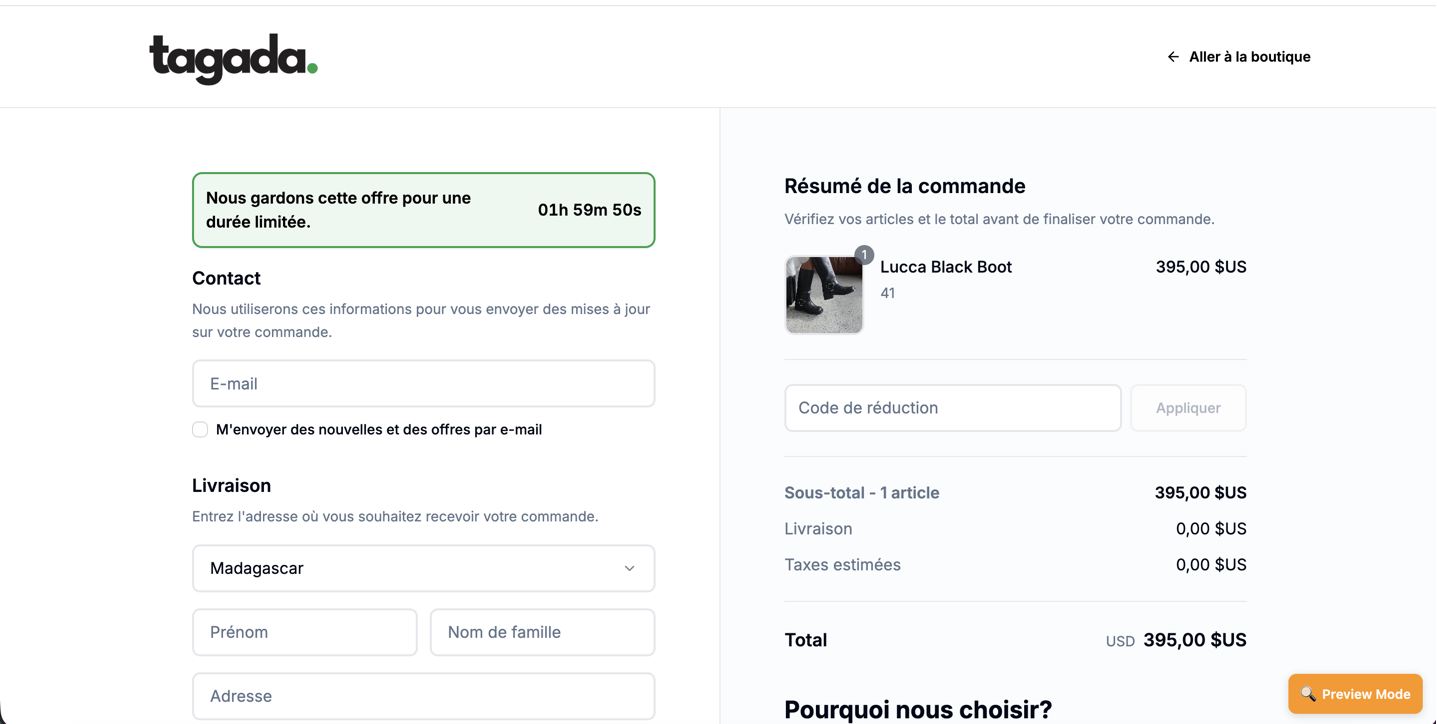
Test your setup, and go back to the editor if you need to make changes.