
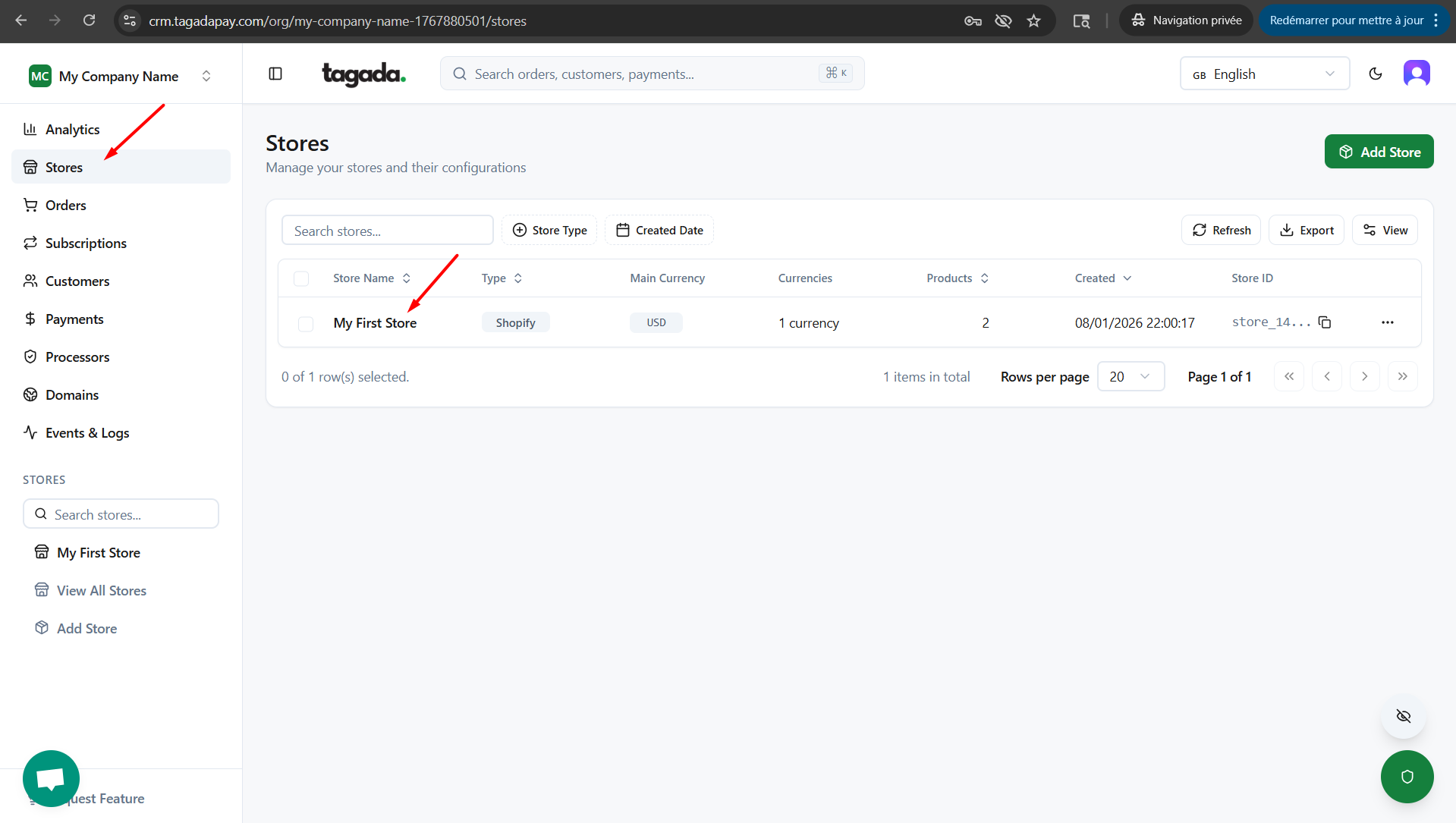
In your Tagada account click on Stores, then chose your store.
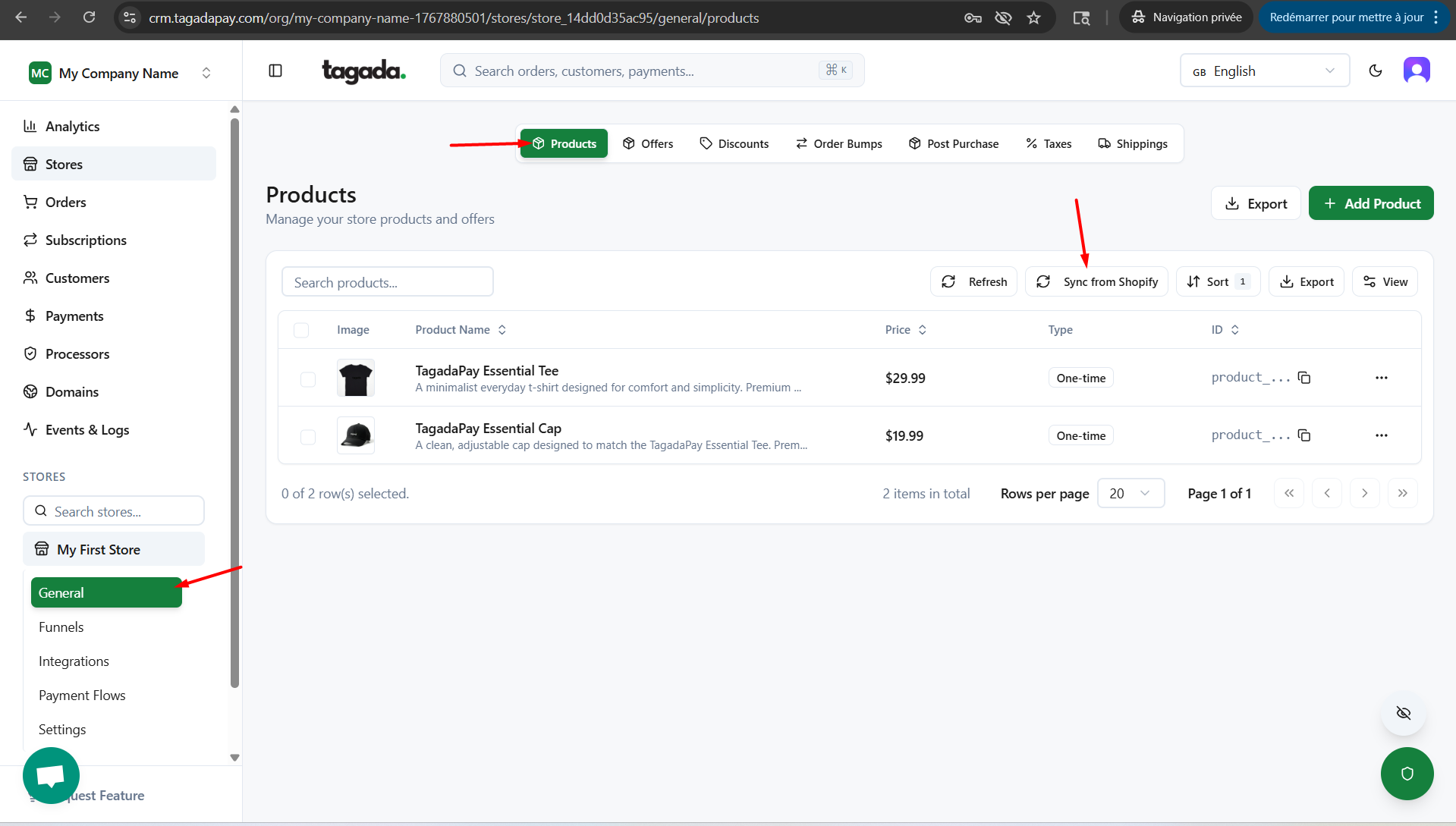
Under General menu, click on Products and then click on Sync from Shopify.
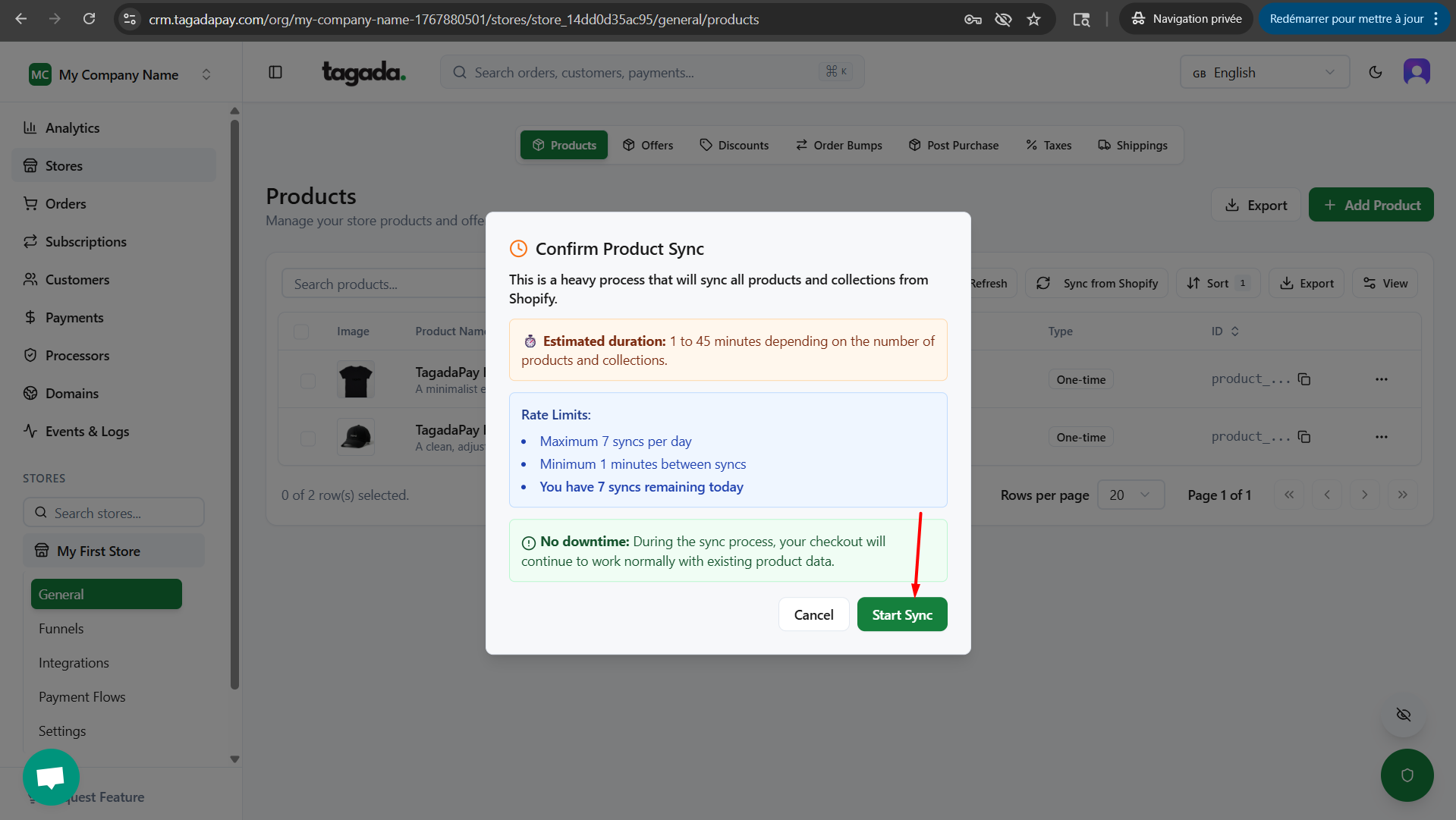
Click on Start Sync.
Note: If you are seeing an error on this page, please go back to the private app created on Shopify and check the app URL, scopes and Redirect URLs or create new app by following the instructions here.
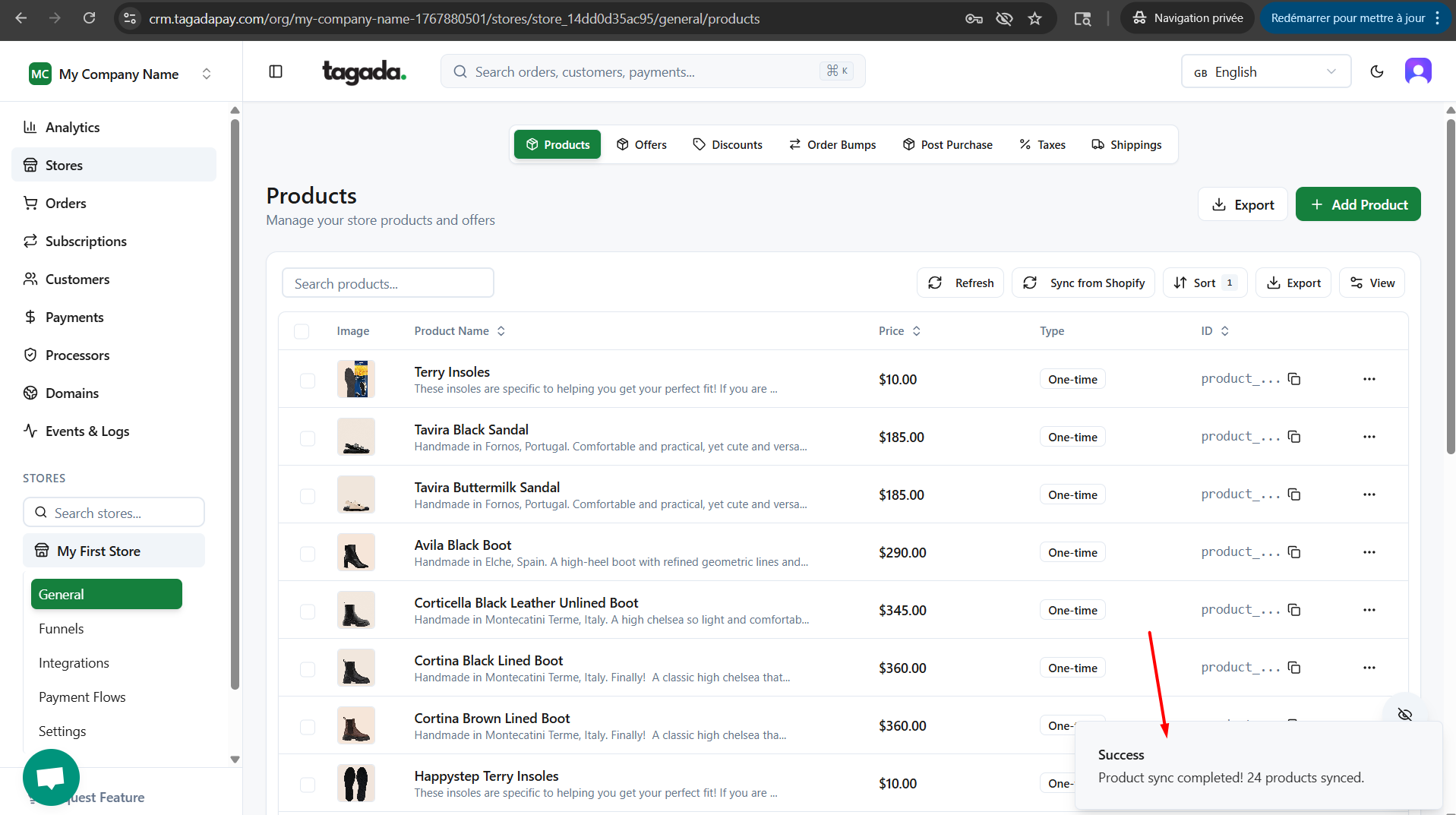
Once the Sync is finished, you will see the notification informing you the Sync was successfull.
Troubleshoot 1:
If you encounter an error and are unable to sync products, go to Integrations > Shopify and disconnect the integration. Then, create a new app in Shopify and reconnect your store.
Troubleshoot 2:
Double check if you have entered the correct scopes on your Shopify private app.