
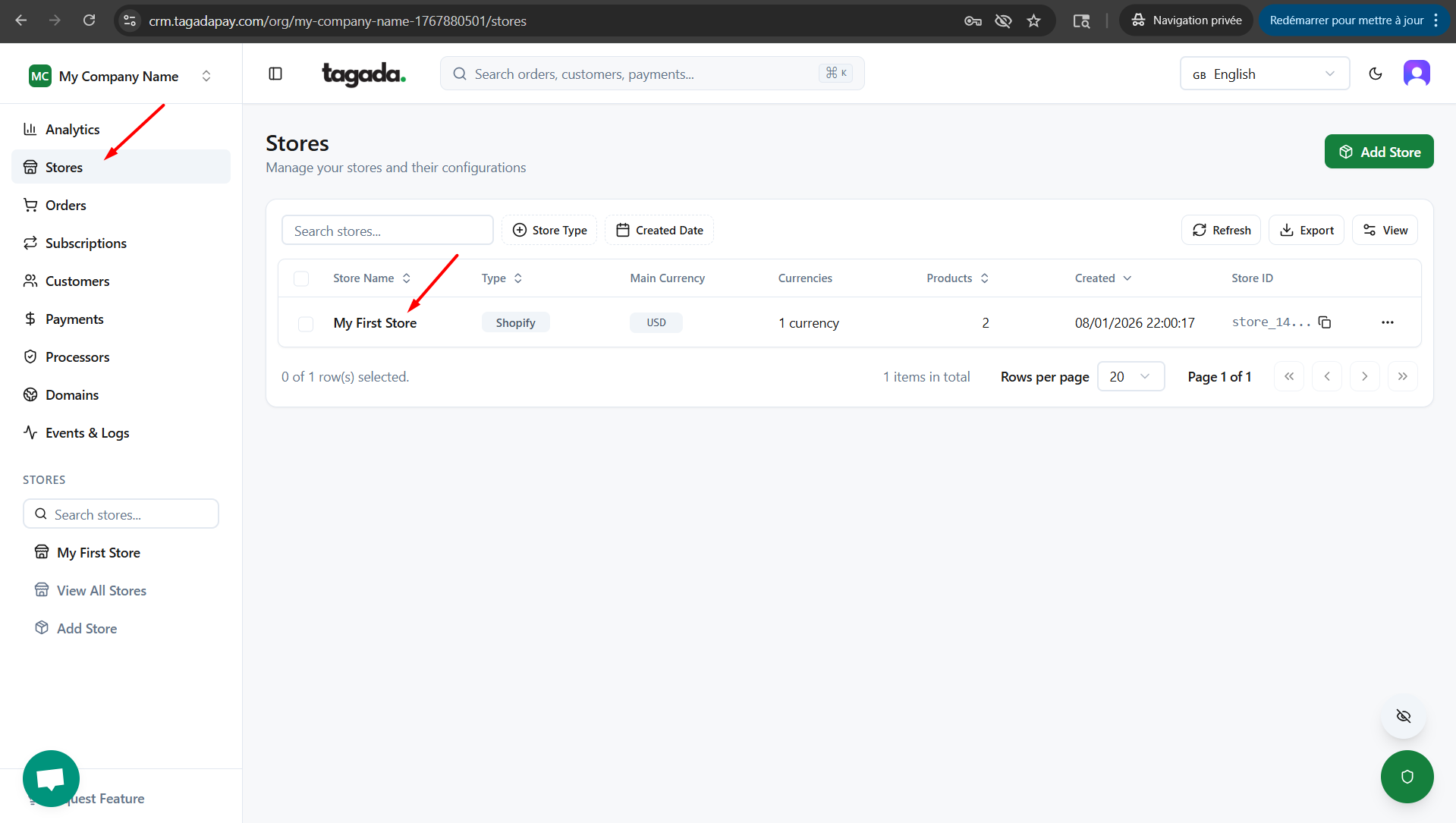
In your Tagada account click on Stores, then chose your store.
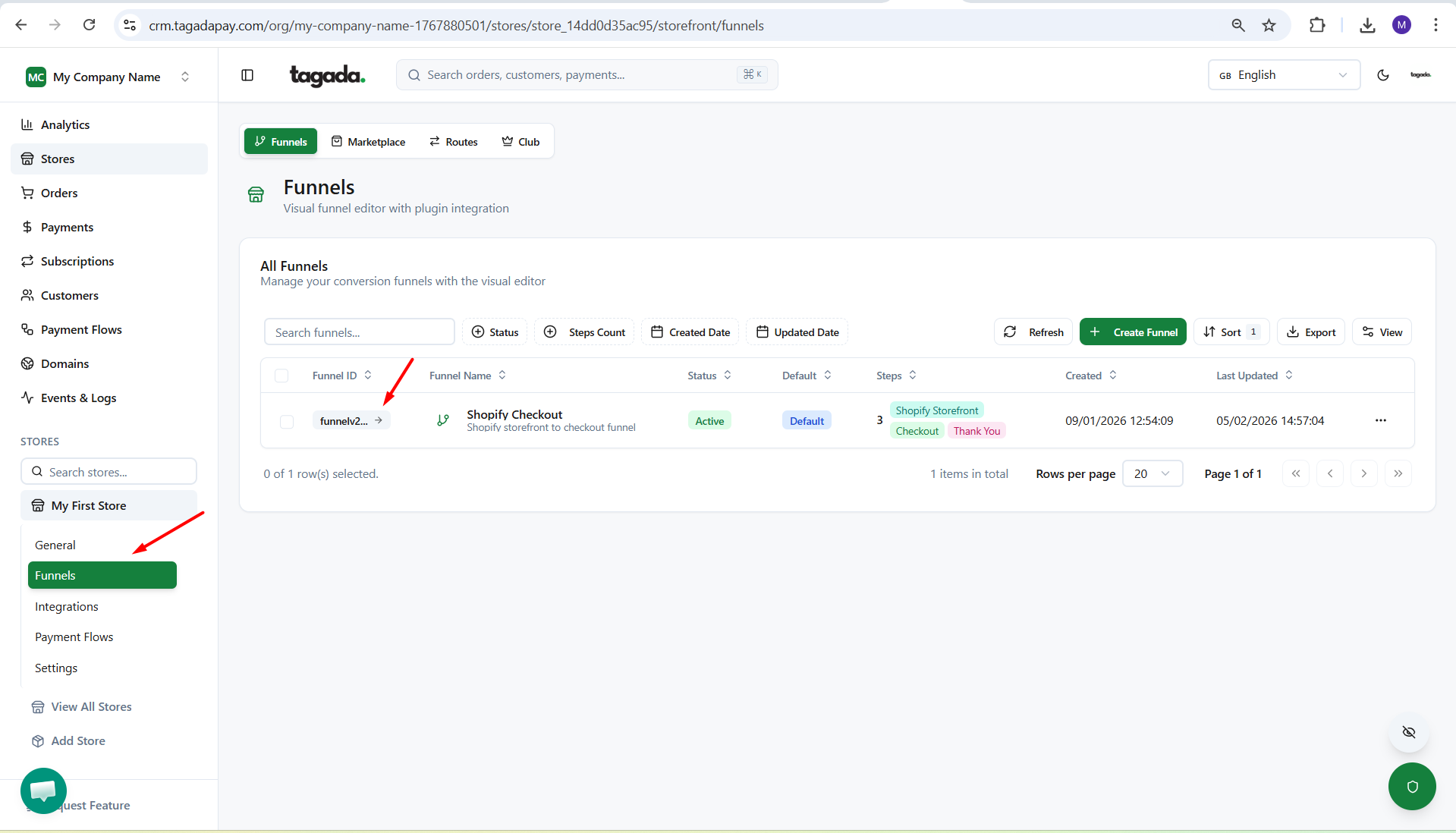
Under General menu, click on Funnels and then click on your Funnel to edit it.
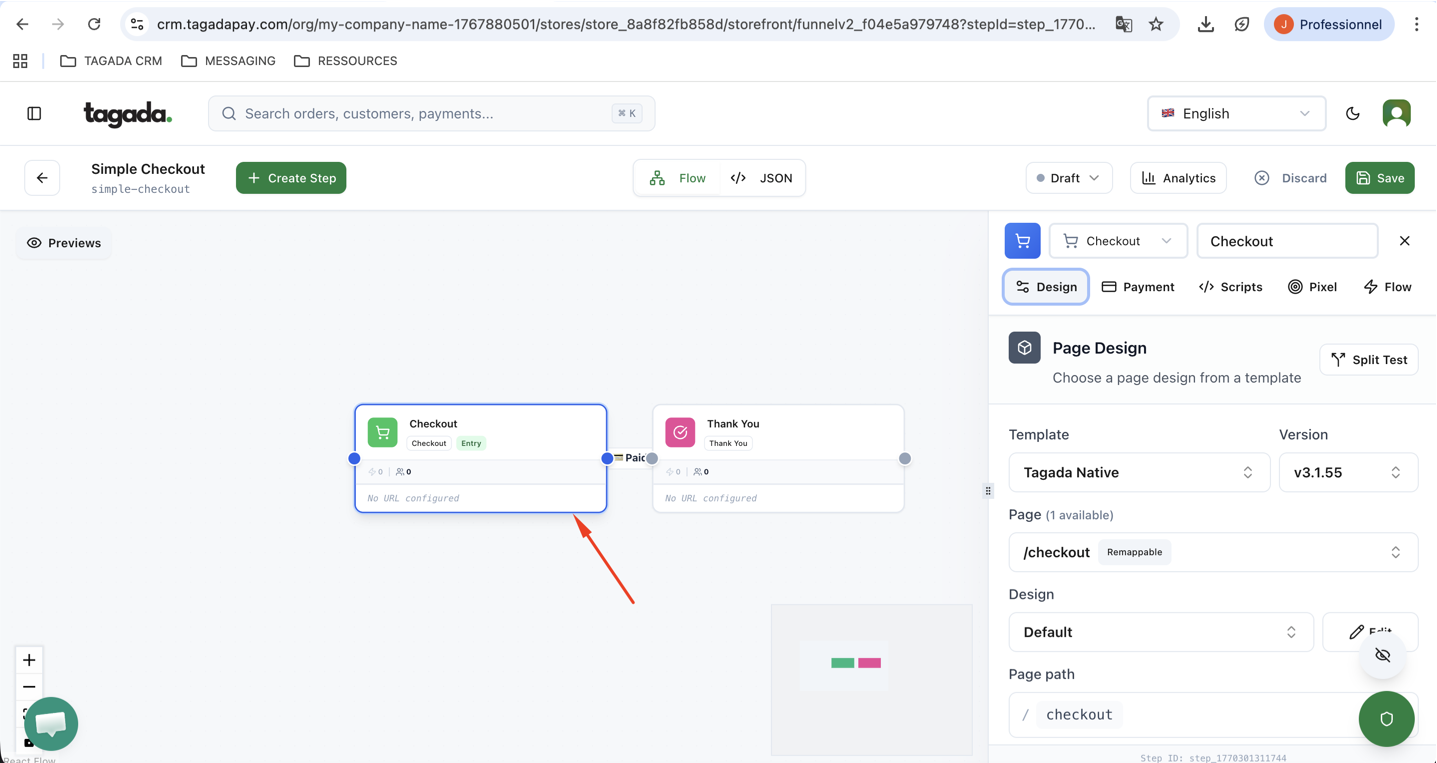
Click on the Checkout step to modify the page.
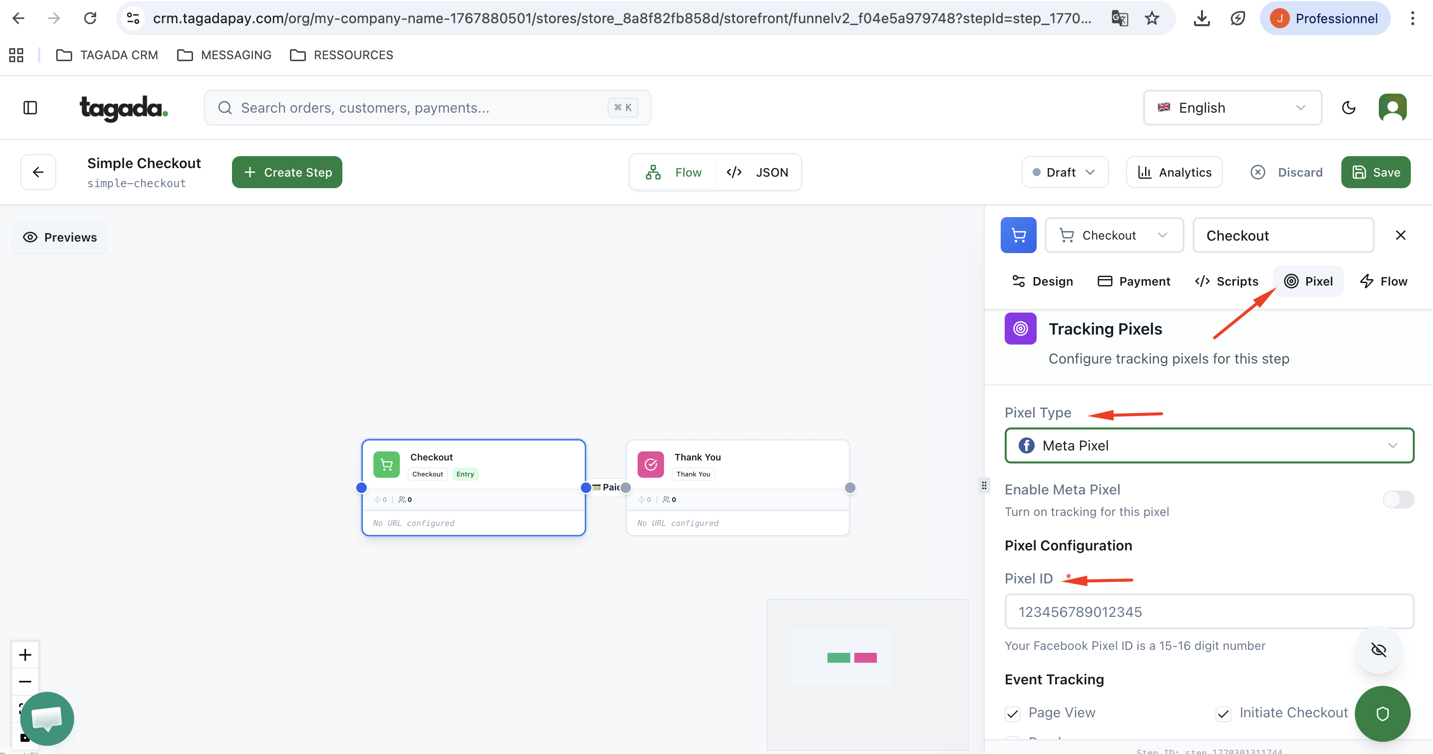
Go to the Pixel tab, select your pixel type from the dropdown menu, and enter your Pixel ID.
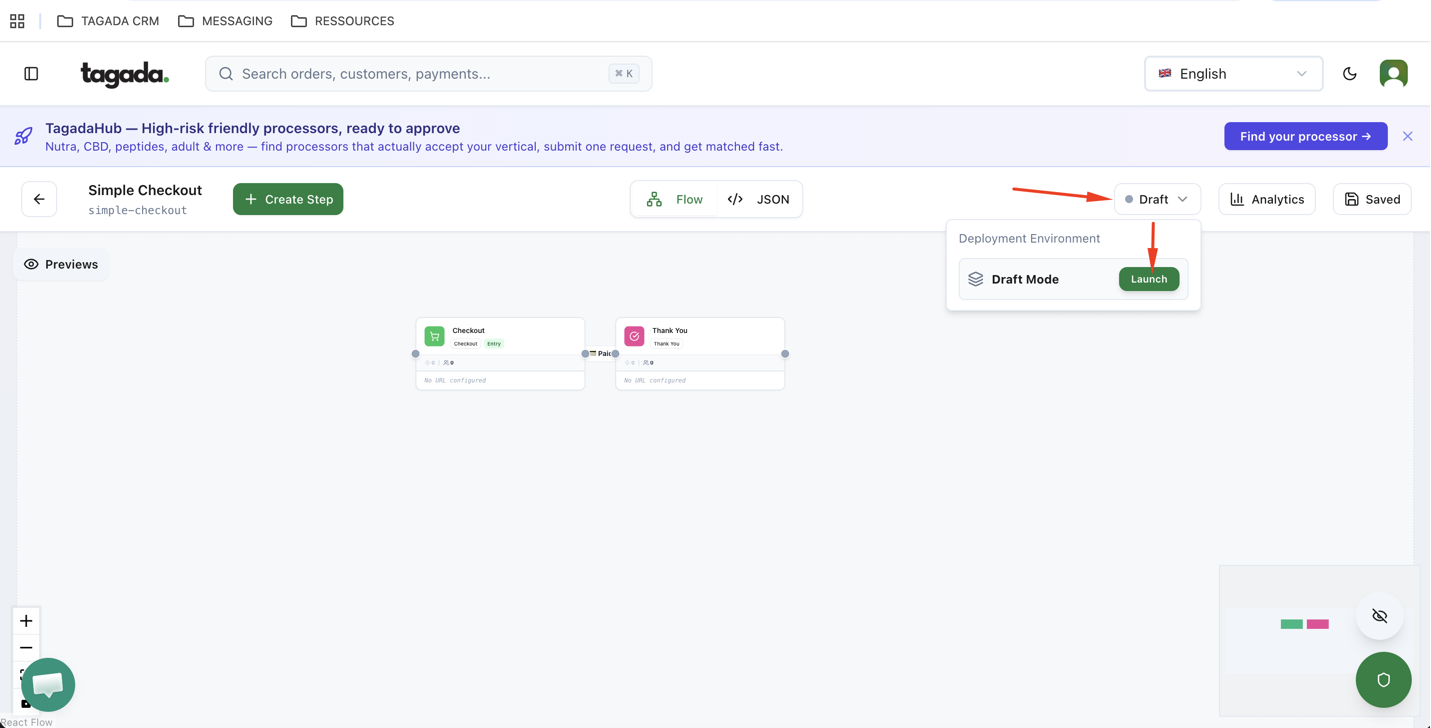
Be sure to publish your changes or deploy them to production so they take effect live.
Keep in mind that only one pixel type can be activated per funnel. Available options include Meta Pixel, TikTok Pixel, Snapchat Pixel, Pinterest Pixel, and Google Tag Manager. Refer to your chosen pixel platform’s documentation for instructions on obtaining your Pixel ID.