
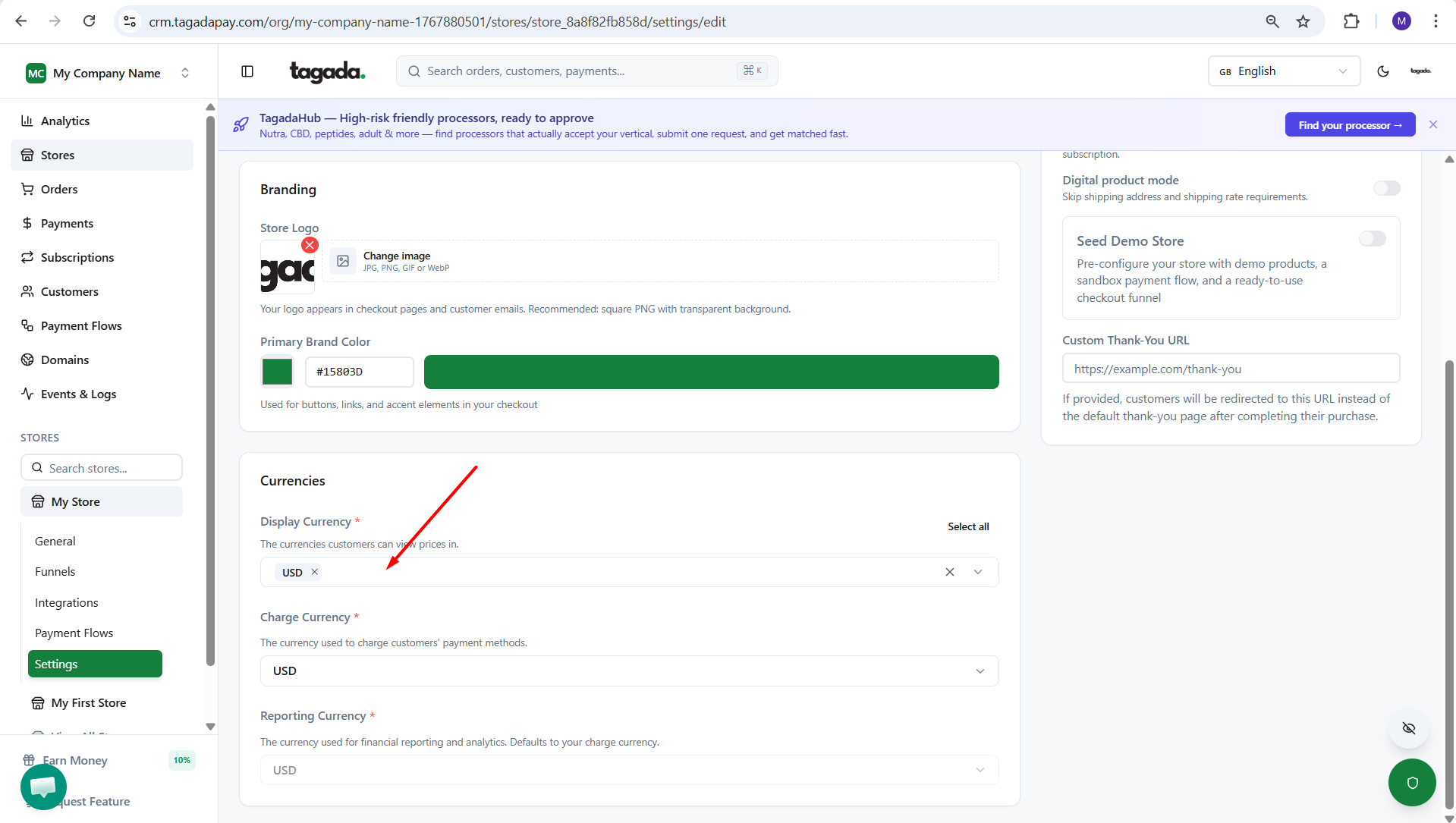
Under your account, you can change your currencies or add additional currencies to your store checkout.
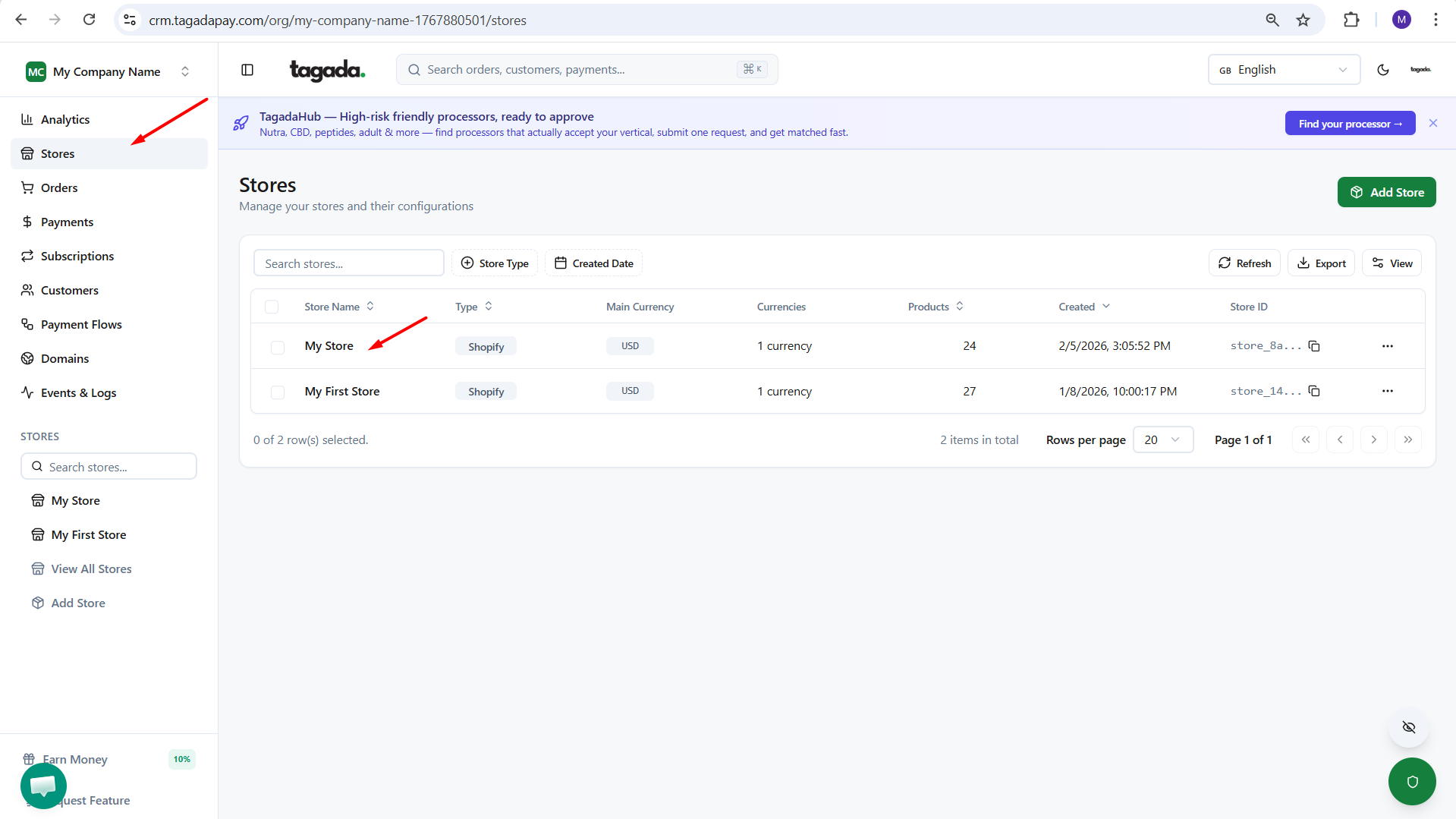
Chose the store you would like to modify.
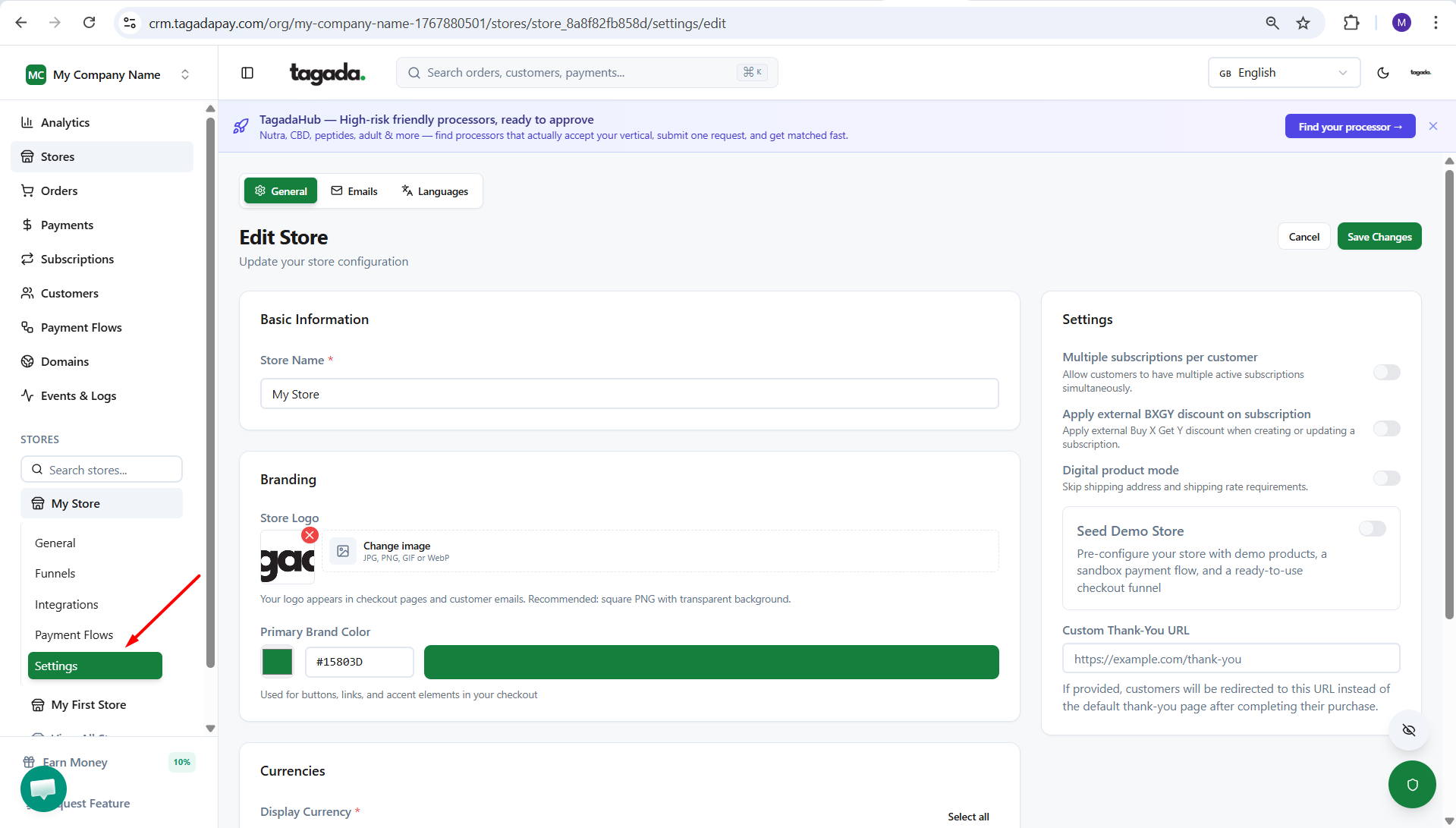
Click on the Settings option in the left-hand menu.
Add new currencies or change existing ones.
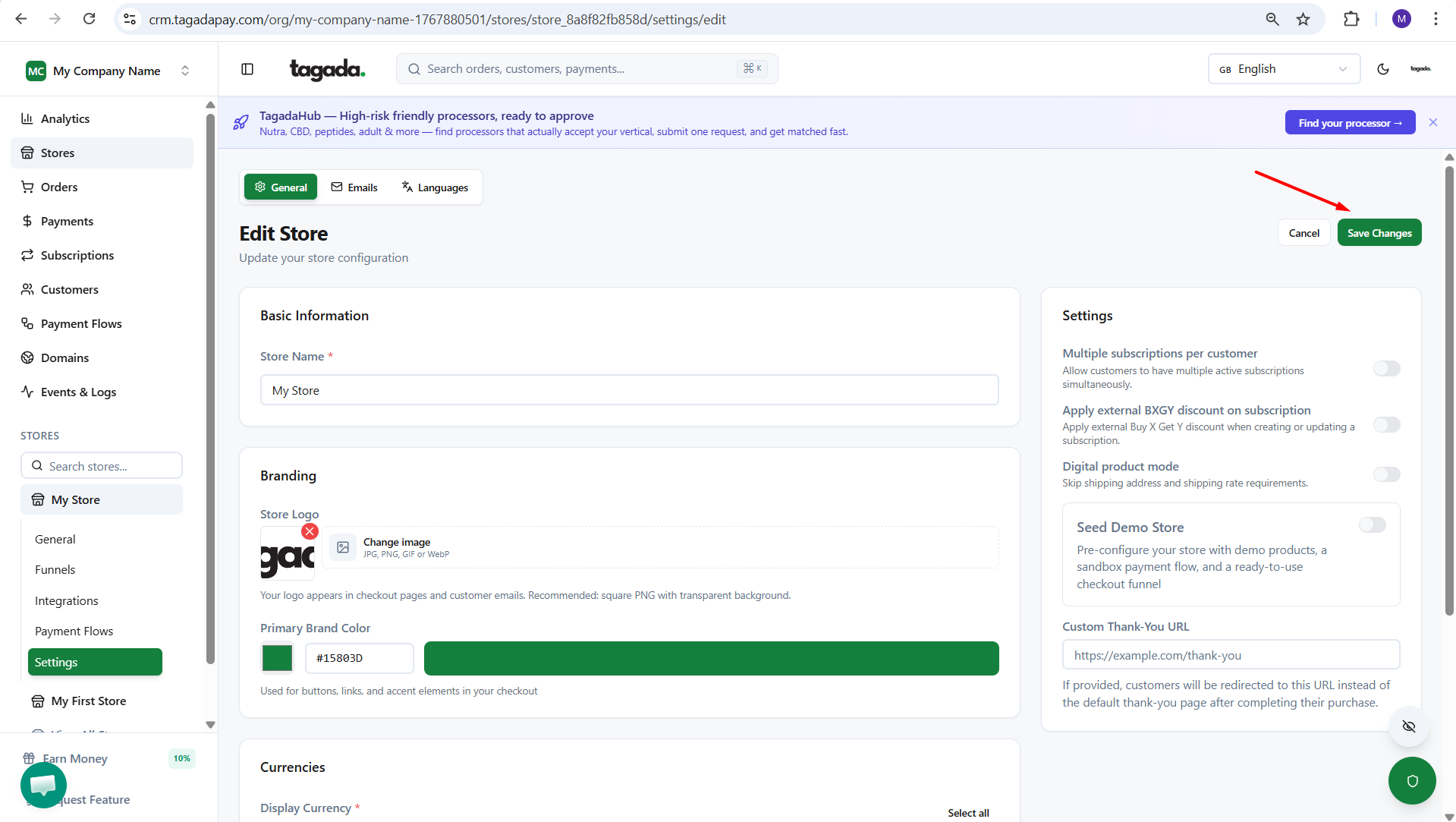
Click on Save Changes to apply your updates.
Note: If you are using Shopify, we recommend using Shopify’s native currency conversion plugin.
Note: If you’d like to use multiple currencies at checkout, you will need to activate Shopify Markets first.