In your Tagada account click on Stores, then chose your store.
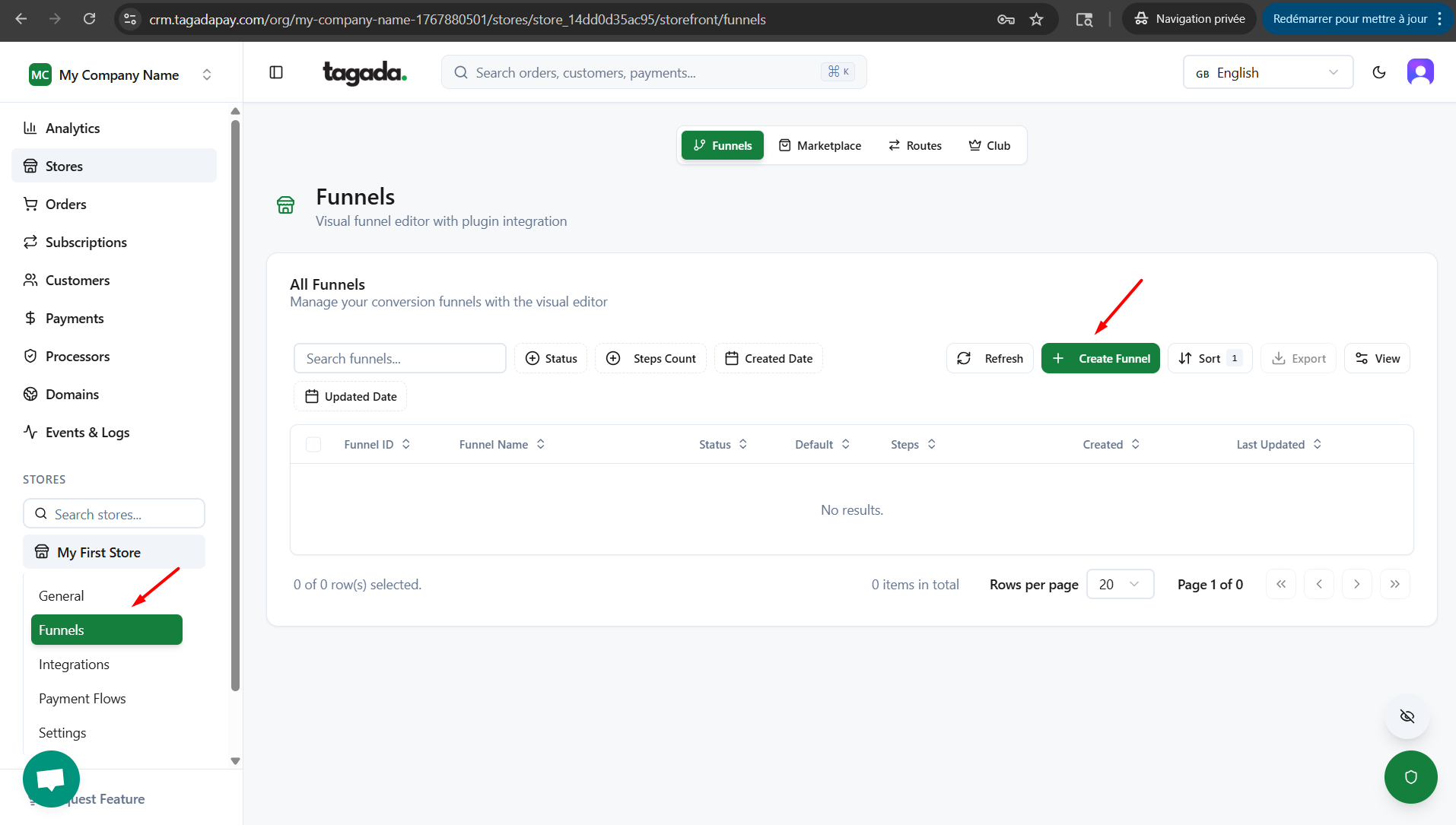
Under General menu, click on Funnels and then click on Create Funnel.
Choose the option that best fits your goals and click on Create Funnel.
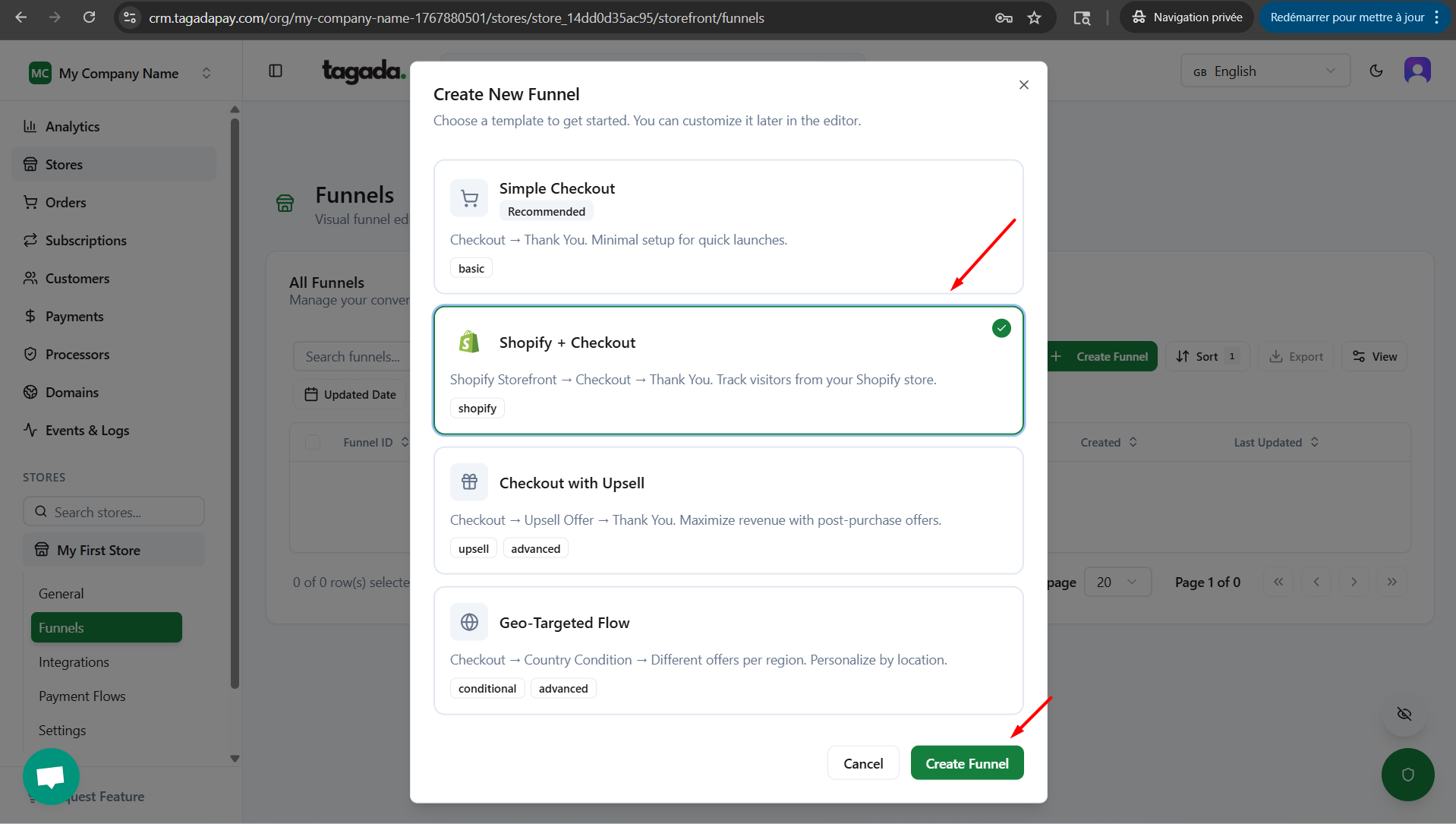
Simple Checkout – Creates a checkout and thank-you page.
Shopify + Checkout – Creates a Shopify box, letting you manage storefront design (funnels) and routing in addition to checkout and thank-you page.
Checkout with Upsell – Adds an upsell to your store along with checkout and thank-you page.
Geo-Targeted Flow – Creates a Shopify box, allowing you to manage storefront design and routing, and sets routing mount points based on location settings, in addition to checkout and thank-you page.
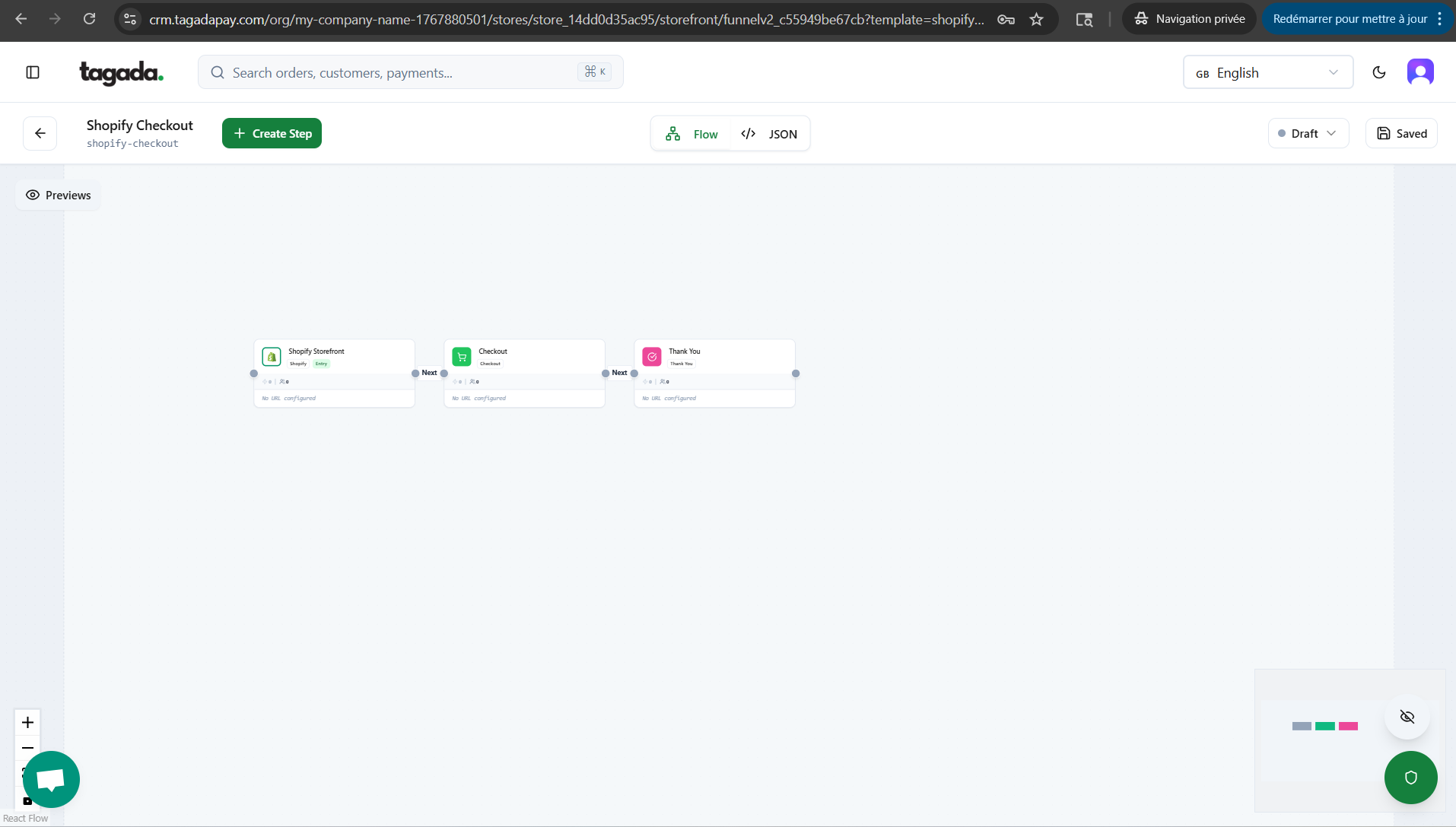
The next screen shows boxes for your chosen option, where you can customize the design of each of them. This will be explained in more details in separate sections.