
In your Tagada account click on Stores, then chose your store.
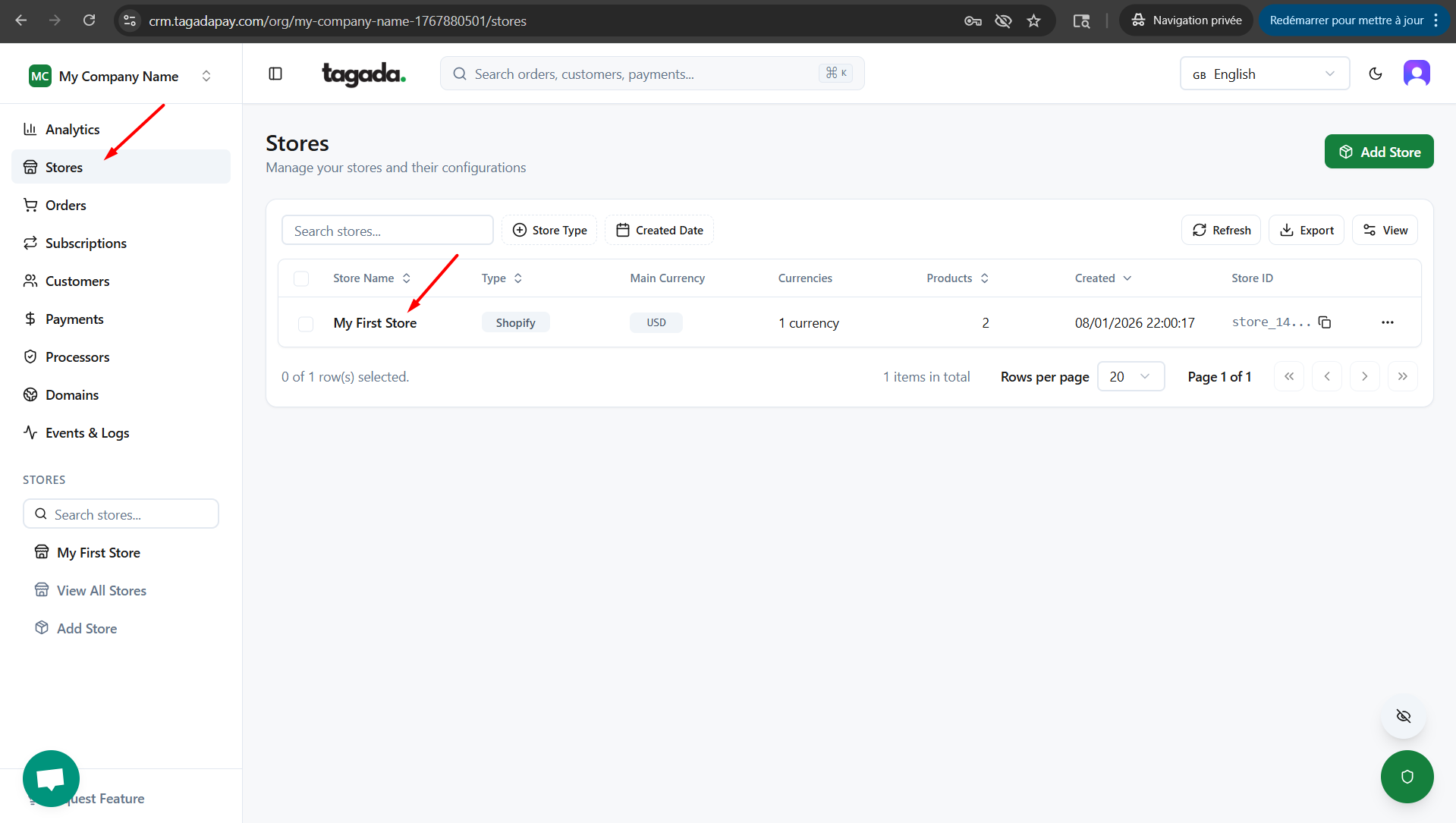
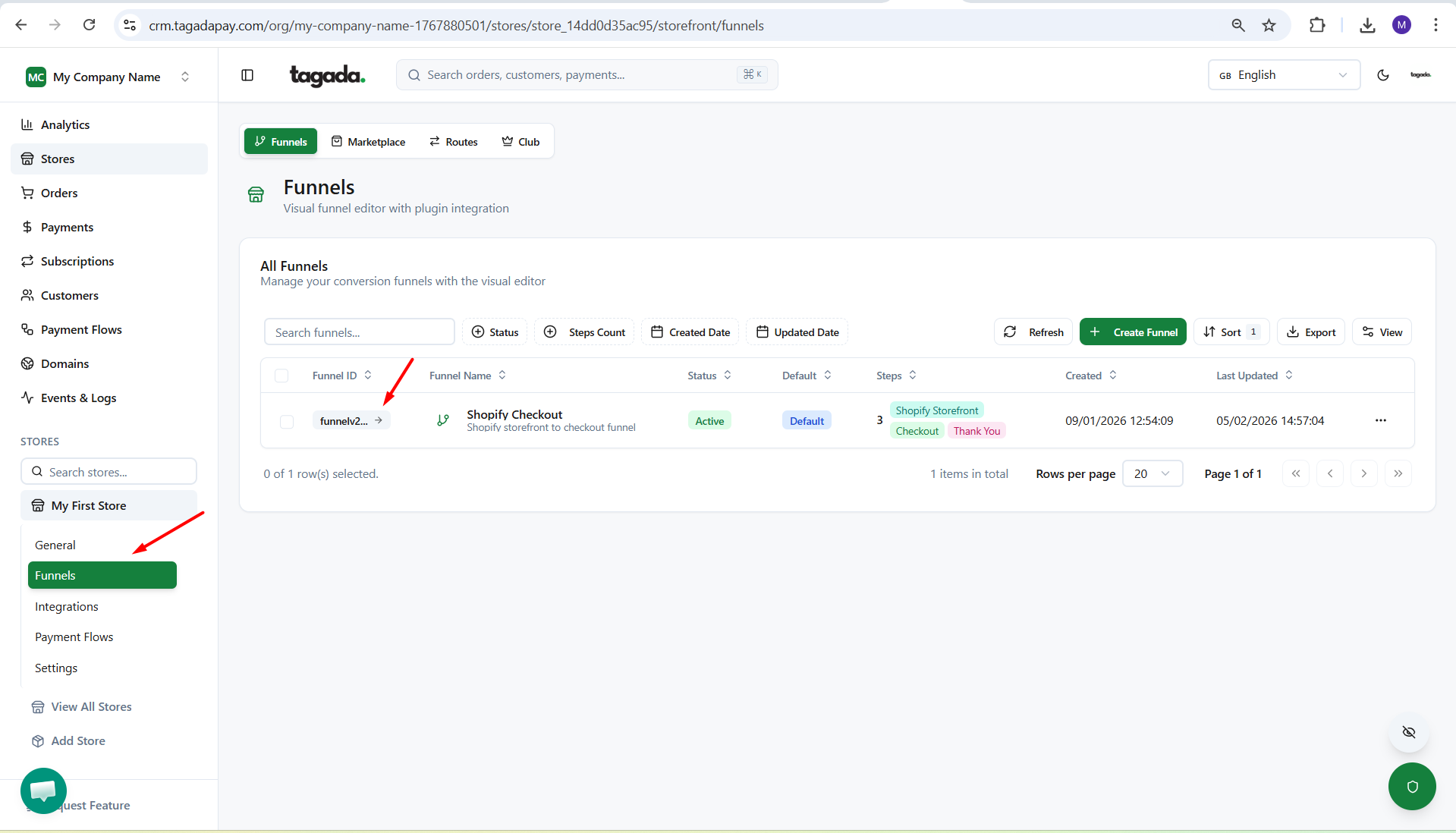
Under General menu, click on Funnels and then click on your Funnel to edit it.
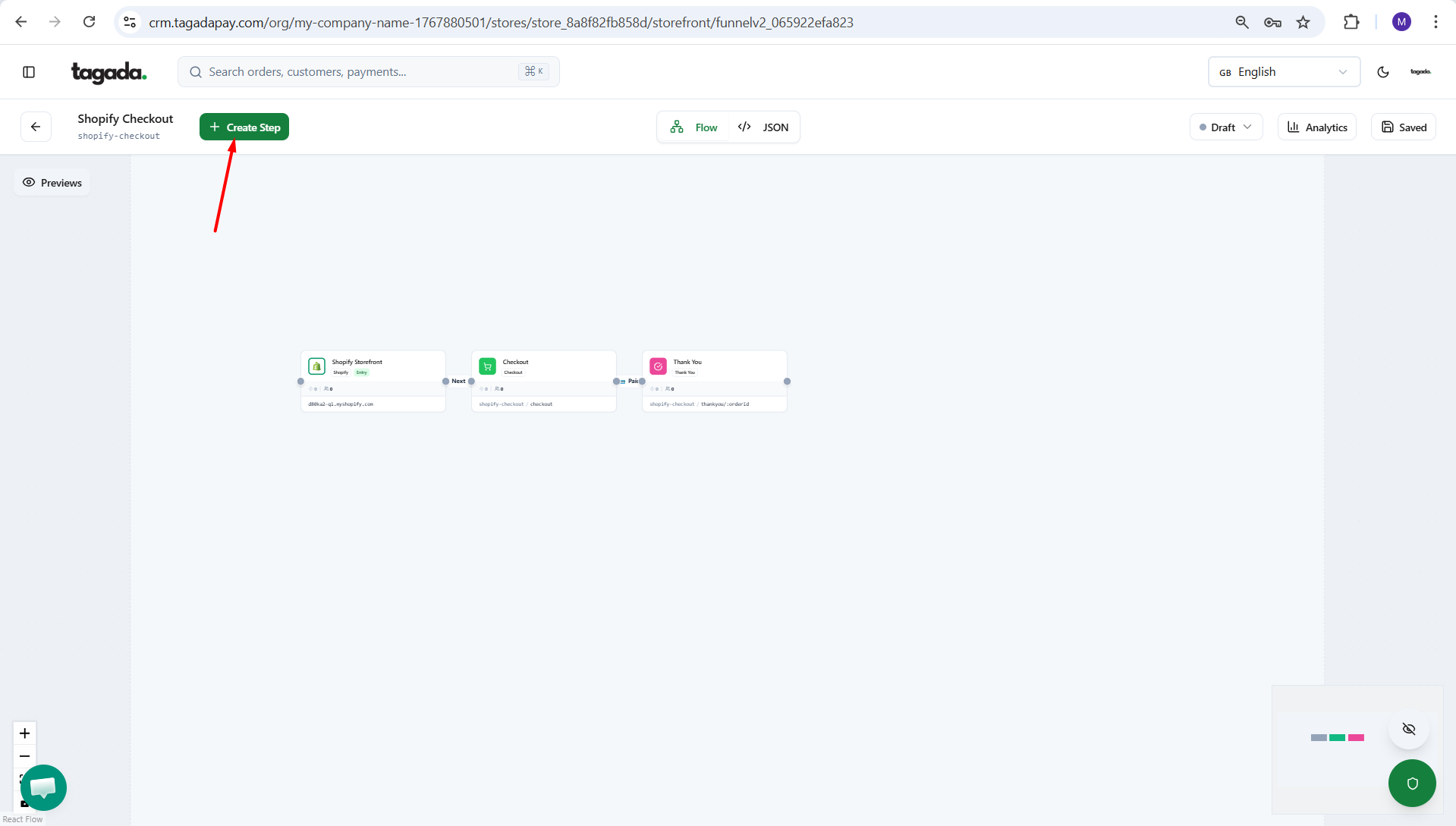
Click on Create Step.
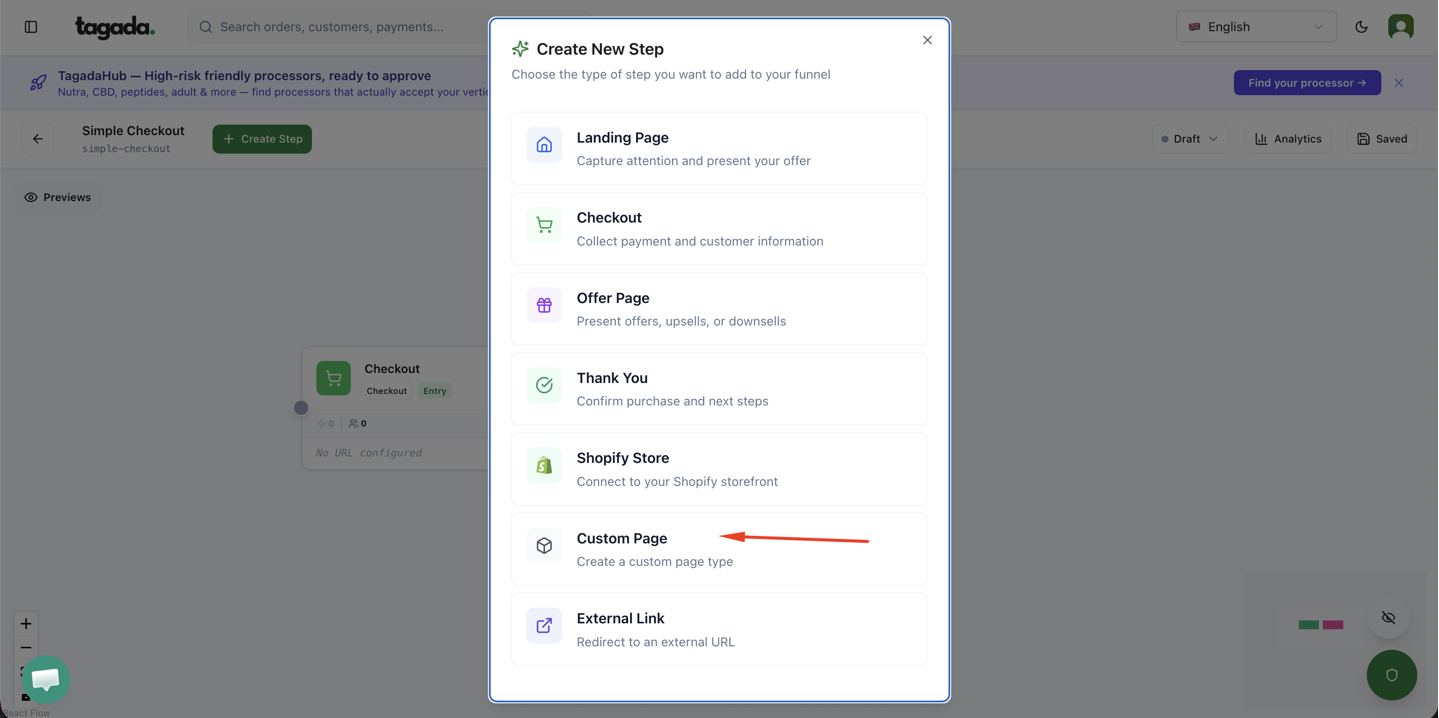
Click on Custom Page.
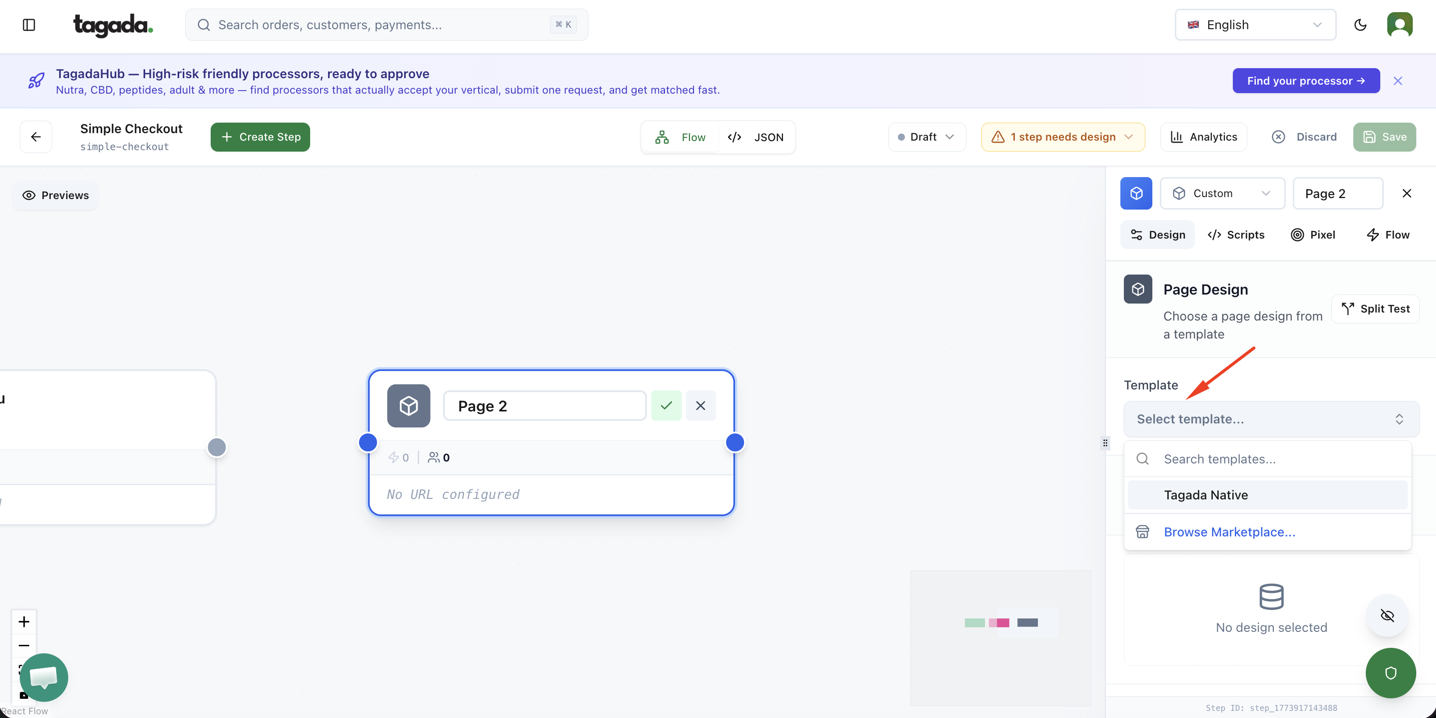
Click on the Custom Page box so that the pop up menu on the right will appear. Click on Select Template to browse the templates marketplace.
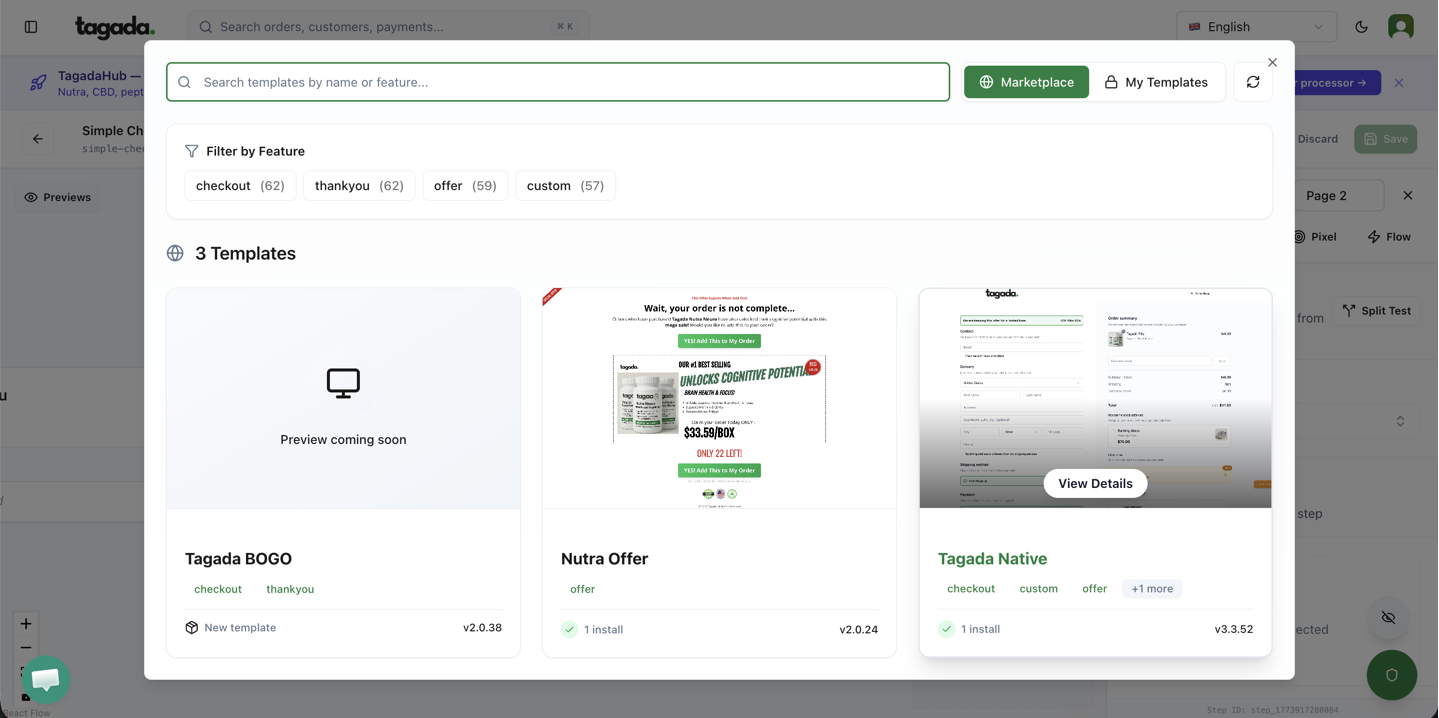
Select the template that you would like to apply.
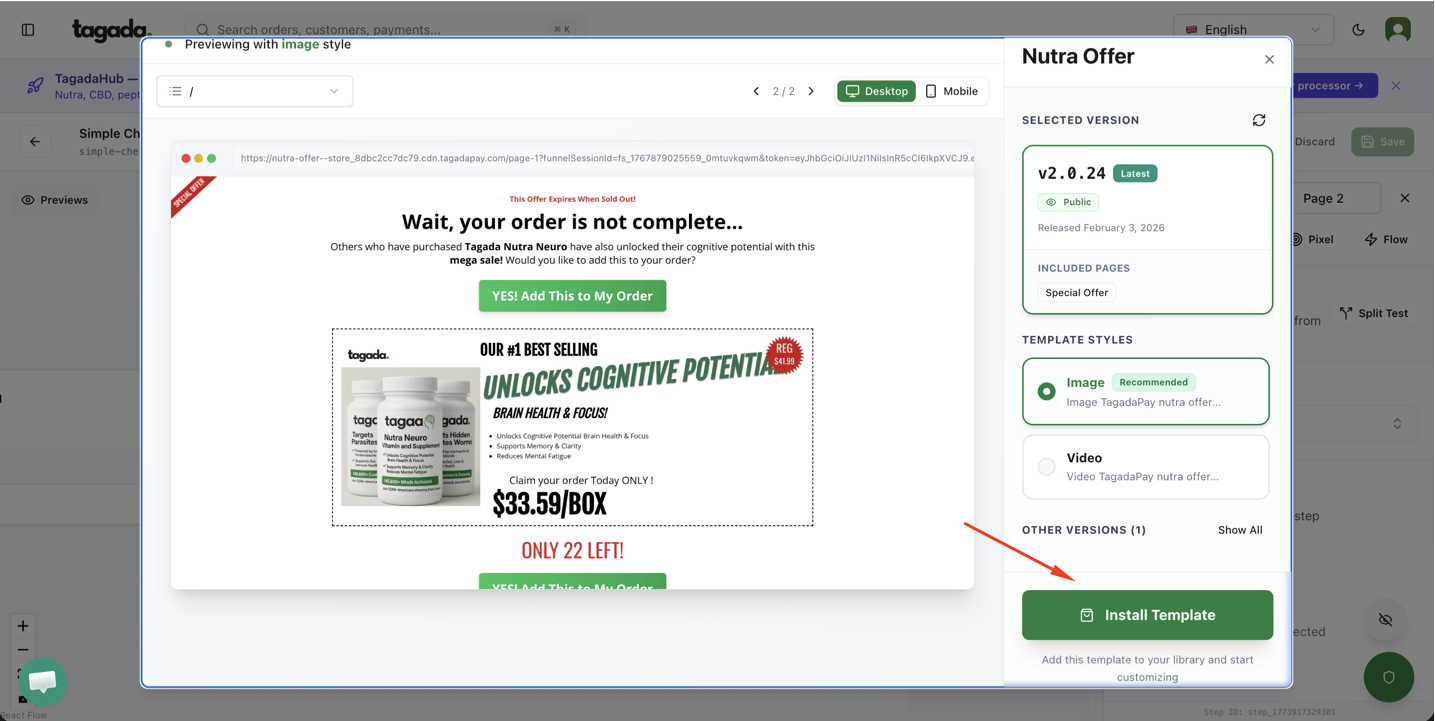
Click on Install.
From there you will be able to customize your template.
Make sure to click on Save in your Funnel System and Promote when you are ready to publish it.