
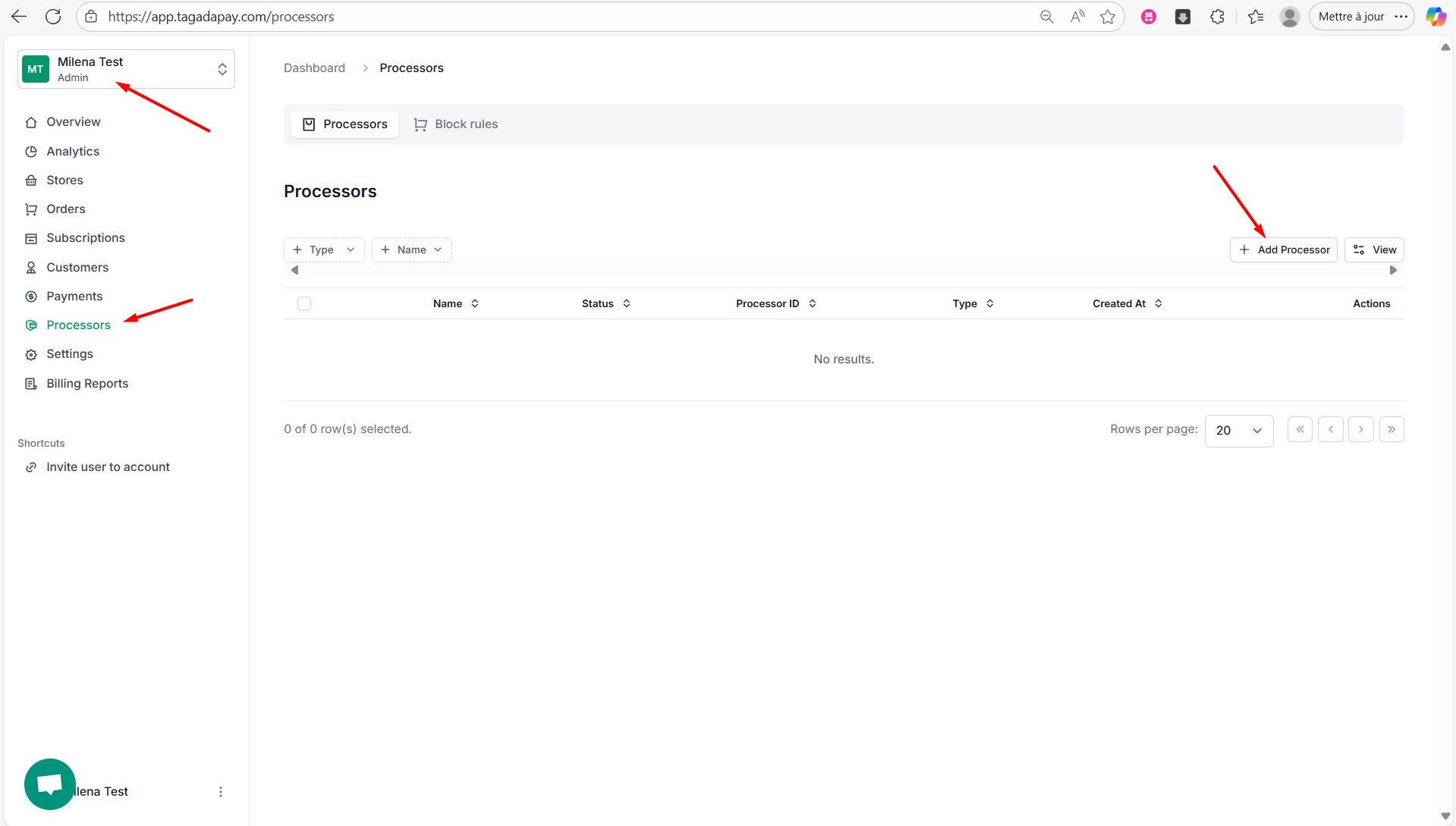
Step 1: While you're in your Organization, select Processors from the left-hand menu, then click on Add Processor.
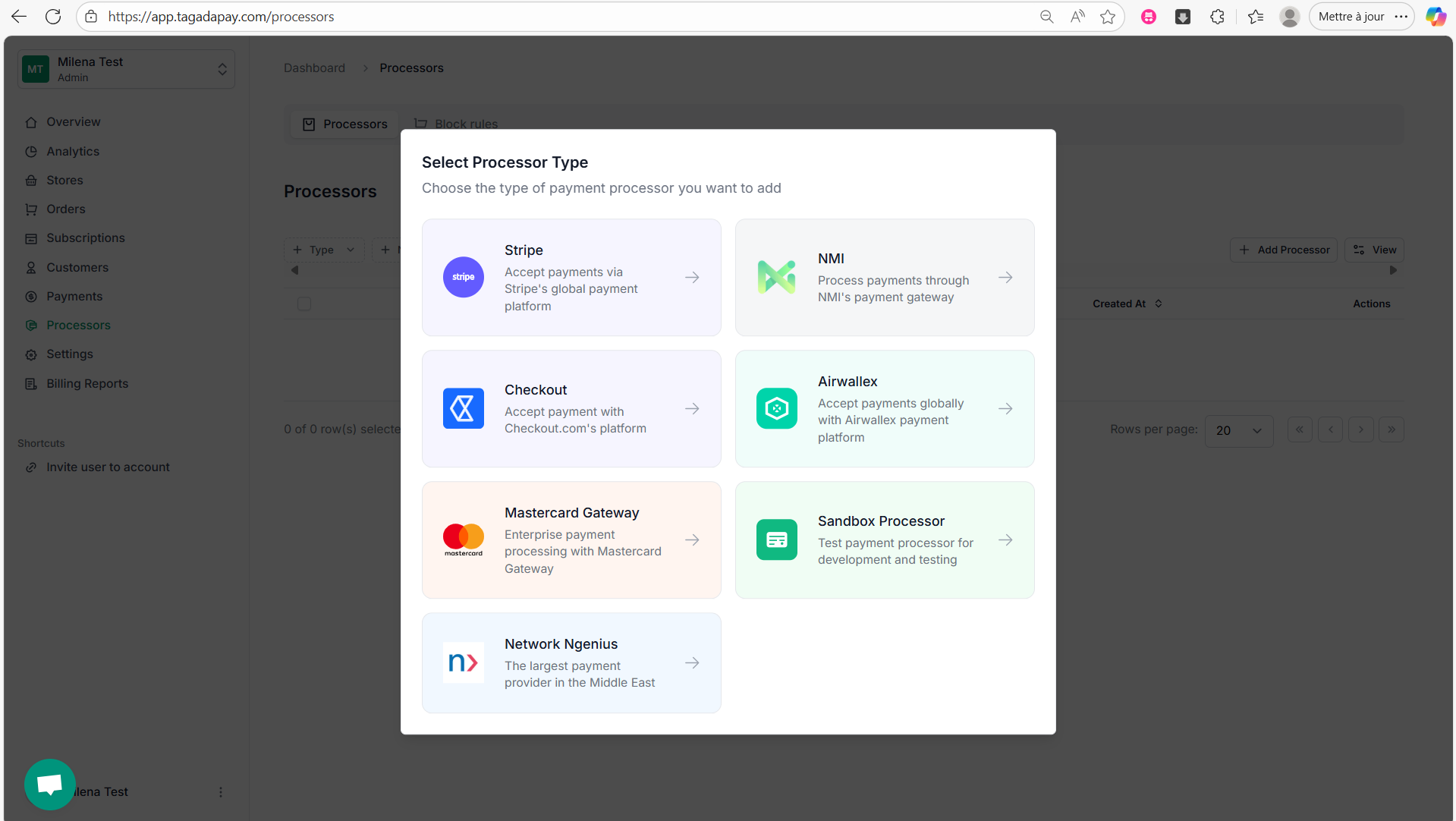
Step 2: Select Mastercard Gateway.
Step 3: A pop up menu will appear, requesting you to fill out the needed information and to connect your Mastercard Gateway account.
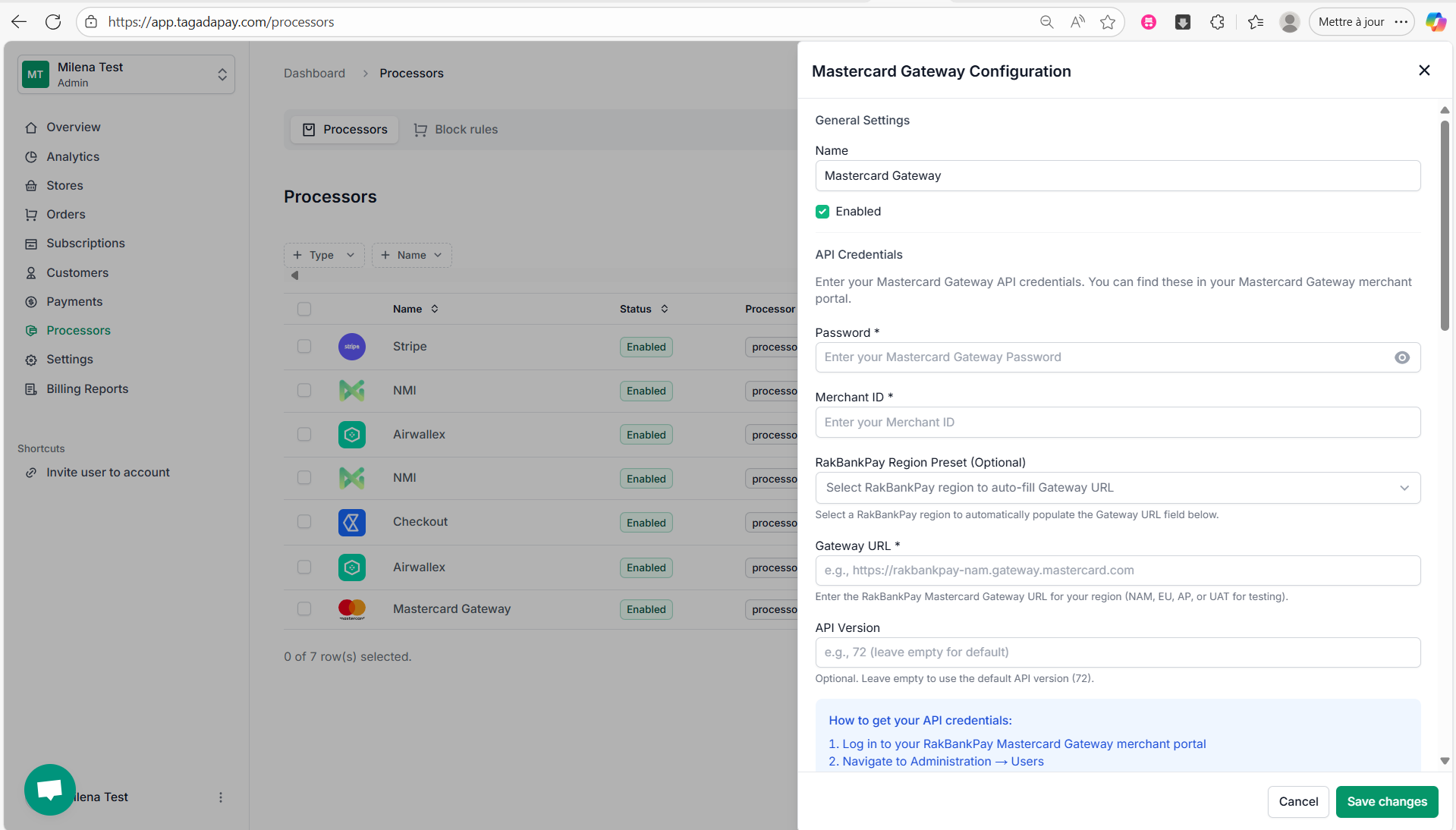
Step 4: Once done click on Save changes.
Once you are done connecting your processors, you will need to create a Payment Flow for your store.