
Step 1: Select your desired store under Stores.
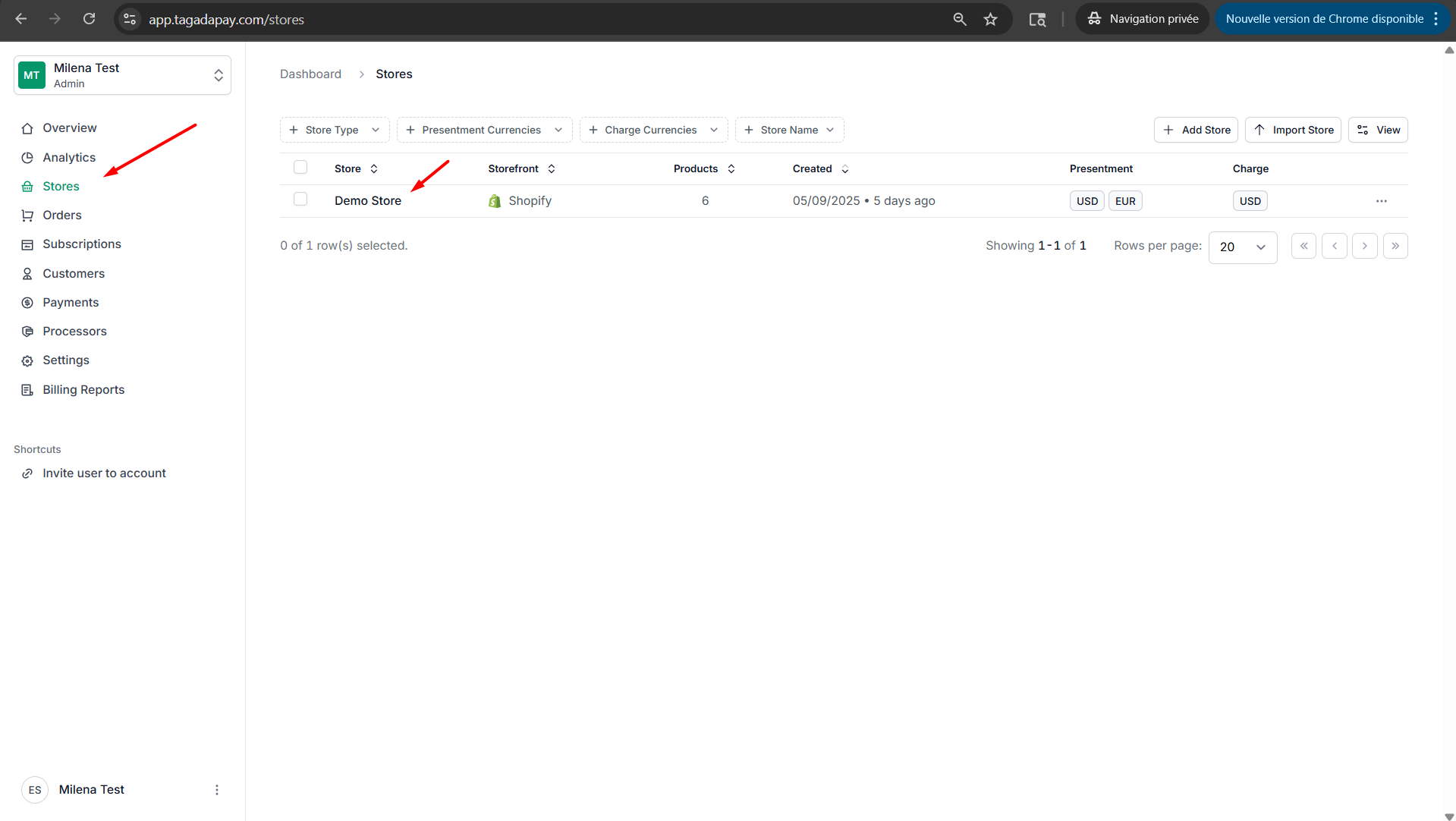
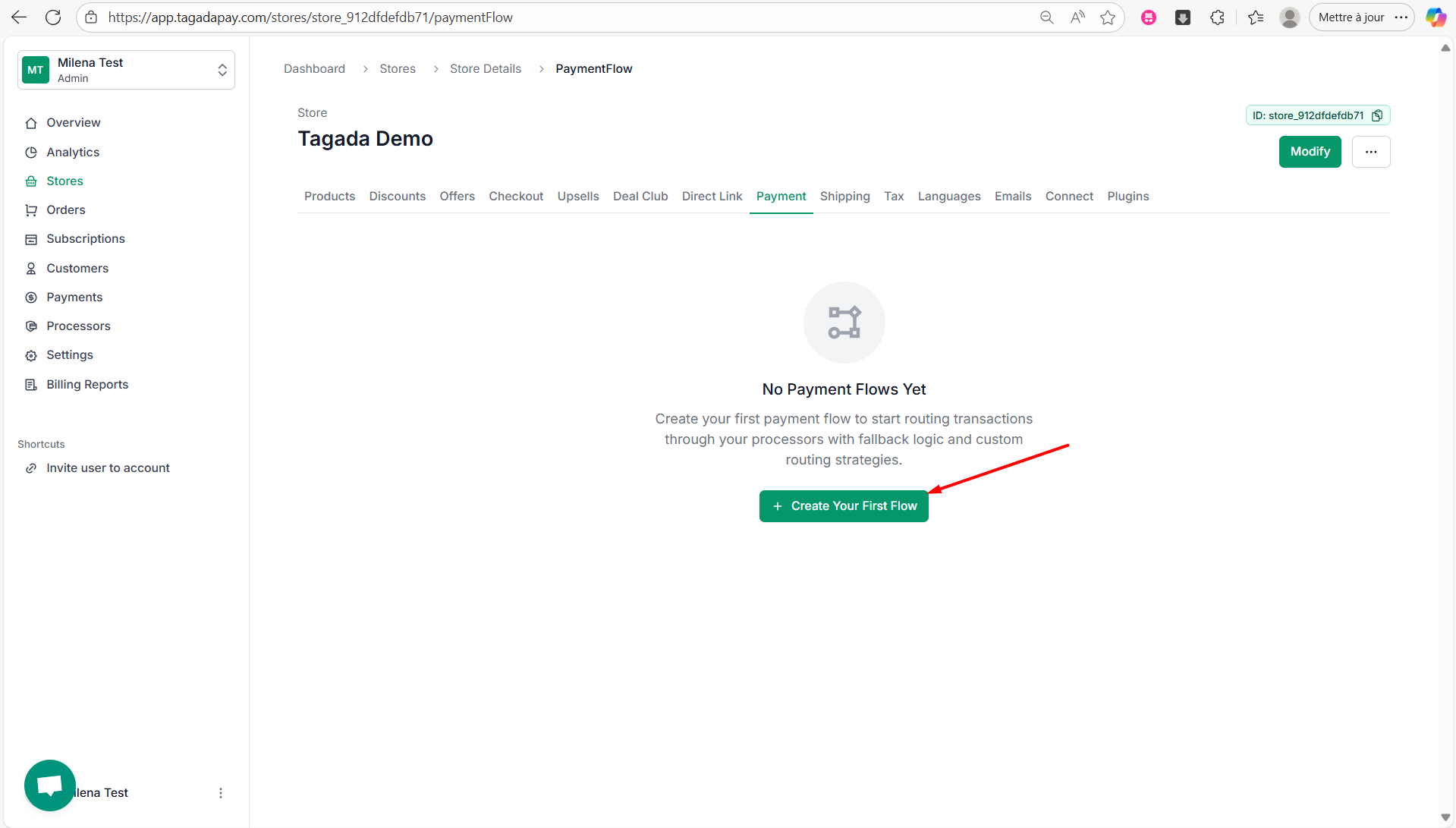
Step 2: Select Payment tab, then click on Create Your First Flow
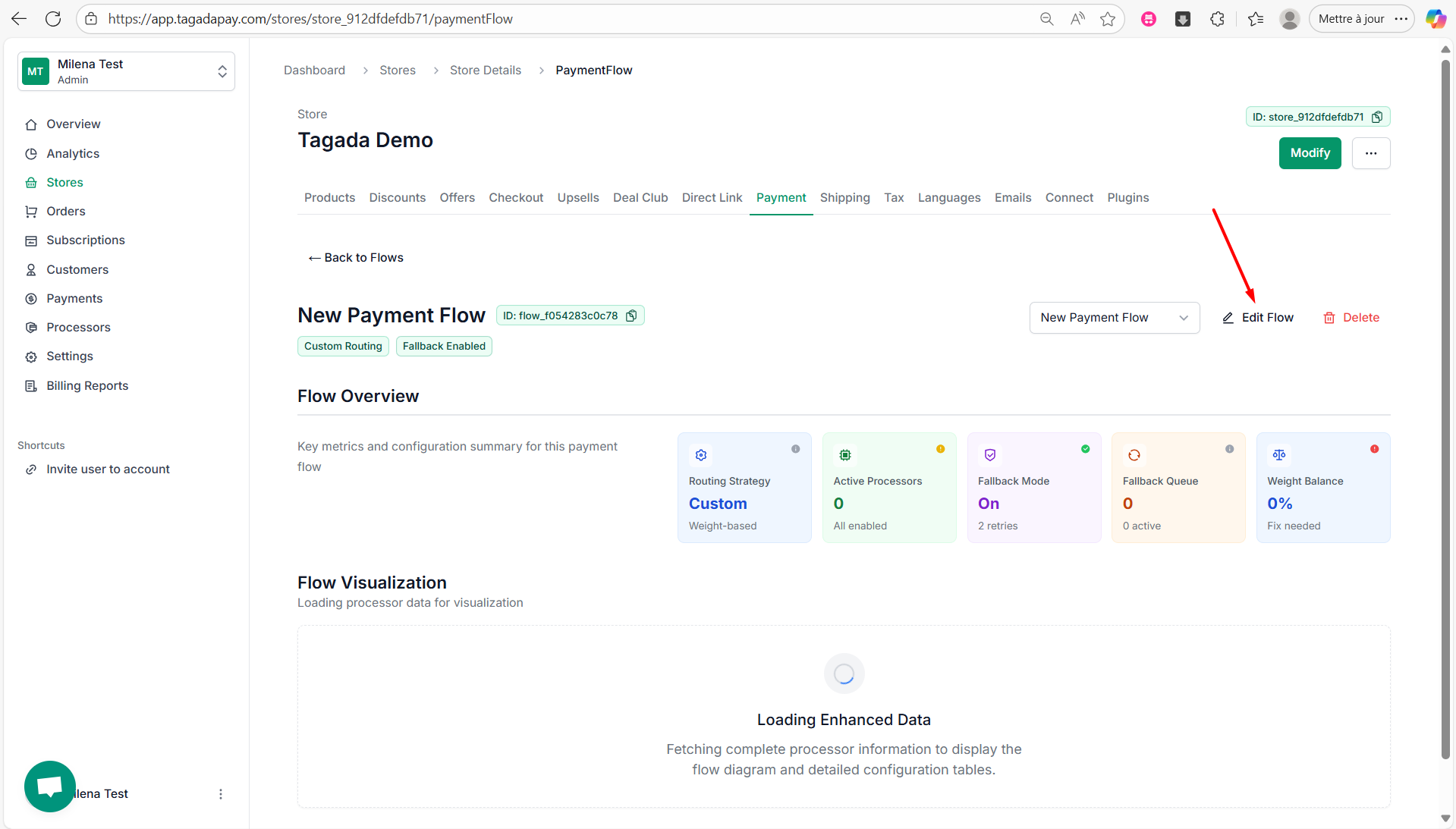
Step 3: Your Flow has been created and you can now start its configuration by clicking on Edit Flow.
Step 4: Enter the name of your flow, select your Routing Strategy and your Primary Processors.
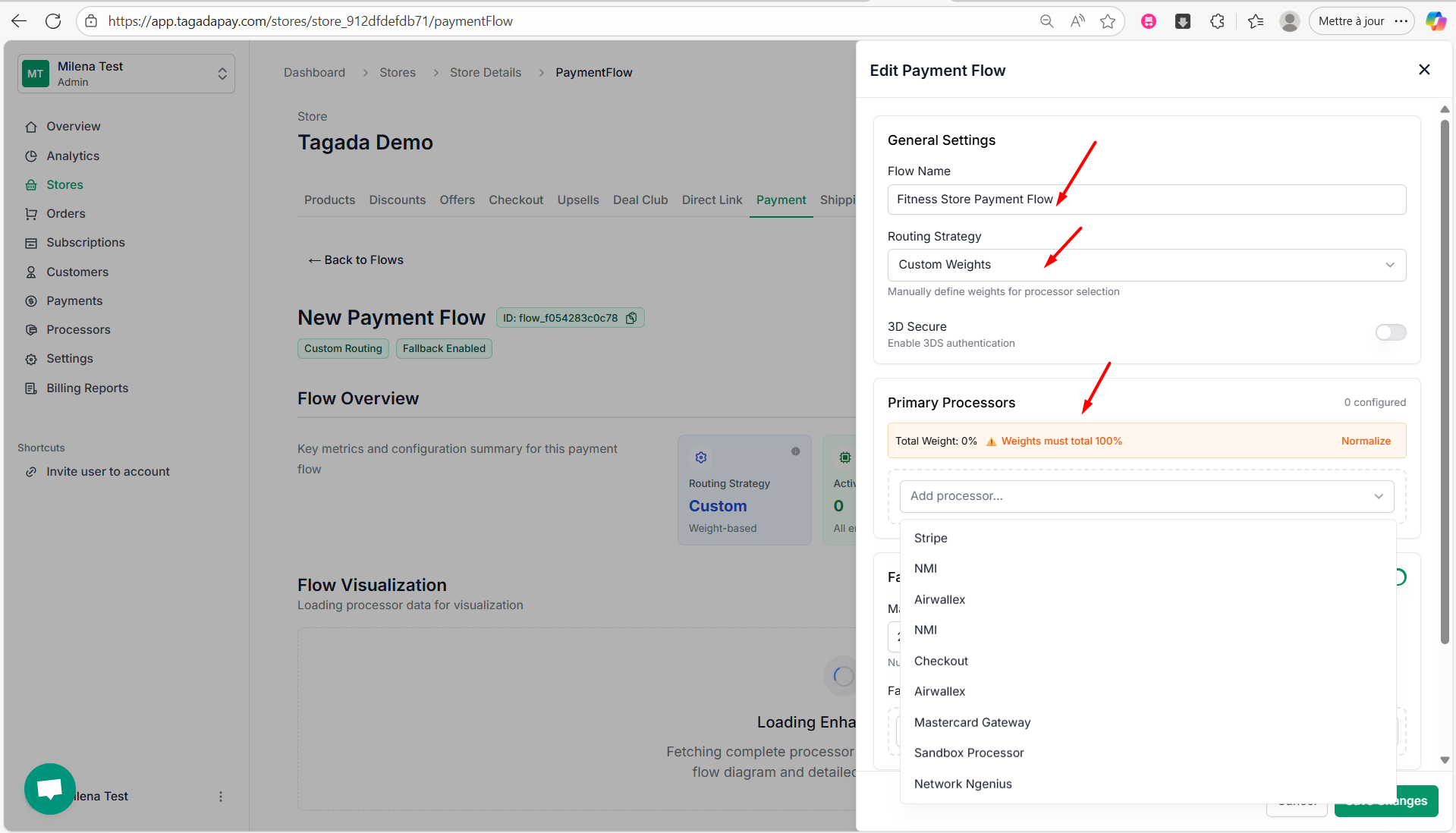
Note: Routing strategy can be Custom Weights or Automatic.
Step 5: Select your Primary Processors desired Weight Distribution.
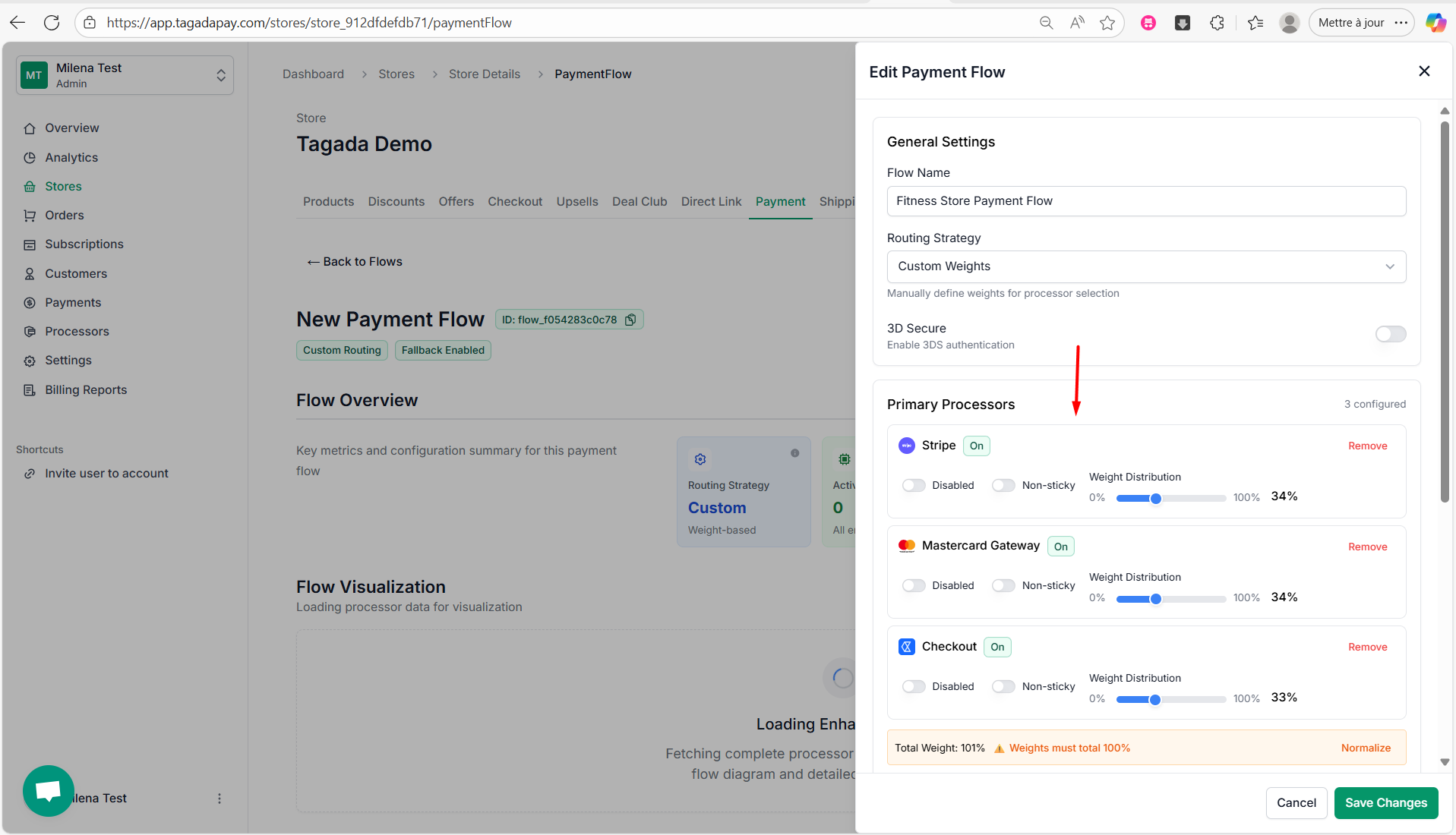
Note: If you need help adding processors to your organization, click here to learn more.
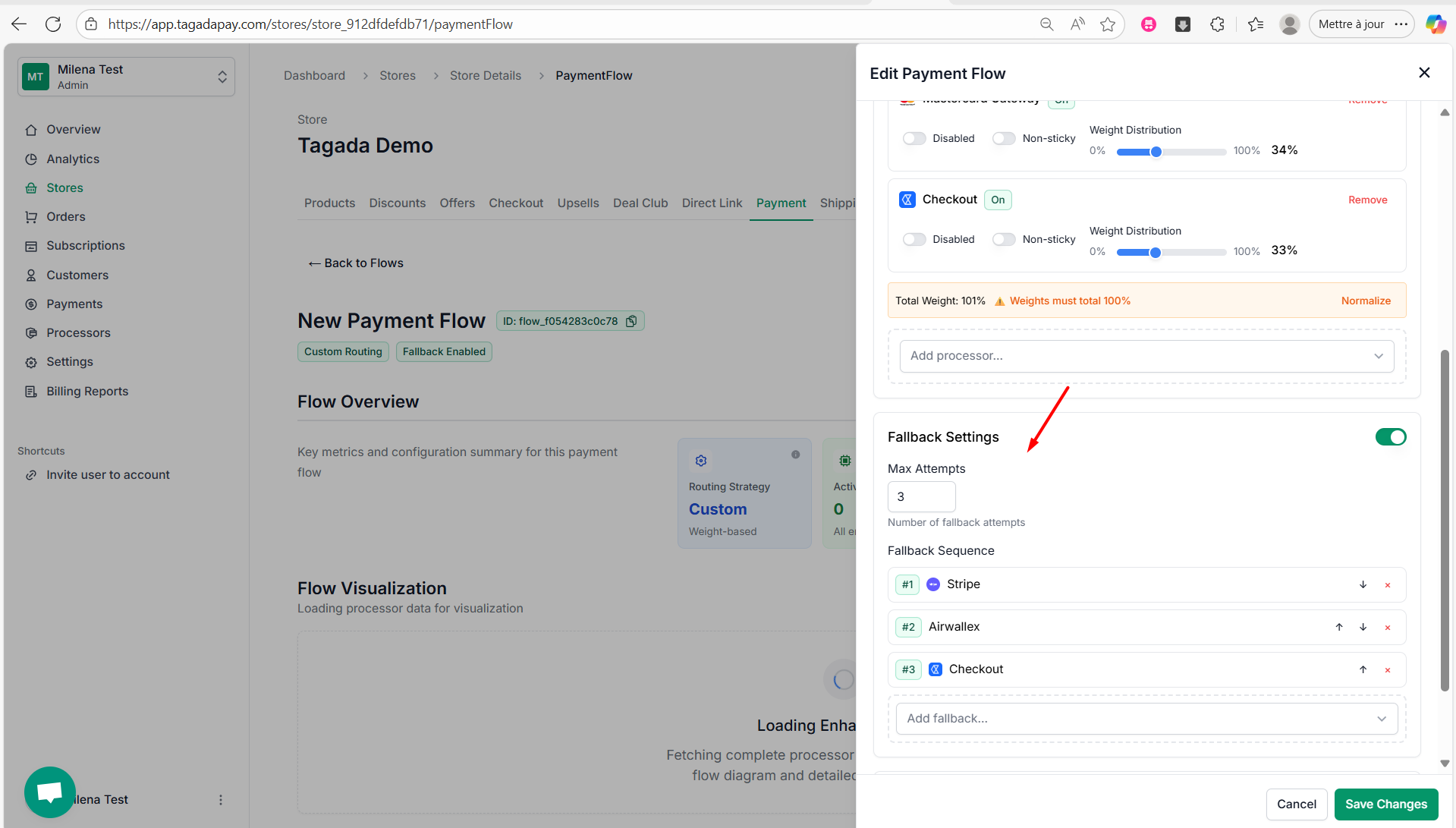
Step 6: Next, you’ll have the option to enable and configure Fallback Settings. If you have more than one processor connected, fallback allows transactions to be automatically retried with an alternative processor in case the initial attempt fails.
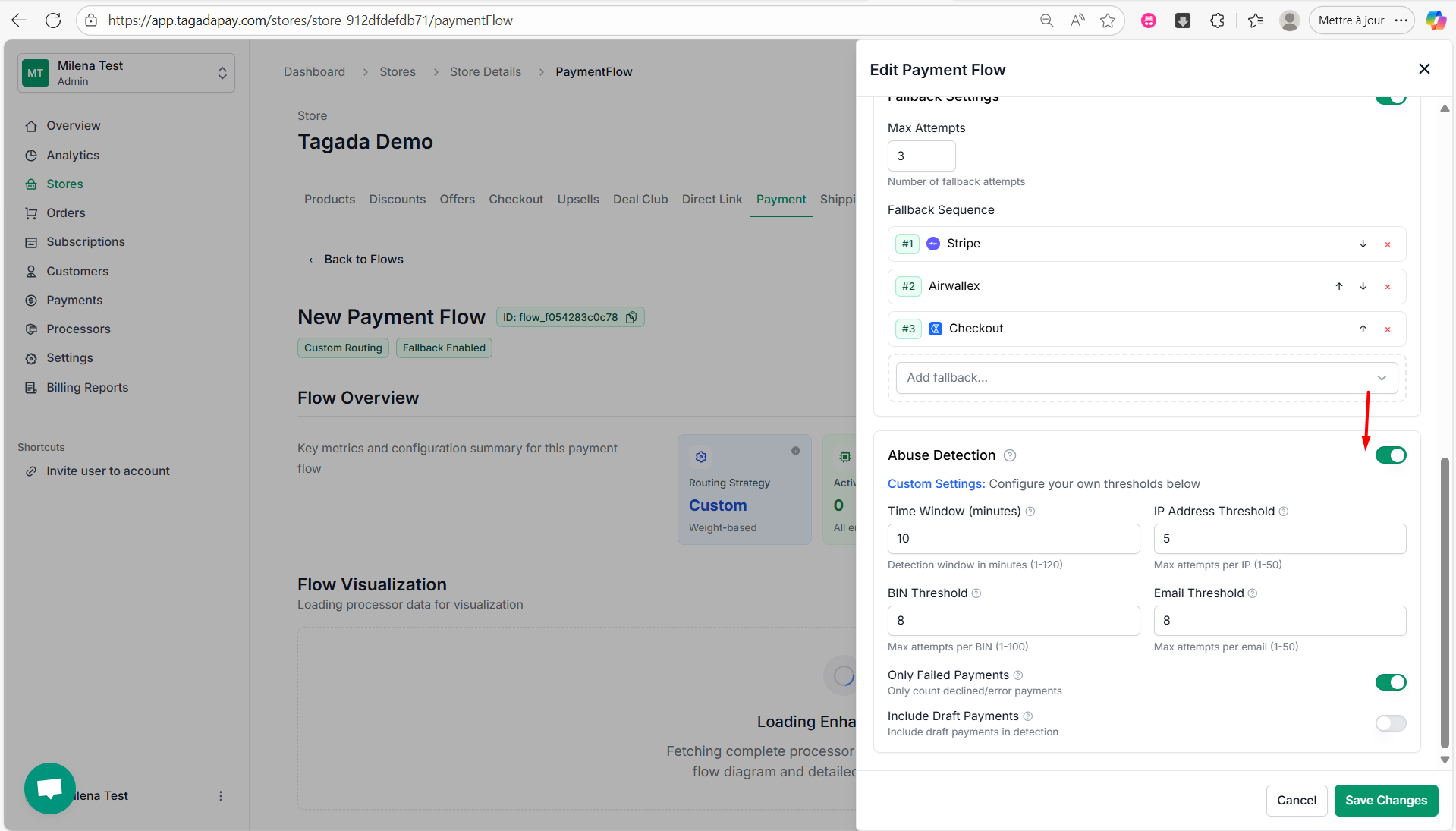
Step 7: Under Abuse Detection you can configure thresholds for payments.
Note: Once you configure your payment flow, you can also add integrations such as ApplePay or Klarna to help boost your conversions.
Important: Once you have created your payment flow, do not forget to set it as active!