
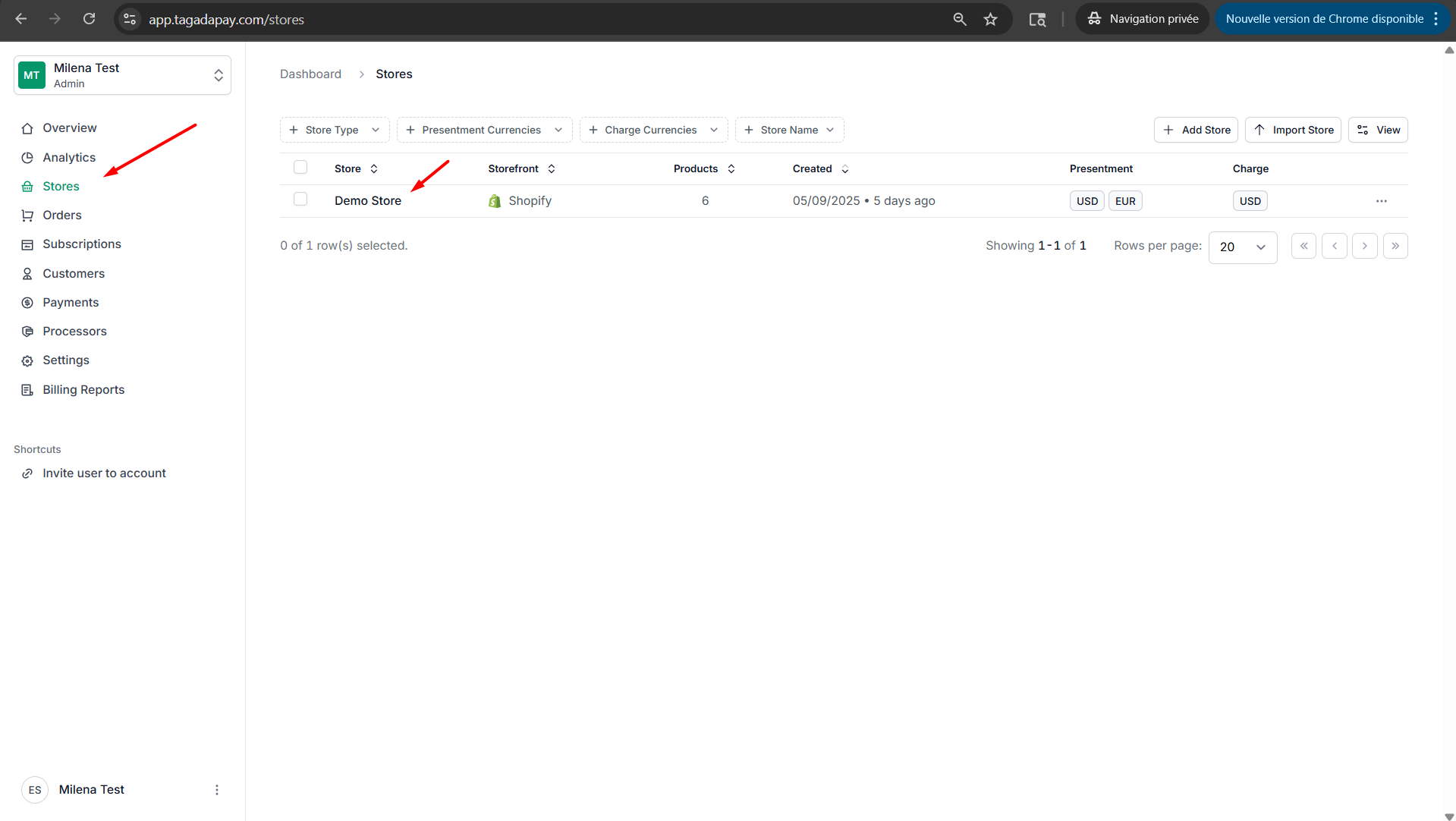
Step 1: Select your desired store under Stores.
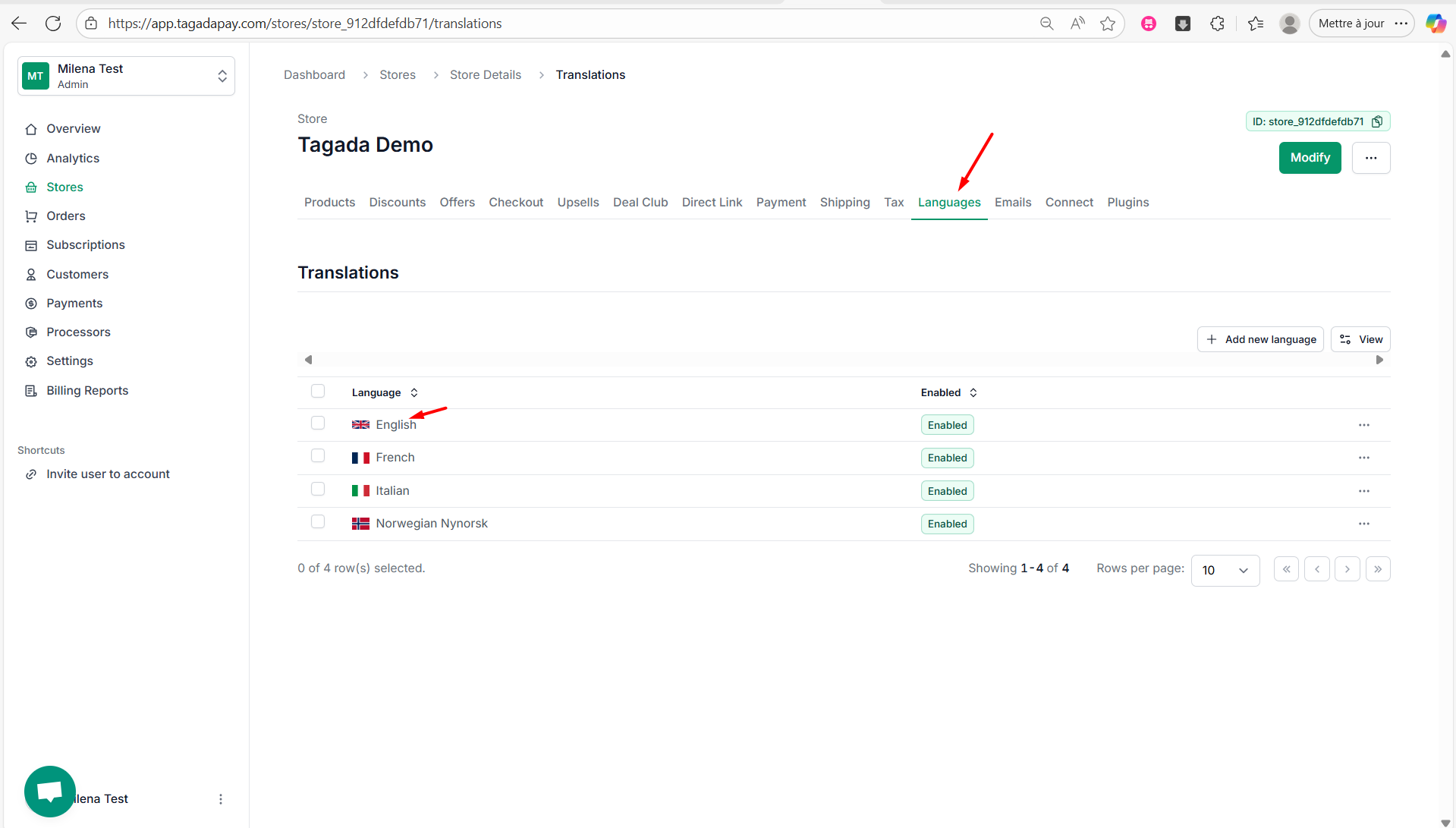
Step 2: Select the Languages tab in the menu. Click on the language you would like to modify.
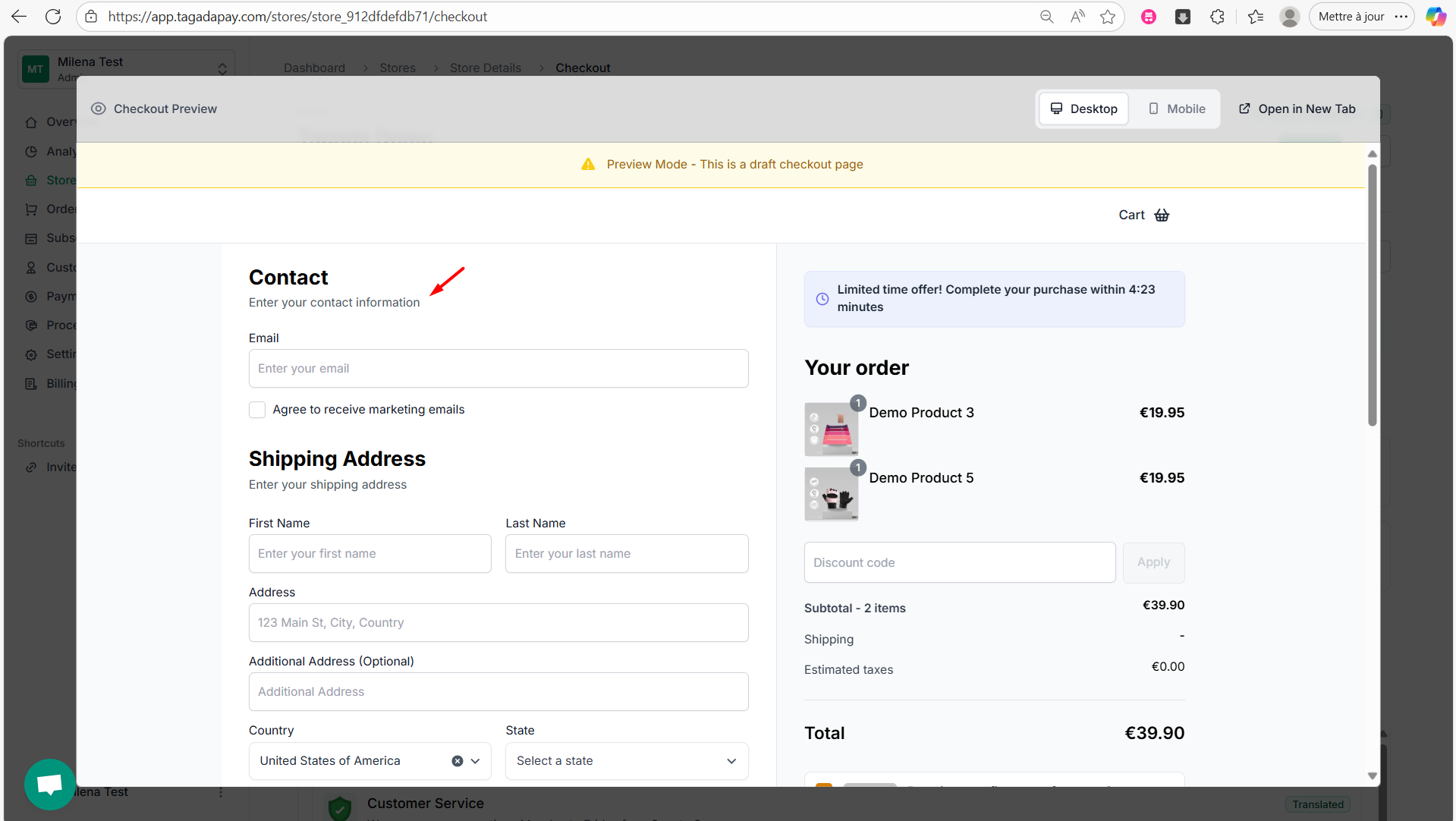
Step 3: While previewing your checkout, copy the text you want to modify.
Step 4: Paste the text into the search bar to locate it.
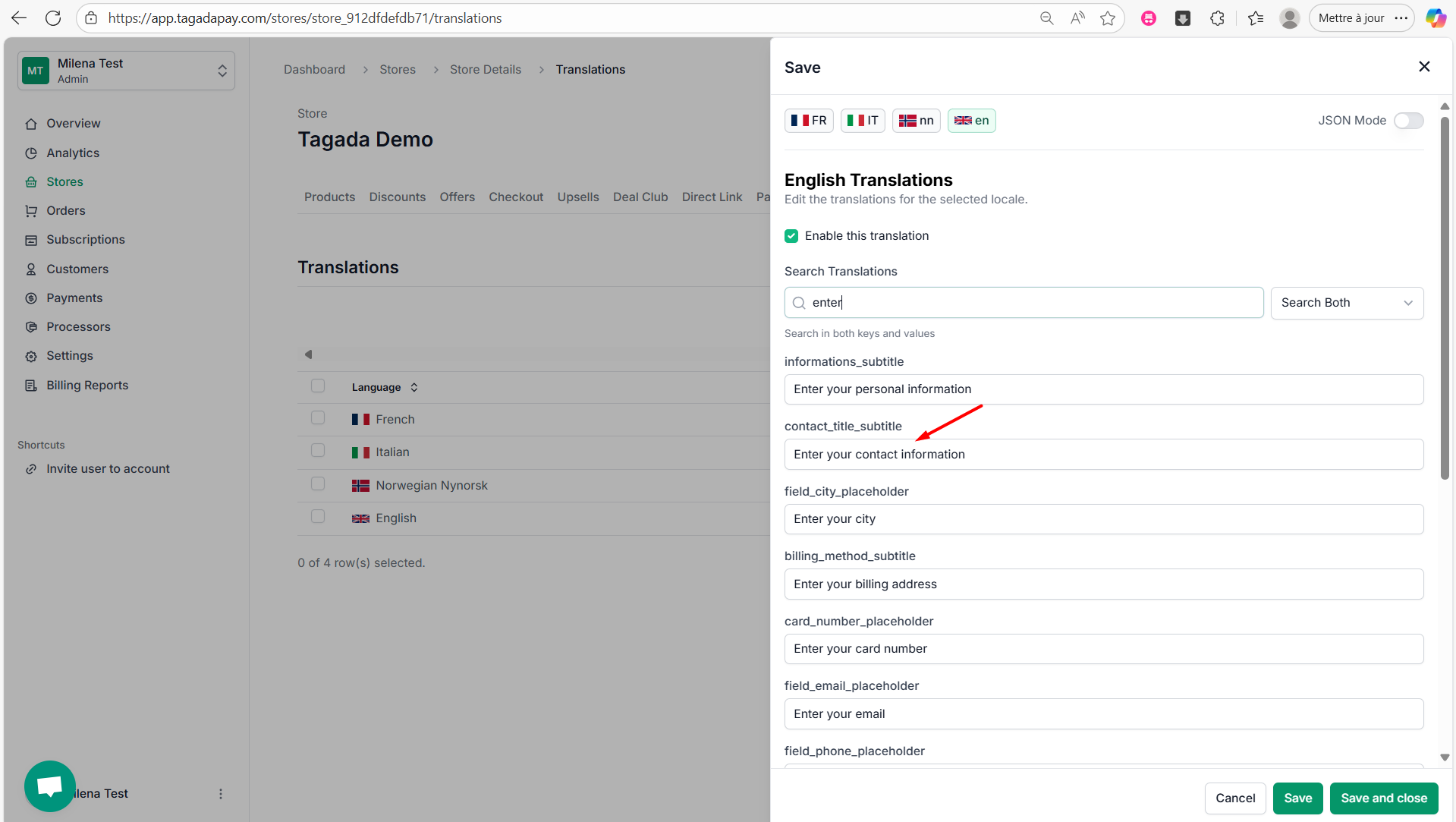
Step 5: Edit or remove the text as needed, then click Save and Close.
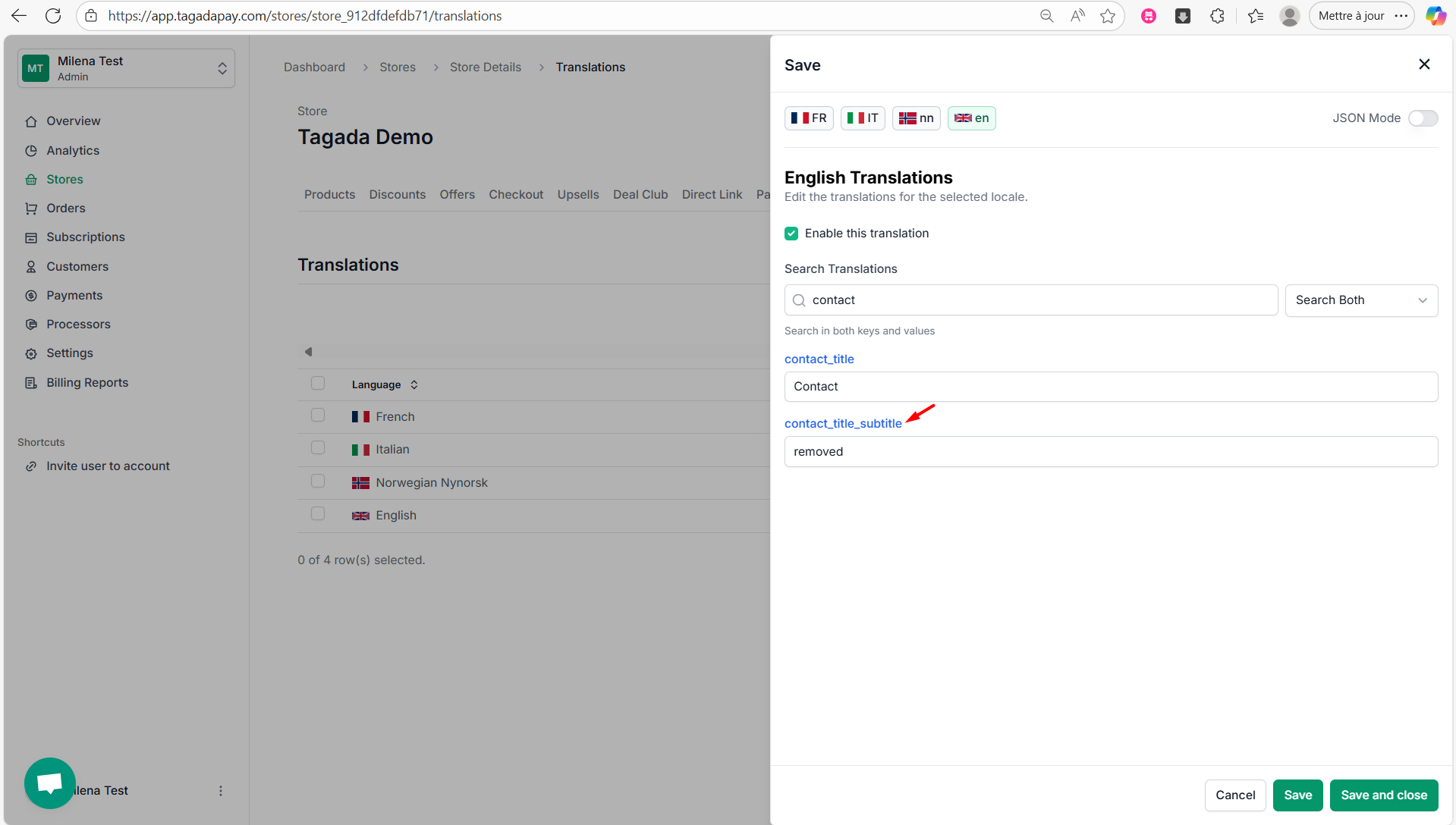
Note: If you completely remove the text from a line, make sure to remember the handle, as the text will no longer be visible. You’ll need the handle to find and edit it again later.
Step 6: Preview the checkout again to see your changes.
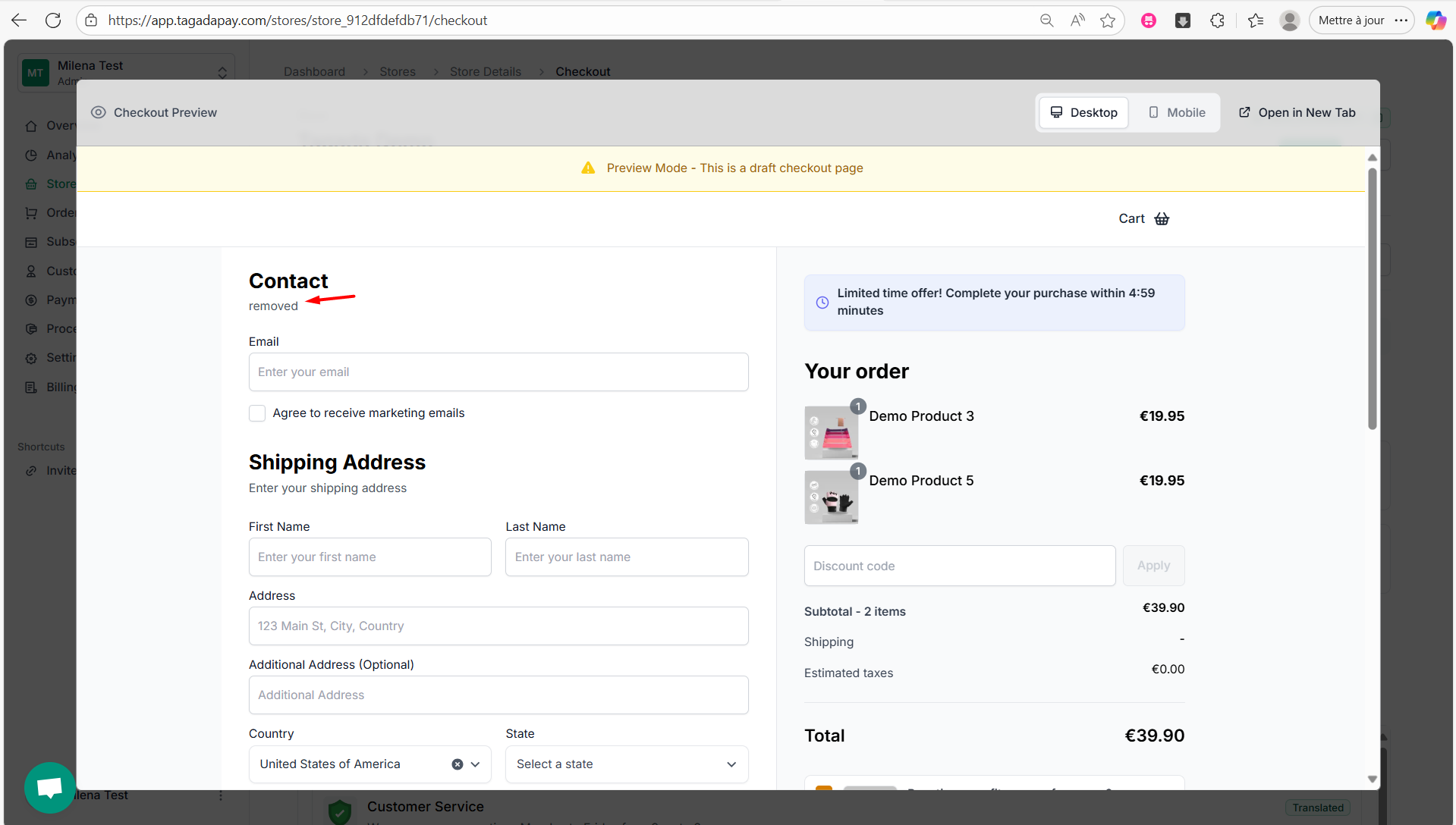
Note: The language displayed at checkout is based on your customer’s IP address. For example, if a customer is located in Norway, the checkout will automatically appear in Norwegian — provided that you’ve added Norwegian in your Language settings.
You can change the wording of any phrase or field in your checkout using the Languages feature. Everything displayed on the checkout page is fully translatable and editable through this section. You can easily modify or remove any text to better match your brand’s tone.
Let’s walk through an example.