
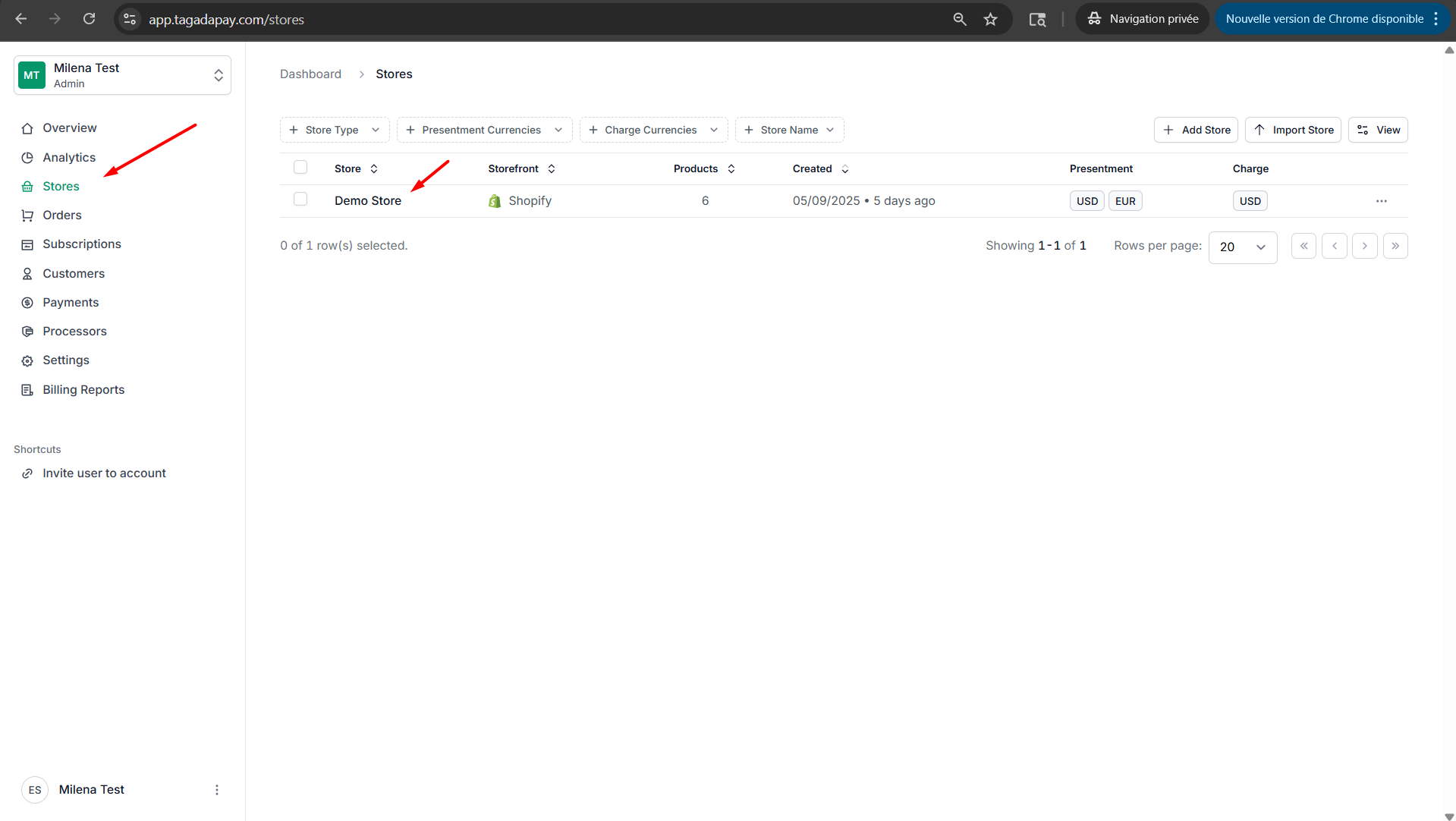
Step 1: Select your desired store under Stores.
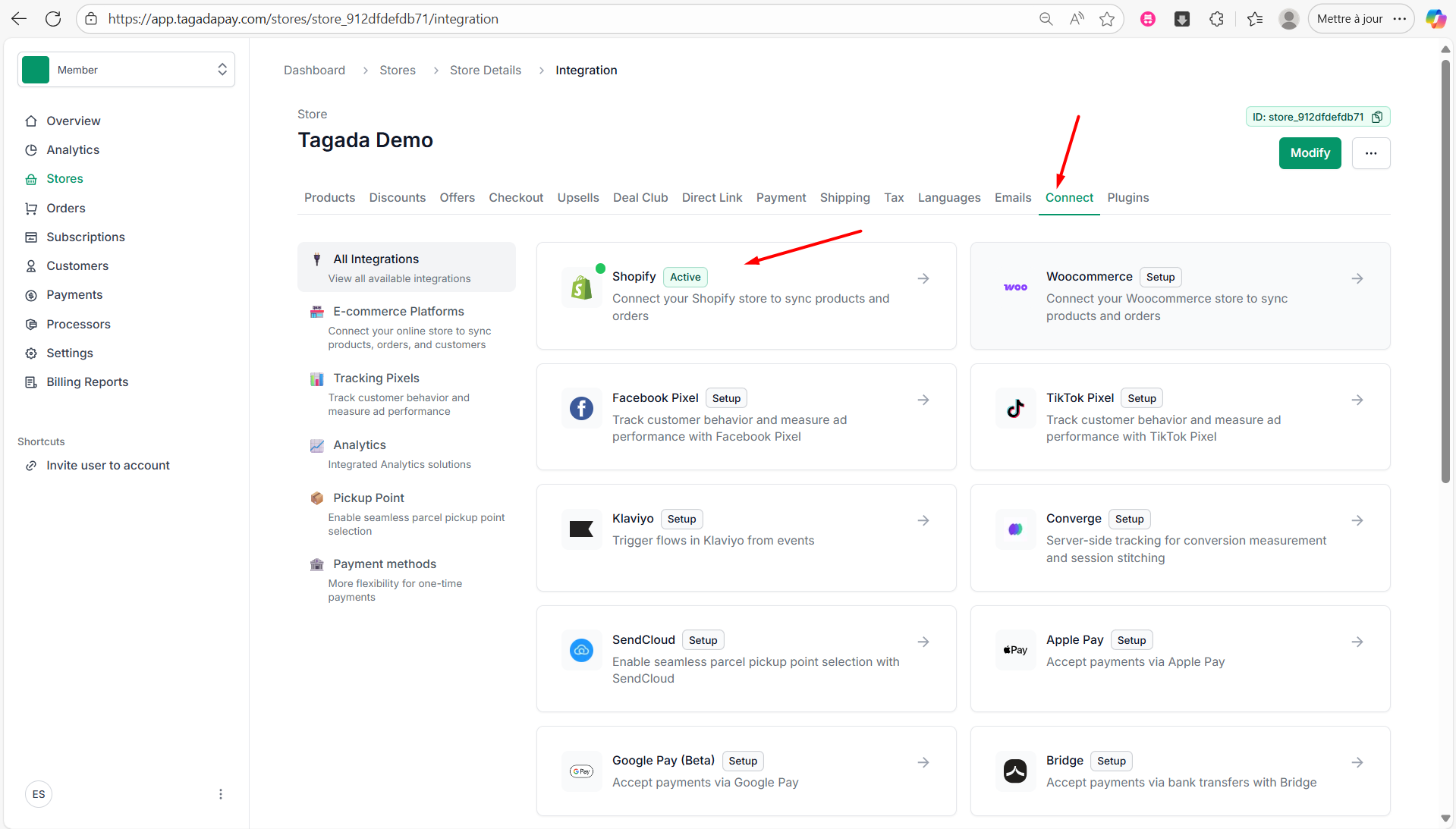
Step 2: Under the Connect tab in the menu, click on Shopify.
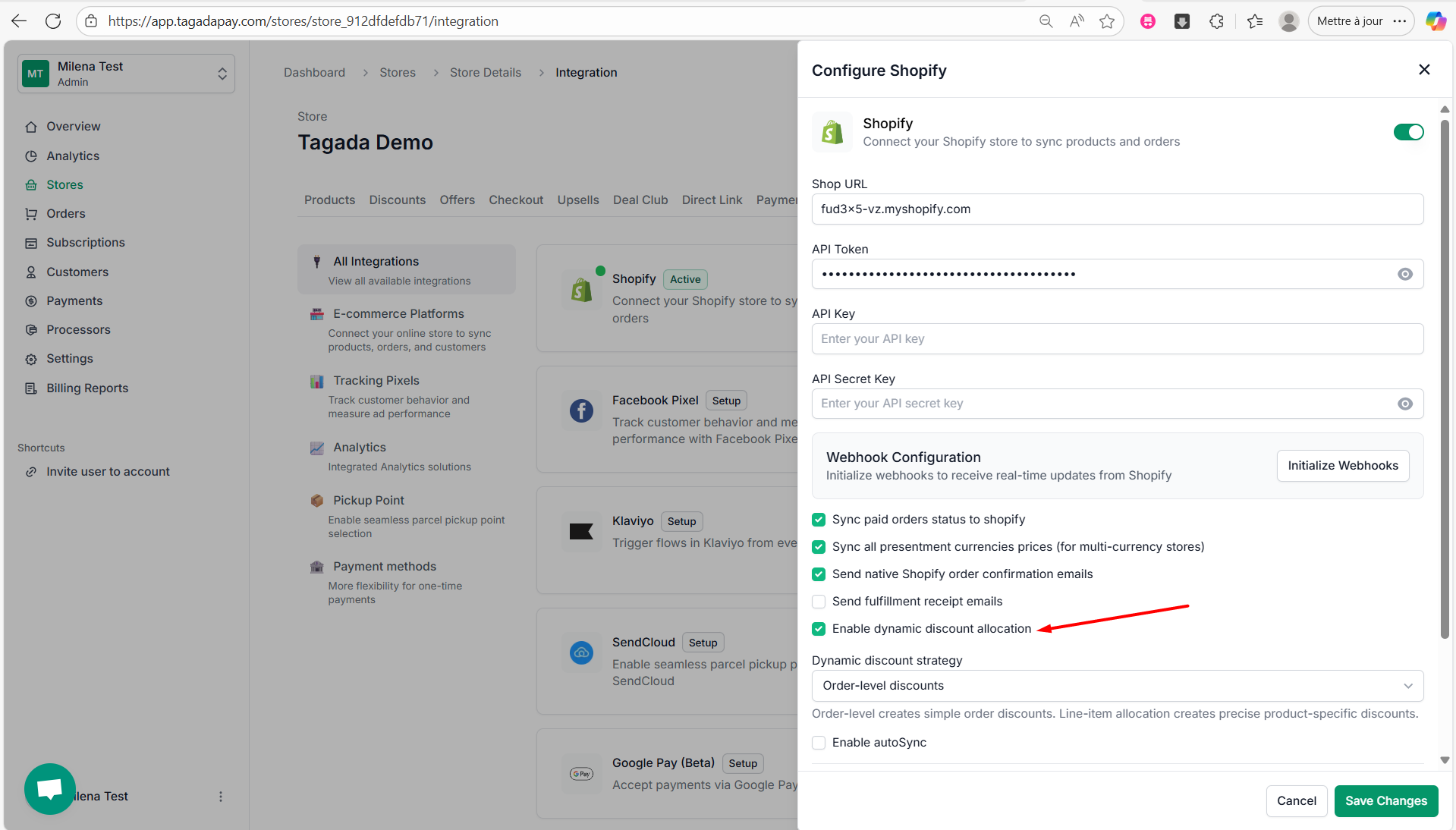
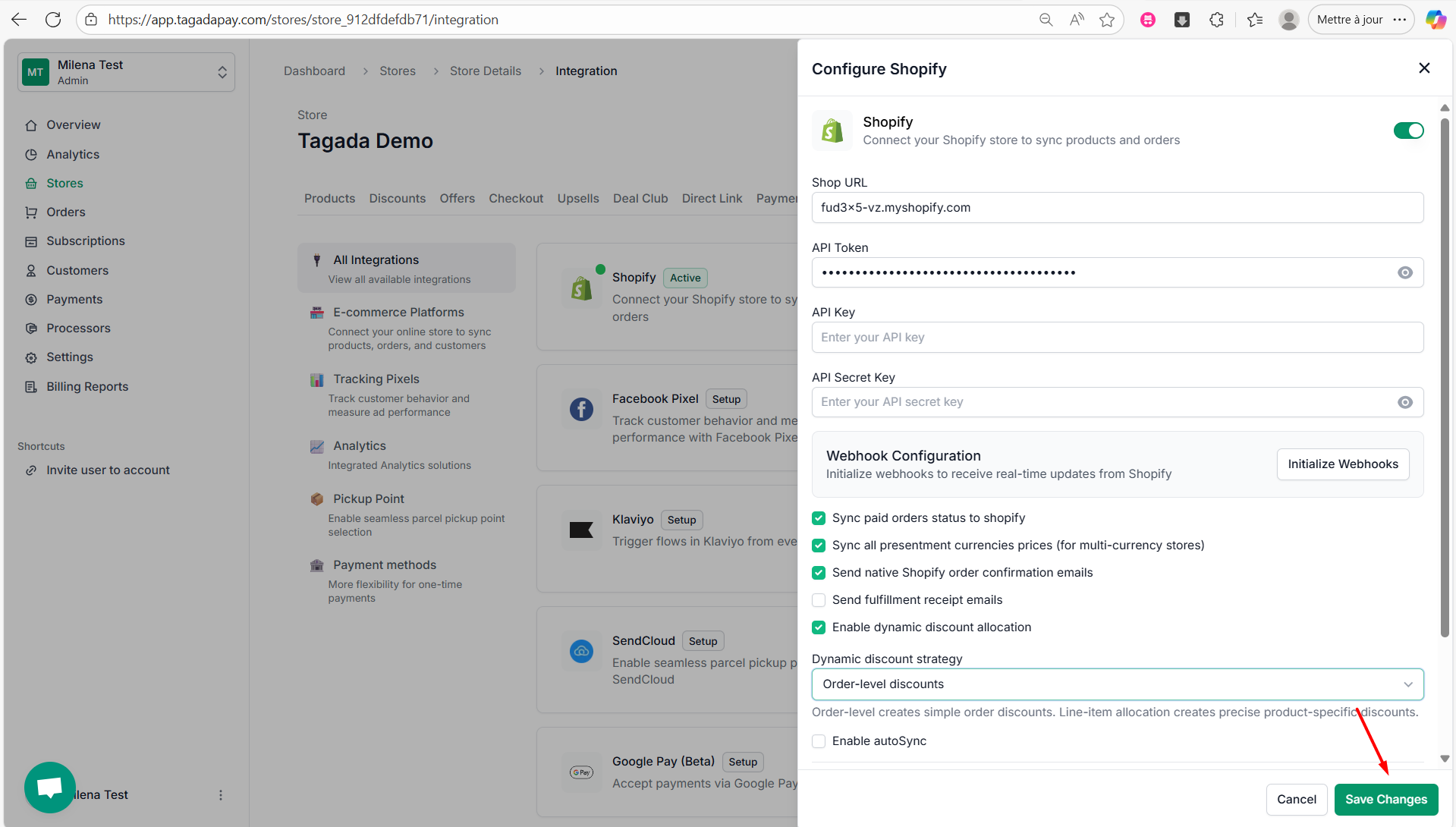
Step 3: Check the box labeled Enable dynamic discount allocation.
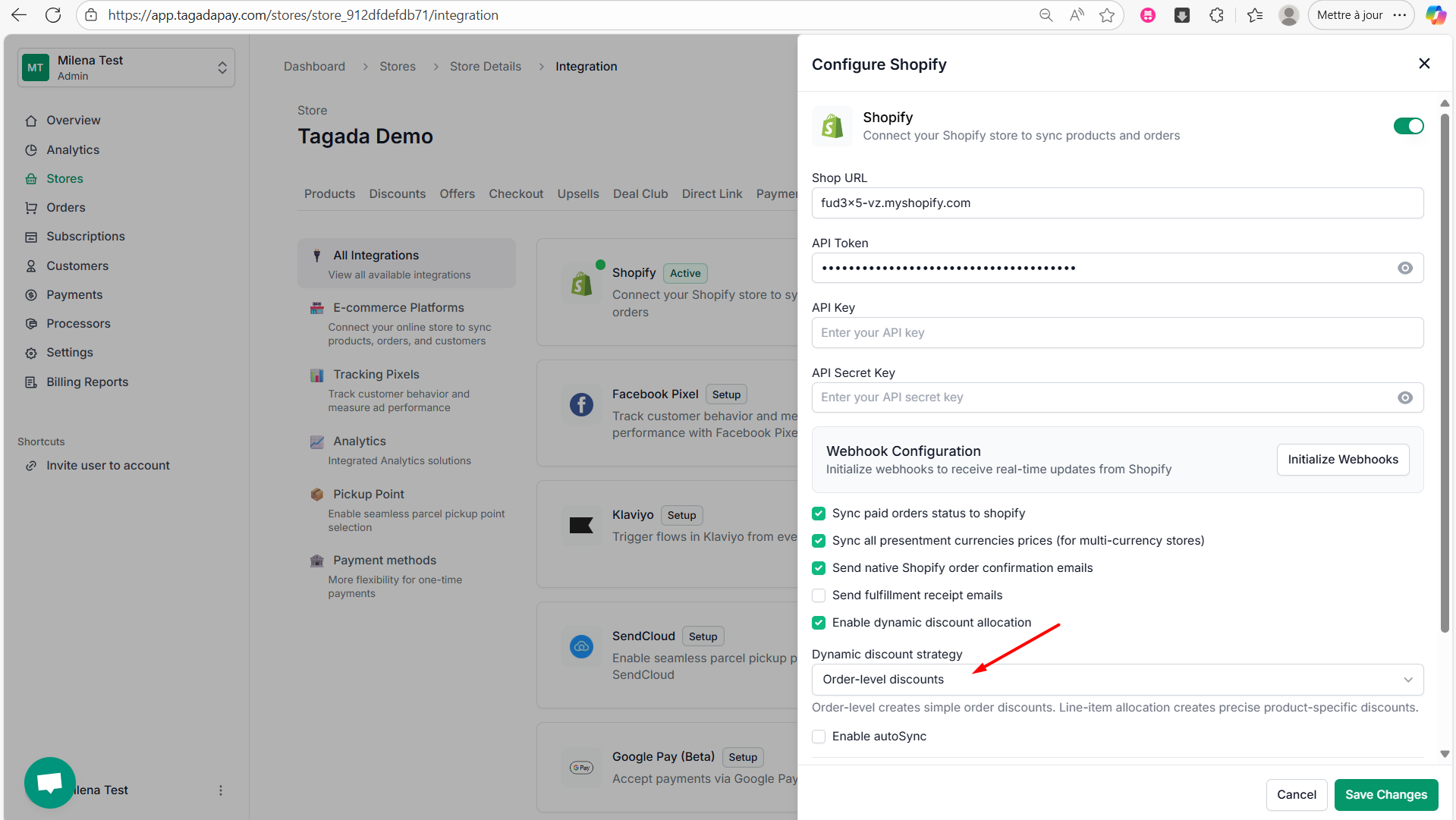
Step 4: Choose the Dynamic Discount Strategy from the dropdown menu to define how your discount labels and prices will appear at checkout. You have two options:
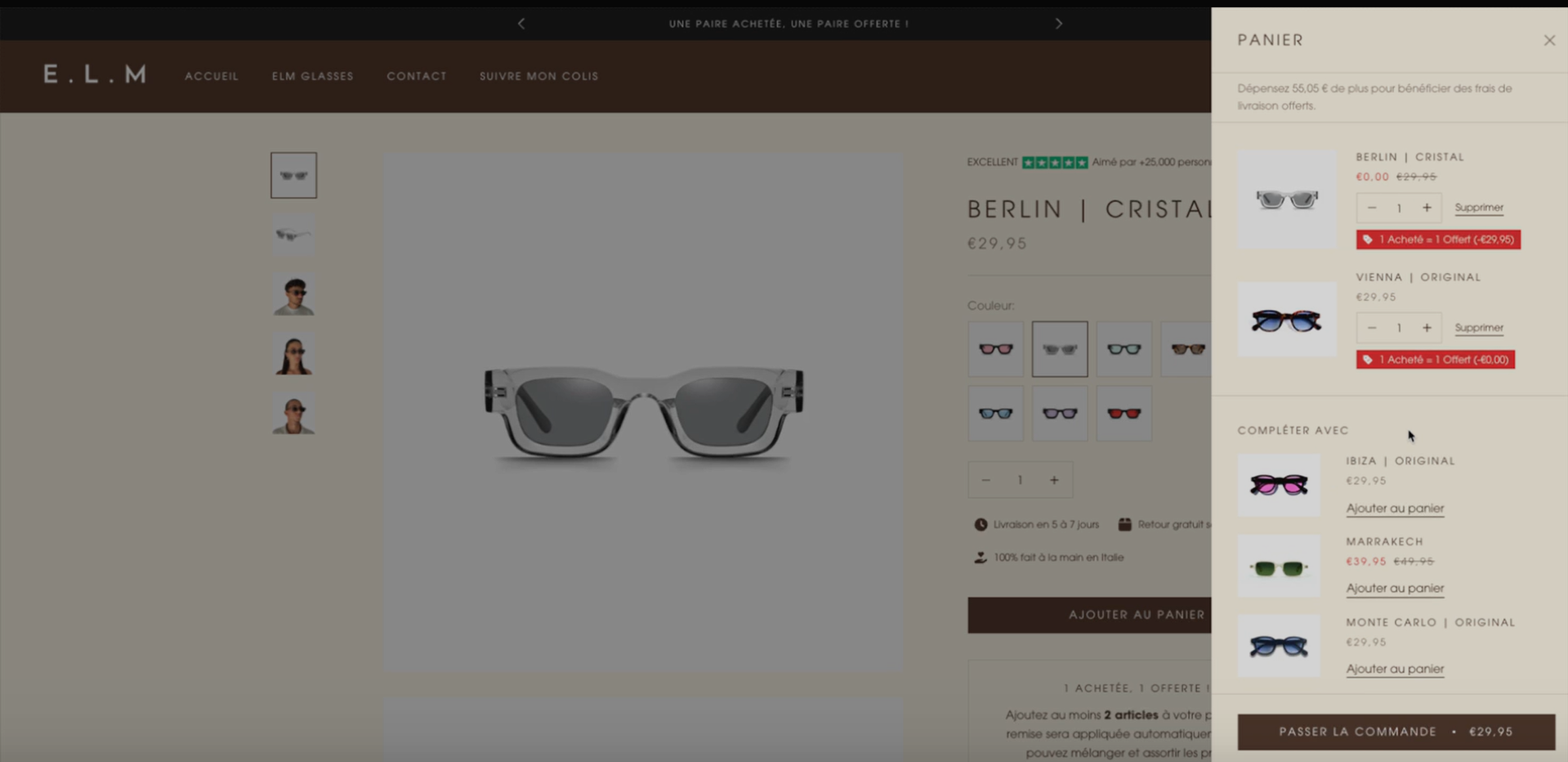
Line-item allocation – The discount is applied directly to the product price. The discounted price will appear in red, and the discount title (e.g., "1 bought = 1 free") will be displayed under the item.
Order-level discount – The discount appears below the items in the cart, highlighted in green, without modifying the individual item prices.
Example of Line-item allocation at checkout:
Step 5: Click on Save Changes.
Note: This discount will be synced and visible under your Discounts section. This feature is compatible with any bundle app.
This section will guide you on how to use the Kaching Bundles app on Shopify and any other bundle discount app.