
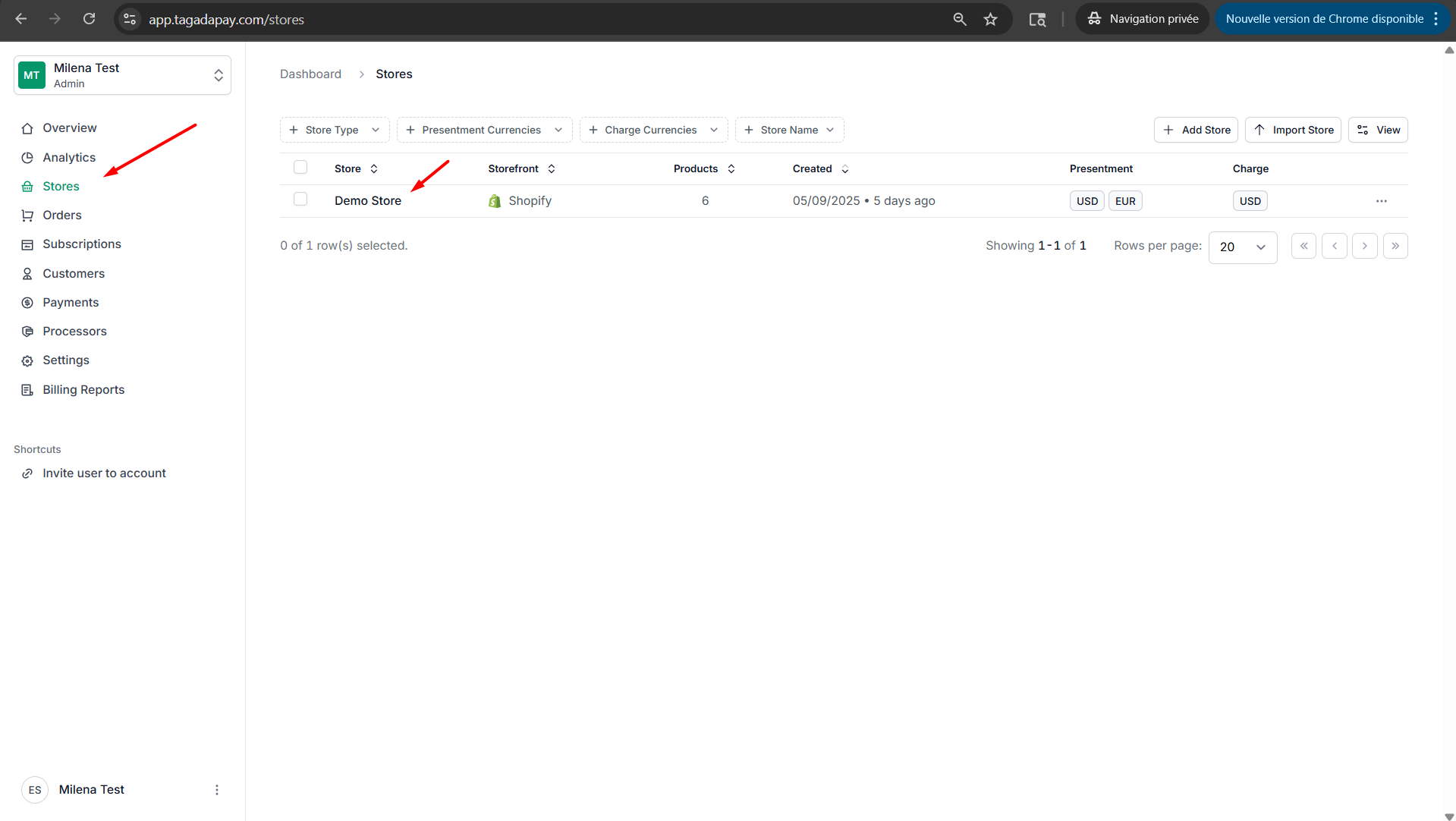
Step 1: Select your desired store under Stores.
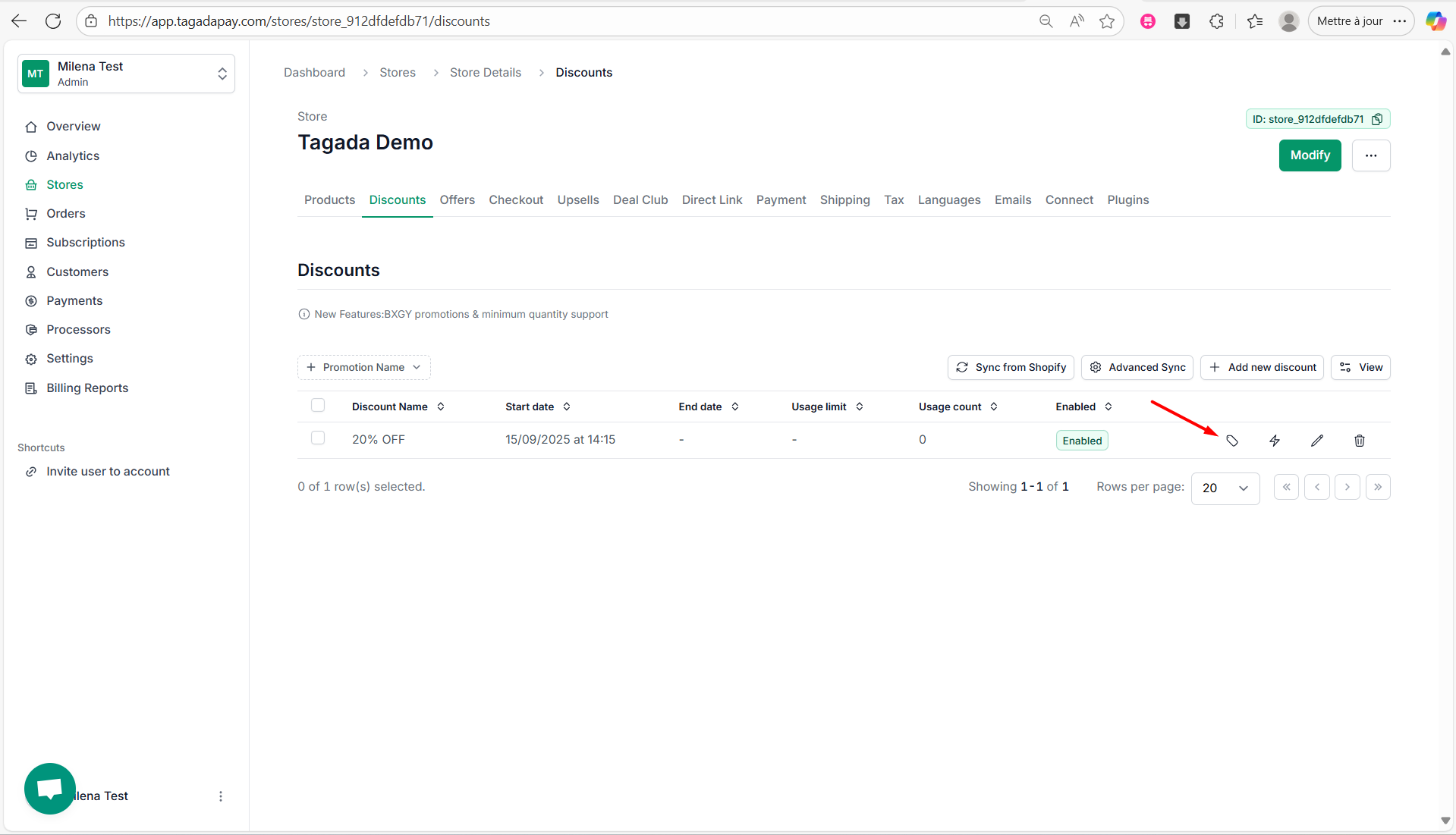
Step 2: Select Discounts tab, then click on the little tag icon in the line for the discount you have created. This will allow you to manage promotion codes.
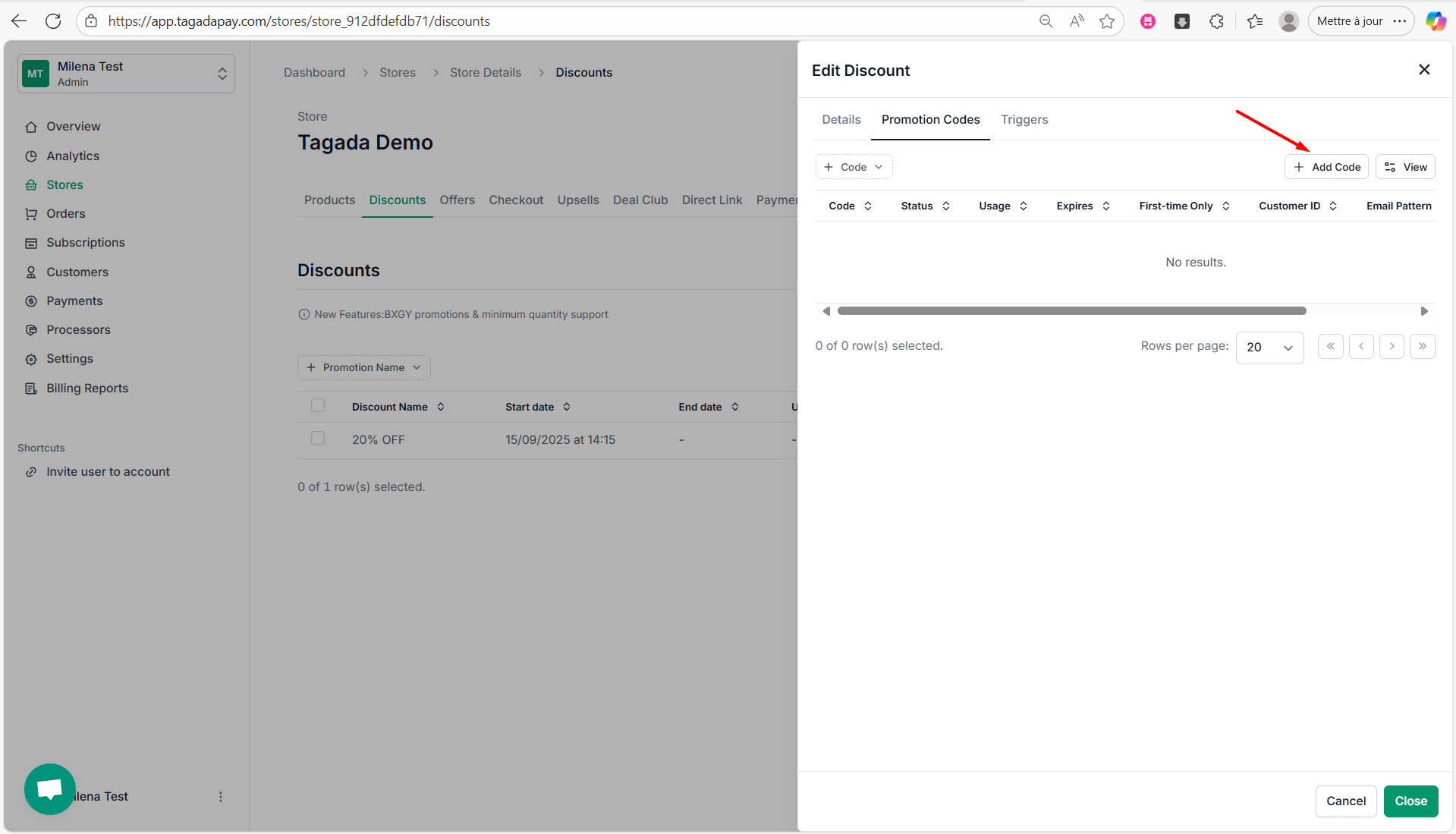
Step 3: Click on Add Code.
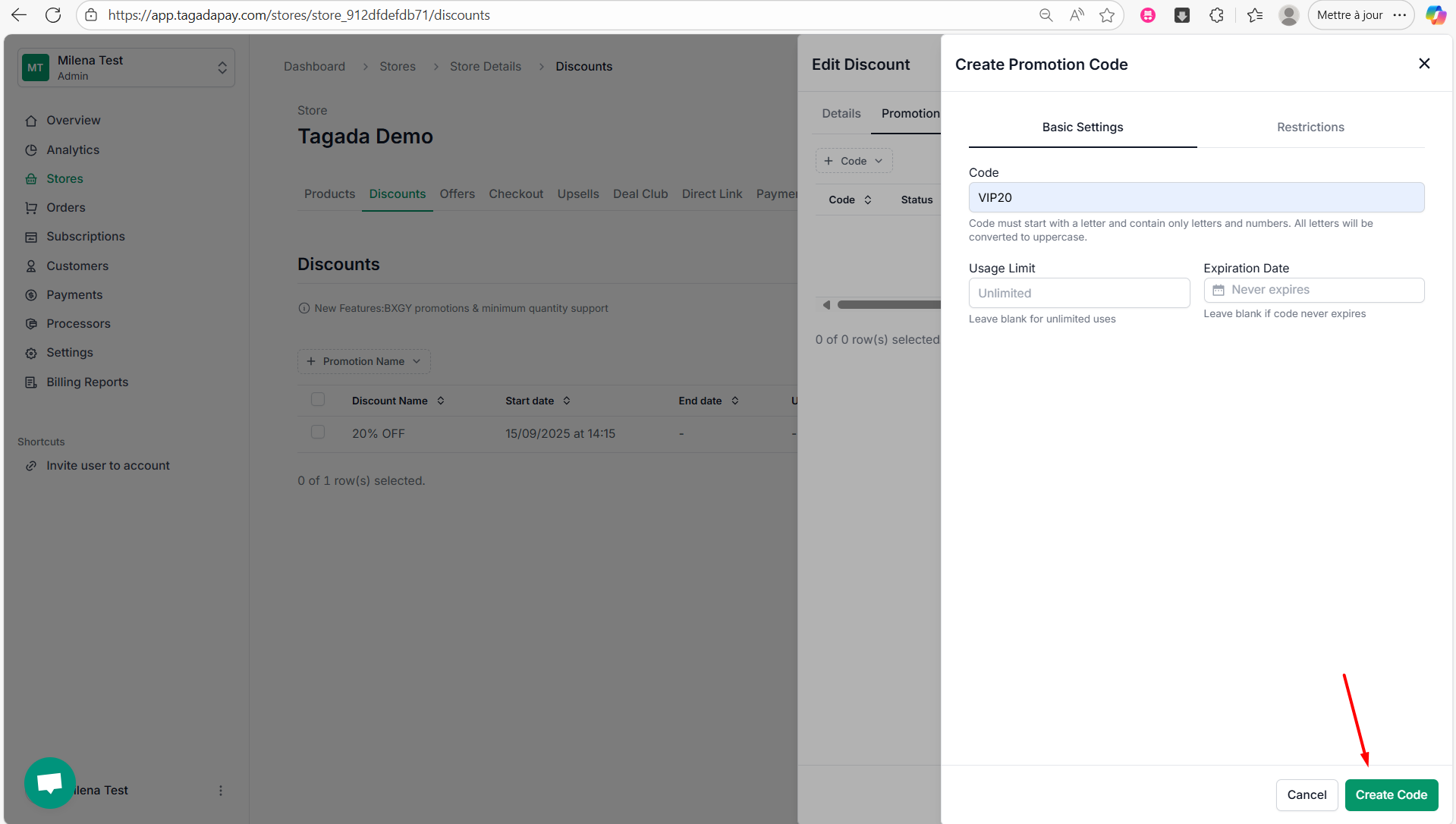
Step 4: Enter the name of the promotion Code.
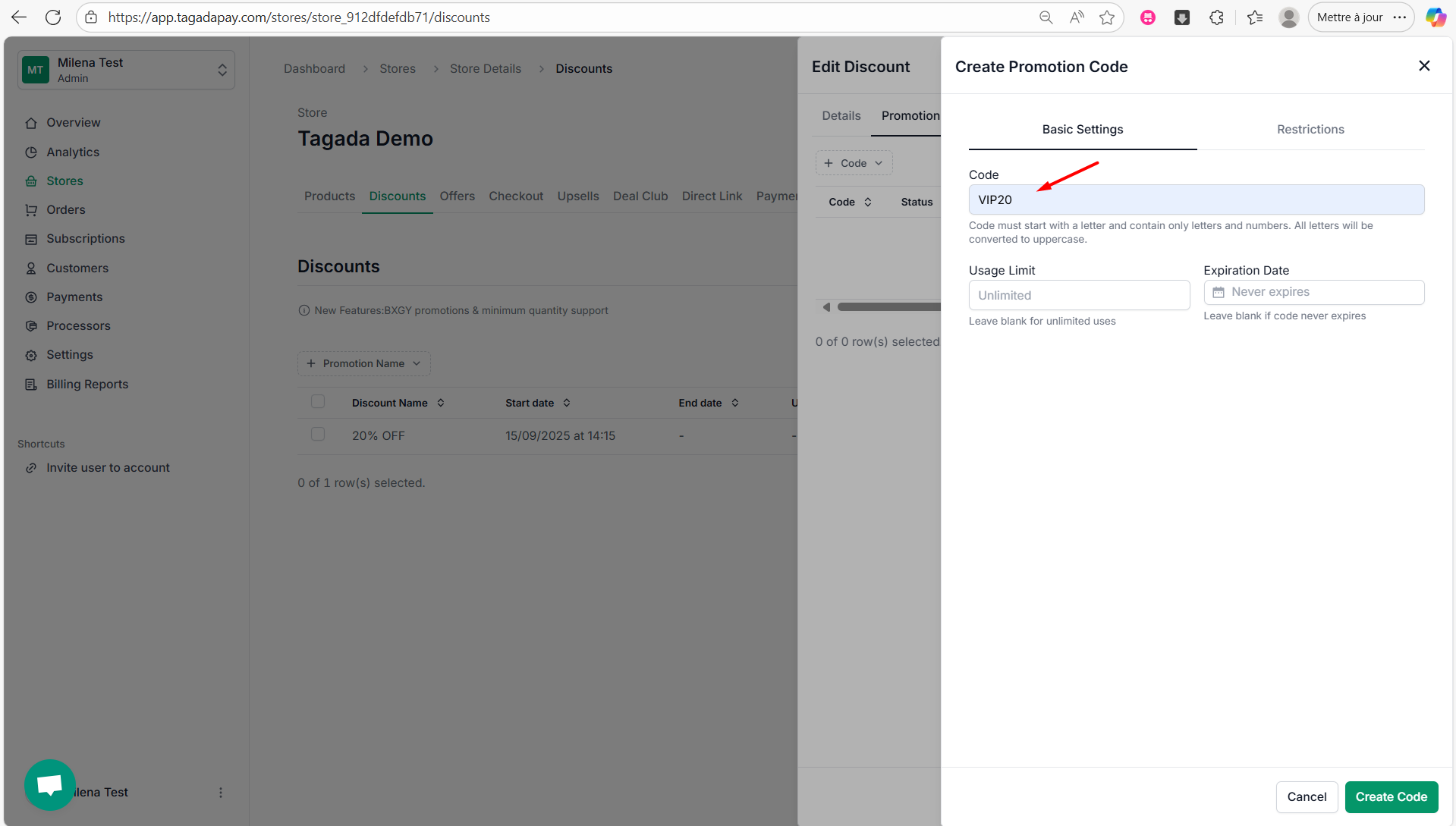
Note: You can limit the usage of your discount code by setting a usage limit and an expiration date.
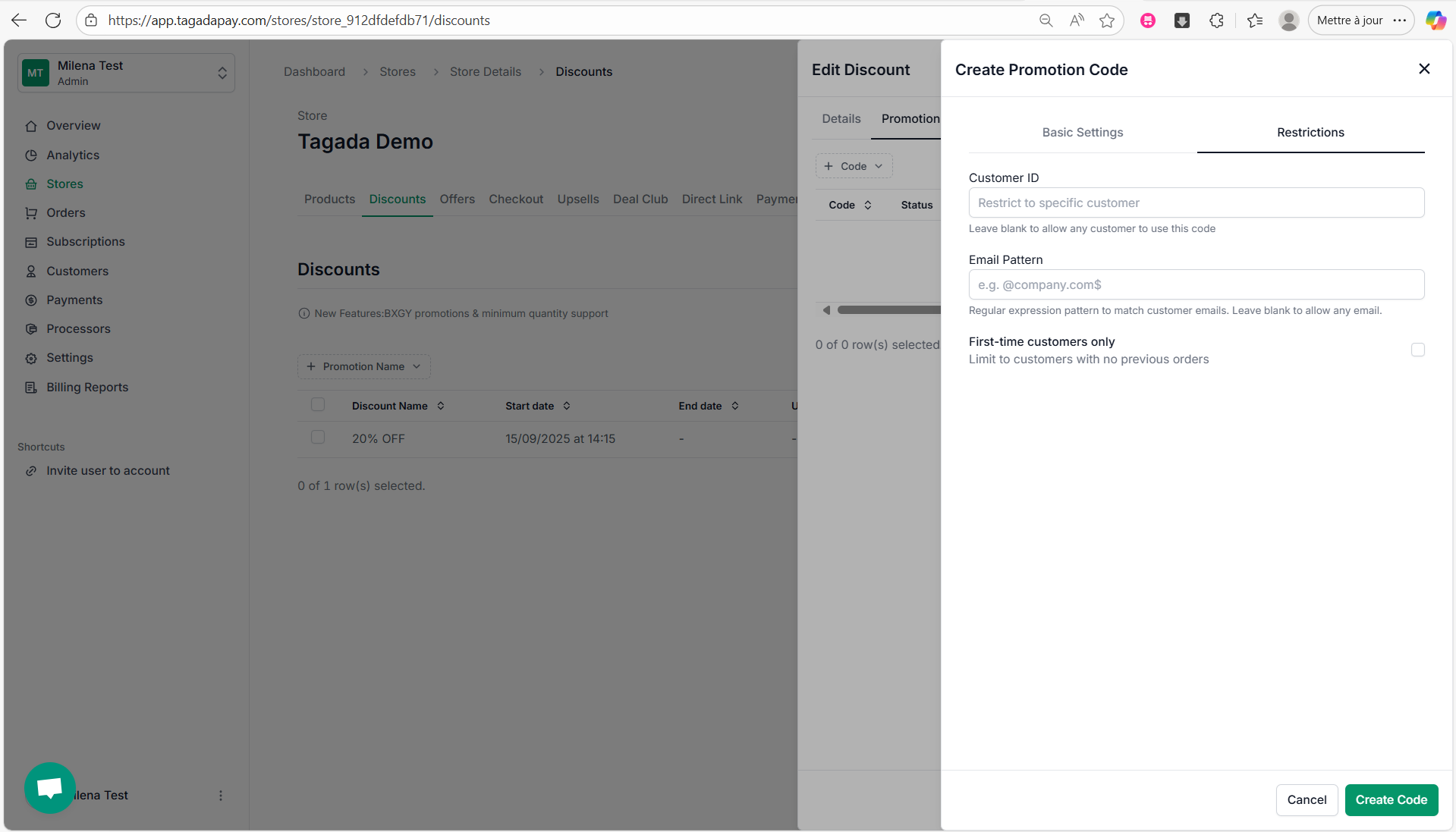
Step 5: You can also add restrictions to the promotion code by clicking on the Restrictions tab. There, you’ll be able to:
Restrict usage to specific customers by selecting a Customer ID
Limit usage based on an email pattern to match certain customer emails
Restrict the promotion to first-time customers only by enabling the option to limit it to customers with no previous orders
Step 6: Once you are done customizing your code, click on Create Code
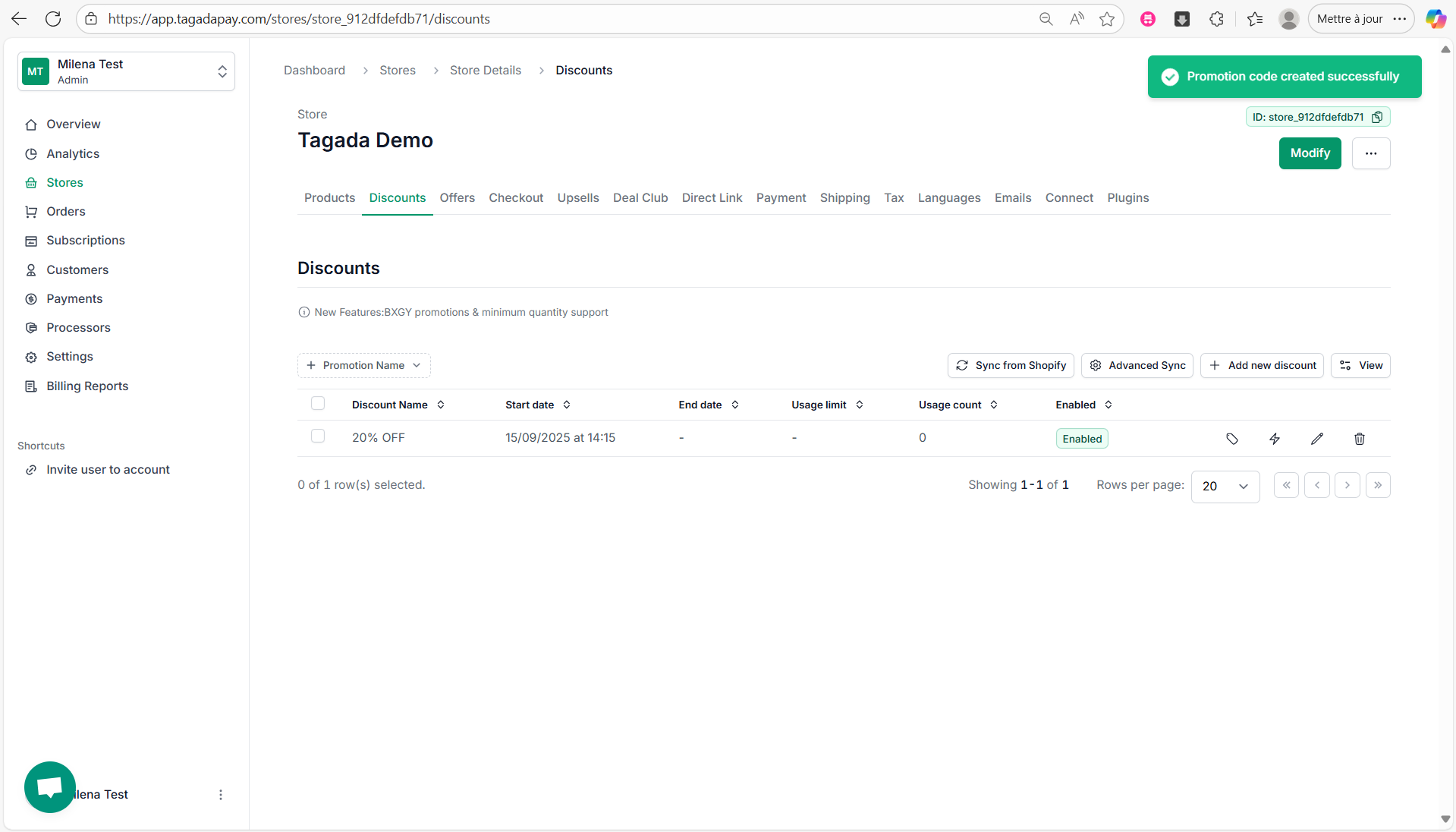
Step 7: A green notification will appear, confirming that your promotion code has been successfully created.
Once your discount has been created, you will be able to create a discount code.