
Step 1: Select your desired store under Stores.
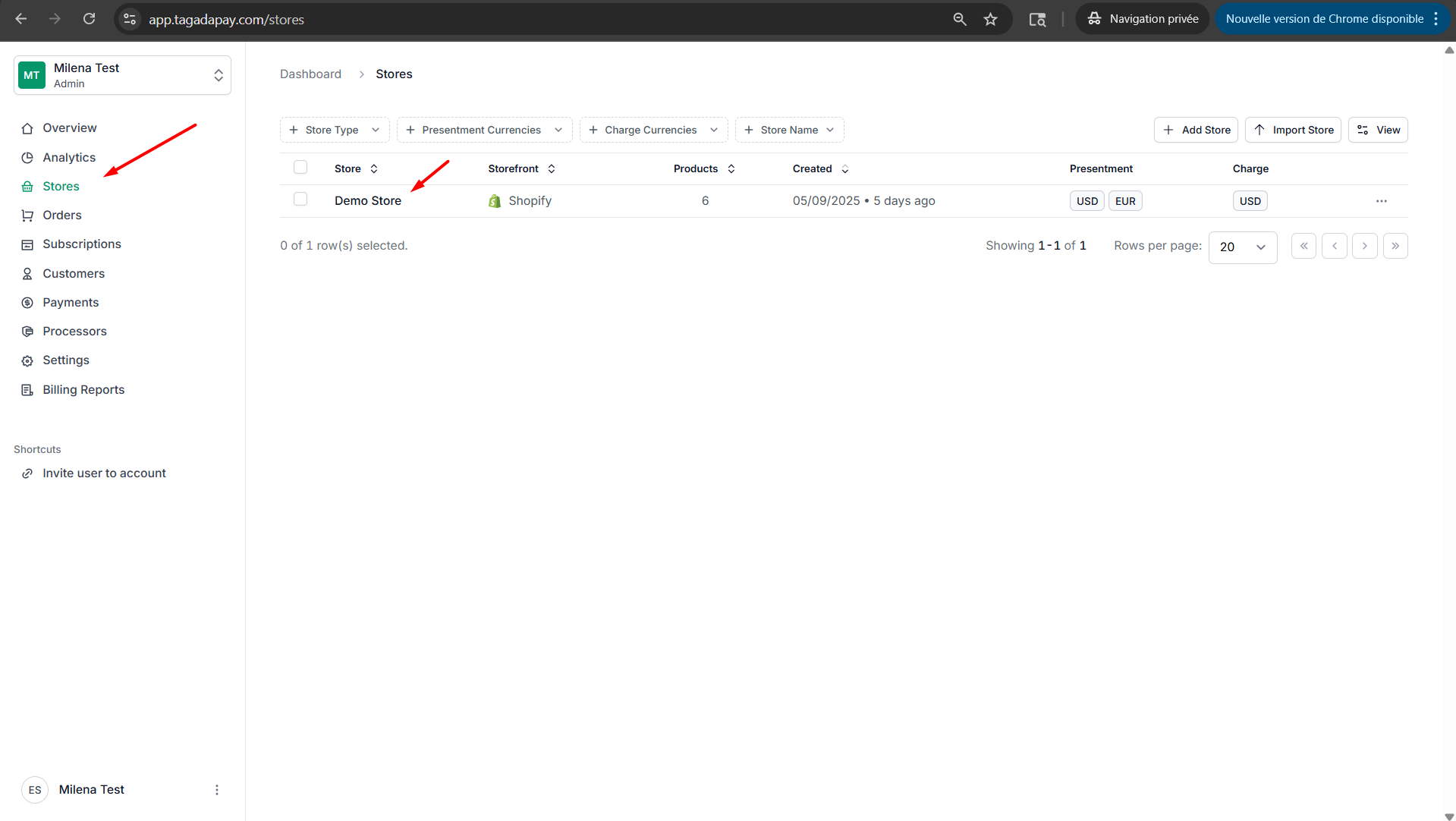
Step 2: Under the Offers tab in the menu, click on Create Offer.
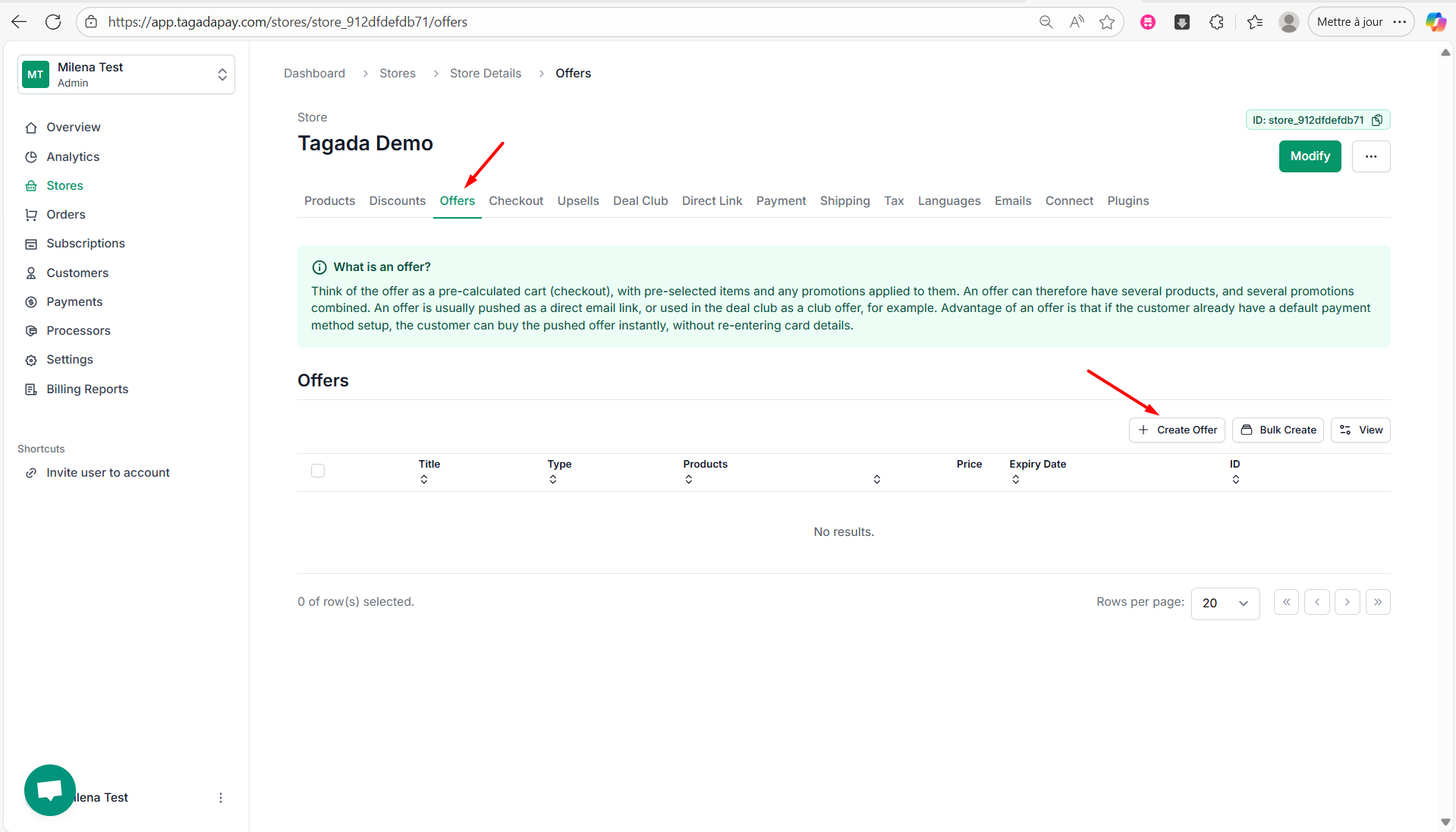
Step 3: Select the Type of your offer.
There are three types of offers:
Club Offer
Bundle Offer
Flash Sale
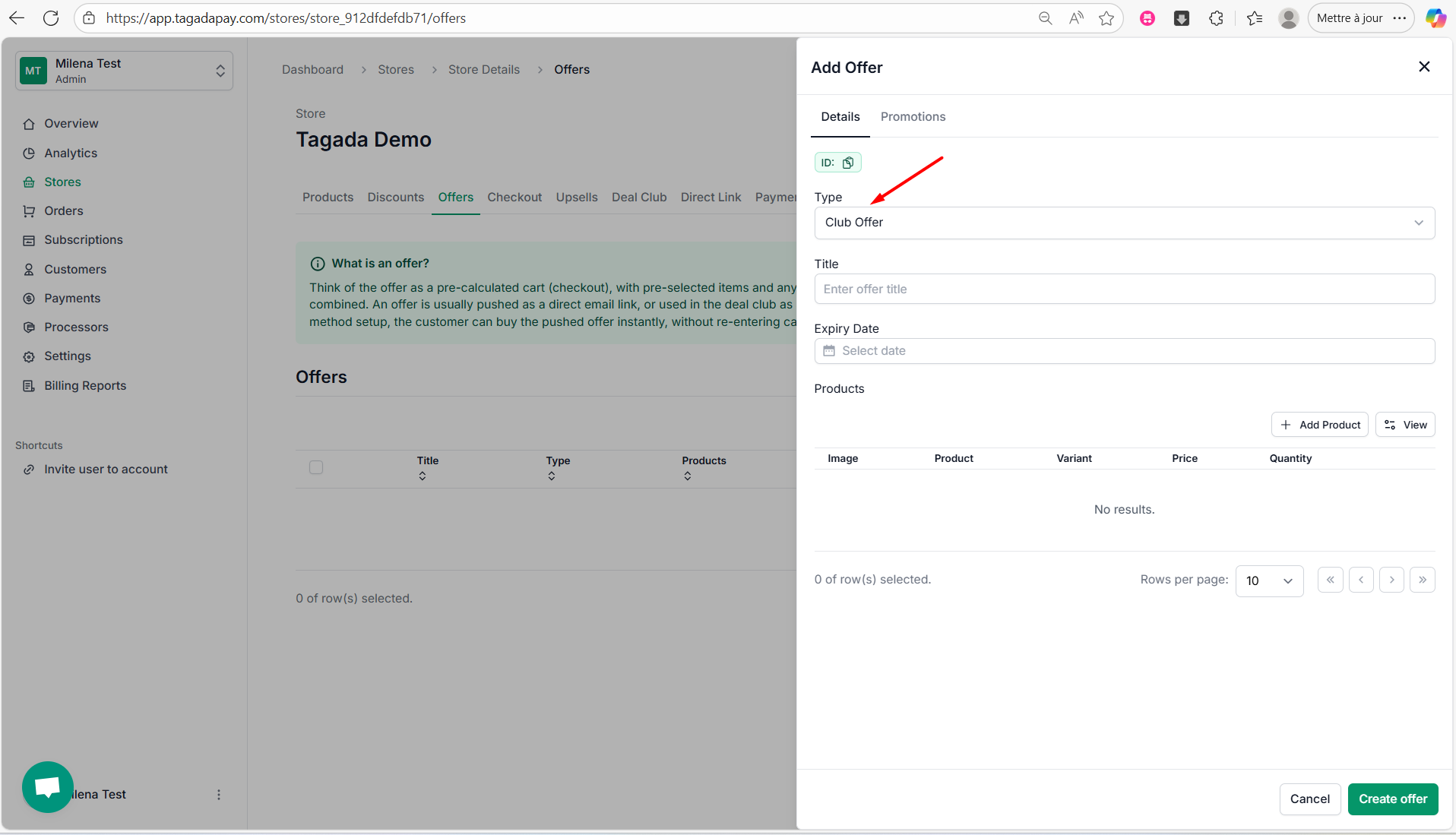
Step 4: Let’s do an example for Club Offer. Select Club Offer from the drop-down, enter a title (e.g., Fitness Gloves), and optionally set an expiry date to limit the offer's availability.
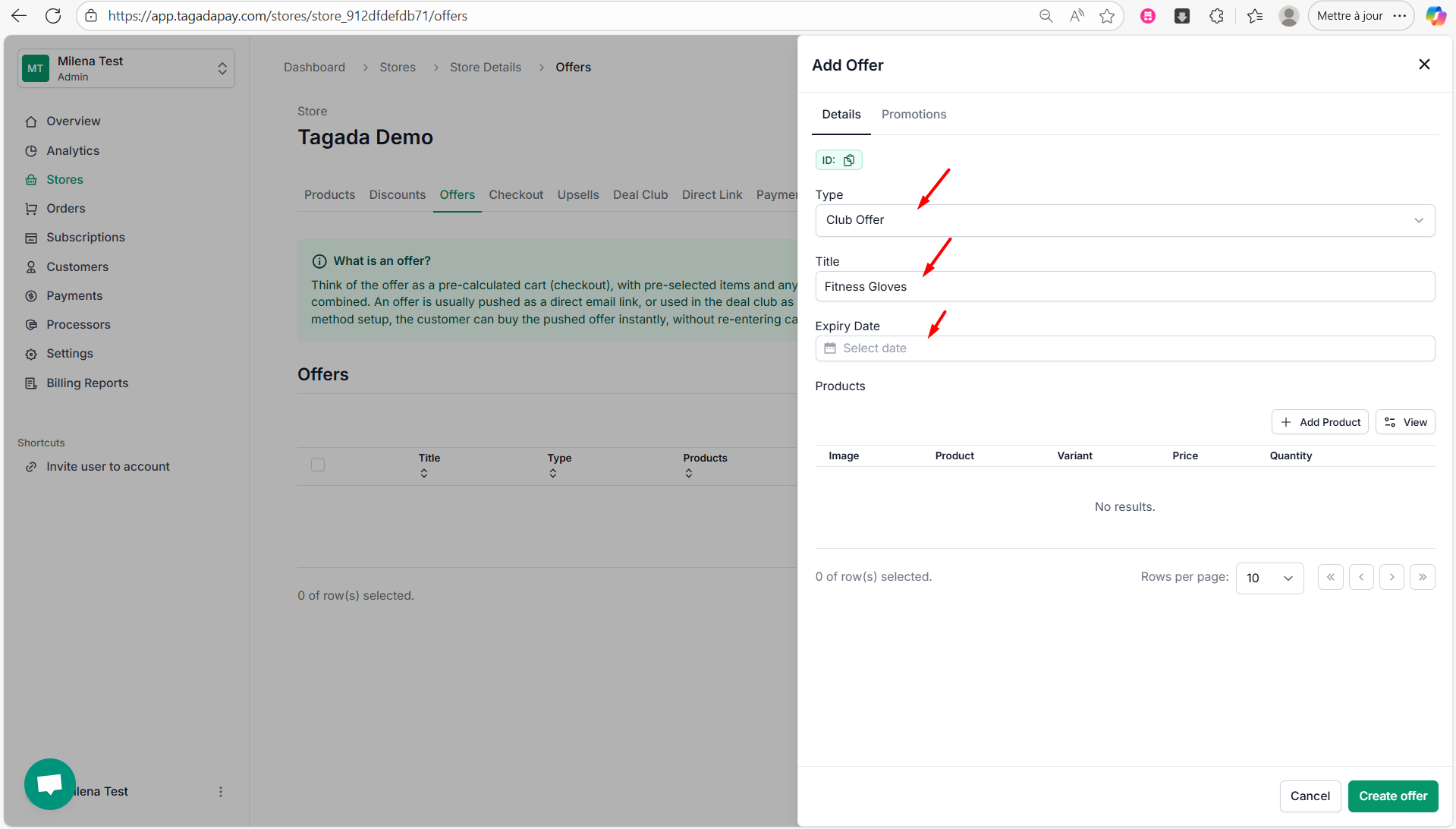
Step 5: Click on Add Product, choose the product for your offer, select the variant, set the price and quantity, then click Add Product.
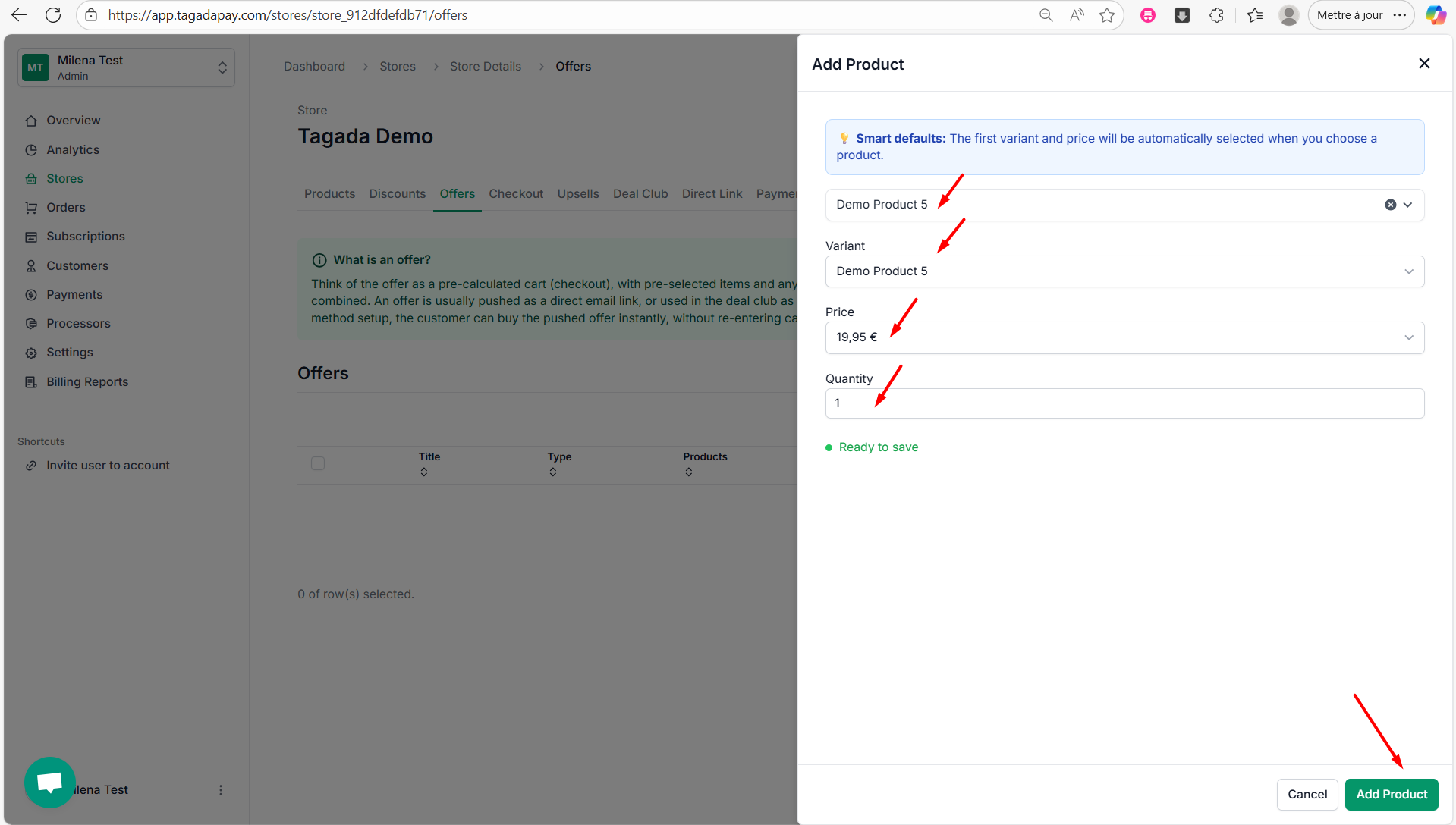
Step 6: Click on Create offer.
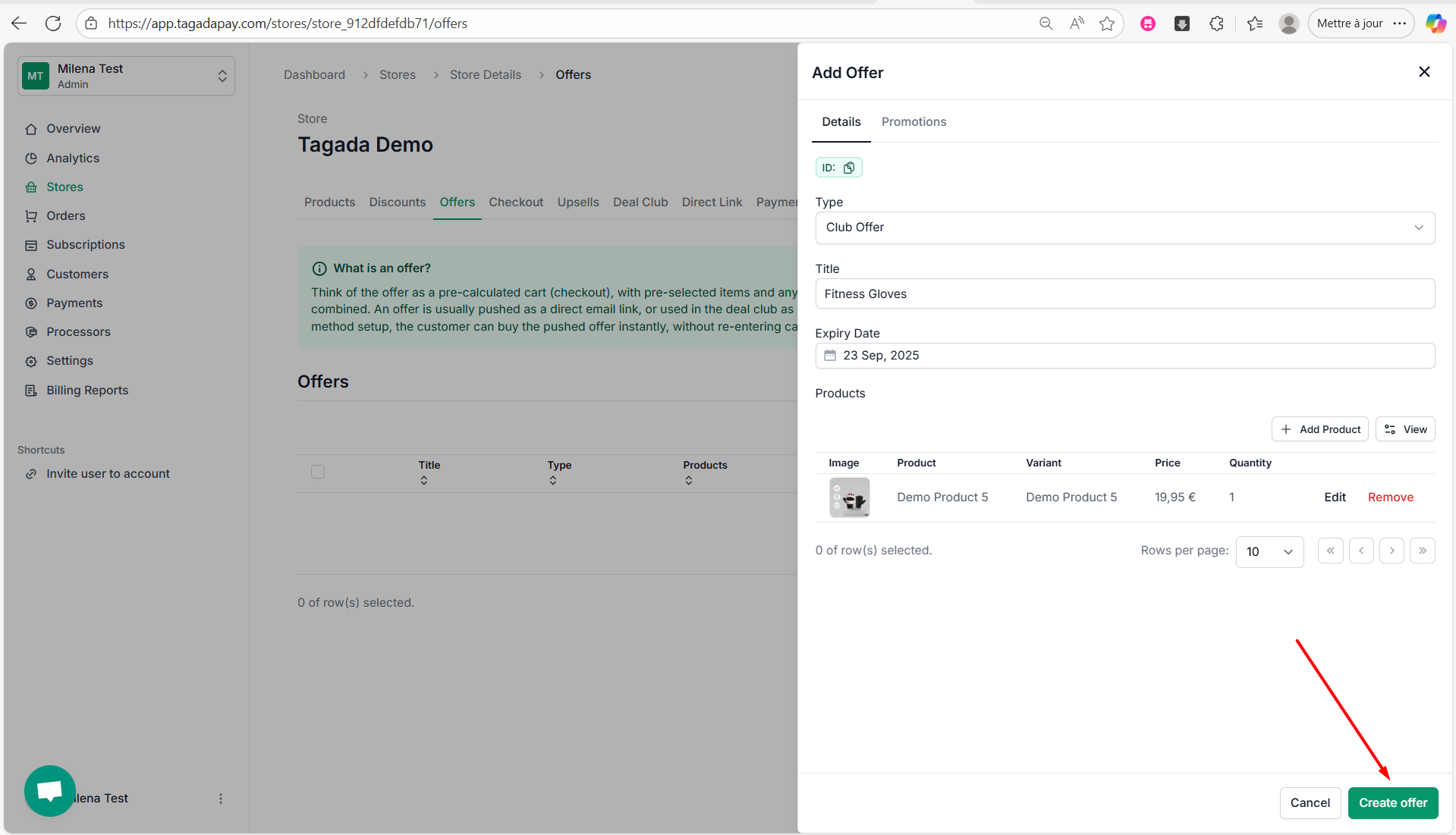
Step 7: A green notification will appear confirming your offer has successfully been created.
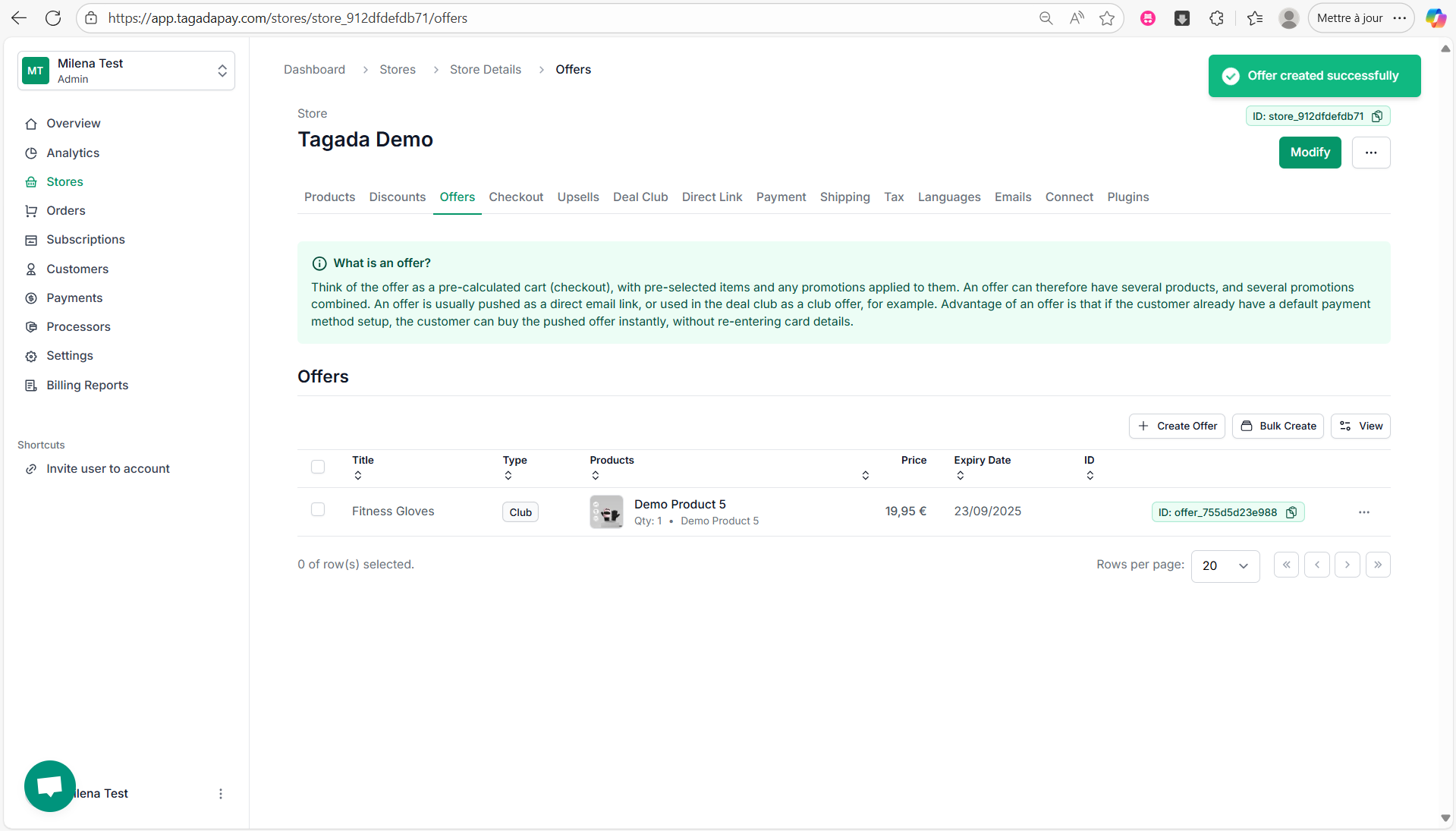
Step 8: Click on Discounts in the menu to create a discount you would like to apply to your bundle offer. If you need more detailed instructions, please refer to the Creating a Discount section.
Step 9: Click on your offer and click on Promotions tab. Then click on Add Discount.
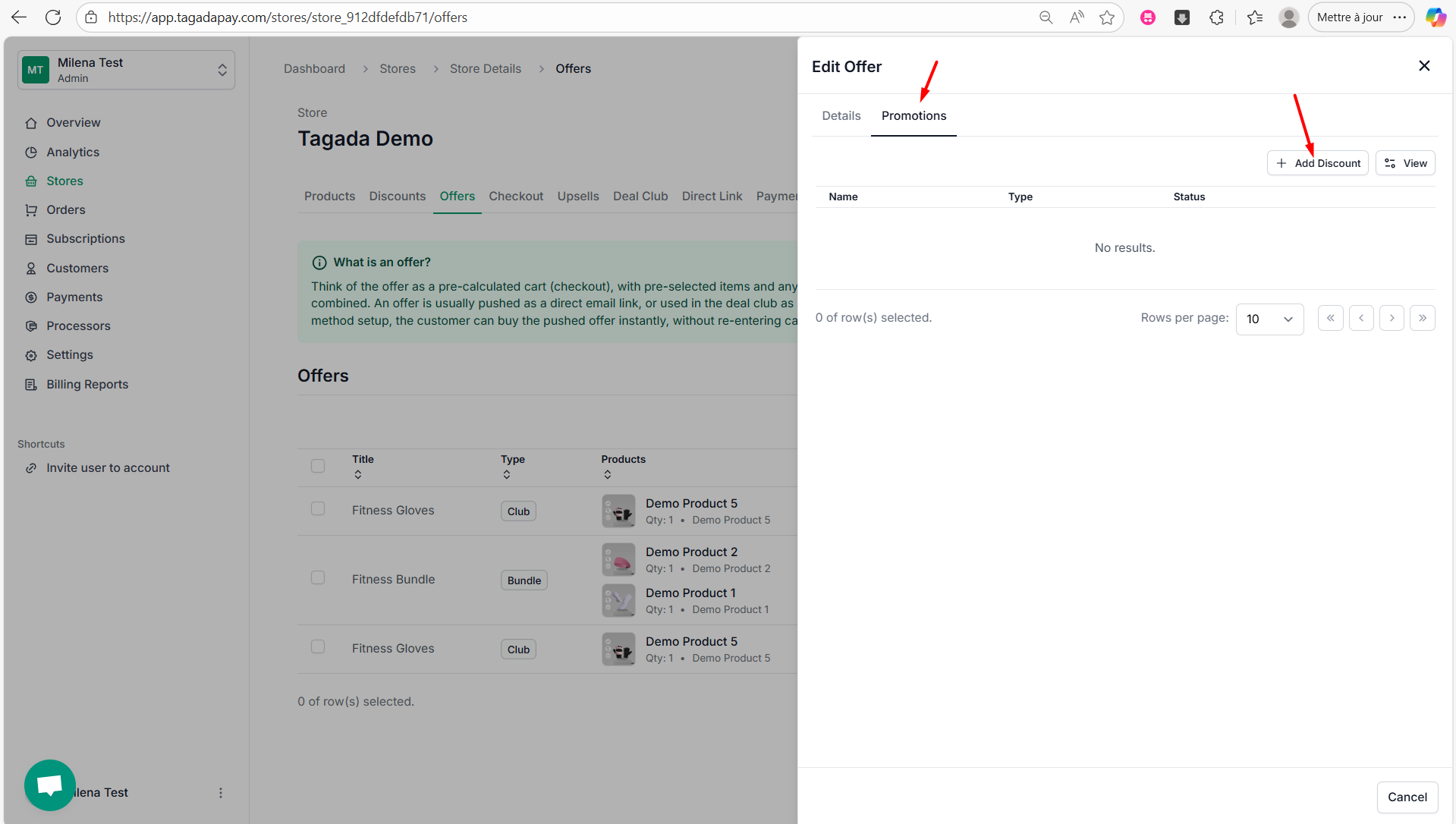
Step 10: Chose the promotion you would like to apply to your bundle offer and click on Add.
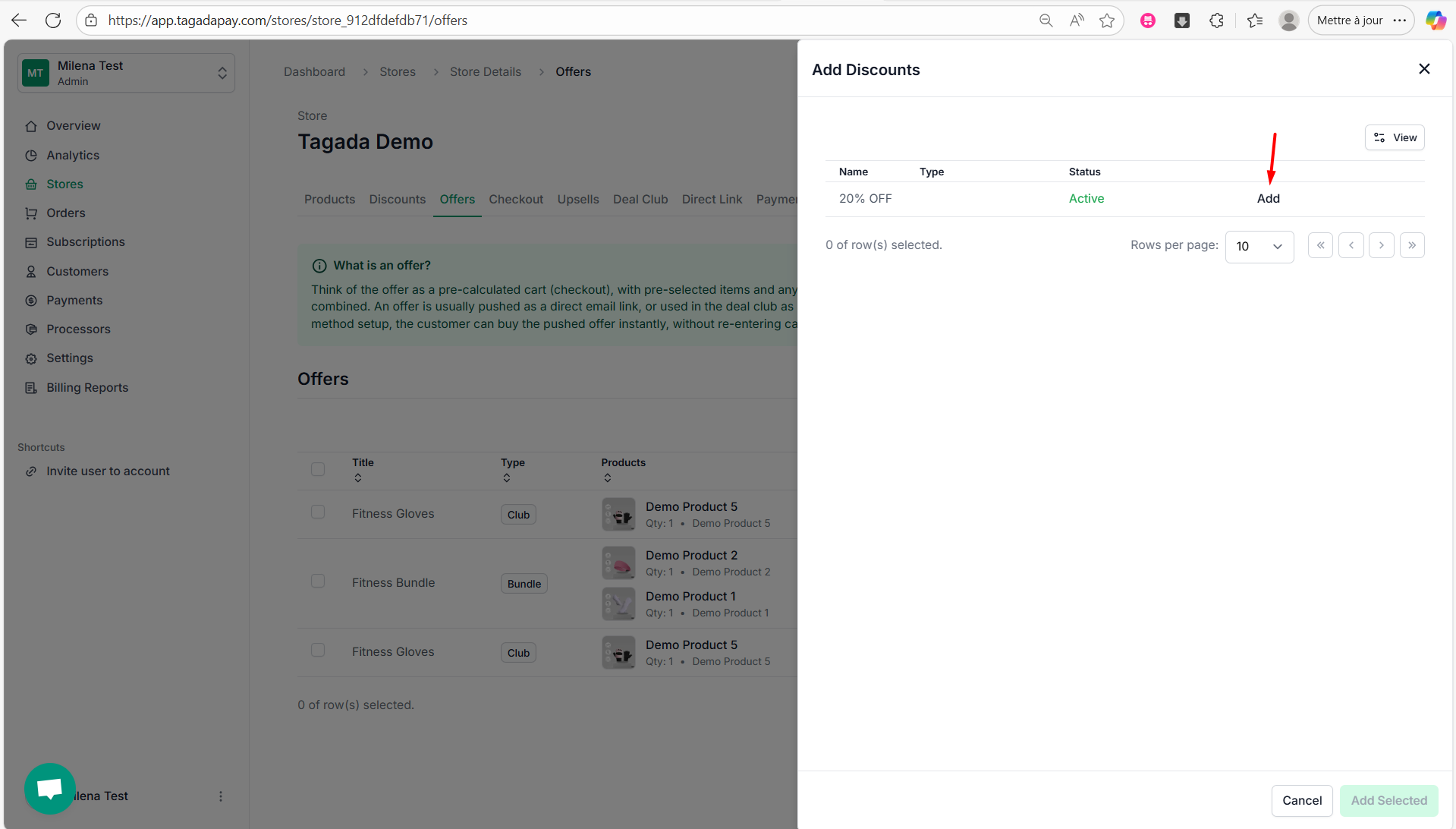
Step 11: Click on Add Selected.
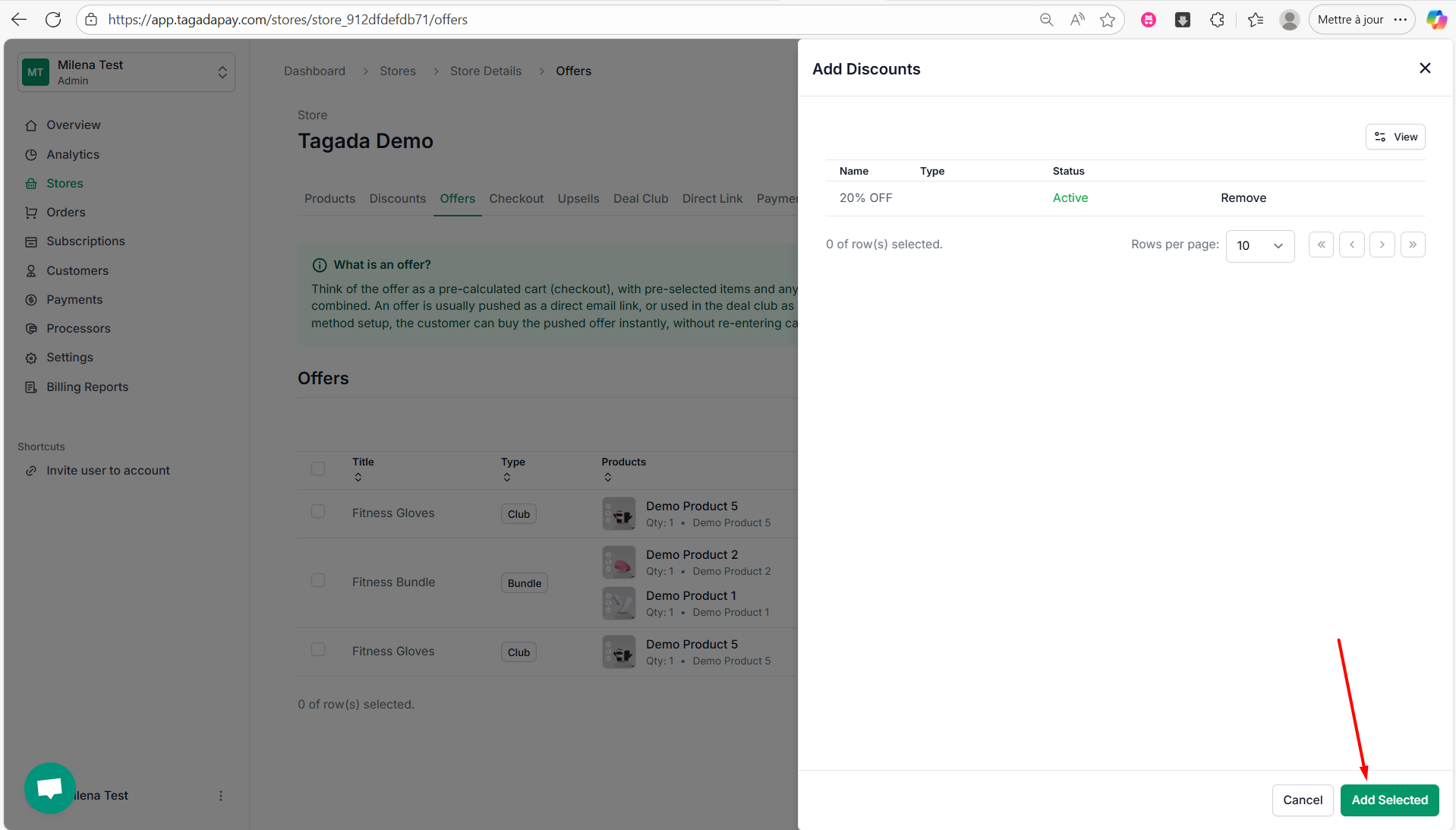
Step 12: A green notification will appear confirming that your discount was successfully added.
Note: You can add multiple products to your offer and create a bundle deal with a discount. We’ll explain how to do this in the next section.
This section introduces the Offers feature in Tagada.
An offer is a preselected item with a promotion applied, or a bundle of preselected items grouped together. Essentially, it functions like a mini cart that can be pushed directly to funnels or Deal Club.