
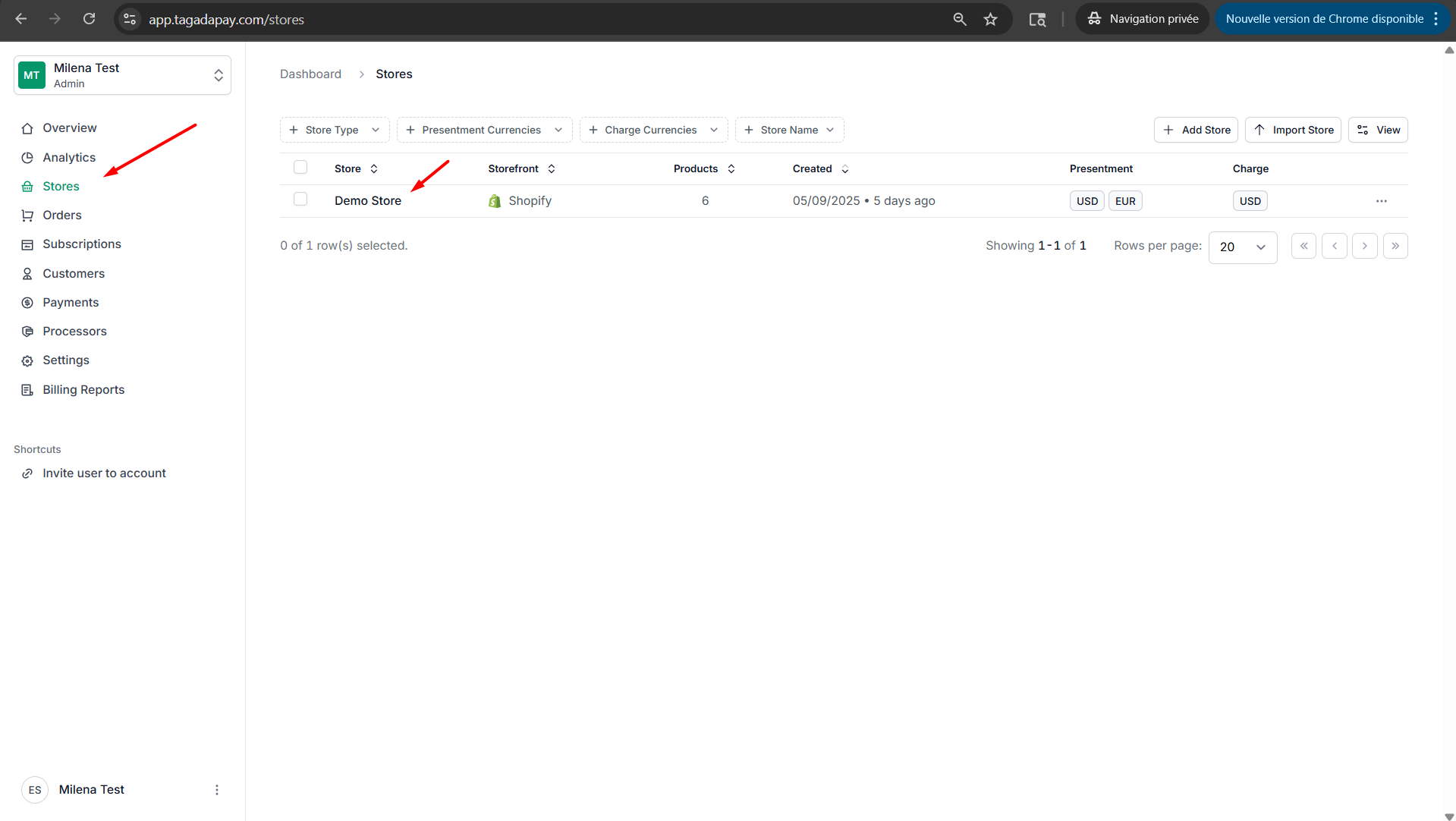
Step 1: Select your desired store under Stores.
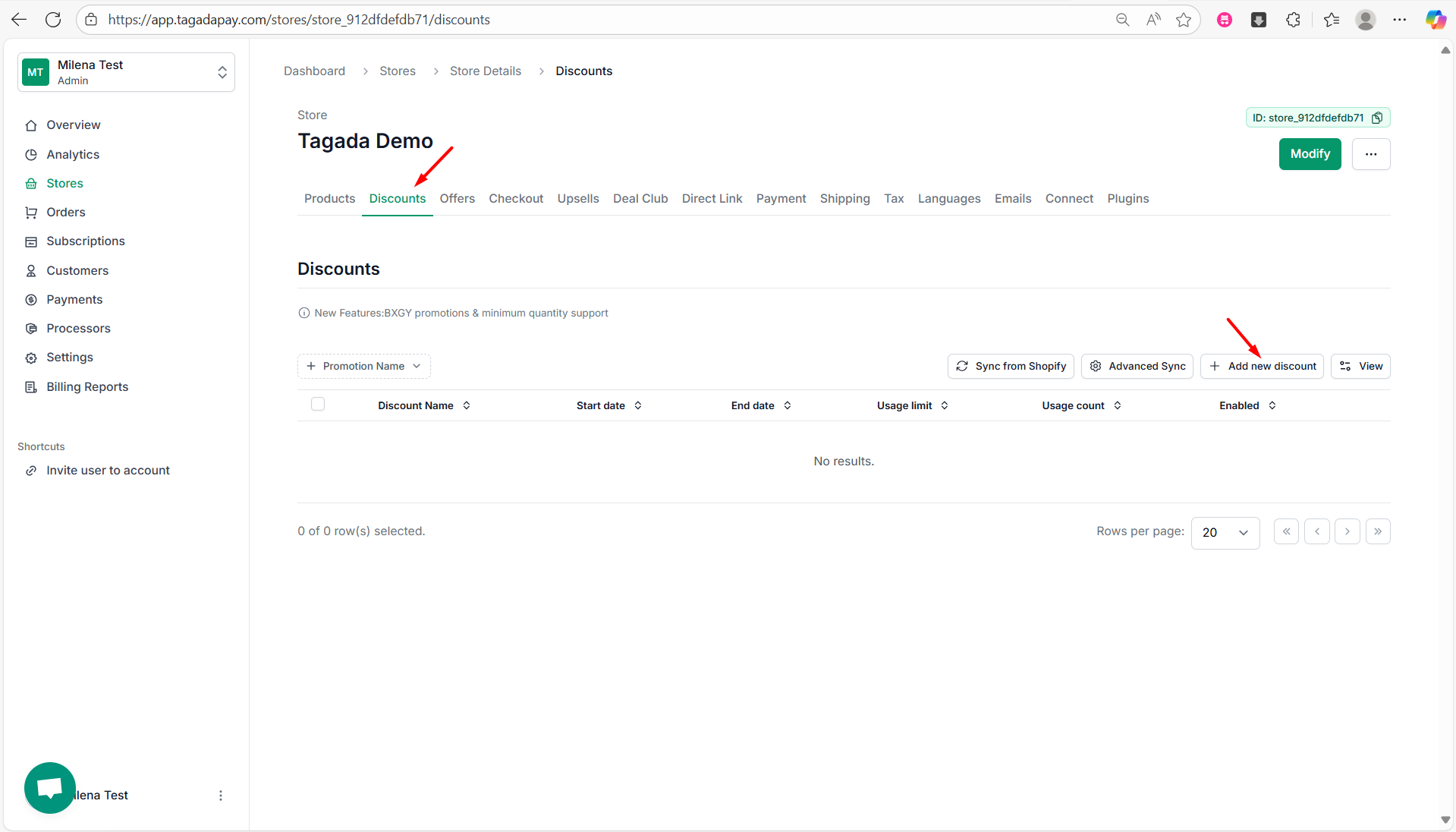
Step 2: Select Discounts tab, then select Add new discount.
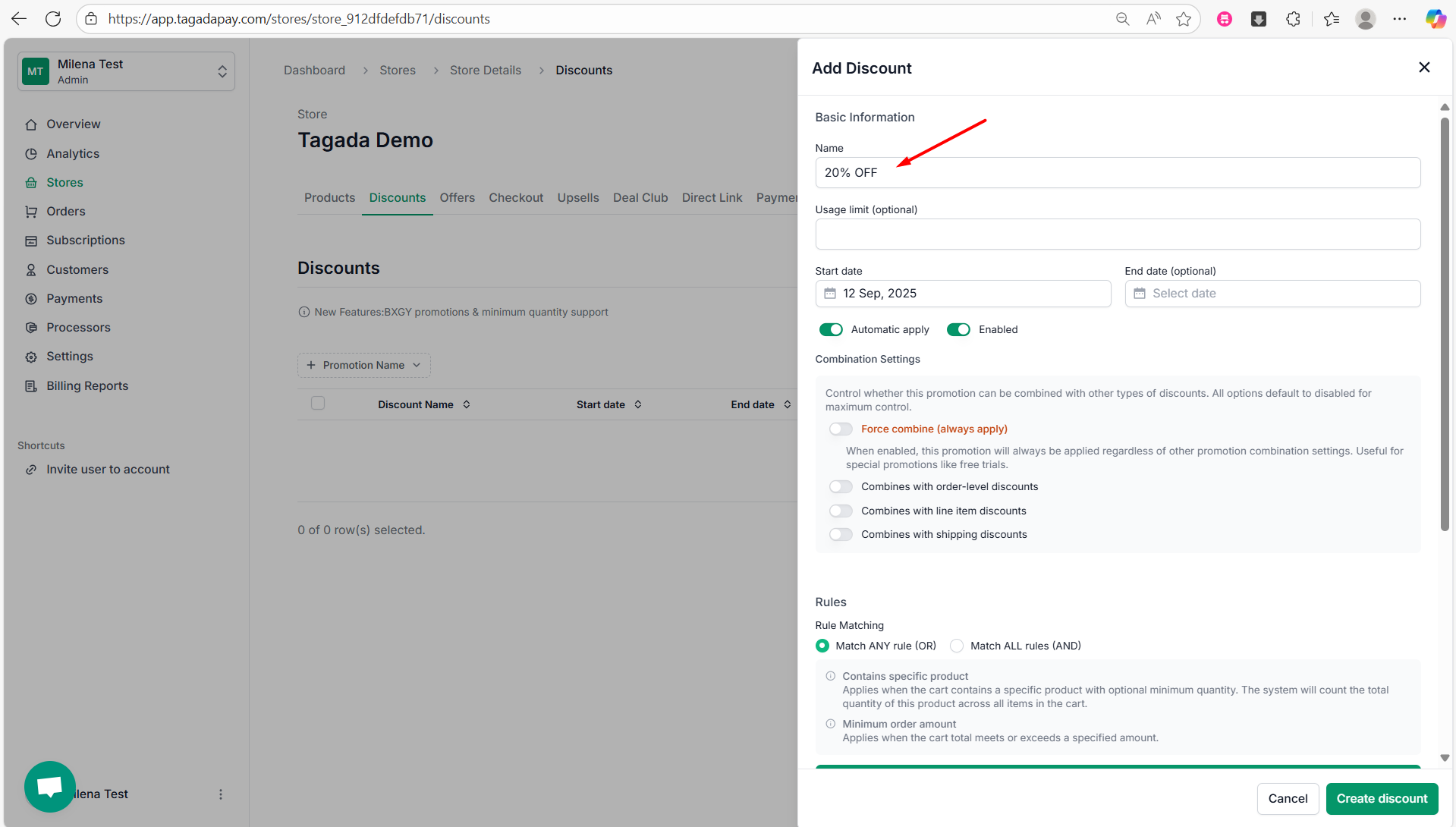
Step 3: You will need to enter the Name of your discount for example 20% OFF. You can also set up Usage limit which is optional.
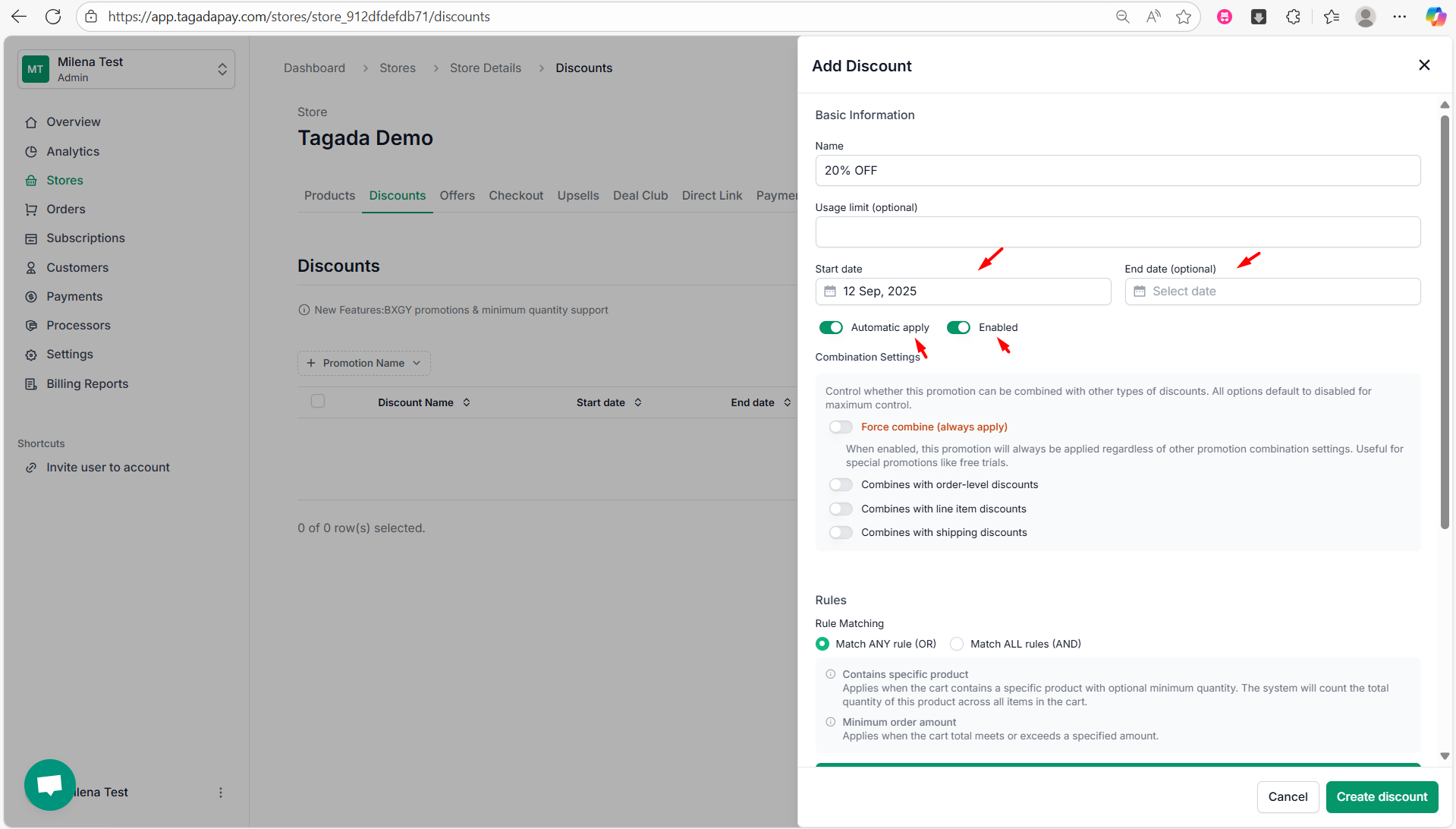
Step 4: Set a Start Date for the discount, and optionally an End Date if you want the offer to expire.
You can also choose whether the discount should be applied automatically at checkout. Use the Enabled toggle to activate or deactivate this specific discount.
Step 5: Under the Combination Settings, you can control whether this promotion can be combined with other types of discounts. All options are default to disabled for maximum control. Here are the options you can enable or disable:
Force combine (always apply) - When enabled, this promotion will always be applied regardless of other promotion combination settings. Useful for special promotions like free trials.
Combines with order-level discounts
Combines with line item discounts
Combines with shipping discounts
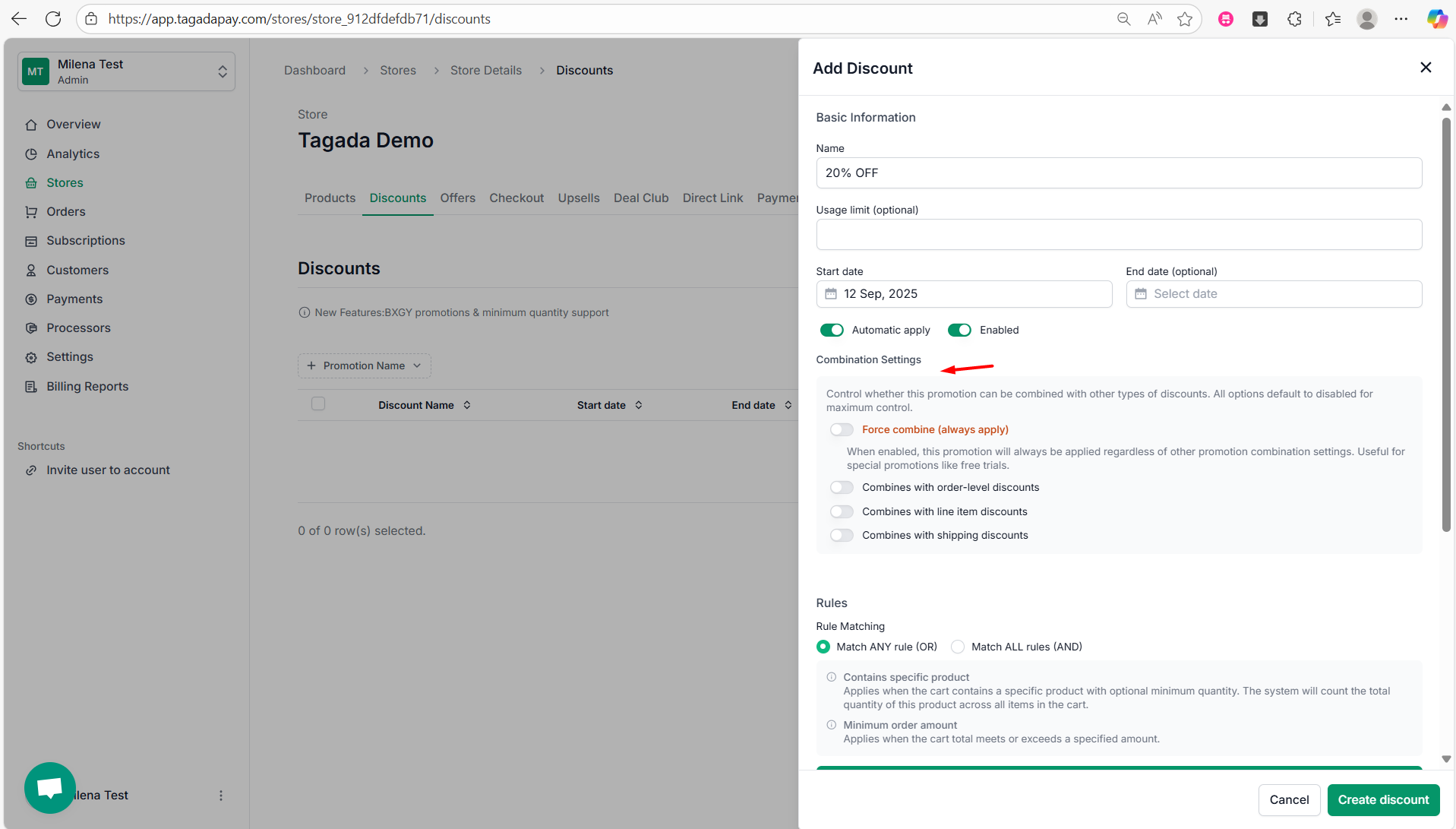
Step 6: Under the Rules section, you can choose between two types of Rule Matching: Match ANY rule (OR) and Match ALL rules (AND), so you can choose whether the discount should apply when any of the rules are met, or only when all rules are met.
Step 7: Then, you can choose between two rule types to determine when the discount should be applied:
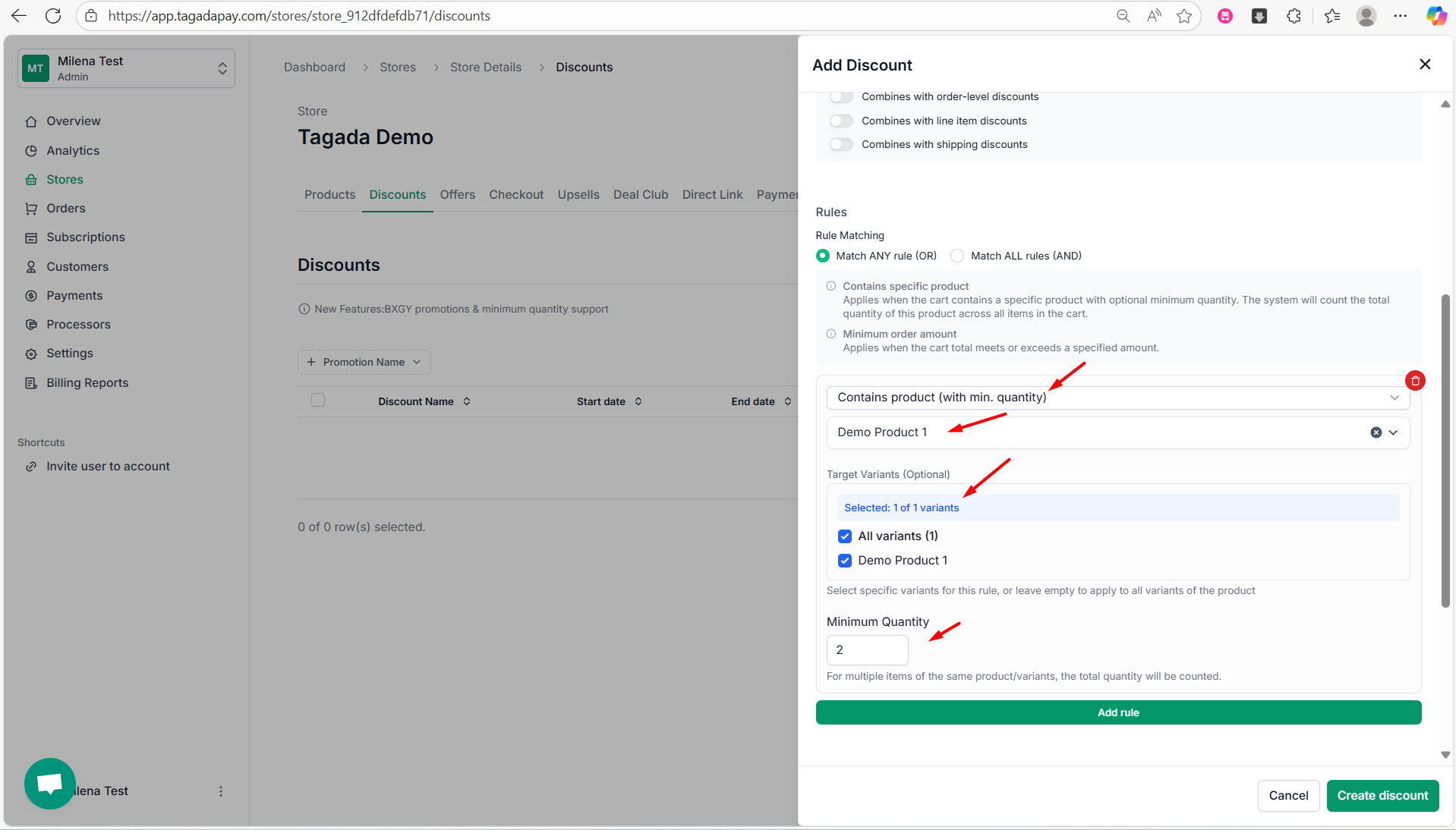
Contains specific product - Applies when the cart contains a specific product with optional minimum quantity. The system will count the total quantity of this product across all items in the cart.
Minimum order amount - Applies when the cart total meets or exceeds a specified amount.
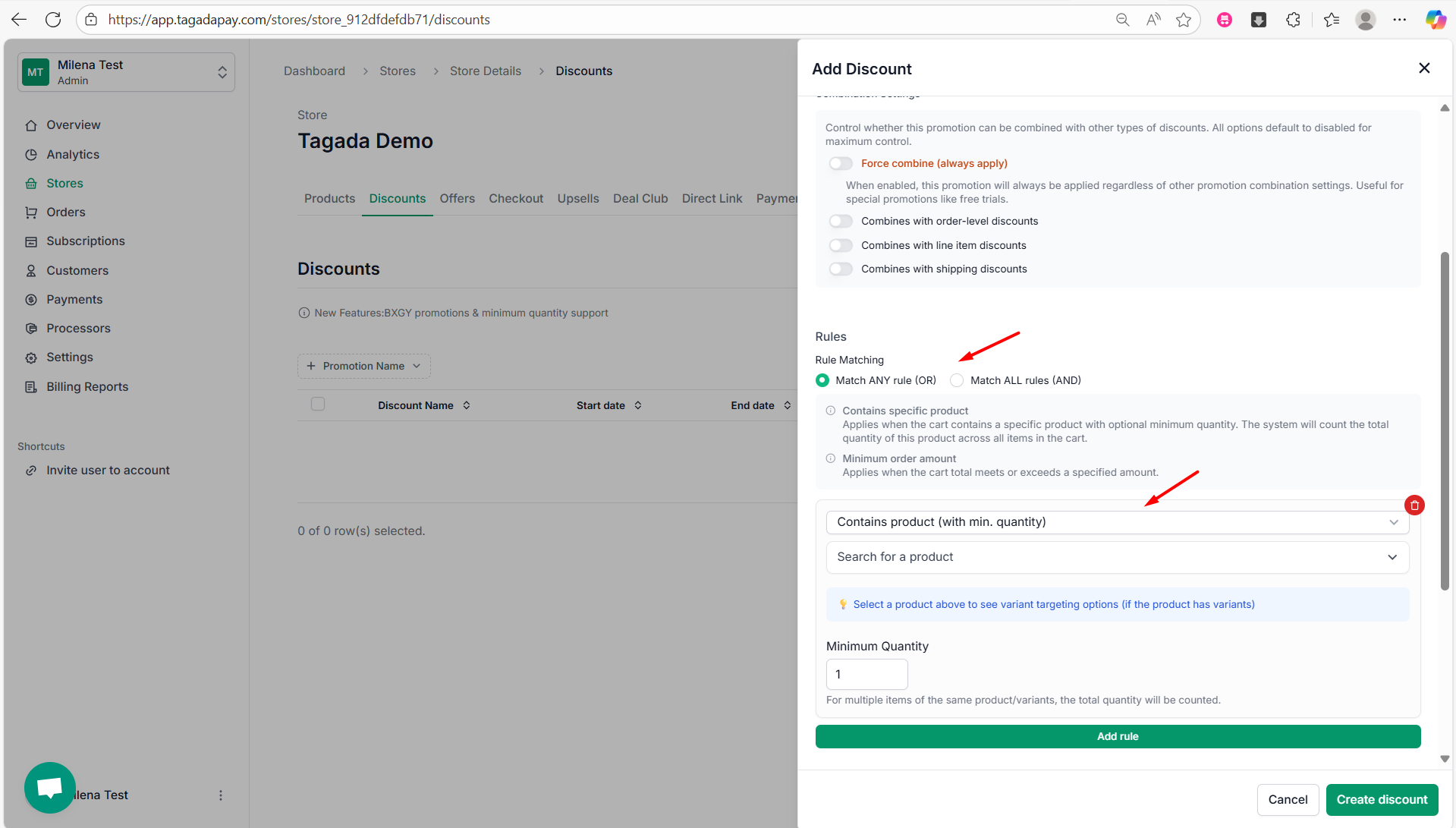
If you select the option “Contains specific product”, this rule applies when the cart includes a specific product, with an optional minimum quantity. The system will count the total quantity of that product across all items in the cart. You’ll need to select the product, variant, and required quantity.
If you select the second option, this rule applies when the total cart value meets or exceeds a specified amount. You’ll be prompted to enter the minimum cart value required.
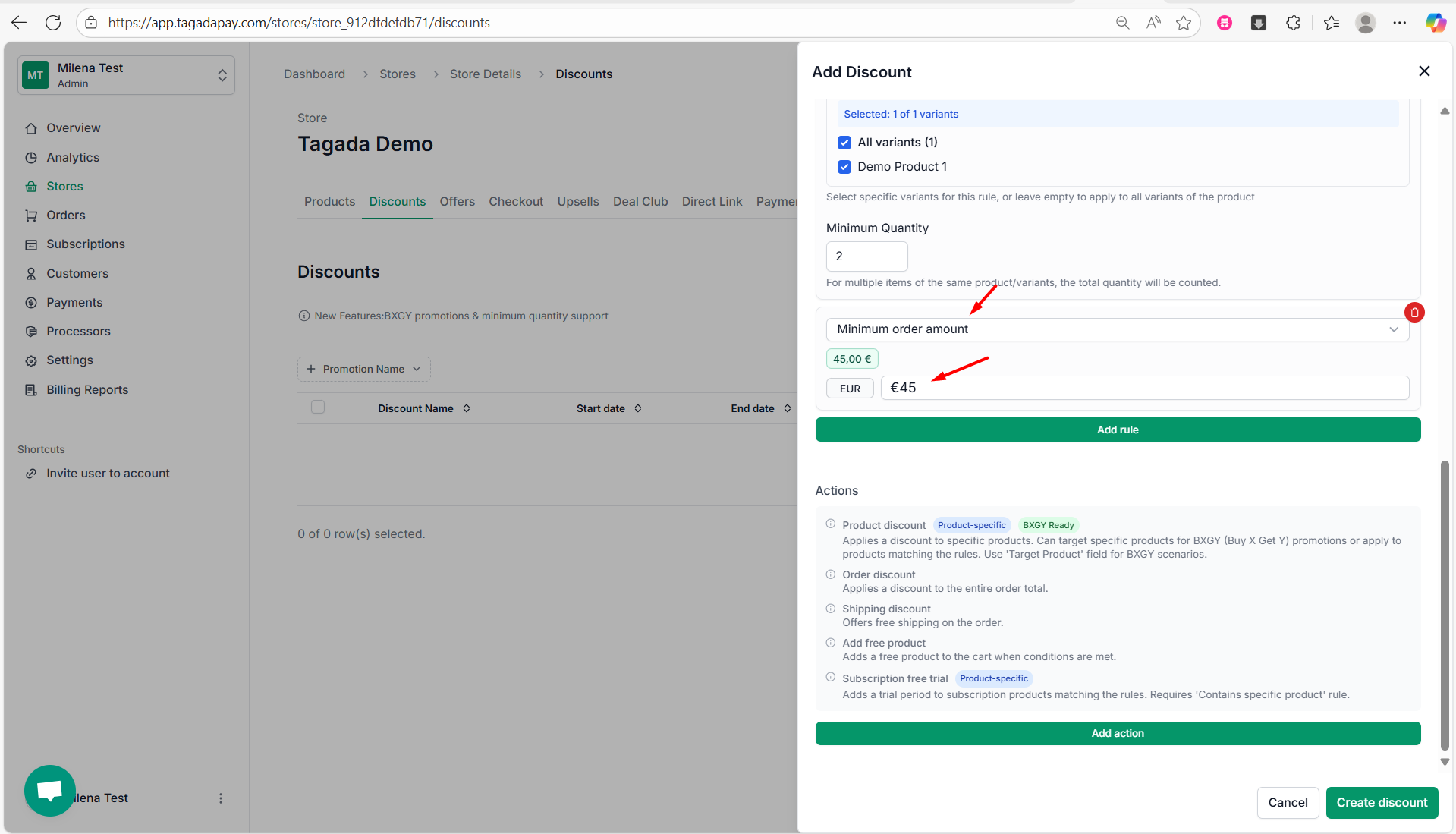
Note: You can add multiple rules to create a combination of conditions. Additionally, you can choose whether the discount should apply when any of the rules are met, or only when all rules are met.
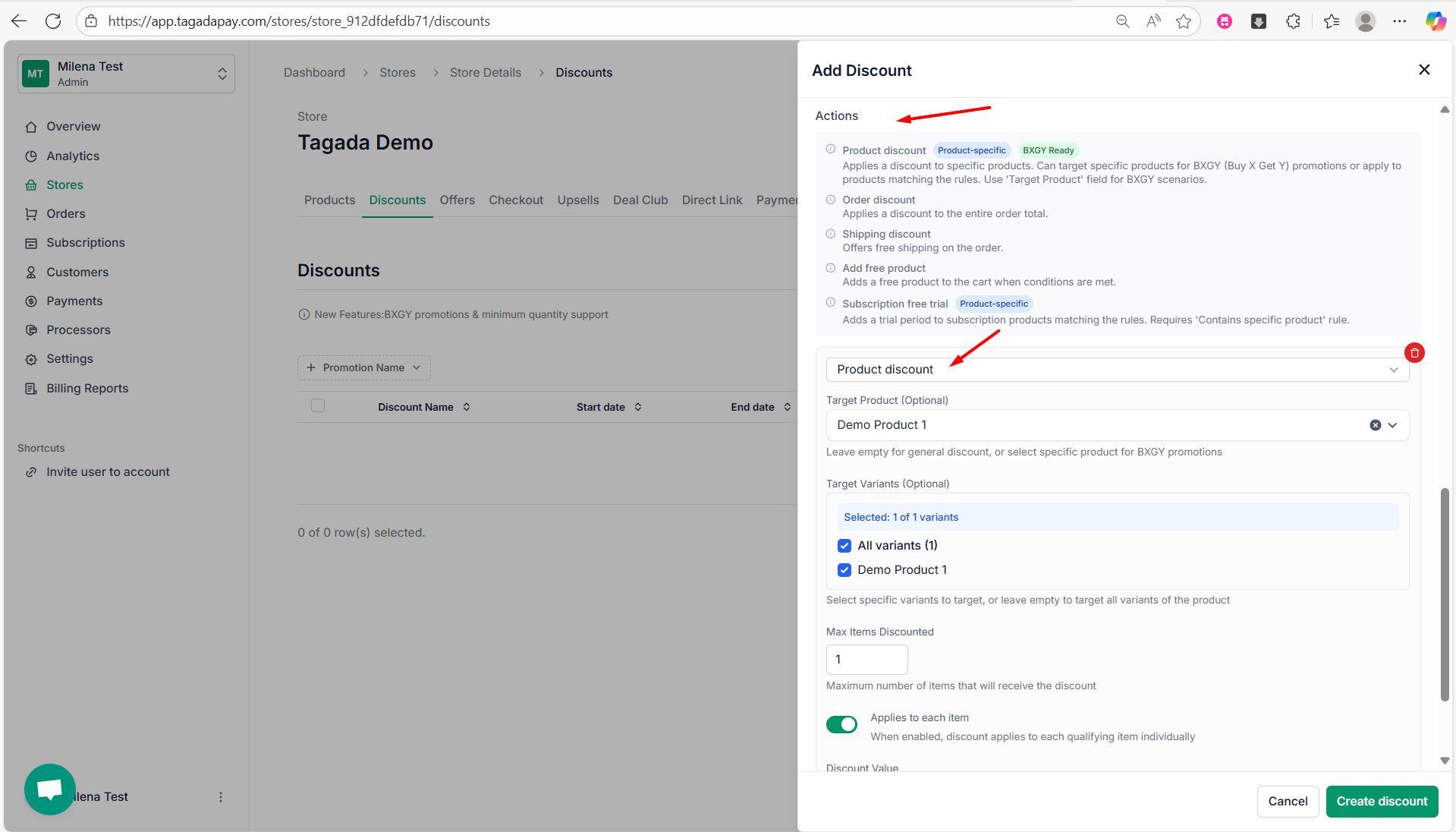
Step 8: Under Actions, you can select the action to be taken if your conditions are met:
Product discount (Product-specific and BXGY Ready) - Applies a discount to specific products. Can target specific products for BXGY (Buy X Get Y) promotions or apply to products matching the rules. Use 'Target Product' field for BXGY scenarios.
Order discount - Applies a discount to the entire order total.
Shipping discount - Offers free shipping on the order.
Add free product - Adds a free product to the cart when conditions are met.
Subscription free trial (Product-specific) - Adds a trial period to subscription products matching the rules. Requires 'Contains specific product' rule.
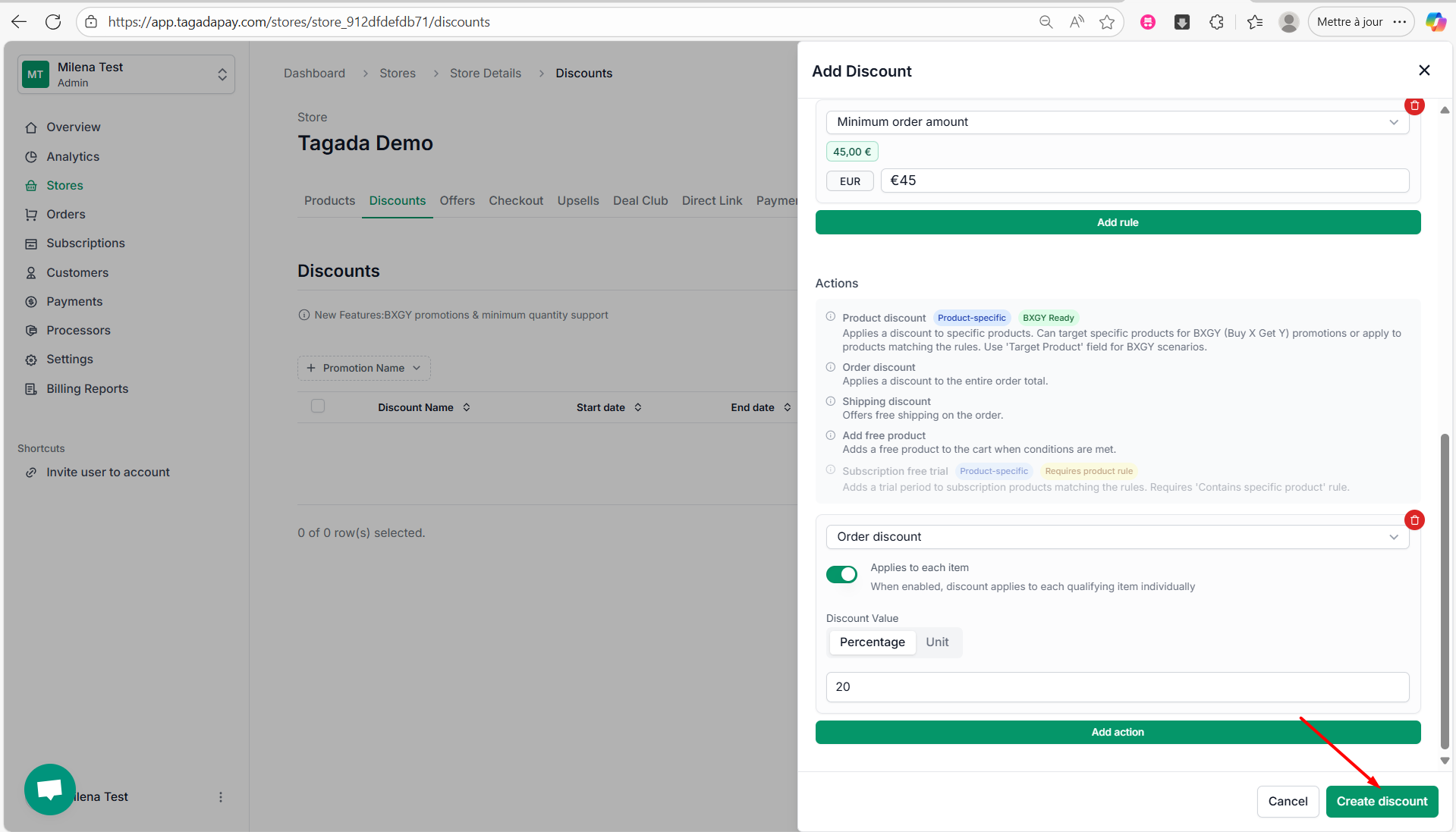
Step 9: Once you are done setting the rules and actions of your discounts, click on Create discount.
Step 10: A green notification will appear, confirming that your discount has been successfully created..
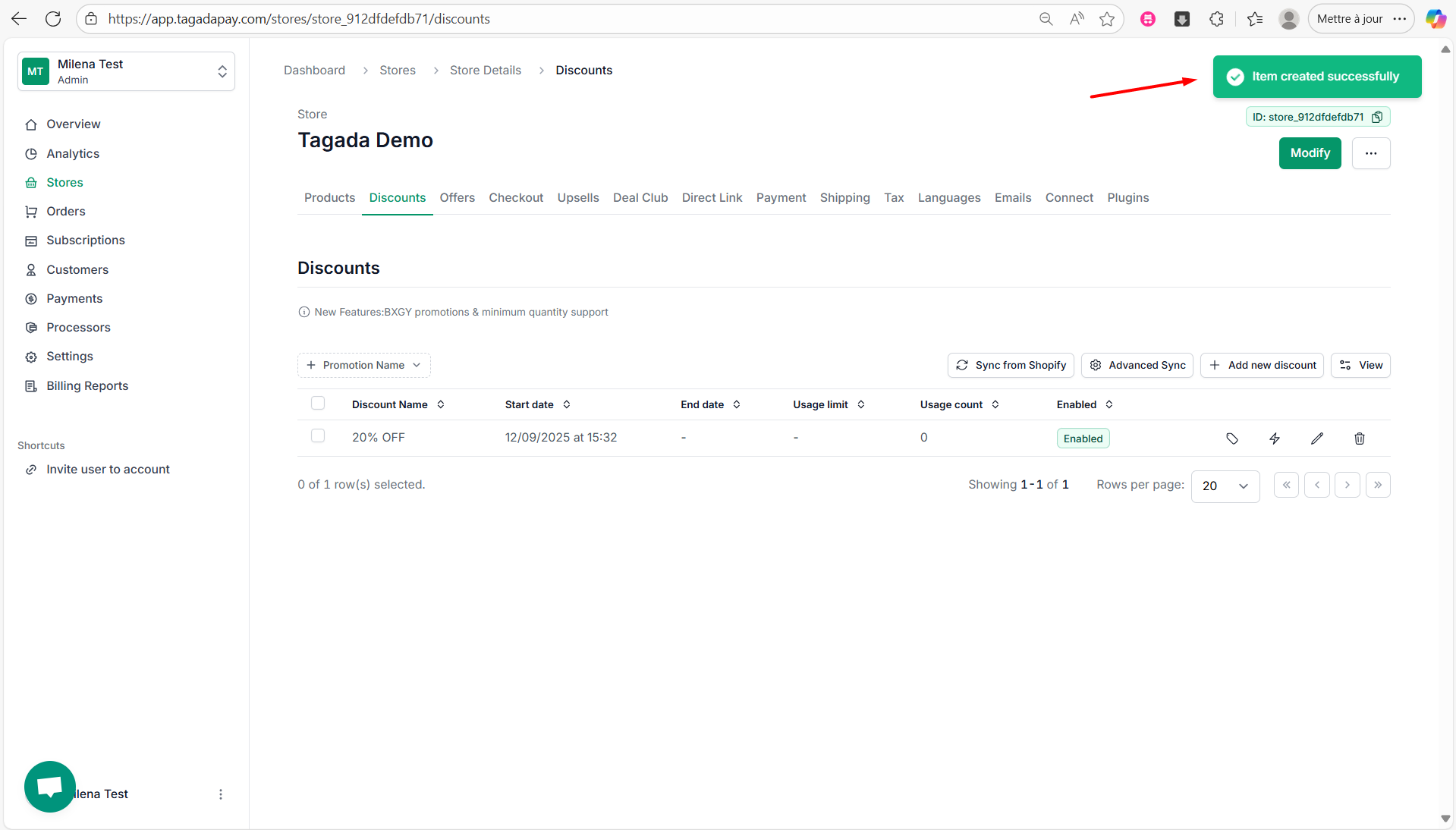
Once your discount has been created, you will be able to create a discount code.
Using a hosted checkout means that any discounts must be managed directly within the checkout using the built-in discount feature.